
1. Sarrera
Welcome to the user manual for your SGIN Android Tablet 10.1 Inch, Model GE8300. This manual provides essential information for setting up, operating, maintaining, and troubleshooting your new tablet. Designed with children in mind, this tablet features a durable case, parental controls, and pre-installed educational content through Kidoz software. Please read this manual thoroughly to ensure proper use and to maximize your tablet's potential.
2. Produktua amaitu daview
The SGIN Android Tablet 10.1 Inch is equipped with a 10.1-inch HD IPS display, a quad-core processor, 4GB RAM, and 64GB of internal storage. It runs on Android 13 and includes a protective case with an adjustable bracket.
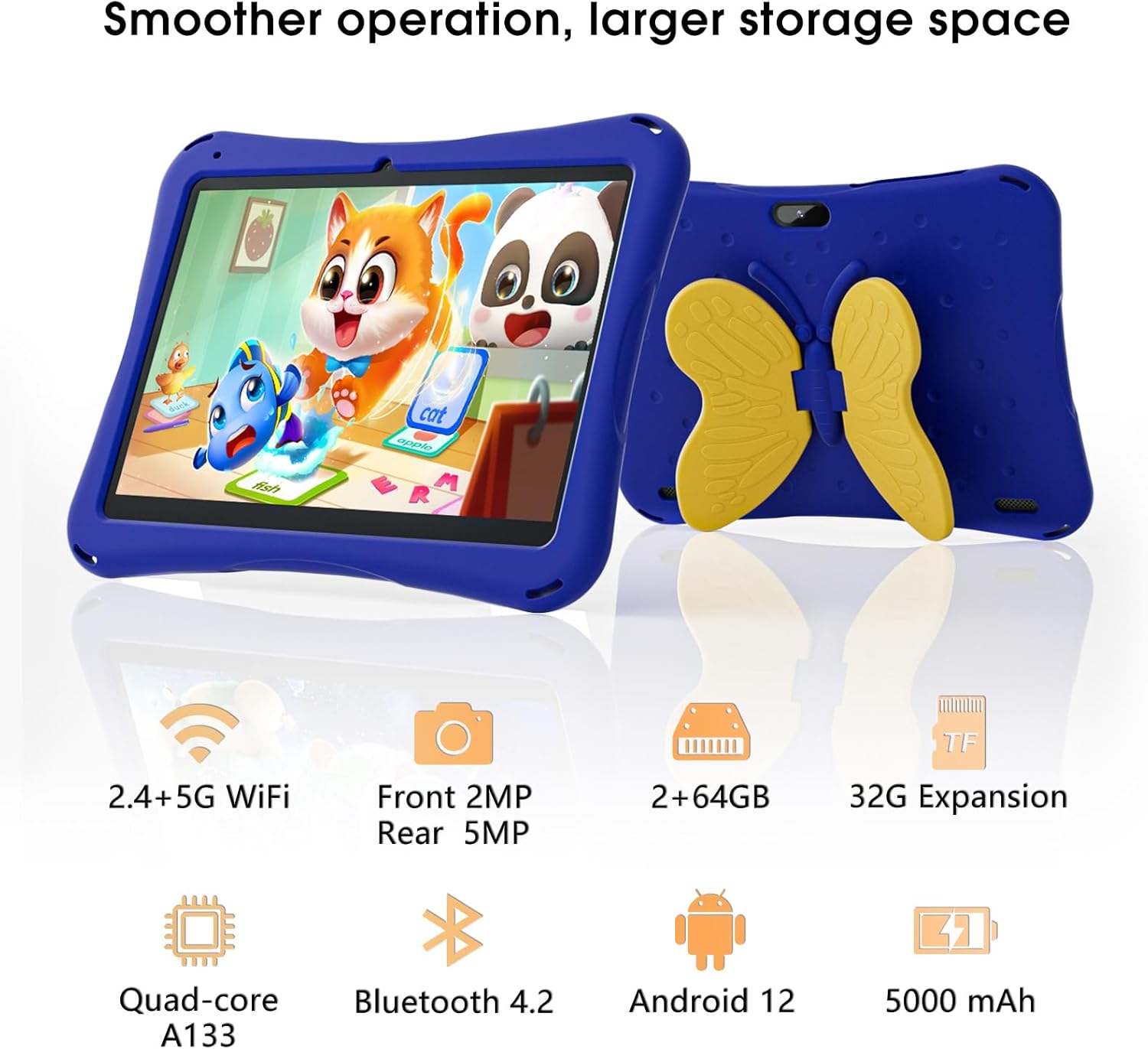
Image: SGIN Android Tablet 10.1 Inch with its protective blue case and yellow butterfly stand.
Tabletaren osagaiak

Image: Detailed diagram illustrating the various components and ports of the SGIN Android Tablet.
- Aurrealdeko kamera: Bideo-deietarako eta selfieetarako.
- Atzeko kamera: Argazkiak eta bideoak ateratzeko.
- Hizlariak: Audio irteerarako.
- C motako ataka: Kargatzeko eta datuak transferitzeko.
- TF txartelaren zirrikitua: Biltegiratze zabalgarrirako.
- Aurikularrak Jack: Kable bidezko entzungailuak konektatzeko.
- Handitu bolumena: Button to raise the audio level.
- Murriztu bolumena: Button to lower the audio level.
- Parentesia: Adjustable stand integrated into the protective case.
3. Konfigurazioa
3.1 Tableta kargatzea
Before first use, fully charge the tablet using the provided Type-C cable and power adapter. The 5000mAh battery provides approximately 6-8 hours of usage on a full charge. A charging indicator will typically appear on the screen.
3.2 Piztu/Itzaltzea
- Pizteko: Press and hold the power button (usually located on the side) until the SGIN logo appears.
- Itzaltzeko: Sakatu eta eutsi pizteko botoiari, eta ondoren hautatu 'Itzali' pantailan agertzen diren aukeren artean.
- Berrabiarazteko: Sakatu eta eutsi pizteko botoiari, eta ondoren hautatu 'Berrabiarazi' aukeren artean.
3.3 Hasierako konfigurazioa eta Wi-Fi konexioa
Upon first power-on, follow the on-screen prompts to complete the initial Android 13 setup. This includes selecting your language, region, and connecting to a Wi-Fi network. The tablet supports both 2.4G and 5G Wi-Fi for stable internet connectivity.
- Joan zaitez Ezarpenak > Sarea eta Internet > Wi-Fi.
- Wi-Fia aktibatu/desaktibatu On.
- Hautatu nahi duzun sarea zerrendatik.
- Eskatzen bazaizu, idatzi pasahitza eta, ondoren, sakatu Konektatu.
4. Funtzionamendu-argibideak
4.1 Oinarrizko nabigazioa
The tablet uses a touch-sensitive screen for navigation. Common gestures include tapping to select, swiping to scroll, pinching to zoom, and long-pressing for additional options.
4.2 Kameraren erabilera
The tablet features a 2MP front-facing camera and a 5MP rear camera. To use the camera:
- Ireki Kamera aplikazioa.
- Select between front and rear cameras using the switch icon.
- Sakatu obturadorearen botoia argazki bat ateratzeko edo bideo grabaketa hasteko/gelditzeko.
4.3 Biltegiratze kudeaketa
The tablet comes with 64GB of internal storage. If more space is needed, you can expand it by inserting a TF (microSD) card into the TF card slot. The tablet supports expansion up to 34GB.
4.4 Bluetooth konexioa
The tablet supports Bluetooth 4.2 for connecting to wireless accessories such as headphones or speakers.
- Joan zaitez Ezarpenak > Konektatutako gailuak > Konexio-hobespenak > Bluetootha.
- Aktibatu Bluetooth-a On.
- Hautatu zure gailua parekatzeko eskuragarri dauden gailuen zerrendatik.
5. Parental Control Features
The SGIN tablet includes a built-in parental control security system to manage your child's usage and content access.
- Ezarri pasahitzak: Create a password to secure parental control settings.
- Screen Time Limits: Define daily usage limits for the tablet.
- Edukiak iragaztea: Eliminate unwanted ads and create specific media files or approved websites for your children.
- Multiple Accounts: Set up individual accounts for each child, allowing personalized settings and content access.
6. Kidoz Kids Software
The tablet comes with the Kidoz Kid's software pre-installed, offering a safe and engaging environment for children.
- Accessing Kidoz: Launch the Kidoz app from the home screen.
- Kids Store: Explore thousands of free games and educational apps available for download within the Kidoz environment.
- Hezkuntza edukia: Kidoz provides content that supports learning in subjects like math, language, music, and painting.
7. Mantentzea
7.1 Garbiketa
Use a soft, lint-free cloth to clean the screen and the tablet's body. For stubborn smudges, slightly dampGarbitu oihalak urarekin. Saihestu produktu kimiko gogorrak edo material urratzaileak.
7.2 Bateria zaintzea
To prolong battery life, avoid exposing the tablet to extreme temperatures. Charge the tablet regularly and avoid letting the battery completely drain frequently.
7.3 Software eguneraketak
Aldian-aldian egiaztatu sistemaren eguneraketak errendimendu eta segurtasun optimoa bermatzeko. Joan honera Ezarpenak > Sistema > Sistema eguneratzea.
7.4 Babes-zorroa
The included kid-proof case is designed to protect the tablet from dust, bumps, and drops. It also features a hollow design for heat dissipation. Ensure the tablet is properly seated within the case for maximum protection.

Image: The durable anti-drop protective case with its adjustable bracket.
8. Arazoak
If you encounter issues with your SGIN tablet, refer to the following common solutions:
- Tableta ez da pizten: Ensure the tablet is charged. Connect it to the charger and wait a few minutes before attempting to power it on again.
- Erantzuten ez duen pantaila: If the screen becomes unresponsive, try restarting the tablet by holding down the power button for approximately 10-15 seconds until it powers off, then power it on normally.
- Wi-Fi konexioaren arazoak: Check if other devices can connect to the Wi-Fi network. Restart your Wi-Fi router. On the tablet, forget the network and reconnect.
- Errendimendu motela: Close unused applications running in the background. Clear cache data for apps. Consider performing a factory reset if performance issues persist (back up important data first).
- Aplikazioak kraskatzen: Ensure apps are updated to their latest versions. Clear the app's cache and data via Ezarpenak > Aplikazioak > [Aplikazioaren izena] > Biltegiratzea eta cachea.
Urrats hauekin konpontzen ez diren arazoetarako, jarri harremanetan bezeroarentzako arreta-zerbitzuarekin.
9. Zehaztapenak
Key technical specifications for the SGIN Android Tablet 10.1 Inch Model GE8300:
| Ezaugarri | Zehaztapena |
|---|---|
| Modelo zenbakia | GE8300 |
| Pantailaren tamaina | 10.1 hazbete |
| Bistaratzeko ebazpena | 1280 x 800 pixels (HD IPS) |
| Prozesadorea | 1.6 GHz Quad-core (Allwinner A133) |
| RAM | 4 GB (2 GB fisikoa + 2 GB zabalgarria) |
| Barne Biltegiratzea | 64GB ROM |
| Biltegiratze zabalgarria | Gehienez 34 GB TF txartelaren bidez |
| Sistema eragilea | Android 13 |
| Bateria Edukiera | 5000mAh |
| Aurrealdeko kamera | 2MP |
| Atzeko kamera | 5MP |
| Haririk gabeko konexioa | 2.4G/5G WiFi, Bluetooth 4.2 |
| Kolorea | Urdin sakona |
| Paketearen neurriak | 32.2 x 20.4 x 4.7 cm; 1.04 kg |
10. Bermea eta Laguntza
10.1 Produktuaren bermea
The SGIN Android Tablet 10.1 Inch Model GE8300 comes with a 1 urteko bermea erosketa-datatik aurrera. Berme honek erabilera normalaren pean fabrikazio-akatsak estaltzen ditu. Gorde erosketaren egiaztagiria berme-erreklamazioetarako.
10.2 Bezeroarentzako laguntza
If you require further assistance or have questions not covered in this manual, please contact SGIN customer support. Refer to the product packaging or the official SGIN webgunea kontaktu-informazio eguneratuena lortzeko.