
Sarrera
Thank you for choosing the Grandder 55x28 Inch Electric Standing Desk. This manual provides detailed instructions for assembly, operation, and maintenance to ensure optimal performance and longevity of your desk. Please read this manual thoroughly before assembly and use, and retain it for future reference.
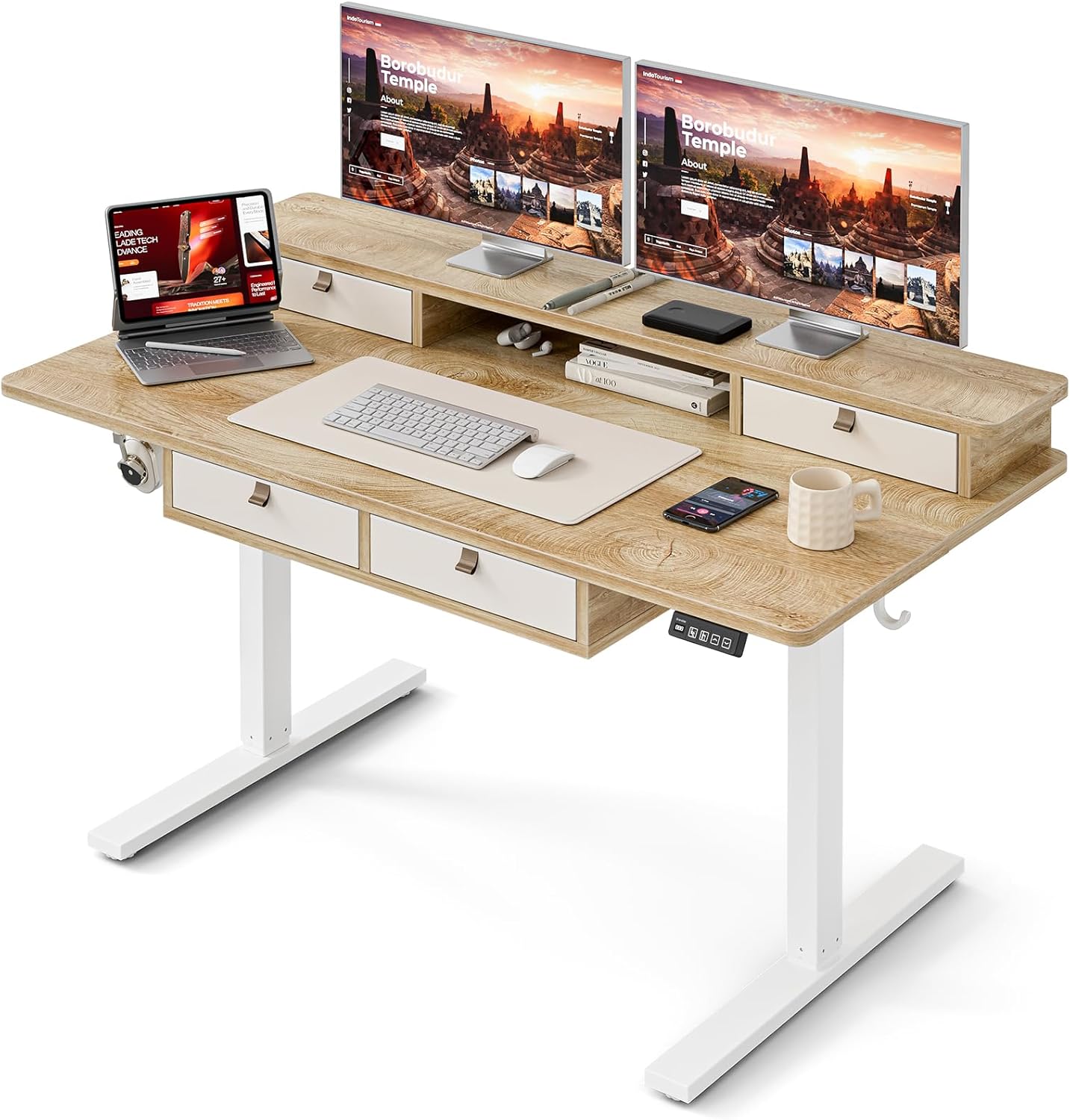
Image: The Grandder electric standing desk, showcasing its spacious desktop, integrated storage, and monitor stand.
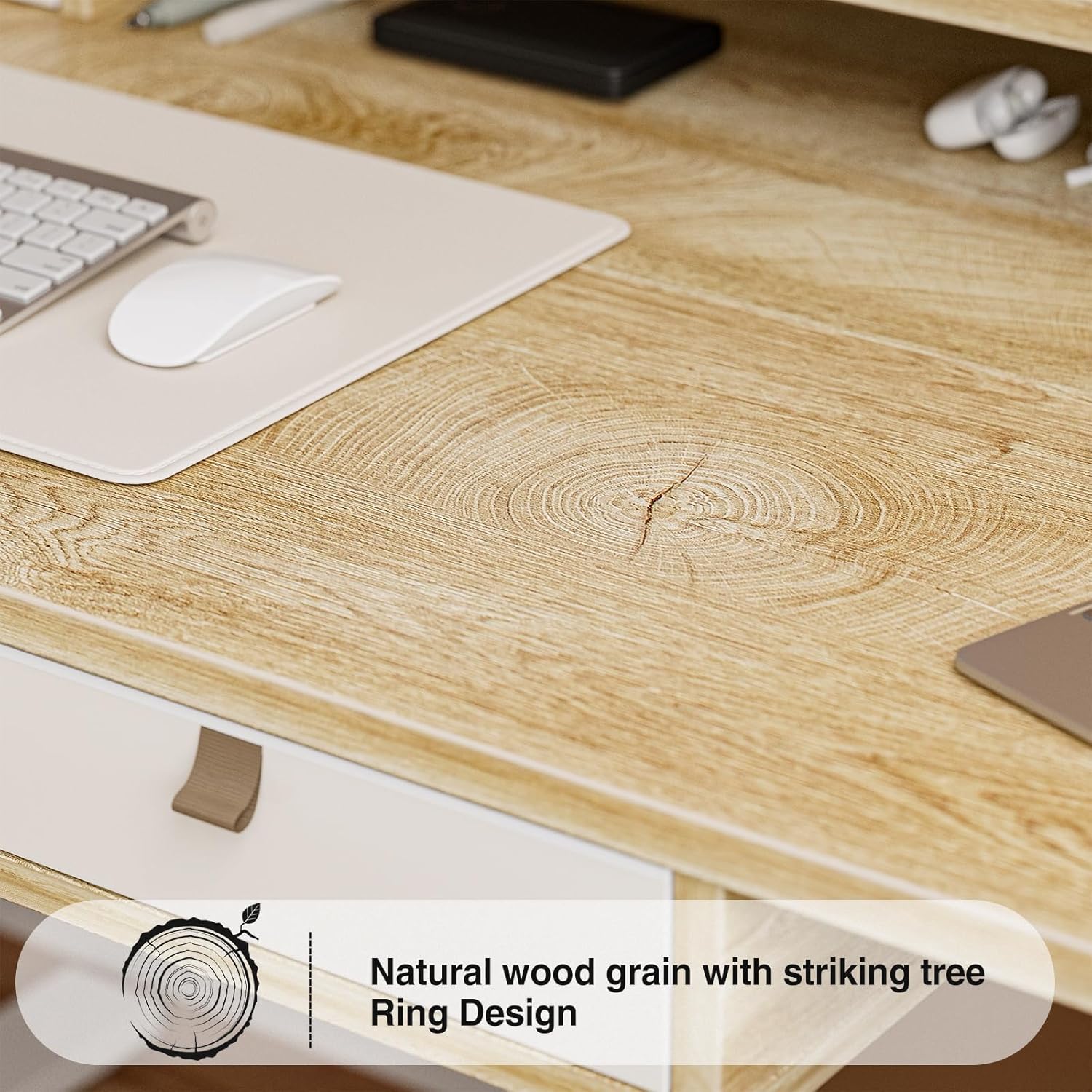
Image: Detail of the natural wood grain desktop finish.

Image: The desk's robust construction, tested for over 50,000 lifts, ensuring stability and durability.
Segurtasun Informazioa
To prevent injury or damage to your desk, please observe the following safety precautions:
- Ziurtatu osagai guztiak ondo lotuta daudela erabili aurretik.
- Mantendu haurrak eta maskotak mahaitik urrun funtzionamenduan zehar.
- Ez gainkargatu mahaia. Kontsultatu zehaztapenak gehienezko pisu-ahalmena jakiteko.
- Saihestu likidoak zuzenean kontrol-panelean edo motorraren osagaietan jartzea.
- Deskonektatu korrontea garbiketa edo mantentze-lanak egin aurretik.
- Do not attempt to modify the desk's electrical components.
- Ensure there are no obstructions in the desk's path during height adjustment.
Paketearen edukia
Muntaketa hasi aurretik, egiaztatu pieza guztiak daudela. Piezarik falta edo hondatuta badago, jarri harremanetan bezeroarentzako arreta-zerbitzuarekin.
- Mahaigaina (Lotura-plaka)
- Mahaiaren egitura (hankak eta zeharkako barra)
- Electric Lifting Mechanism (Motor and Control Box)
- Kontrol panela
- 4 Biltegiratzeko tiradera
- Monitor Stand/Upper Shelf
- Kableen ahoak
- Entzungailuen kakoa
- Muntaketa-tresneria (torlojuak, Allen giltzak, etab.)
- Elikatze-moldagailua
- Erabiltzailearen eskuliburua
Muntatzeko jarraibideak
Assembly typically requires two people. Follow the steps below carefully. An estimated assembly time is 50-60 minutes.
- Deskonprimitu osagaiak: Kontu handiz atera pieza guztiak paketetik eta jarri gainazal garbi eta bigun batean marradurak saihesteko. Egiaztatu pieza guztiak paketearen edukiaren zerrendarekin.
- Mahaiaren markoa muntatu: Attach the desk legs to the crossbar using the provided hardware. Ensure all connections are secure.
- Erantsi mahaigaina: Carefully place the desktop onto the assembled frame. Align the pre-drilled holes and secure the desktop to the frame with screws.
- Install Electric Mechanism: Mount the motor and control box to the designated areas under the desktop. Connect all necessary cables according to the wiring diagram (refer to specific diagrams in the full manual, if available).
- Kontrol panela instalatu: Attach the control panel to the underside of the desktop, typically on the right side, and connect its cable to the control box.
- Assemble Storage Elements: Install the four storage drawers into their respective slots. Attach the monitor stand/upper shelf to the desktop.
- Erantsi osagarriak: Install cable grommets and the headphone hook as desired.
- Konektatu energia: Konektatu korronte-egokitzailea kontrol-kutxara eta gero hormako entxufe batera.
- Hasierako proba: Perform an initial test of the height adjustment function to ensure smooth operation.

Image: Desk dimensions for reference during assembly and placement.
Funtzionamendu-argibideak
Your Grandder electric standing desk features an intuitive control panel for easy height adjustment and memory presets.
Kontrol panelaren funtzioak

Image: The hand controller for the electric standing desk, showing the digital display and control buttons.
- Gora/Behera geziak (▲ / ▼): Press and hold to manually adjust the desk height. Release to stop at the desired position.
- Bistaratze digitala: Mahaiaren uneko altuera hazbetetan edo zentimetrotan erakusten du.
- Preset Buttons (Icons): Your desk features preset buttons to save and recall preferred sitting and standing heights.
- Aurrezarpen bat gordetzeko: Adjust the desk to your desired height using the up/down arrows. Press and hold one of the preset icon buttons (e.g., sitting person icon) until the display flashes or beeps, indicating the height is saved.
- Aurrez ezarritako bat gogoratzeko: Briefly press the corresponding preset icon button. The desk will automatically move to the saved height.
Altuera doitzea
The desk allows for smooth electric height adjustment, enabling you to switch between sitting and standing positions. The height range is approximately 28 inches to 45.6 inches.
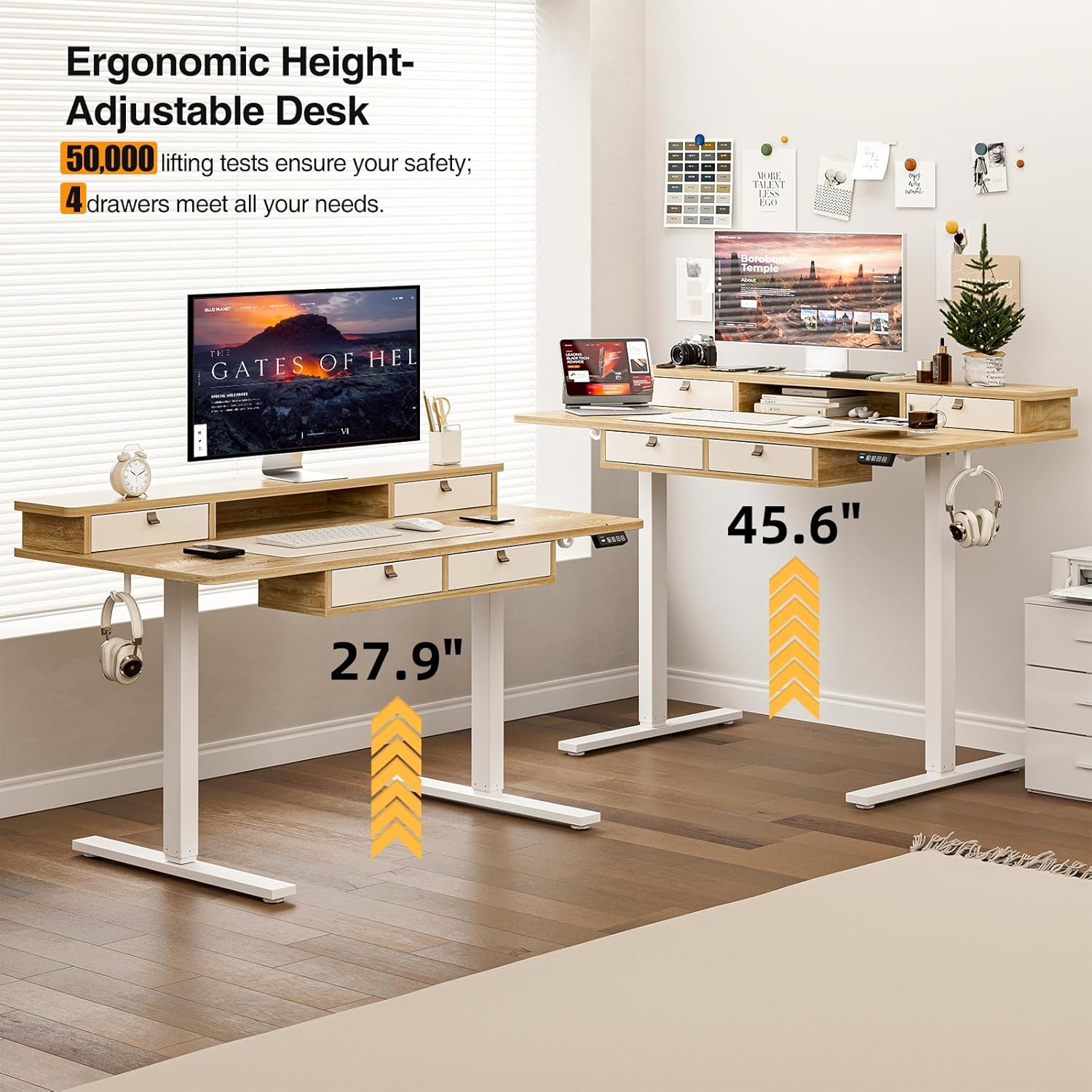
Image: Visual representation of the desk's adjustable height range, from sitting to standing positions.
Biltegiratze Ezaugarriak
The desk includes four integrated drawers and an upper shelf for organized storage of office essentials, helping to maintain a tidy workspace.

Image: The four storage drawers providing ampantolakuntzarako espazioa.

Image: Comparison illustrating the enhanced storage capabilities of the Grandder desk.
Ezaugarri gehigarriak
- Anti-Collision Design: The desk is equipped with an anti-collision system that automatically stops movement if an obstruction is detected, preventing damage or injury.
- Oinetako kuxin erregulagarriak: The desk features adjustable foot pads to ensure stability on uneven floors.
- Aurikularren kakoa: A convenient hook is included for hanging headphones or other accessories.

Image: Details of the control panel, adjustable foot pads, and anti-collision feature.
Mantentzea
Regular maintenance ensures the longevity and smooth operation of your desk.
- Garbiketa: Garbitu mahaigaina eta markoa zapi leun batekinamp oihal. Saihestu garbitzaile urratzaileak edo akabera kaltetu dezaketen produktu kimiko gogorrak.
- Kableen kudeaketa: Periodically check and organize cables to prevent tangles and ensure they do not interfere with the desk's movement.
- Loturaren egiaztapena: Every few months, check all screws and fasteners to ensure they are tight. Retighten if necessary.
- Motor zainketa: The electric motor is designed for maintenance-free operation. Do not attempt to lubricate or disassemble it.
Arazoak konpontzea
| Arazoa | Kausa posiblea | Irtenbidea |
|---|---|---|
| Mahaia ez da mugitzen. | Kable elektrikoa deskonektatuta; motorraren gainkarga; kontrol-paneleko arazoa. | Check power connections. Unplug and replug the power cable. Reduce weight on the desk. Contact customer support if the issue persists. |
| Altuera doikuntza irregularra. | Uneven load; loose fasteners. | Distribute weight evenly on the desktop. Check and tighten all assembly fasteners. |
| Desk stops mid-movement. | Overload protection activated; anti-collision system triggered. | Reduce weight on the desk. Check for obstructions under or around the desk. Wait a few moments before attempting to adjust again. |
| Control panel display not working. | Power issue; loose cable connection. | Ensure the power cable is securely connected. Check the connection between the control panel and the control box. |
Zehaztapenak
| Marka | Grandder |
| Modelo zenbakia | A205-55DX |
| Produktuaren neurriak (L x W x H) | 27.6"D x 55"W x 37"H (at lowest point, approximate) |
| Altuera erregulagarria | Approx. 28" - 45.6" |
| Mahaigaineko materiala | Engineered Wood with Laminated Finish |
| Markoaren materiala | Metala |
| Kolorea | Haritza |
| Elementuaren pisua | 59 kilo |
| Pisu Edukiera | Gehienez 220 lbs |
| Ezaugarri bereziak | Ergonomic, 4 Storage Drawers, Monitor Stand, Cable Grommets, Headphone Hook |

Image: The desk's capacity to hold various office items, up to 220 lbs.
Bermea eta Laguntza
Grandder products are designed for quality and durability. For warranty information, technical support, or assistance with missing/damaged parts, please contact Grandder customer service through the retailer's platform or the official Grandder website. Please have your model number (A205-55DX) and purchase date ready when contacting support.