
1. Sarrera
Eskerrik asko erosketagatik.asing the Dyurwa ZY02 Portable Bluetooth Speaker. This manual provides essential information for setting up, operating, and maintaining your speaker. Please read it thoroughly before use to ensure optimal performance and longevity of your device.
2. Segurtasun informazioa
- Ez jarri bozgorailua tenperatura altuen edo eguzki-argiaren eraginpean denbora luzez.
- Saihestu bozgorailua kolpe gogorrak erortzea edo jasaten.
- Keep the speaker away from medical devices, as it may interfere with their operation.
- Ez saiatu bozgorailua zeuk desmuntatzen, konpontzen edo aldatzen. Behar izanez gero, jarri harremanetan zerbitzu-langile kualifikatuekin.
- Ensure the charging port cover is securely closed when using the speaker near water to maintain its IPX7 waterproof rating.
3. Paketearen edukia
- 1 x Dyurwa ZY02 Portable Bluetooth Speaker
- 1 x C motako kargatzeko kablea
- 1 x Quick Start Guide (this document)
4. Produktua amaitu daview
Kontrolak eta Portuak
Familiarize yourself with the buttons and ports on your Dyurwa ZY02 speaker:

Figure 1: Top-mounted control buttons and side profile of the Dyurwa ZY02 speaker.
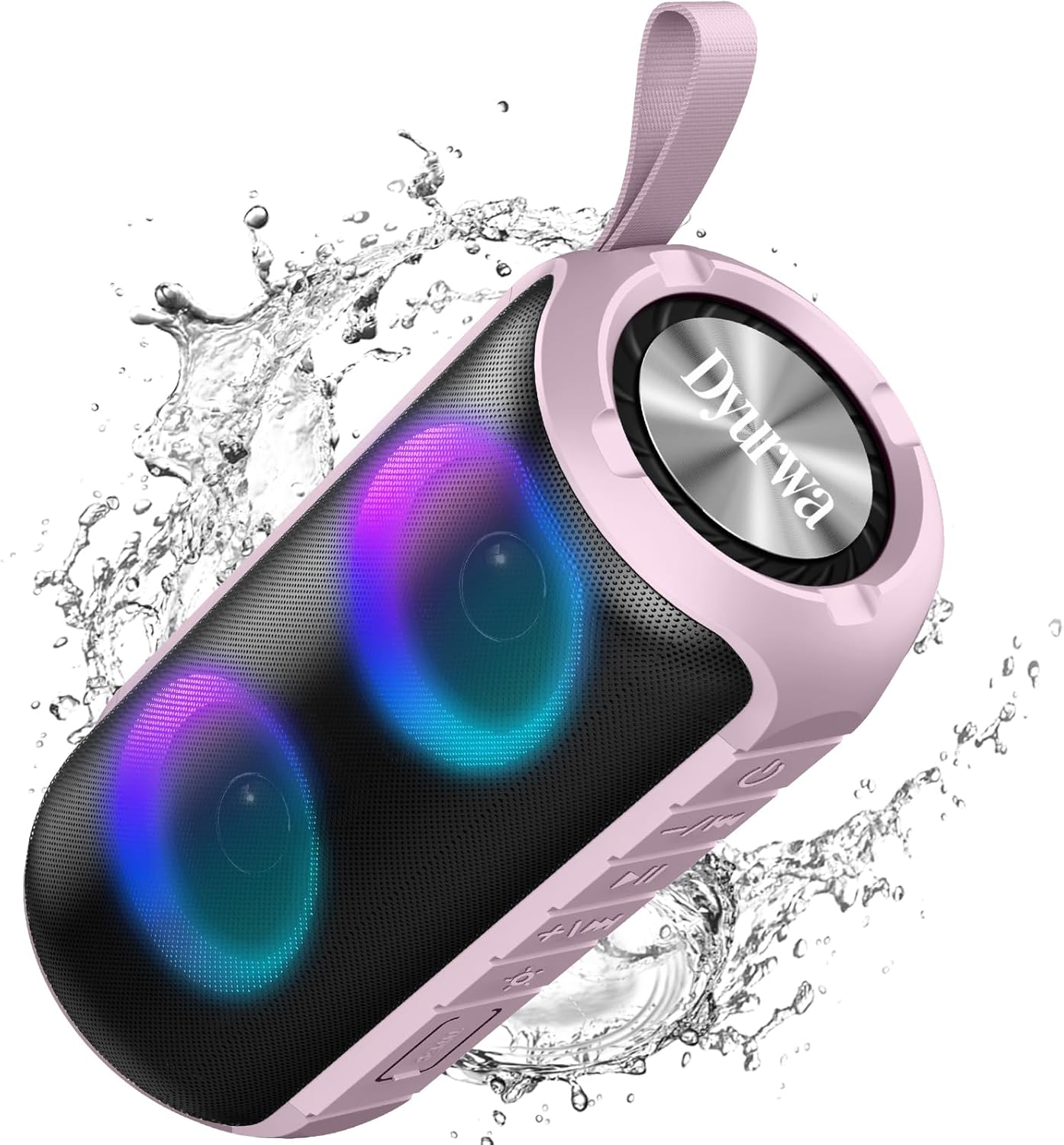
Figure 2: The sealed port area on the Dyurwa ZY02 speaker, revealing the Type-C charging port and a memory card slot.
1 bideoa: Laburbilduzview of the Dyurwa ZY02 speaker's physical features, including its buttons, ports, and dynamic LED lighting effects.
5. Konfigurazioa
5.1 Bozgorailua kargatzea
Before first use, fully charge your speaker. Use the provided Type-C charging cable to connect the speaker to a compatible USB power source. The charging time is approximately 2-3 hours.

Figure 3: The Dyurwa ZY02 speaker highlighting its 12-hour battery life, with a note that continuous playtime varies by volume and light settings.
5.2 Bluetooth parekatzea
- Power on the speaker by pressing and holding the power button. The LED indicator will flash, indicating it's in pairing mode.
- Zure gailuan (telefono adimenduna, tableta, ordenagailua), gaitu Bluetooth eta bilatu eskuragarri dauden gailuak.
- Select "ZY02" from the list of devices.
- Once connected, the speaker will emit an audible confirmation, and the LED indicator will remain solid.

Figure 4: The Dyurwa ZY02 speaker connected to a laptop, illustrating its Bluetooth 5.3 multi-device compatibility.
5.3 Benetako Haririk gabeko Estereoa (TWS) Parekatzea
To pair two ZY02 speakers for a stereo sound experience:
- Ensure both speakers are powered off and not connected to any device.
- Bi bozgorailuak piztu.
- On one speaker (this will be the primary speaker), double-press the power button. It will search for the secondary speaker.
- Once connected, both speakers will emit a confirmation tone, and their LED indicators will synchronize.
- Konektatu zure gailua bozgorailu nagusira Bluetooth bidez, 5.2 atalean azaltzen den bezala.
6. Funtzionamendu-argibideak
6.1 Oinarrizko funtzioak
- Piztu/Itzali: Eduki sakatuta pizteko botoia 3 segundoz.
- Erreproduzitu/Pausatu: Sakatu labur Erreproduzitu/Pausatu botoia.
- Bolumena igo: Sakatu labur '+' botoia.
- Bolumena jaitsi: Sakatu labur '-' botoia.
- Hurrengo ibilbidea: Sakatu luze '+' botoia.
- Aurreko pista: Sakatu luze '-' botoia.
6.2 RGB argiztapen modu
The speaker features dynamic RGB lights that can be customized:

Figure 5: The Dyurwa ZY02 speaker displaying its dynamic RGB lighting, with an icon indicating the button to browse different vibrant modes.
- Aldatu argi modua: Short press the light button (often indicated by a sun or lightbulb icon) to cycle through available RGB lighting effects.
- Argiak itzali: Continue pressing the light button until the lights turn off.
- The lights can also pulse with the rhythm of the music.
Video 2: Demonstration of the Dyurwa ZY02 speaker's RGB lighting features, showing how the lights change and react to sound.
6.3 Eskurik gabeko deiak
With its built-in microphone, the speaker supports hands-free calling when connected to your smartphone:

Figure 6: The Dyurwa ZY02 speaker facilitating a hands-free call in an office environment, showcasing its built-in microphone functionality.
- Deia erantzun/amaitu: Sakatu labur Erreproduzitu/Pausatu botoia.
- Deia baztertu: Luze sakatu Erreproduzitu/Pausatu botoia.
7. Mantentzea
7.1 Waterproof Design (IPX7)
The Dyurwa ZY02 speaker features an IPX7 waterproof rating, meaning it can be submerged in up to 1 meter of water for 30 minutes. This makes it suitable for use in showers, by the pool, or at the beach.

Figure 7: The Dyurwa ZY02 speaker demonstrating its IPX7 waterproof capability by being partially submerged in water.

Figure 8: The Dyurwa ZY02 speaker on a beach, showcasing its durable and IPX7 waterproof design, suitable for outdoor use.
- Bozgorailua uretan jarri aurretik, ziurtatu beti kargatzeko atakaren estalkia ondo itxita dagoela.
- After exposure to water, wipe the speaker dry with a soft cloth.
- Do not charge the speaker if the charging port is wet.
7.2 Garbiketa
Erabili biguna, damp cloth to clean the exterior of the speaker. Do not use harsh chemicals or abrasive cleaners.
8. Arazoak
| Arazoa | Kausa posiblea | Irtenbidea |
|---|---|---|
| Bozgorailua ez da pizten | Bateria baxua | Kargatu bozgorailua guztiz. |
| Ezin da gailuarekin parekatu | Bluetooth-a ez dago gaituta gailuan; bozgorailua ez dago parekatze moduan; gailutik urrunegi dago | Ensure Bluetooth is on, speaker is in pairing mode, and within 10 meters. Restart both devices. |
| Soinurik ez edo bolumen txikia | Bolumena baxuegia da bozgorailuan edo gailuan; audio iturri okerra | Increase volume on both speaker and device. Check device's audio output settings. |
| TWS parekatzeak huts egin du | Speakers not reset or too far apart | Ensure both speakers are disconnected from other devices. Place them close together and retry TWS pairing. |
9. Zehaztapenak
| Ezaugarri | Xehetasuna |
|---|---|
| Marka | Dyurwa |
| Modelo zenbakia | ZY02 |
| Konektibitate Teknologia | Bluetootha, AUX |
| Haririk gabeko Teknologia | Bluetooth 5.3 |
| Audio irteera modua | Estereoa |
| Bozgorailuaren irteera-potentzia maximoa | 180 Watt |
| Bateria Edukiera | 1800mAh |
| Bateriaren batez besteko bizitza | 12 Hours (varies by volume/light settings) |
| Bateria kargatzeko denbora | 2-3 ordu |
| Iragazgaitzaren balorazioa | IPX7 |
| Konexio-barrutia | > 10M |
| Elementuaren neurriak (L x W x H) | 2.54" L x 5" W x 4" H |
| Pisua | 216 g |
| Hedabide integratua | Elikatze-kablea |
| Audio-kanal kopurua | 2.0 |
| Audio kontrolatzaile mota | Gidari dinamikoa |
10. Bermea eta Laguntza
The Dyurwa ZY02 Portable Bluetooth Speaker comes with a limited warranty. For specific warranty details and support inquiries, please refer to the warranty card included in your package or contact Dyurwa customer service.
For technical support or further assistance, please visit the official Dyurwa webwebgunean edo jarri harremanetan bezeroarentzako arreta-taldearekin.