
1. Sarrera
This manual provides essential instructions for the installation, operation, and maintenance of your Real HD DS-2CD1083G2-LIUF 4K 8MP Smart Hybrid Light IP Bullet PoE Camera. Please read this manual thoroughly before using the product to ensure proper and safe operation. This camera is designed for outdoor security surveillance, offering 4K resolution, advanced AI detection, and robust weather protection.
2. Segurtasun informazioa
- Ensure the power supply (12V DC or PoE) meets the camera's requirements.
- Ez jarri kamera muturreko tenperaturetan, hezetasunean edo ingurune korrosiboetan.
- Saihestu lentea denbora luzez argi-iturri indartsuetara zuzenean zuzentzea.
- Installation should be performed by qualified personnel and comply with local electrical codes.
- Deskonektatu korrontea mantentze-lan edo garbiketa egin aurretik.
3. Paketearen edukia
Egiaztatu elementu guztiak paketean daudela:
- Real HD DS-2CD1083G2-LIUF IP Bullet PoE Camera (1 unit)
- Muntatzeko torlojuak eta hormako takoak
- Ethernet kablearentzako iragazgaitza den konektorea
- Hasiera Azkarreko Gida (barne badago)
Note: SD card and power adapter are not included.
4. Produktua amaitu daview
The DS-2CD1083G2-LIUF is an 8MP 4K IP bullet camera featuring a 2.8mm wide-angle lens, Smart Hybrid Light technology, and advanced human and vehicle detection capabilities. It is designed for outdoor use with an IP67 weatherproof rating.

4.1. irudia: The camera provides 4K Ultra HD resolution for clear surveillance footage.
Ezaugarri nagusiak:
- 4K 8MP Resolution: Captures detailed video at 3840 × 2160 pixels.
- 2.8 mm-ko lente finkoa: Provides a wide 112° horizontal field of view.
- Smart Hybrid Light: Combines IR and white light for clear night vision, including color images in low light.
- Human and Vehicle Detection: AI-powered analytics reduce false alarms.
- H.265+ Konpresioa: Efficient video encoding saves storage and bandwidth.
- Mikrofono integratua: Audio monitorizaziorako.
- SD txartelaren zirrikitua: Supports up to 512GB for local storage (SD card not included).
- IP67 Eguraldiarekiko erresistentea: Kanpoko inguruneetarako diseinu iraunkorra.
- PoE (Ethernet bidezko boterea): Simplifies installation with single cable for power and data.
5. Konfigurazioa eta instalazioa
5.1 Instalazio fisikoa
The camera is designed for wall mounting. Choose a suitable location that provides the desired viewangelua eta sare-kablearen irismenean dago.
- Muntatzeko kokapena: Select a sturdy wall or surface. Ensure the camera's field of view oztoporik gabe dago.
- Zulatzeko zuloak: Use the provided mounting template (if available) or the camera base to mark and drill pilot holes for screws.
- Kamera segurua: Attach the camera base to the wall using the supplied screws and wall plugs.
- Egokitu Angelua: Loosen the adjustment screws to position the camera lens for optimal coverage, then tighten them to secure the angle.

5.1. irudia: The IP67 weatherproof design ensures reliable outdoor performance.
5.2 Network Connection (PoE)
The camera supports Power over Ethernet (PoE), allowing a single Ethernet cable to provide both power and data connection.
- Konektatu Ethernet kablea: Connect one end of an Ethernet cable to the camera's RJ45 port. Use the waterproof connector to protect the connection if installing outdoors.
- PoE gailura konektatu: Connect the other end of the Ethernet cable to a PoE-enabled NVR, PoE switch, or PoE injector.
- Alternative Power (12V DC): If not using PoE, connect a 12V DC power adapter (not included) to the camera's power input and an Ethernet cable to a standard network switch/router.
5.3 Hasierako konfigurazioa
After connecting the camera to your network, you will need to activate and configure it.
- Ezagutu kamera: Use the manufacturer's SADP tool or your NVR's device search function to find the camera's IP address on your network.
- Kamera aktibatzea: The camera will likely be inactive upon first use. Set a strong password for the camera.
- Sarbidea Web Interfazea: Ireki a web browser (e.g., Chrome, Firefox) and enter the camera's IP address. Log in with the newly set password.
- Sarearen ezarpenak: Configure network settings (e.g., static IP, DNS) if necessary.
- Ordu ezarpenak: Set the correct date and time for accurate recording timestamps.
6. Funtzionamendu-argibideak
6.1 Zuzeneko sarbidera View eta Erreprodukzioa
You can access the camera's live view eta grabatutako janariatage via its web interface or a compatible NVR/client software.
- Web Arakatzailea: Log into the camera's web interface. Navigate to the "Live View" atala denbora errealeko janaria ikustekotage. For playback, go to the "Playback" section and select the desired date and time.
- NVR: If connected to an NVR, access the camera's feed and recordings through the NVR's interface. Refer to your NVR's manual for specific instructions.
6.2 Grabazioaren kudeaketa
The camera supports various recording methods.
- SD txartelaren biltegiratzea: Insert a microSD/SDHC/SDXC card (up to 512GB, not included) into the camera's card slot. Format the card via the web interface. Configure recording schedules and event-triggered recording.
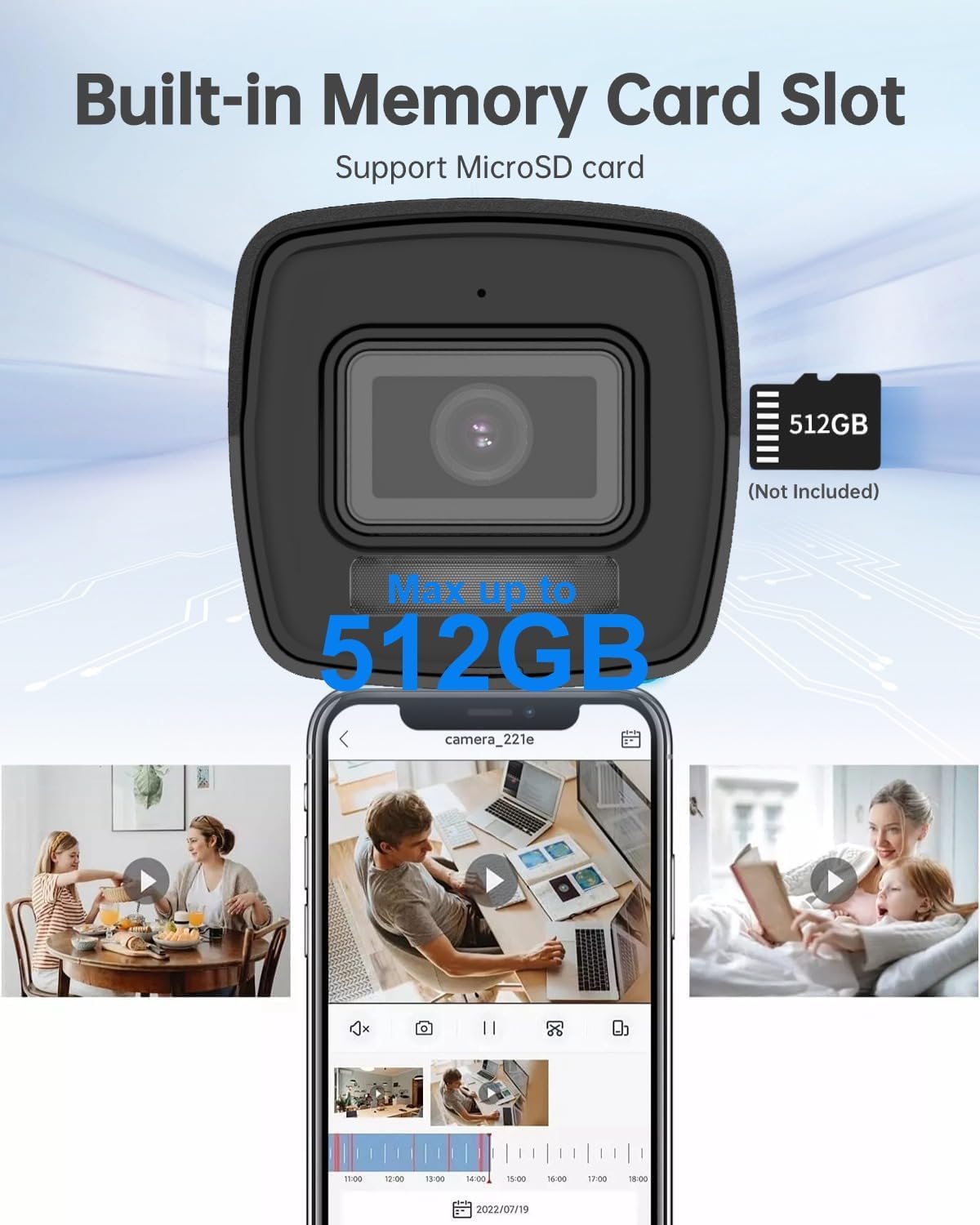
6.1. irudia: The camera features a built-in memory card slot supporting up to 512GB for local storage.
- NAS biltegiratzea: Configure Network Attached Storage (NFS, SMB/CIFS) for remote recording.
- H.265+ Konpresioa: The camera utilizes H.265+ video compression to optimize storage space and bandwidth without compromising video quality.

6.2. irudia: H.265+ compression reduces data usage by up to 80% compared to H.264.
6.3 Smart Features (AI Detection)
The camera's advanced AI capabilities provide intelligent detection and reduce false alarms.
- Human and Vehicle Detection: Configure detection zones and sensitivity in the camera's web interface. The system can differentiate between humans, vehicles, and other moving objects like raindrops or leaves.
- Line Crossing Detection: Set up virtual lines, and the camera will trigger an alarm when an object crosses them in a specified direction.
- Intrusioaren hautematea: Define virtual regions, and the camera will alert you if an object enters and loiters within that area.
- Unattended Baggage/Object Removal: Configure specific areas for detecting objects left behind or removed.

6.3. irudia: Smart AI detection accurately identifies humans and vehicles, reducing false alarms.
6.4 Audioaren monitorizazioa
The built-in microphone allows for real-time audio monitoring. Enable and adjust audio settings via the camera's web interfazea.
6.5 Night Vision and Smart Hybrid Light
The camera features advanced infrared technology and Smart Hybrid Light for clear imaging in various lighting conditions.
- IR modua: Provides black and white video in complete darkness with a range of up to 98 feet.
- Smart Hybrid Light: In low-light conditions, the camera can automatically switch to a mode that uses supplemental white light to provide full-color images. This can be configured in the camera settings.

6.4. irudia: Advanced Infrared Technology (EXIR 2.0) enhances night vision clarity.
7. Mantentzea
7.1 Garbiketa
- Garbitu astiro kameraren lentea eta gorputza zapi leun batekin,amp oihal.
- Ez erabili produktu kimiko gogorrik edo garbigailu urratzailea.
- Ziurtatu hezetasunik ez dela sartzen kameraren gorputzean.
7.2 Firmware eguneraketak
Aldian-aldian egiaztatu fabrikatzailearen website for firmware updates. Updating firmware can improve performance, add new features, and enhance security. Follow the instructions provided with the firmware update package carefully.
7.3 Biltegiratze kudeaketa
Aldian behin berriroview eta kudeatu grabatutako footage. If using an SD card, ensure it is functioning correctly and has sufficient space. Consider backing up important footage to an NVR or NAS.
8. Arazoak
| Arazoa | Kausa posiblea | Irtenbidea |
|---|---|---|
| Ez dago irudi/bideo jariorik | No power; Network cable disconnected; Incorrect IP address; Camera not activated. | Check power supply (PoE or 12V DC); Verify Ethernet cable connection; Ensure correct IP address and network settings; Activate camera and set password. |
| Irudi kalitate eskasa | Dirty lens; Insufficient lighting; Incorrect video settings. | Clean the lens; Ensure adequate lighting or enable Smart Hybrid Light; Adjust image settings (brightness, contrast, sharpness) in the web interfazea. |
| False alarms from detection | Sensitivity too high; Detection zones too wide; Environmental factors (e.g., moving branches). | Adjust detection sensitivity; Refine detection zones to exclude irrelevant areas; Utilize human/vehicle detection to filter out non-human/vehicle movements. |
| Cannot record to SD card | SD card not inserted; SD card not formatted; SD card full or faulty. | Insert SD card correctly; Format SD card via web interface; Replace SD card if faulty. |
9. Zehaztapenak
| Ezaugarri | Xehetasuna |
|---|---|
| Ereduaren izena | DS-2CD1083G2-LIUF |
| Irudi-sentsorea | 1/2.7"-ko eskaneatze progresiboko CMOS |
| Ebazpen finko eraginkorra | 8 MP (3840 × 2160) |
| Min. Argiztapena | 0.01 Lux @ (F2.0, AGC ON), 0 Lux with Light |
| Lentea | 2.8mm Lente finkoa |
| Viewangelua | FOV horizontala 112°, FOV bertikala 61°, FOV diagonala 134° |
| Eguna eta Gaua | Autoa |
| Zarata Murrizketa Digitala | 3D DNR |
| Bideo-konpresioa | H.265+/H.265/H.264+/H.264/MJPEG |
| Max. Irudien Ebazpena | 3840 × 2160 @ 15fps |
| Irudiaren hobekuntza | BLC/3D DNR/HLC/ROI |
| Sareko biltegiratzea | microSD/SDHC/SDXC card (512GB max), NAS (NFS, SMB/CIFS), ANR |
| Komunikazio Interfazea | 1 RJ45 10M / 100M Ethernet interface |
| Portaeraren Analisia | Lerro gurutzatuak hautematea, intrusioak hautematea, arretarik gabeko ekipajeak hautematea, objektuak kentzeko detekzioa |
| Elikatze Hornidura | 12 VDC ± % 25, PoE (802.3af, 3 klasea) |
| Energia-kontsumoa | Max. 10 watt |
| Eguraldiaren froga | IP67 |
| Gaueko Ikusmenaren barrutia | 98 Oin |
| Barruko/Kanpoko erabilera | Kanpoan |
| Materiala | Metala, Plastikoa |
| Neurriak | 6.7 x 6.7 x 6 hazbete (gutxi gorabehera) |
10. Bermea eta Laguntza
For warranty information, technical support, or service inquiries, please contact the Real HD Store or your authorized dealer. Keep your purchase receipt as proof of purchase.
Bisita dezakezu Real HD Store on Amazon informazio eta laguntza baliabide gehiago lortzeko.