
1. Sarrera
Thank you for choosing the OMOTON WK209 Wireless Keyboard and Mouse Set. This manual provides detailed instructions for setting up, operating, and maintaining your new wireless peripheral set. Please read this manual carefully before use to ensure optimal performance and longevity of your product.
2. Paketearen edukia
The OMOTON WK209 Wireless Keyboard and Mouse Set package includes the following items:
- 1 x OMOTON WK209 Wireless Keyboard
- 1 x OMOTON Wireless Mouse
- 1 x USB 2.4 GHz Receiver
Note: AAA batteries are required for operation but are not included in the package.
3. Konfigurazio gida
3.1. Pilak instalatzea
Before using the keyboard and mouse, you need to install batteries.
- Bilatu bateriaren konpartimentua teklatuaren eta saguaren azpialdean.
- Ireki bateriaren estalkiak.
- Insert two AAA batteries into the keyboard and one AAA battery into the mouse, ensuring correct polarity (+/-).
- Itxi bateriaren estalkiak ondo itxita.

This image displays the battery compartments for the OMOTON WK209 keyboard and mouse. The keyboard requires two AAA batteries, and the mouse requires one AAA battery. Please note that batteries are not included with the product.
3.2. USB hargailua konektatzea
The OMOTON WK209 set uses a single USB receiver for both the keyboard and mouse.
- Locate the USB 2.4 GHz receiver, usually stored in the mouse's battery compartment or packaging.
- Plug the USB receiver into an available USB port on your computer (laptop or desktop PC).
- The system will automatically detect and install the necessary drivers. This is a Plug & Play process and typically requires no manual installation.
- Turn on the mouse using the ON/OFF switch located on its underside. The keyboard does not have a separate power switch; it activates when keys are pressed.

This image illustrates the 2.4 GHz wireless connection of the OMOTON WK209 keyboard and mouse set. It highlights features such as Plug & Play functionality, a stable 2.4G connection, and a wireless range of up to 10 meters (33 feet).
3.3. Bateragarritasuna
The OMOTON WK209 set is compatible with a wide range of Windows operating systems.
- Sistema eragileak: Windows 11, Windows 10, Windows 8, Windows 7, Windows XP.
- Gailuak: Laptop, Desktop PC.

This image demonstrates the broad compatibility of the OMOTON WK209 set with different Windows operating systems, including Windows 7, 8, 10, and 11, across desktop PCs and laptops.
4. Funtzionamendu-argibideak
4.1. Teklatuaren erabilera
The WK209 keyboard features a full-size QWERTZ layout with multimedia keys for enhanced productivity. Simply begin typing after successful connection.
- Multimedia teklak: Access functions like volume control, play/pause, and more directly from the keyboard.
- QWERTZ Layout: Standard German keyboard layout for familiar typing experience.
- 8° Tilt: The keyboard is designed with a natural 8-degree tilt for ergonomic comfort during extended use.

This image provides the physical dimensions of the OMOTON WK209 full-size QWERTZ keyboard (43.8 cm x 12.4 cm) and mouse (10.3 cm x 6.6 cm x 3.6 cm). It also notes the keyboard's natural 8-degree tilt for comfortable typing.
4.2. Saguaren erabilera
The WK209 mouse offers precise control and several functional buttons.
- Ezkerreko klik: Hautaketa eta aktibazio estandarra.
- Egin klik eskuineko botoiarekin: Testuinguru-menuetara sartzen da.
- Korritzeko gurpila: Korritze bertikalerako eta erdiko botoiarekin klik egiteko funtzionalitaterako.
- Atzera botoia: Barrura nabigatzen du berriro web nabigatzaileak edo file esploratzaileak.
- Aurrera egiteko botoia: Aurrera nabigatzen du web nabigatzaileak edo file esploratzaileak.
- Desktop Show/Hide Button: Quickly minimizes all open windows to show the desktop, and restores them with another press.

This image highlights the features of the OMOTON WK209 wireless mouse, including the scroll wheel, left-click button, right-click button, back button, forward button, and a button for showing/hiding the desktop. It also emphasizes its ergonomic design and quiet click functionality.
5. Ezaugarriak
- 2.4 GHz-ko haririk gabeko konexioa: Provides a stable and reliable connection with a range of up to 10 meters (33 feet).
- Plug & Play: Easy setup without the need for additional software or drivers.
- Full-size QWERTZ Layout: Comfortable and familiar typing experience.
- Multimedia teklak: Convenient access to media controls.
- Diseinu ergonomikoa: The mouse is shaped for comfortable use, and the keyboard features a natural 8-degree tilt.
- Funtzionamendu isila: Both the keyboard and mouse are designed for silent clicks and keystrokes, ideal for quiet environments.
- Bateria baxuaren adierazlea: The keyboard features an indicator light to alert you when batteries are running low.

This image illustrates the quiet operation of the OMOTON WK209 keyboard and mouse, highlighting its silent keys and noiseless mouse clicks, suitable for quiet environments.
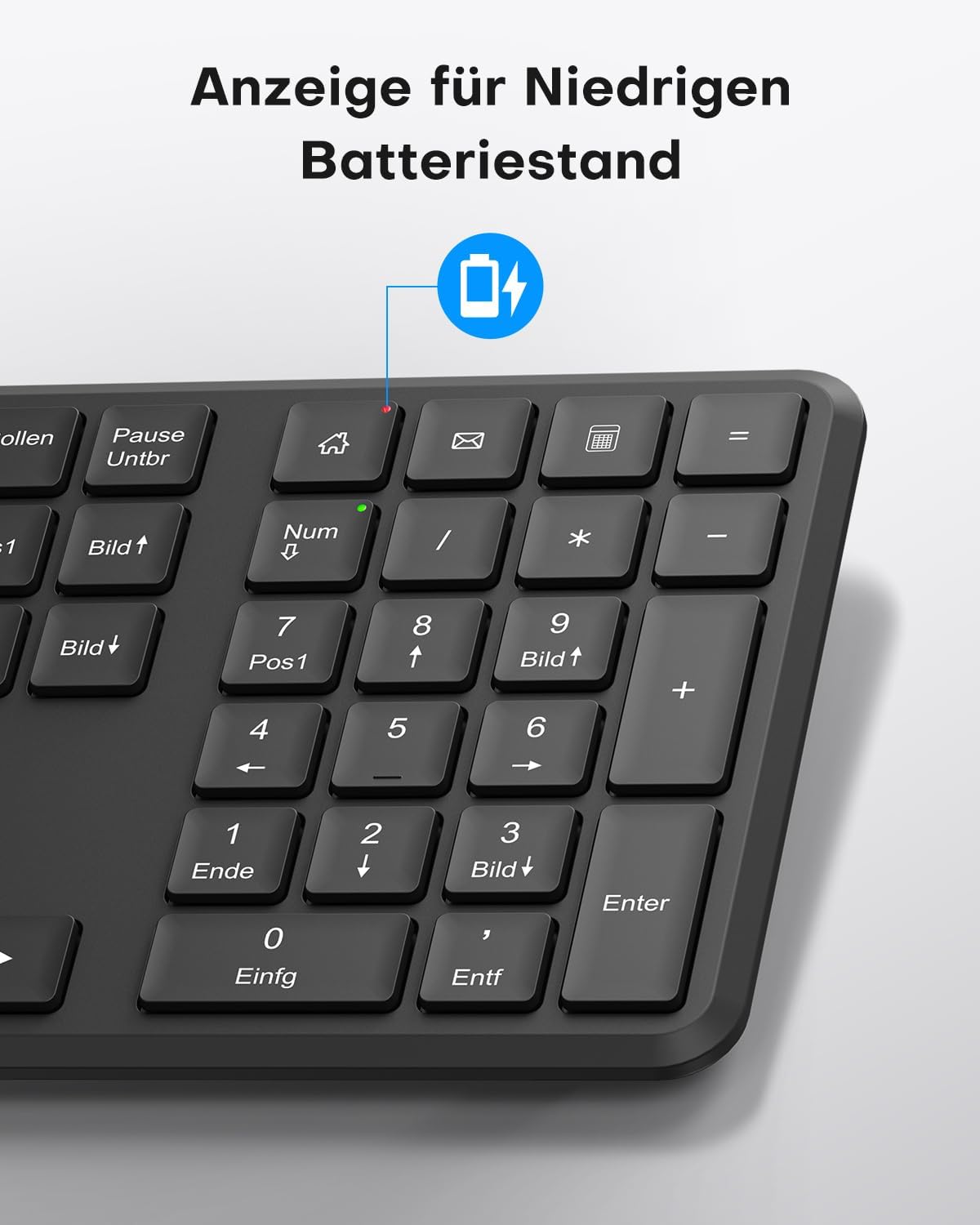
This image points out the low battery indicator on the OMOTON WK209 keyboard, which illuminates to alert the user when batteries need to be replaced.
6. Mantentzea
To ensure the longevity and optimal performance of your OMOTON WK209 set, follow these maintenance guidelines:
- Garbiketa: Erabili zapi leun eta lehor bat teklatuaren eta saguaren gainazalak garbitzeko. Zikinkeria egoskorra bada, garbitu zapi pixka bat.amp cloth can be used, but ensure no moisture enters the devices.
- Bateria ordezkatzea: Replace batteries promptly when the low battery indicator appears or when performance degrades. Always use fresh, high-quality AAA batteries.
- Biltegiratzea: Denbora luzez erabiltzen ez dituzunean, kendu bateriak isuriak saihesteko. Gorde gailuak leku fresko eta lehor batean.
- Saihestu likidoak: Keep the keyboard and mouse away from liquids to prevent damage.
7. Arazoak
If you encounter issues with your OMOTON WK209 set, try the following troubleshooting steps:
- Teklatuaren/saguaren erantzunik ez:
- Ensure batteries are correctly installed and not depleted. Replace them if necessary.
- Make sure the mouse's ON/OFF switch is in the 'ON' position.
- Egiaztatu USB hargailua ondo konektatuta dagoela ordenagailuko USB ataka funtzional batean. Saiatu beste USB ataka batekin.
- Berrabiarazi ordenagailua.
- Atzerapena edo konexio etengabea:
- Hurbildu teklatua eta sagua USB hargailura.
- Ensure there are no large metal objects or other wireless devices (e.g., Wi-Fi routers, cordless phones) interfering with the 2.4 GHz signal.
- Try plugging the USB receiver into a front USB port or using a USB extension cable to bring it closer to the devices.
- Keys Not Working Correctly:
- Begiratu giltzen azpian hondakinik dagoen.
- Ensure the keyboard layout setting on your computer matches the QWERTZ layout.
- Saguaren kurtsorea jauzika edo zehaztugabea da:
- Garbitu saguaren azpialdeko sentsore optikoa.
- Erabili sagua gainazal garbi eta islatzailerik gabeko batean edo sagu-alfonbra batean.
8. Zehaztapenak
| Ezaugarri | Xehetasuna |
|---|---|
| Marka | OMOTON |
| Eredua | WK209 |
| Kolorea | Beltza |
| Konektibitate Teknologia | 2.4 GHz haririk gabea |
| Teklatuaren diseinua | Full-size QWERTZ (German Layout) |
| Ezaugarri bereziak | 2.4 GHz, Full-size, QWERTZ-layout, Battery-operated, Multimedia keys |
| Gailu bateragarriak | Ordenagailu eramangarria, ordenagailua |
| Sistema eragile bateragarriak | Windows 11/10/8/7/XP |
| Energia iturria | Battery-Powered (2x AAA for keyboard, 1x AAA for mouse - not included) |
| Elementuaren pisua (gutxi gorabehera) | 514 Grams (total set, including packaging) |
| Paketearen neurriak | 44.79 x 13.9 x 5.3 cm |
| ASIN | B0FQNS3FFB |
9. Bermea eta Laguntza
OMOTON products are designed for reliability and performance. For warranty information and customer support, please refer to the warranty card included with your purchase or visit the official OMOTON website. If you experience any issues that cannot be resolved using the troubleshooting guide, please contact OMOTON customer service for assistance.