
1. Sarrera eta Overview
Welcome to the Gydom Smart Watch user manual. This document provides essential information for setting up, operating, and maintaining your new smartwatch. The Gydom Smart Watch is designed to enhance your daily life with features such as Alexa Built-in, comprehensive health monitoring, and a wide array of sports modes.
This smartwatch is compatible with both iOS 9.0+ and Android 6.0+ devices, offering seamless integration with your smartphone for calls, notifications, and data synchronization.
2. Zer dago kutxan
- Gydom Smart Watch (1 unit)
- Kargatzeko kablea (unitate 1)
- Erabiltzailearen eskuliburua (dokumentu hau)
3. Konfigurazioa
3.1 Initial Charge and Activation
Before first use, please fully charge your Gydom Smart Watch. The watch requires charging to activate. Connect the provided charging cable to the magnetic charging points on the back of the watch and plug the USB end into a compatible power source.
3.2 Aplikazioaren instalazioa eta parekatzea
- Deskargatu Oso Fit app from your smartphone's app store (compatible with iOS 9.0+ and Android 6.0+).
- Open the VeryFit app and follow the on-screen instructions to create an account and set up your profile.
- Gaitu Bluetootha zure telefonoan.
- In the VeryFit app, search for your Gydom Smart Watch and pair it via Bluetooth.
- Behin parekatuta, erlojuak ordua eta datuak zure telefonoarekin sinkronizatuko ditu.
Oharra: Ensure your smartphone is within Bluetooth range for continuous data synchronization and notification delivery.
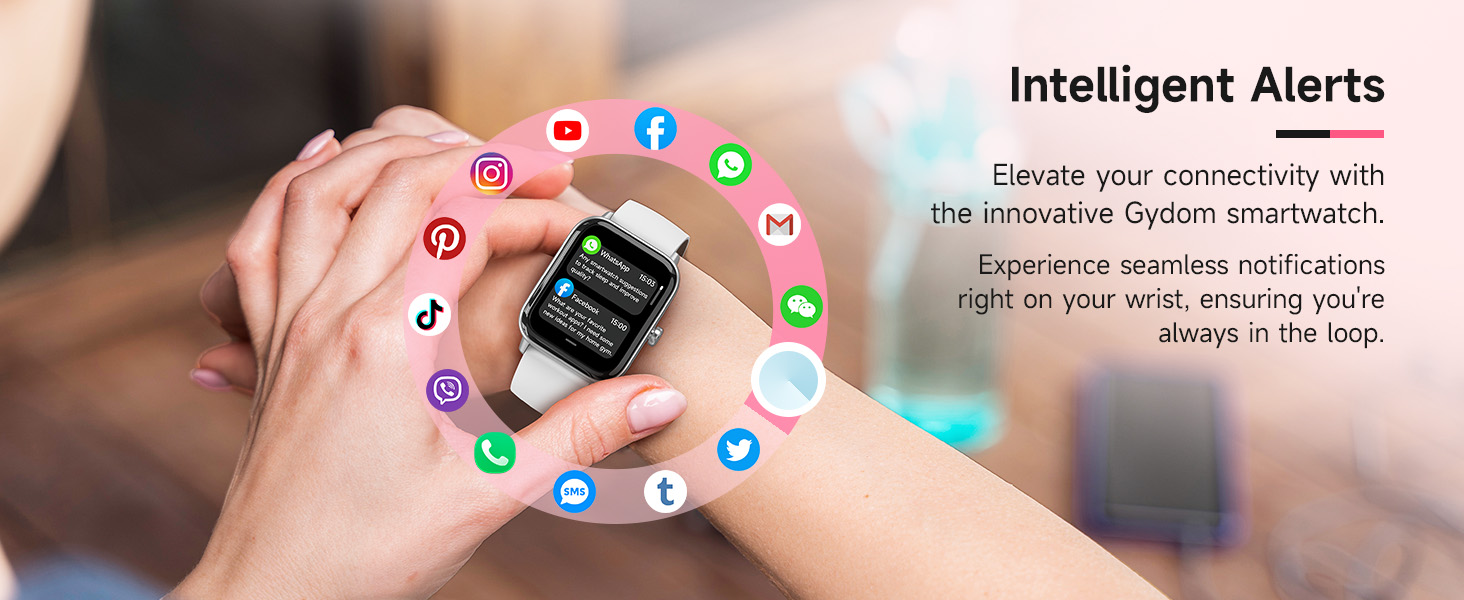
Image: Gydom Smart Watch highlighting key features like Alexa, IP68 waterproofing, and fitness tracking.
4. Funtzionamendu-argibideak
4.1 Oinarrizko nabigazioa
- Esnatzeko pantaila: Press the side button or raise your wrist (if 'Wake Gesture' is enabled in settings).
- Irristatu gora/behera: Joan menuetan eta jakinarazpenetan zehar.
- Irristatu ezkerrera/eskuinera: Sartu funtzio azkarretara edo datu-pantaila desberdinetara.
- Sakatu: Hautatu elementu bat edo ireki aplikazio bat.
- Alboko botoia: Press to return to the home screen or access the app list.
4.2 Deiak eta jakinarazpenak
The Gydom Smart Watch allows you to make, answer, or reject calls directly from your wrist when connected via Bluetooth to your smartphone. You will also receive notifications from various apps like Facebook, Instagram, WhatsApp, and more.
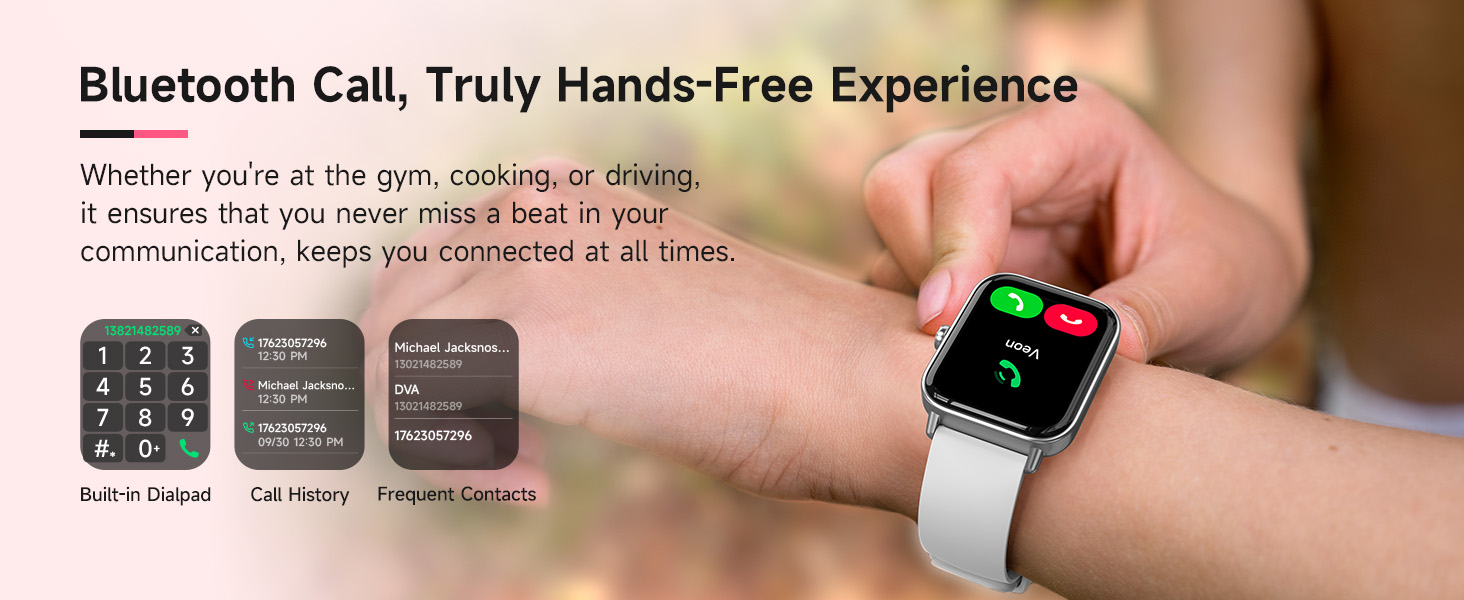
Image: Smart Watch screen showing incoming call and various app notifications.
4.3 Alexa integratua
Utilize the integrated Alexa voice assistant for hands-free commands. You can set alarms, check the weather, control music playback, and more by simply speaking to your watch.
Video: A demonstration of the Gydom Smart Watch's functions, including Alexa voice commands and various app interactions.
4.4 Osasunaren Zaintza
The Gydom Smart Watch continuously monitors key health metrics:
- Bihotz-taupadak: 24/7 monitoring to track your heart rate trends.
- Odoleko oxigenoa (SpO2): Measures blood oxygen levels for health insights.
- Loaren jarraipena: Automatically records sleep patterns and provides detailed quality analysis.
- Estresaren jarraipena: Zure estres mailak ulertzen eta kudeatzen laguntzen dizu.
- Zikloaren jarraipena: For women, it helps keep a precise record of menstrual cycles with timely reminders.
- Arnasketa entrenamendua: Arnasketa ariketa gidatuak erlaxatzen laguntzeko.
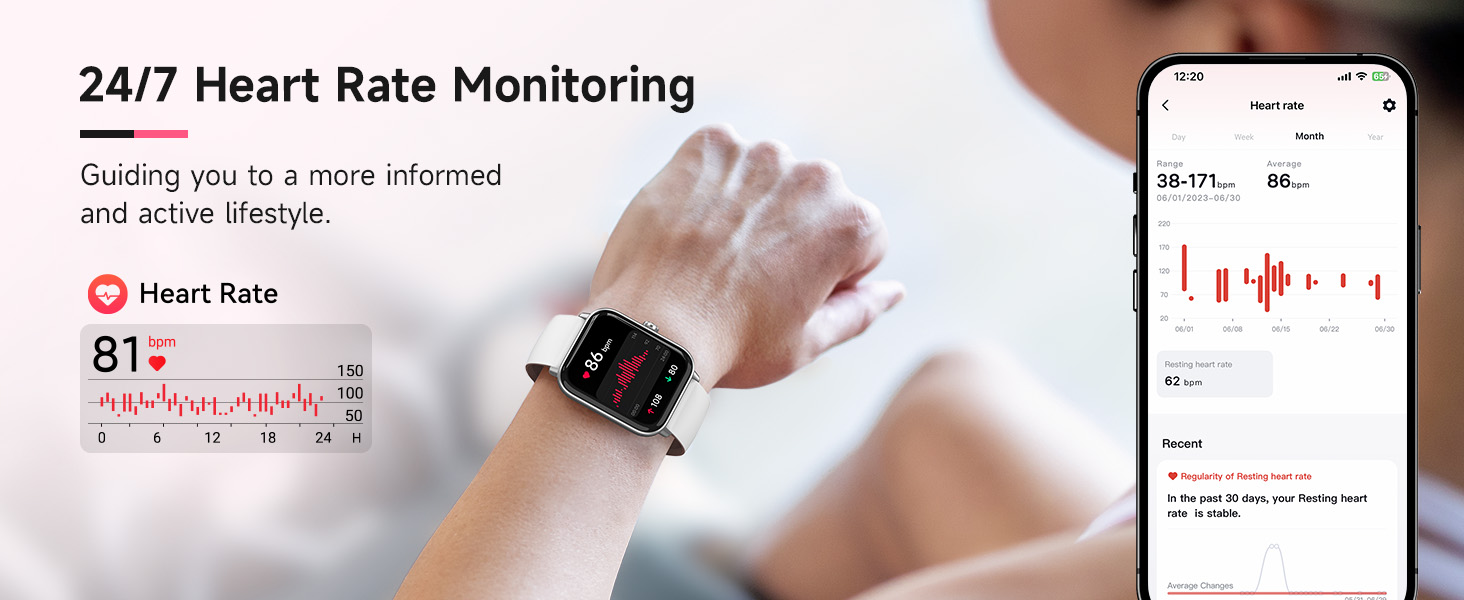
Image: Visual representation of the smartwatch monitoring heart rate, blood oxygen (SpO2), and stress levels.
4.5 Sports Modes & Activity Tracking
With over 100 sports modes, the watch tracks steps, distance, and calories burned for various activities including walking, running, rugby, baseball, basketball, and mountain climbing.
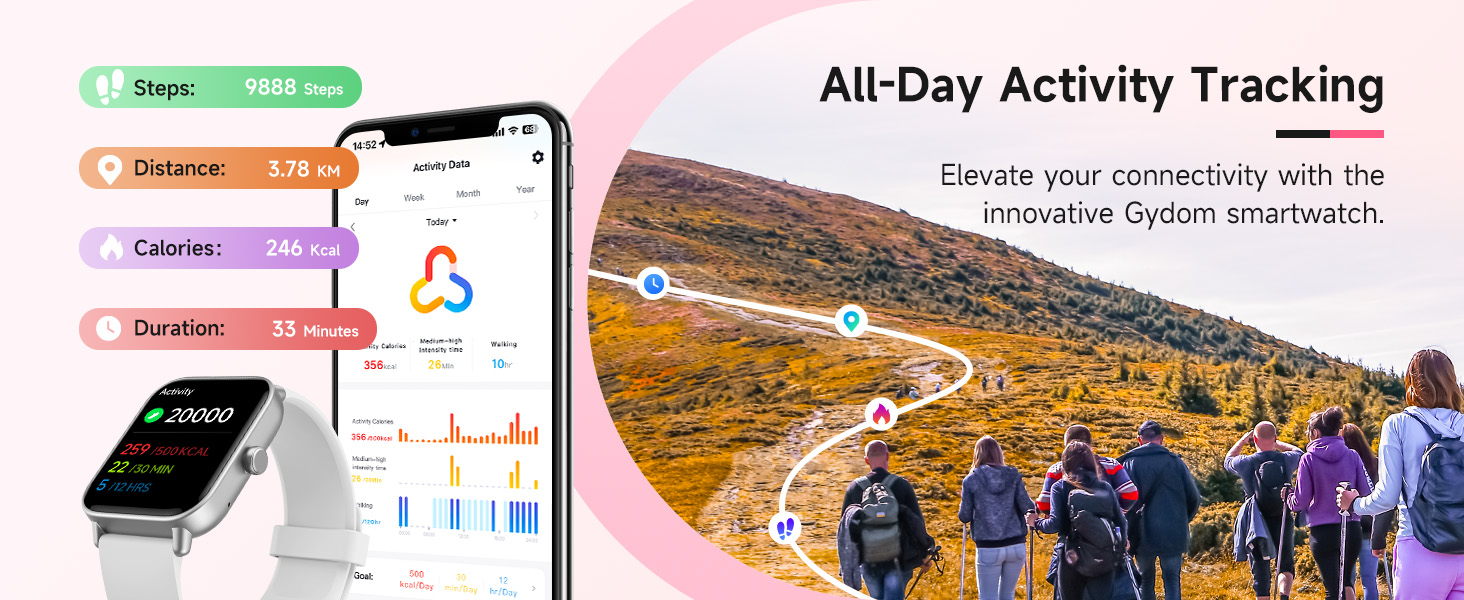
Image: Smart Watch interface displaying a selection of over 100 professional sport modes.
4.6 Urarekiko erresistentzia
The Gydom Smart Watch features an IP68 waterproof rating, allowing you to wear it while washing hands, in the rain, or during water sports like swimming. It is water resistant up to 1.5 meters.
4.7 Bateriaren iraupena
Equipped with a 300mAh battery, the watch fully charges in approximately 2 hours, providing up to 7 days of typical daily use and 30 days of standby time.
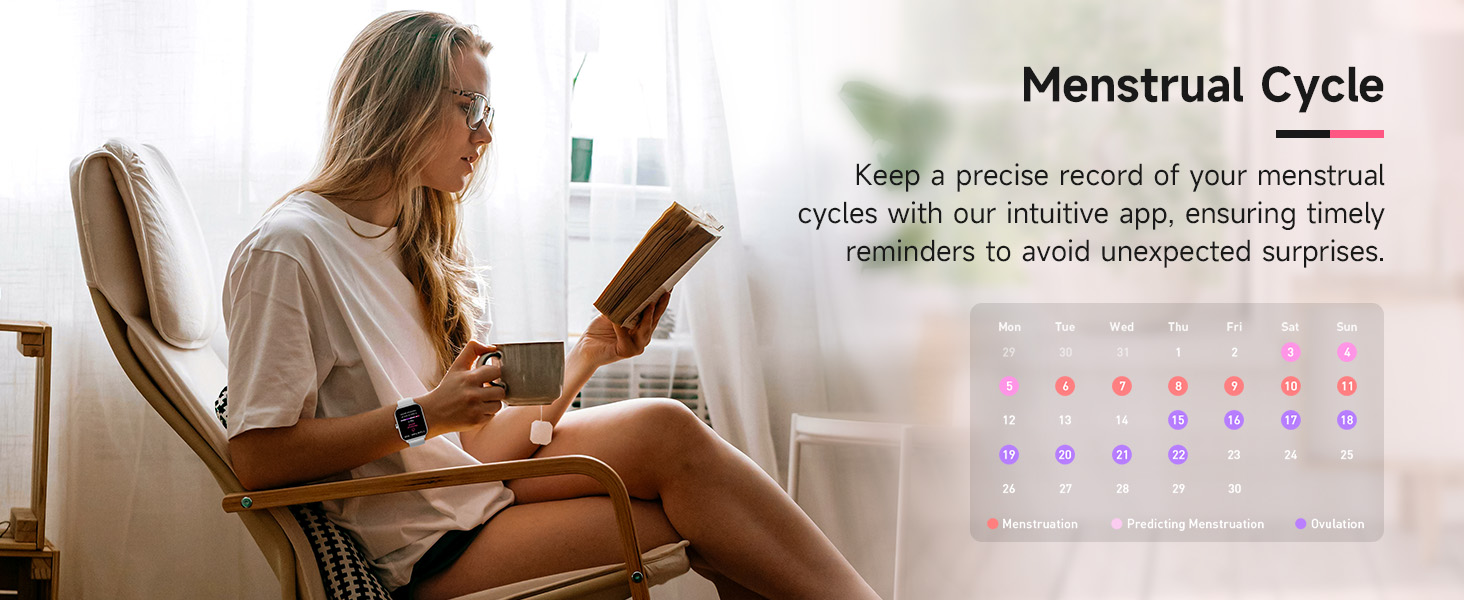
Image: Smart Watch connected to its charging cable, showing battery percentage and typical usage duration.
4.8 Pertsonalizazioa
The 1.8" HD touch screen offers a clear visual experience. Personalize your watch with over 100 free watch faces available through the VeryFit app, or use your own photos as a custom watch face.

Image: Smart Watch showing different customizable watch faces, including options to use personal photos.
4.9 Beste funtzio batzuk
The Gydom Smart Watch includes many other useful functions:
- Eguraldi Iragarpenak
- Iratzargailuak
- Urruneko Kameraren Kontrola
- Musika Kontrola
- Aurkitu zure telefonoa
- Kalkulagailua
- Egutegia
- Jolasak
- Linterna
- Sedentarioen abisua

Image: Smart Watch screen showcasing multiple functions such as AI voice, weather, camera control, music playback, breathing training, and games.
5. Mantentzea
- Garbiketa: Regularly wipe the watch screen and band with a soft, damp oihal. Saihestu produktu kimiko gogorrak.
- Kargatzen: Use only the provided charging cable. Ensure the charging points are clean and dry before charging.
- Biltegiratzea: Gorde erlojua leku fresko eta lehor batean erabiltzen ez duzunean.
- Uraren esposizioa: While IP68 waterproof, avoid prolonged submersion in hot water or exposure to high-pressure water jets.
6. Arazoak
- Erlojua ez da pizten: Ensure the watch is fully charged. It requires an initial charge to activate.
- Ezin da telefonoarekin parekatu: Make sure Bluetooth is enabled on your phone and the watch is within range. Restart both devices and try pairing again.
- Jaso ez diren jakinarazpenak: Check app settings in VeryFit to ensure notifications are enabled for desired apps. Verify Bluetooth connection.
- Osasun-datu okerrak: Ziurtatu erlojua eskumuturrean ondo estututa dagoela, ez gehiegi estututa ez gehiegi solte. Garbitu erlojuaren atzealdeko sentsorea.
- Bateriaren iraupen laburra: Reduce screen brightness, disable unnecessary features like continuous heart rate monitoring if not needed, and ensure proper charging.
7. Zehaztapenak
| Ezaugarri | Xehetasuna |
|---|---|
| Modelo zenbakia | B0FRFFR131 |
| Pantailaren tamaina | 1.8 hazbete |
| Sistema eragilea | Android & iOS (Compatible with iOS 9.0+ and Android 6.0+) |
| Konektibitatea | Bluetootha |
| Bateria Edukiera | 300 milioiamp Orduak |
| Bateria kargatzeko denbora | 2 ordu |
| Bateriaren iraupen tipikoa | 7 Egun |
| Uraren Erresistentzia Maila | IP68 Waterproof (up to 1.5 meters) |
| Neurtutako metrikak | Heart Rate, Sleep Duration, Blood Oxygen, Stress |
| Ezaugarri bereziak | Alexa Built-in, Voice Call, 101+ Sports Modes, Remote Camera, Music Control, Find My Phone, Weather Forecast, Alarm Clock, Sedentary Reminder |
8. Bermea eta Laguntza
The Gydom Smart Watch comes with a 3 urteko bermea eta a 365 eguneko bermea. For any technical support or warranty claims, please refer to the contact information provided with your purchase or visit the official Gydom support webgunea.
Bideoa: Saltzaile baten berriview highlighting the Gydom Smart Watch as a highly recommended fitness tracker with various features.