
1. Sarrera
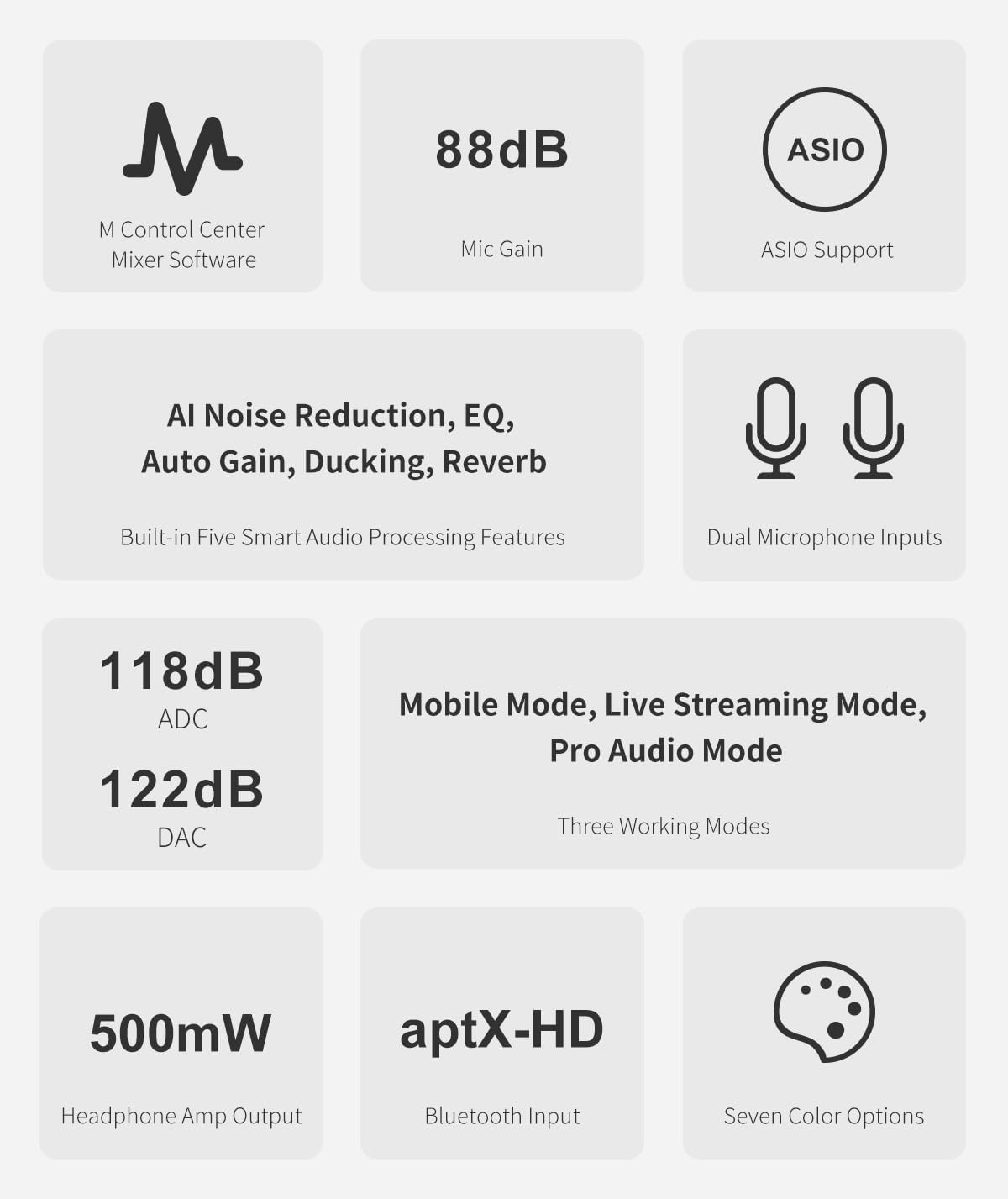
The TOPPING M62 is a portable audio interface engineered for creators who demand high-quality sound for various applications, including live streaming, podcasting, music recording, and field recording. This device integrates advanced features such as dual microphone inputs with 48V phantom power, an ultra-linear preamp, and intelligent audio processing to deliver clear and professional audio performance. Its versatile connectivity options and long-lasting battery make it suitable for both indoor and outdoor use.
2. Ezaugarri nagusiak
- Dual Microphone Inputs with 48V Phantom Power: Connect and power two condenser or dynamic microphones simultaneously, ideal for interviews, podcasts, and vocal/instrument recording.
- Ultra-Linear Preamp & High Dynamic Range: Achieve up to 88dB gain with an Equivalent Input Noise (EIN) as low as -129.5dBu, ensuring ultra-low noise and clear, natural sound.
- Smart Audio Processing: Features AI noise reduction, noise gate, auto gain, and three reverb modes (Studio/Live/Hall) for one-touch vocal optimization.
- Konektibitate malgua: Supports smartphone OTG, Bluetooth (aptX-HD/aptX-LL/AAC/SBC), AUX, and PC/Mac via USB-C for lossless transmission and multi-source mixing.
- Real-Time EQ & Monitoring: Input EQ enhances source recordings, Output EQ customizes listening, with zero-latency monitoring for accurate sound control.
- Bateriaren iraupen luzea: A 5000mAh battery provides up to 8.5 hours of operation with dynamic microphones or 6.5 hours with dual condenser microphones, suitable for extended sessions.
- Entzungailuen irteera indartsua: 500mW x2 @32Ω with ultra-low 1Ω output impedance, capable of driving headphones up to 600Ω for precise monitoring.
3. Produktua amaitu daview
Aurreko paneleko kontrolak eta sarrerak
The front panel of the M62 features essential controls and inputs for immediate access during recording and streaming.
Irudia: Aurrealdea view of the TOPPING M62, showing dual XLR/TRS combo inputs, 48V phantom power buttons, input gain knobs, monitor level, and headphone output.
- Mic1 / Mic2 Inputs: XLR/TRS combo jacks for connecting microphones or instruments.
- 48V botoiak: 48V-ko phantom elikadura aktibatzen du kondentsadore-mikrofonoetarako.
- INST botoiak: Engages instrument mode for high-impedance inputs.
- Monitorearen botoia: Adjusts the volume for direct monitoring.
- Input/Playback Mix: Blends the direct input signal with playback from the connected device.
- Irabazi botoiak: Controls the input gain for each channel.
- Aurikularretarako irteera: Entzungailuak konektatzeko 6.35 mm-ko konektorea.
- Maila-neurgailuak: LED indicators for input and output signal levels.
Atzeko panelaren konexioak
The rear panel provides various connectivity options for power, data, and audio output.
Irudia: Atzealdea view of the TOPPING M62, showing USB-C ports, OTG port, and line outputs.
- Power USB-C Port: Barneko bateria kargatzeko eta gailua elikatzeko.
- USB-C datu ataka: Connects to a computer for audio transmission and control.
- OTG ataka: Connects to mobile devices for direct audio streaming and recording.
- Lineako irteera (E/E): TRS irteera orekatuak estudioko monitoreetara edo beste audio ekipo batzuetara konektatzeko.
- Switch potentziala: Gailua pizten edo itzaltzen du.
4. Konfigurazio gida
4.1 Hasierako piztea eta kargatzea
- Connect the M62 to a power source using the provided USB-C cable and a compatible power adapter.
- Press the power switch on the rear panel to turn on the device. The power indicator LED will illuminate.
- Ensure the device is fully charged before portable use to maximize battery life.
4.2 Mikrofonoak eta instrumentuak konektatzea
- Plug your XLR or 1/4-inch TRS microphone/instrument cable into the Mic1 or Mic2 combo jacks on the front panel.
- For condenser microphones, press the 48V button for the corresponding channel to supply phantom power.
- For instruments (e.g., guitar), press the INST button for the corresponding channel.
4.3 Ordenagailu batera konektatzea (PC/Mac)
- Connect the M62's USB-C data port to your computer using a USB-C cable.
- The M62 will be recognized as an audio device. Install any necessary drivers (usually generic drivers are sufficient, but check TOPPING's website for specific ASIO drivers for optimal performance).
- Select the M62 as your input/output device in your Digital Audio Workstation (DAW) or system sound settings.
4.4 Connecting to a Smartphone/Tablet (OTG)
The M62 supports direct connection to smartphones via its OTG port for mobile live streaming and recording.
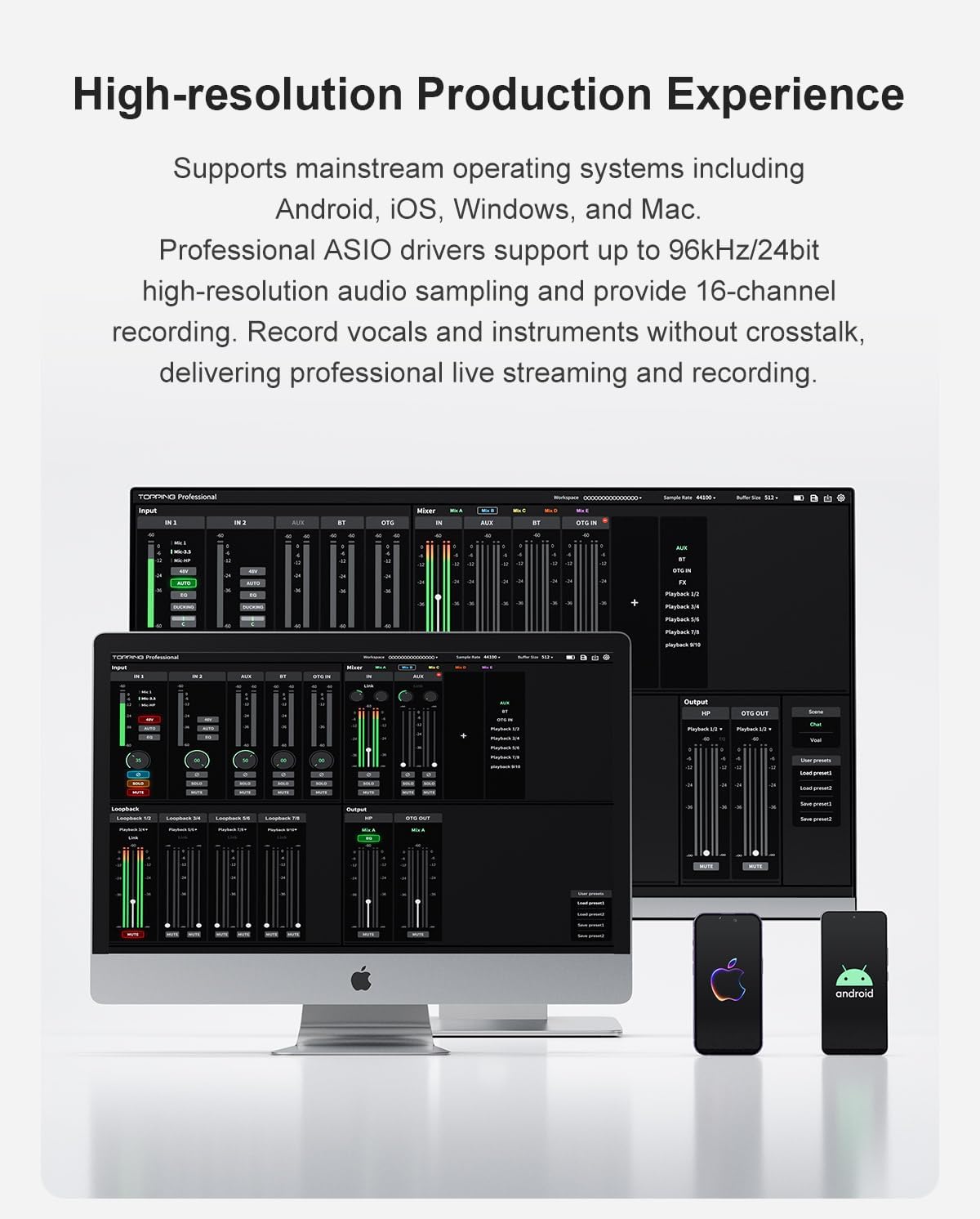
Image: The TOPPING M62 connected directly to a smartphone via an OTG cable, illustrating lossless audio transmission without adapters.
- Connect your smartphone to the M62's OTG port using a compatible OTG cable.
- Ensure your smartphone supports OTG functionality.
- The M62 will act as the audio interface for your mobile device.
5. Funtzionamendu-argibideak
5.1 Input Gain and Monitoring
- Egokitu Irabazi knobs for each input channel until the level meters show a healthy signal without clipping (red lights).
- Erabili Monitorea knob to control the volume of your headphones for zero-latency monitoring of your input signal and playback.
5.2 Smart Audio Processing
The M62 offers various audio processing features to enhance your sound:
- AI zarata murriztea: Reduces background noise for clearer vocals.
- Zarata atea: Eliminates unwanted low-level noise.
- Irabazi automatikoa: Automatically adjusts input levels for consistent volume.
- Erreberb moduak: Select from Studio, Live, or Hall reverb effects to add ambiance to your vocals.
5.3 Lan egiteko moduak
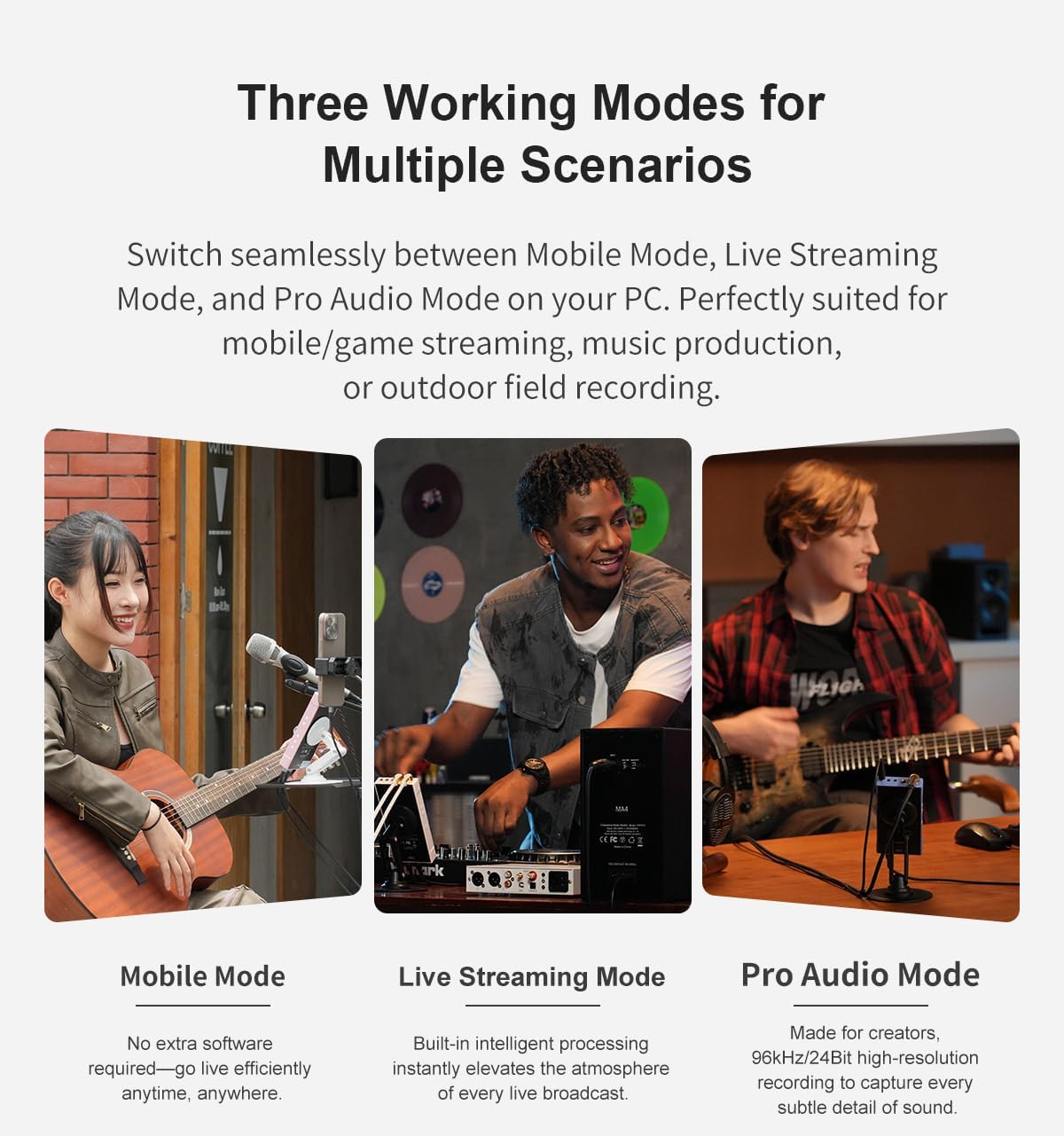
The M62 supports three distinct working modes for different scenarios:
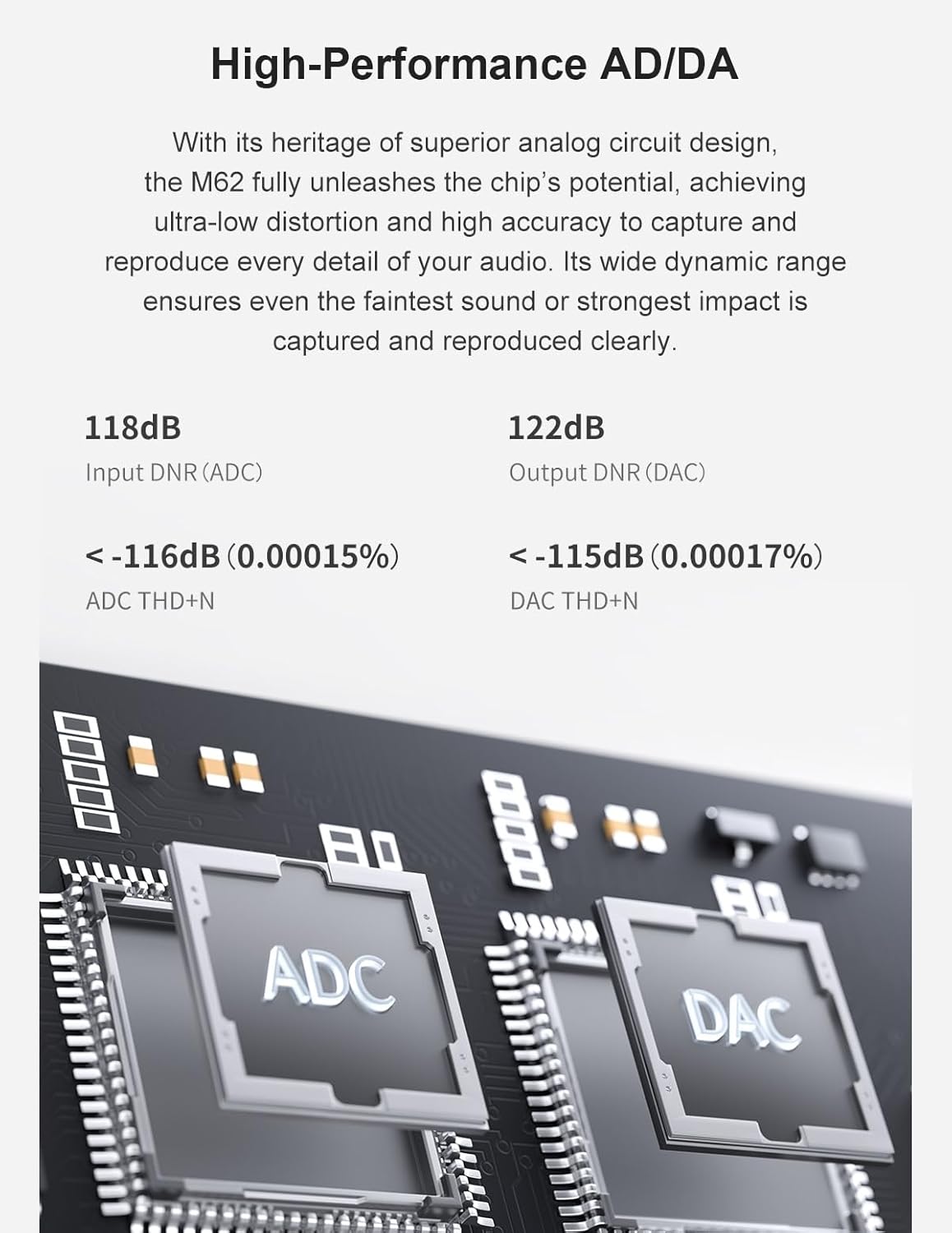
Image: Illustration of the three working modes: Mobile Mode (for mobile/game streaming), Live Streaming Mode (for music production), and Pro Audio Mode (for 96kHz/24bit high-resolution recording).
- Mugikor modua: Optimized for mobile/game streaming, requiring no extra software.
- Live Streaming Mode: Built-in intelligent processing enhances live broadcasts.
- Pro Audio Mode: Designed for 96kHz/24bit high-resolution recording, capturing subtle audio details.
5.4 Multi-Source Mixing and PC Synchronization
The M62 allows for flexible audio routing and mixing, including synchronizing smartphone streams with PC audio.

Image: The TOPPING M62 connected to both a smartphone and a PC, demonstrating how to optimize smartphone live streams with PC synchronization using DAW software for vocal clarity.
6. Konektibitate-aukerak
The M62 offers diverse connectivity to integrate with various devices.
- USB-C: For high-speed digital audio connection to computers (PC/Mac).
- OTG: On-The-Go connection for direct digital audio with compatible smartphones and tablets.
- Bluetootha: Supports aptX-HD, aptX-LL, AAC, and SBC codecs for high-quality wireless audio input.
- AUX: 3.5mm analog input for connecting external audio sources.
7. Bateria eta energia kudeaketa
The M62 is equipped with a robust 5000mAh battery for extended portable use.
- Bateriaren iraupena: Up to 8.5 hours when using dynamic microphones, and up to 6.5 hours when using dual condenser microphones (due to 48V phantom power consumption).
- Kargatzen: Charge the device via the dedicated USB-C power port. The charging indicator will show the battery status.
- It is recommended to fully charge the device before critical recording sessions.
8. Zehaztapenak
| Ezaugarri | Xehetasuna |
|---|---|
| Elementuaren pisua | 1.1 kilo |
| Paketearen neurriak | 7.48 x 6.69 x 1.97 hazbete |
| Elementuaren eredu-zenbakia | M62 |
| Kolore izena | Arrosa |
| Gailu bateragarriak | Gitarra, Aurikularrak, Mikrofonoa, Ordenagailu Pertsonala, Smartphone |
| Onartutako softwarea | DAW software (wide range compatible), Generic drivers for supported OS |
| Sistema eragilea | Android, Windows, iOS, macOS |
| Konektibitate Teknologia | AUX, Bluetooth, USB |
| Kanal kopurua | 2 |
9. Produktuaren bideo ofiziala
Watch the official product video for a visual guide to the TOPPING M62 Portable Audio Interface's features and usage scenarios.
Bideoa: Amaiera batview of the TOPPING M62 audio interface, demonstrating its features and applications in various recording and streaming environments.
10. Arazoak
If you encounter issues with your TOPPING M62, please refer to the following common troubleshooting steps:
- Potentziarik gabe: Ensure the USB-C power cable is securely connected and the power switch is in the 'On' position. Check if the power adapter is functioning correctly.
- Soinu-irteerarik ez: Verify that the monitor volume is turned up and headphones/speakers are connected correctly. Check your computer's sound settings to ensure the M62 is selected as the output device.
- Sarrerako seinalerik ez: Confirm microphones/instruments are properly connected and gain knobs are adjusted. For condenser microphones, ensure 48V phantom power is activated. Check input selection in your recording software.
- Audio distortsionatua: Reduce input gain to prevent clipping. Check cable connections for any damage.
- Konektibitate arazoak: For USB-C connections, try a different USB port or cable. For OTG, ensure your mobile device supports OTG and the cable is compatible. For Bluetooth, ensure the M62 is in pairing mode and within range.
If problems persist, consult the TOPPING support webgunera edo jarri harremanetan bezeroarentzako arreta-zerbitzuarekin laguntza gehiago lortzeko.
11. Bermea eta Laguntza
The TOPPING M62 Portable Audio Interface comes with a standard manufacturer's warranty. Please retain your proof of purchase for warranty claims.
- Berme Epea: Refer to the warranty card included with your product or the official TOPPING website for specific warranty duration and terms.
- Laguntza teknikoa: For technical assistance, driver downloads, or firmware updates, visit the official TOPPING support page.
- Bezeroarentzako arreta: If you require further help, please contact TOPPING customer service through their official channels.