
Sarrera
Thank you for choosing the TMEZON C680 Indoor Window Security Camera. This manual provides essential information for setting up, operating, and maintaining your camera. Please read it thoroughly before use and retain it for future reference.
Segurtasun Informazioa
- Erabili emandako korronte-egokigailua soilik.
- Ez jarri kamera muturreko tenperaturen edo hezetasunaren eraginpean.
- Kamera hau barrualdean erabiltzeko diseinatuta dago.
- Mantendu haurren eskura.
Paketearen edukia
Verify that all items are present in your package. If any items are missing or damaged, please contact customer support.
- TMEZON C680 Indoor Window Security Camera
- Elikatze-moldagailua
- USB energia kablea
- Muntatzeko kita (torlojuak, aingurak)
- Erabiltzailearen eskuliburua
Produktua amaituview
Familiarize yourself with the components of your TMEZON C680 camera.
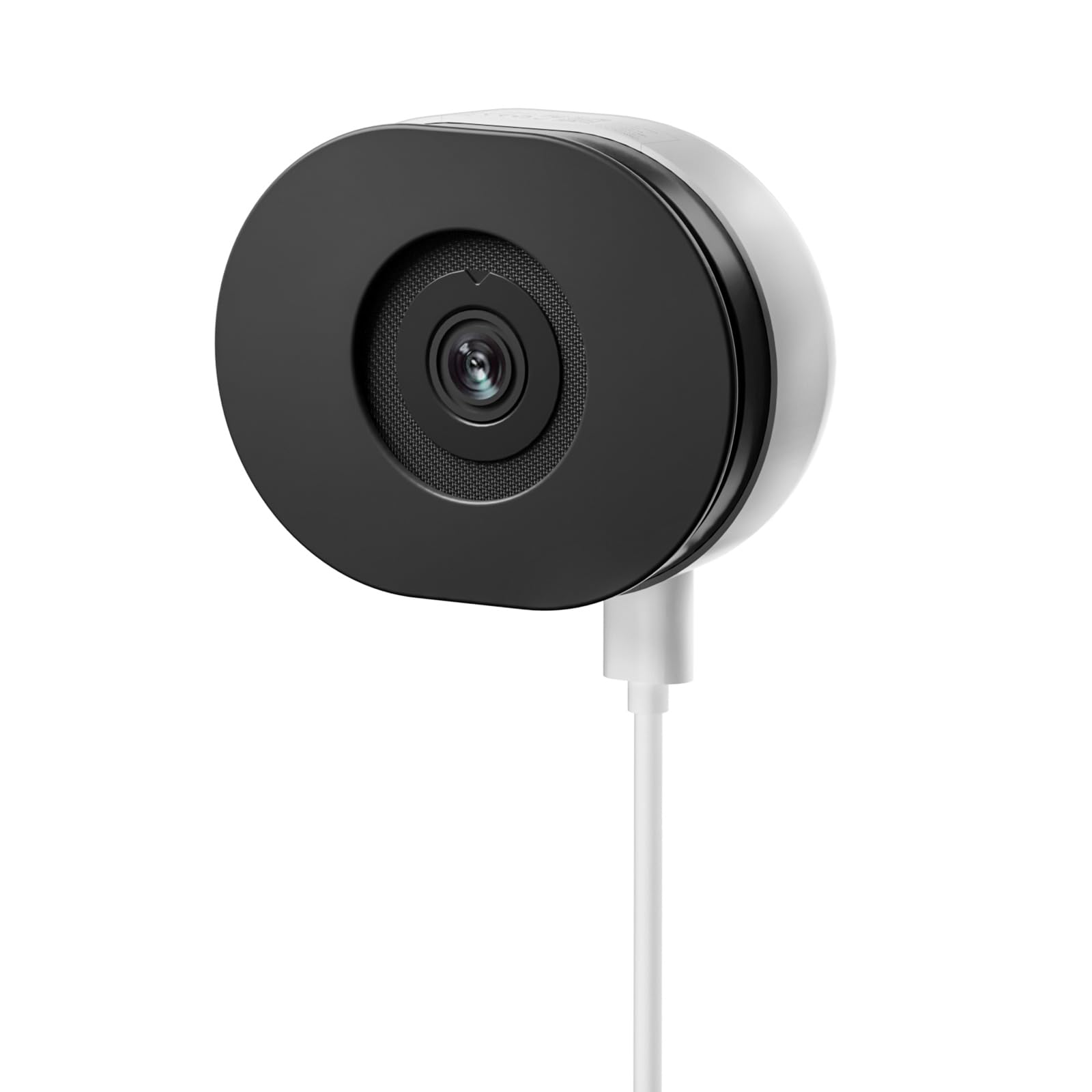
Image: The TMEZON C680 Indoor Window Security Camera. This image displays the camera's compact, circular form factor, highlighting the main lens and overall design.
Kameraren osagaiak
- Kameraren lentea: Captures 4MP 2.5K video.
- Egoera adierazle argia: Indicates camera status (e.g., solid blue for connected, flashing red for disconnected).
- Mikrofonoa: For audio input and two-way audio communication.
- Hizlaria: For audio output and two-way audio communication.
- Potentzia ataka: Korronte-egokigailura konektatzen da.
- Berrezarri botoia: Press and hold for 5 seconds to reset the camera to factory settings.
- MicroSD txartelaren zirrikitua: For local storage (card not included).
Konfigurazioa
1. urratsa: Deskargatu aplikazioa
Bilatu the "TMEZON Smart" app (or similar, as specified in your product documentation) in your mobile device's app store (App Store for iOS, Google Play Store for Android). Download and install the app.
2. urratsa: Kamera piztu
Connect the USB power cable to the camera's power port and plug the power adapter into a wall outlet. The camera's status indicator light will turn on. Wait for it to flash red, indicating it's ready for pairing.
3. urratsa: Gehitu gailua aplikazioan
- Open the TMEZON Smart app and create an account or log in.
- Tap the "+" icon (or "Add Device") to add a new camera.
- Select "Security Camera" or "Smart Camera" from the device list.
- Follow the on-screen instructions to connect the camera to your 2.4GHz Wi-Fi network. Ensure your phone is connected to the same 2.4GHz Wi-Fi network.
- The app will display a QR code. Position your camera to scan this QR code from your phone screen. You will hear a confirmation sound from the camera once scanned successfully.
- Once connected, the status indicator light will turn solid blue.
Step 4: Window Mounting
The TMEZON C680 is designed for easy window mounting.
- Choose a clean, flat window surface for optimal viewing.
- Use the provided mounting kit to secure the camera to the window frame or a nearby wall, ensuring the lens faces outwards.
- Adjust the camera angle to cover your desired surveillance area.
Funtzionamendu-argibideak
Zuzenean View
Open the TMEZON Smart app and select your camera from the device list to access the live video feed.
Grabaketa eta Erreprodukzioa
The camera supports 24/7 continuous recording to a local MicroSD card (not included).
- Sartu MicroSD txartela: Power off the camera, insert a MicroSD card (up to 128GB, Class 10 or higher recommended) into the slot, then power on.
- View Grabaketak: Aplikazioaren zuzeneko emankizunean view, tap the "Playback" or "History" icon to access recorded footage.
Bi norabideko audioa
Zuzenean view interface, tap the microphone icon to speak through the camera's speaker. Tap the speaker icon to listen to audio from the camera's microphone.
Kolore Gaueko Ikusmena
The camera automatically switches to color night vision in low-light conditions, providing clear, vivid footage up to 32 feet. No manual adjustment is typically required.
Mugimenduen detekzioa eta alertak
The camera features motion-only alert type.
- In the app, navigate to the camera settings.
- Find "Motion Detection" or "Alert Settings."
- Enable motion detection and customize sensitivity levels and alert schedules as needed.
- You will receive push notifications on your mobile device when motion is detected.
Mantentzea
Garbiketa
Garbitu kameraren lentea eta gorputza oihal leun eta lehor batekin. Ez erabili garbitzaile likidorik edo material urratzailerik.
Firmware eguneraketak
Periodically check the TMEZON Smart app for available firmware updates to ensure optimal performance and security. Follow the in-app instructions for updating.
Biltegiratzea
When not in use for extended periods, store the camera in a cool, dry place, away from direct sunlight.
Arazoak konpontzea
| Arazoa | Irtenbidea |
|---|---|
| Kamera ez da pizten. | Ensure the power adapter is securely connected to both the camera and a working power outlet. Try a different outlet. |
| Ezin da wifira konektatu. |
|
| No recording to MicroSD card. |
|
| Bideoaren kalitate eskasa. |
|
Zehaztapenak
- Eredua: C680
- Ebazpena: 4MP (2.5K)
- Gaueko ikuspegia: Color Night Vision, up to 32 feet
- Konektibitatea: 2.4 GHz-ko wifia
- Biltegiratzea: MicroSD Card (up to 128GB, not included)
- Audioa: Bi norabideko audioa (mikrofono eta bozgorailu integratuak)
- Potentzia: Corded Electric, 5W
- Barruan/Kanpoan erabilera: Barruan bakarrik
- ViewAngelua: 120 gradu
- Neurriak: 3.5 x 3.5 x 3.5 hazbete inguru
- Materiala: Plastikoa
- Alerta mota: Mugimendua bakarrik
Bermea eta Laguntza
TMEZON products are designed for reliability and performance. For warranty information, technical support, or customer service inquiries, please refer to the contact information provided on the product packaging or visit the official TMEZON webgunea.
You can also visit the TMEZON store on Amazon for additional product information and support: TMEZON Amazon Store.