
1. Sarrera
This manual provides detailed instructions for the setup, operation, maintenance, and troubleshooting of your GMKtec Nucbox G10 Mini PC. The Nucbox G10 is a compact and powerful desktop computer designed for various applications, from office tasks to multimedia entertainment, featuring an AMD Ryzen 5 3500U processor, 16GB DDR4 RAM, and a 1TB NVMe SSD.
2. Paketearen edukia
Egiaztatu behean zerrendatutako elementu guztiak zure paketean daudela:
- GMKtec Nucbox G10 AMD Ryzen 5 3500U Mini PC Computer
- Power Supply & Cable
- HDMI kablea
- VESA euskarria eta torlojuak
- Erabiltzailearen eskuliburua (dokumentu hau)

Image: Retail Boxed Packaging. This image displays the GMKtec Nucbox G10 Mini PC, power supply, HDMI cable, VESA mount, screws, and user manual, illustrating the complete contents of the product package.
3. Produktua amaitu daview
3.1 Ezaugarri nagusiak
- Prozesadorea: AMD Ryzen 5 3500U (4 Cores, 8 Threads, up to 3.70GHz Turbo Boost)
- Grafikoak: Integrated AMD Radeon Vega 8 Graphics (1200 MHz)
- Memoria: 16GB Dual Channel DDR4 RAM (expandable up to 64GB)
- Biltegiratzea: 1TB M.2 2280 NVMe SSD (expandable up to 16TB via dual M.2 2280 PCIe 3.0 slots)
- Sarea: 2.5GbE Ethernet, WiFi 5, Bluetooth 5.0
- Bistaratzeko irteera: Triple 4K display support via HDMI 2.1, DisplayPort 1.4, and Full Function USB-C
- Hoztea: Silent Turbo Cooling Fan system

Image: Nucbox G10 Feature Overview. This image provides a visual summary of the mini PC's core components including the AMD Ryzen 5 3500U CPU, Radeon Vega 8 Graphics, DDR4 RAM, M.2 SSD, 2.5GbE LAN, WiFi 5, Bluetooth 5.0, triple display support, and cooling system.
3.2 Portuak eta konektoreak
The Nucbox G10 features a comprehensive set of ports for connectivity:
- Aurrealdea: 1x CTIA Audio Jack, 2x USB 3.2 (5Gbps), 1x Power Button
- Atzekoa: 1x Type-C (PD Only), 1x USB 2.0, 1x 2.5G Giga LAN, 1x HDMI 2.1 (4K@60Hz), 1x DP 1.4 (4K@60Hz), 1x Full Function USB-C (PD/DP/Data), 1x Kensington Lock slot

Image: Front Panel Ports. This image shows the front of the Nucbox G10, highlighting the power button, two USB 3.2 ports, and the CTIA audio jack.

Image: Rear Panel Ports. This image illustrates the rear of the Nucbox G10, detailing the USB-C (PD Only), USB 2.0, 2.5G LAN, HDMI 2.1, DisplayPort 1.4, Full Function USB-C, and Kensington Lock slot.
4. Konfigurazio gida
4.1 Periferikoak konektatzea
- Monitorea: Connect your monitor(s) to the Mini PC using the HDMI, DisplayPort, or USB-C ports. The Nucbox G10 supports up to three 4K displays simultaneously.
- Teklatua eta sagua: Connect your USB keyboard and mouse to the available USB ports.
- Sarea: For a wired connection, connect an Ethernet cable from your router/modem to the 2.5GbE LAN port. For wireless, ensure your WiFi network is available.
- Audioa: Connect speakers or headphones to the 3.5mm audio jack on the front panel if needed.
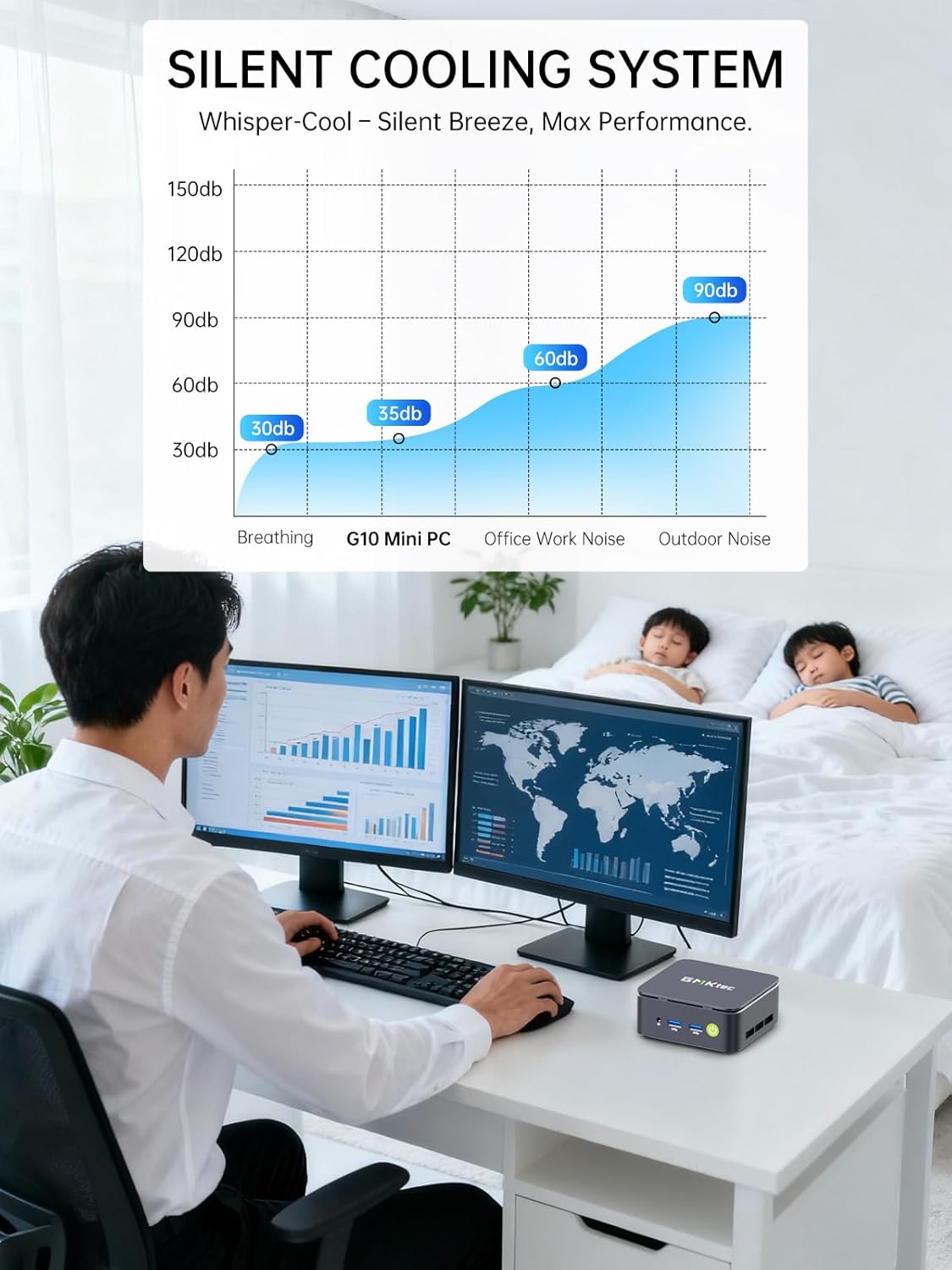
Image: Triple Display Setup. This image demonstrates the Nucbox G10 connected to two vertical monitors and a tablet, showcasing its triple display capability for enhanced productivity.
4.2 Energia-konexioa
Connect the provided power adapter to the DC-in port on the Mini PC, then plug the power cable into a wall outlet. The Mini PC is designed for low power consumption.
4.3 Hasierako abioa
Press the power button on the front panel. The Mini PC will boot into the pre-installed Windows 11 Pro operating system. Follow the on-screen instructions for initial Windows setup.
5. Funtzionamendu-argibideak
5.1 Piztu/Itzali
- Piztu: Sakatu pizteko botoia behin.
- Itzali: From Windows, go to Start > Power > Shut down. Alternatively, press and hold the power button for 5 seconds to force a shutdown (use only when necessary).
5.2 Sistema Eragilea
Your Nucbox G10 comes with Windows 11 Pro pre-installed. Ensure you keep your operating system updated for optimal performance and security.
5.3 Sarearen konexioa
- Kable bidez (Ethernet): Once the Ethernet cable is connected, the system should automatically detect the network.
- Haririk gabekoa (Wi-Fi): In Windows, click the Wi-Fi icon in the taskbar, select your network, enter the password, and connect.
- Bluetootha: To connect Bluetooth devices, go to Windows Settings > Bluetooth & devices, and pair your device.
6. Mantentzea
6.1 Garbiketa
Regularly clean the exterior of the Mini PC with a soft, dry cloth. Ensure ventilation openings are free from dust to maintain optimal cooling performance. Do not use liquid cleaners directly on the device.

Image: Ultra Efficient Cooling System. This image provides an internal view of the Nucbox G10, highlighting the silent turbo cooling fan designed for efficient heat dissipation.
6.2 Software eguneraketak
Keep your Windows operating system and drivers updated to ensure system stability, security, and performance. Windows Update can be accessed via Settings > Windows Update.
6.3 Biltegiratzea eta memoriaren hedapena
The Nucbox G10 supports memory expansion up to 64GB DDR4 RAM and storage expansion up to 16TB via its dual M.2 2280 PCIe 3.0 slots. Consult a qualified technician for hardware upgrades to avoid voiding your warranty or damaging the device.
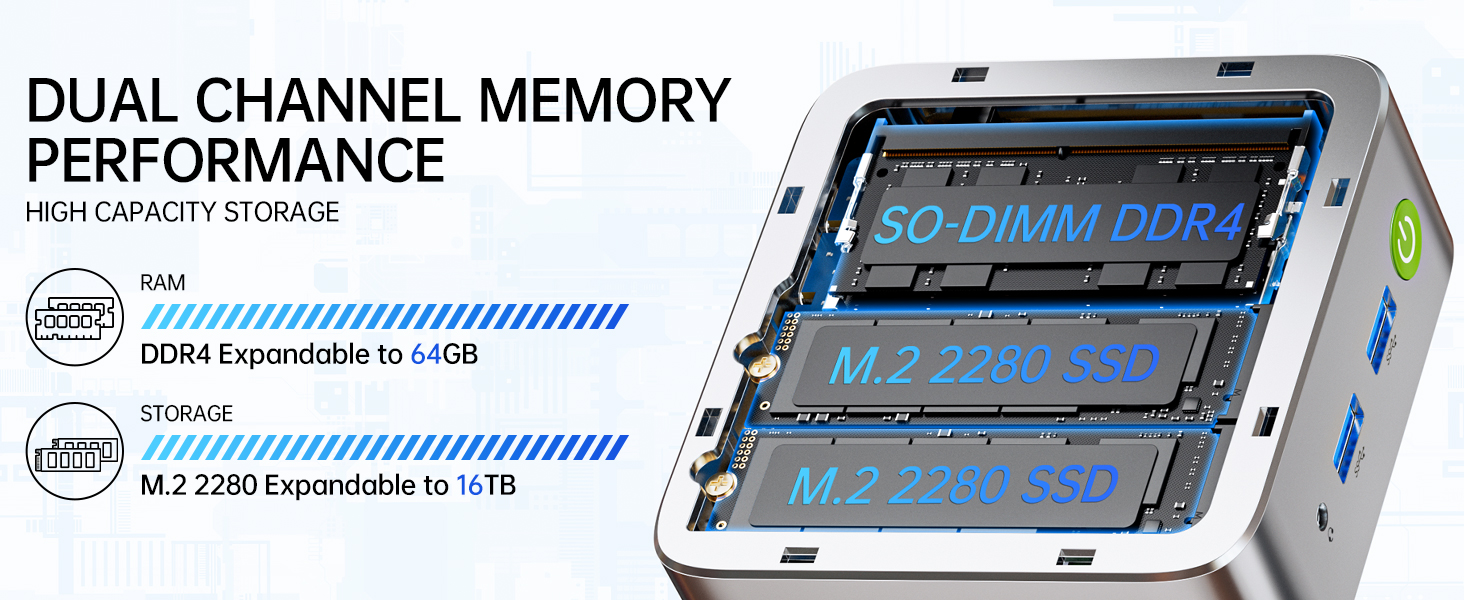
Image: Dual Channel Memory Performance and High Capacity Storage. This diagram illustrates the internal layout for SO-DIMM DDR4 RAM and M.2 2280 SSDs, indicating their expandability.
7. Arazoak
If you encounter issues with your Mini PC, refer to the following common problems and solutions:
- Potentziarik gabe:
- Ziurtatu korronte-egokitzailea ondo konektatuta dagoela bai Mini PCra bai funtzionatzen duen korronte-entxufe batera.
- Egiaztatu entxufea funtzionatzen duela beste gailu bat konektatuz.
- Ez dago pantailarik:
- Check that the HDMI, DisplayPort, or USB-C cable is firmly connected to both the Mini PC and the monitor.
- Ziurtatu monitoreak piztuta dagoela eta sarrera-iturri zuzenera konfiguratuta dagoela.
- Try connecting to a different display or using a different cable.
- Sarearen konexio arazoak:
- Sare: Egiaztatu Ethernet kablearen konexioa. Berrabiarazi zure bideratzailea/modema.
- Haririk gabekoa: Ensure Wi-Fi is enabled in Windows settings. Verify your Wi-Fi password. Restart your router.
- Errendimendu motela:
- Itxi atzeko planoan exekutatzen ari diren beharrezkoak ez diren aplikazioak.
- Ensure the system has adequate ventilation and is not overheating.
- Begiratu eta instalatu dauden Windows eguneratzeak edo kontrolatzaileen eguneratzeak.
- Diskoaren garbiketa bat egin biltegiratze espazioa askatzeko.
8. Zehaztapenak
| Ezaugarri | Zehaztapena |
|---|---|
| Marka | GMKtec |
| Ereduaren izena | G10 |
| Sistema eragilea | Windows 11 Pro |
| CPU eredua | AMD Ryzen 5 3500U |
| CPU Abiadura | 3.7 GHz (Boost) |
| Prozesadore kopurua | 4 |
| Koprozesadore grafikoa | AMD Radeon Vega 8 Graphics 1200 MHz |
| RAM memoria instalatuta | 16 GB DDR4 |
| RAM memoriaren gehienezko tamaina | 64 GB |
| Memoria Abiadura | 2400 MT/s |
| Memoria Biltegiratzeko Ahalmena | 1 TB NVMe SSD |
| Disko gogorraren deskribapena | Dual Slot M.2 2280 PCIE Max. 16TB |
| Konektibitate Teknologia | HDMI 2.1, RJ45 2.5GbE LAN, USB 3.2, USB-C (DP/DATA/PD), WIFI5/ BT 5.0 |
| Haririk gabeko bateragarritasuna | 802.11a/b/g/n/ac (WiFi 5), Bluetooth 5.0 |
| Bideo Irteera | HDMI 2.1, DisplayPort, Type-C (Triple Display) |
| Bistaratzeko Gehienezko bereizmena | 4096 × 2160 Pixels (4K) |
| USB portuak guztira | 4 (2x USB 3.2, 1x USB 2.0, 1x USB-C Full Function) |
| Energia-kontsumoa | 25 Watts (Typical) |
| Elementuaren neurriak | 4.1 x 3.8 x 1.7 hazbete |
| Elementuaren pisua | 0.95 kilogramo |
| Hozteko metodoa | Dual Cooling Fan |
| Ezaugarri gehigarriak | RTC Wake, Auto Power On, Wake On LAN, PXE Boot |
9. Bermea eta Laguntza
9.1 Bermearen informazioa
GMKtec offers a 1 urteko berme mugatua for each Mini PC, starting from the date of purchase. This warranty covers defects due to design and workmanship. Please retain your proof of purchase for warranty claims.
9.2 Bezeroarentzako laguntza
For technical assistance, warranty claims, or any questions regarding your GMKtec Nucbox G10 Mini PC, please contact GMKtec customer support. You can typically find contact information on the official GMKtec website or through the seller's contact page where you purchased the product (e.g., GMKtec-Direct on Amazon).