
1. Sarrera
This manual provides comprehensive instructions for the installation, operation, and maintenance of your LEXXSON Wireless CarPlay/Android Auto Decoder. This device is specifically designed to integrate seamlessly with select Volvo models, enhancing your in-car infotainment experience with modern connectivity features.
The decoder offers both wired and wireless CarPlay and Android Auto functionalities, allowing for easy access to navigation, music, and communication directly from your vehicle's display. It features integrated dual-band WiFi (2.4G and 5.8G) and Bluetooth 5.0 for stable connections, along with support for original vehicle controls including steering wheel buttons, touch control, and voice commands.
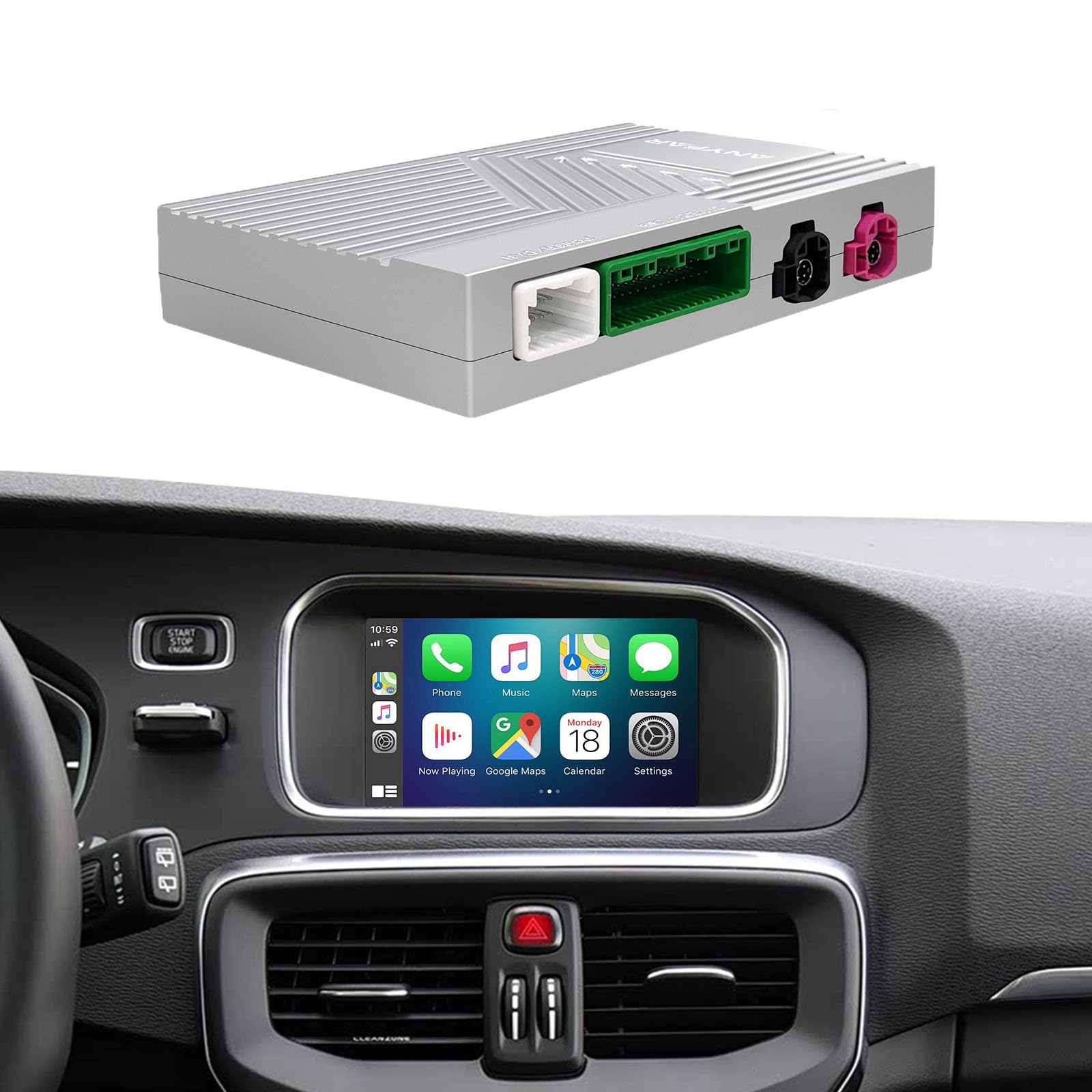
Image 1.1: The LEXXSON Wireless CarPlay/Android Auto Decoder main unit.
2. Bateragarritasuna
The LEXXSON Wireless CarPlay/Android Auto Decoder is compatible with specific Volvo models equipped with a 7-inch screen. Please verify your vehicle's model and year against the list below to ensure compatibility.

Image 2.1: Compatibility chart showing supported Volvo models and manufacturing years.
- Volvo V40: 2015-2020
- Volvo V60: 2015-2019
- Volvo S60/S60L: 2015-2019
- Volvo XC60: 2015-2017
- Volvo S80L: 2015-2017
All compatible models require a 7-inch factory screen.
3. Paketearen edukia
Please check the package carefully to ensure all components are present and undamaged before proceeding with installation.

3.1. irudia: Amaituview of the LEXXSON decoder unit and its accompanying cables.
- 1 x LEXXSON Volvo Decoder Unit
- 1 x Elikatze-kablea
- 1 x LVDS IN Cable
- 1 x LVDS OUT Cable
- 1 x USB kablea
- 1 x RCA Cable (for camera inputs)
4. Konfigurazioa eta instalazioa
The LEXXSON decoder is designed for a Plug and Play, non-destructive installation. No cutting of original vehicle wiring is required. It integrates fully with the existing infotainment system.
4.1 Instalazioaren aurreko kontrol zerrenda
- Ensure the vehicle's ignition is off and the battery is disconnected before starting.
- Ziurtatu paketearen edukia guztia bertan dagoela.
- Refer to your vehicle's specific disassembly instructions for accessing the infotainment unit.
4.2 Instalazio-urratsak
- Carefully remove the vehicle's factory infotainment unit to access the rear connections.
- Connect the provided power supply cable to the decoder unit and the vehicle's power harness.
- Connect the LVDS IN and LVDS OUT cables between the factory screen, the decoder unit, and the main infotainment unit.
- Connect the USB cable to the decoder unit. This port is used for wired CarPlay/Android Auto and potential software updates.
- If installing optional cameras, connect them to the RCA inputs on the decoder unit.
- Securely mount the decoder unit in a suitable location behind the dashboard, ensuring it does not interfere with other components.
- Reassemble the vehicle's infotainment unit and dashboard components.
- Reconnect the vehicle battery and test the system.
For detailed visual guidance, it is recommended to consult professional installation resources or a qualified technician.
5. Funtzionamendu-argibideak
Once installed, the decoder allows you to seamlessly switch between your vehicle's original system and the CarPlay/Android Auto interface.
5.1 Sistemen artean aldatzea
Use the original vehicle button (e.g., 'MEDIA' or 'NAV' button, or a long press on a specific button as per your vehicle's configuration) to toggle between the factory infotainment system and the LEXXSON decoder interface.
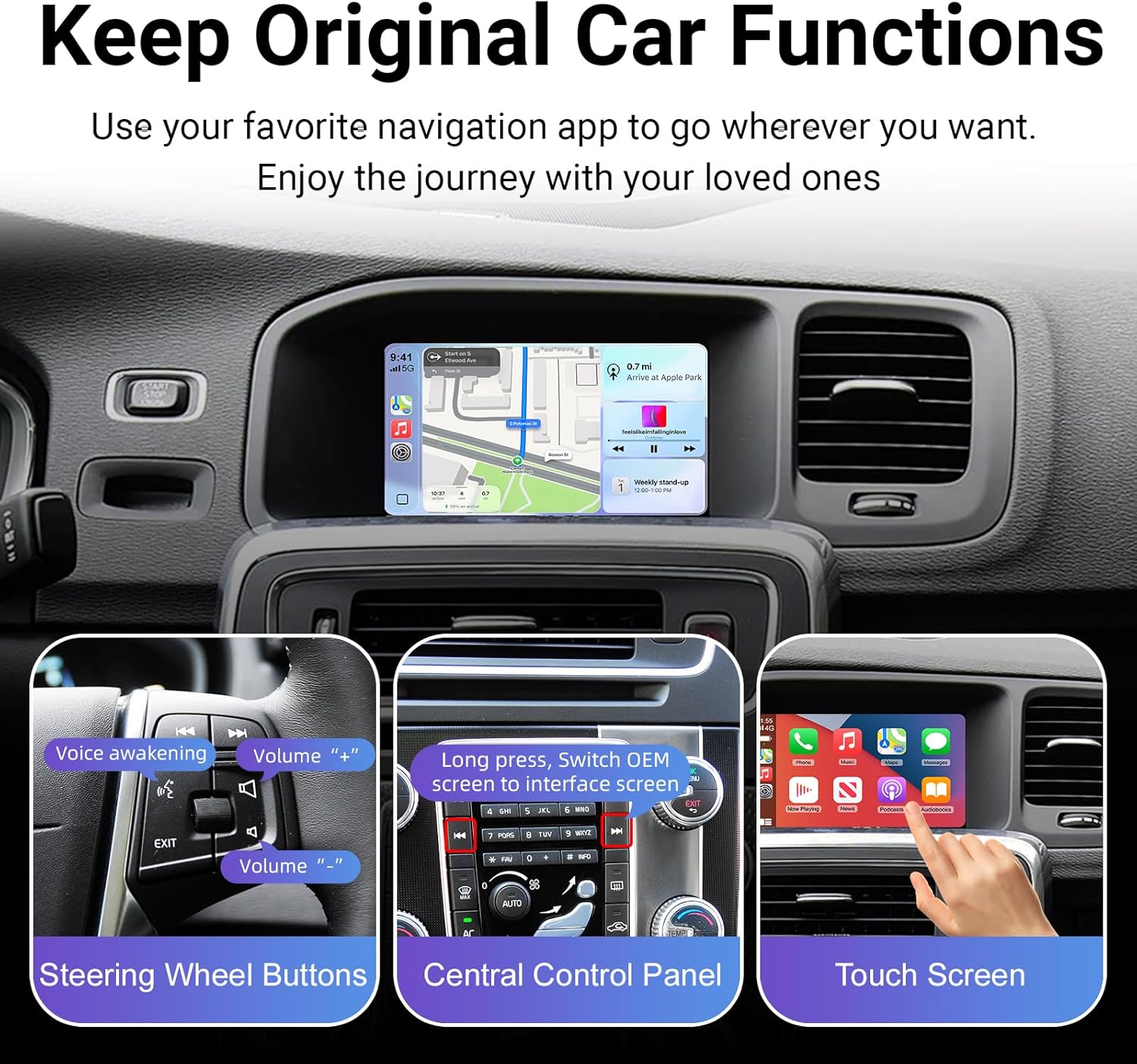
Image 5.1: Demonstrates using original car controls, including steering wheel buttons and the central control panel, to interact with the system.
5.2 Haririk gabeko CarPlay konexioa
To connect your iPhone wirelessly to CarPlay:
- Ziurtatu Bluetooth eta Wi-Fi gaituta daudela zure iPhonean.
- On the decoder interface, navigate to the CarPlay section.
- Pair your iPhone with the decoder's Bluetooth (e.g., 'CarAudio-XXXX').
- Confirm the CarPlay prompt on your iPhone. The system will automatically connect via Wi-Fi for CarPlay functionality after the initial Bluetooth pairing.

Image 5.2: Wireless CarPlay interface displayed on the vehicle's screen, showing navigation and music applications.
5.3 Haririk gabeko Android Auto konexioa
Zure Android telefonoa haririk gabe Android Auto-ra konektatzeko:
- Ziurtatu Bluetooth eta Wi-Fi gaituta daudela zure Android telefonoan.
- On the decoder interface, navigate to the Android Auto section.
- Pair your Android phone with the decoder's Bluetooth.
- Confirm the Android Auto prompt on your phone. The system will automatically connect via Wi-Fi for Android Auto functionality.
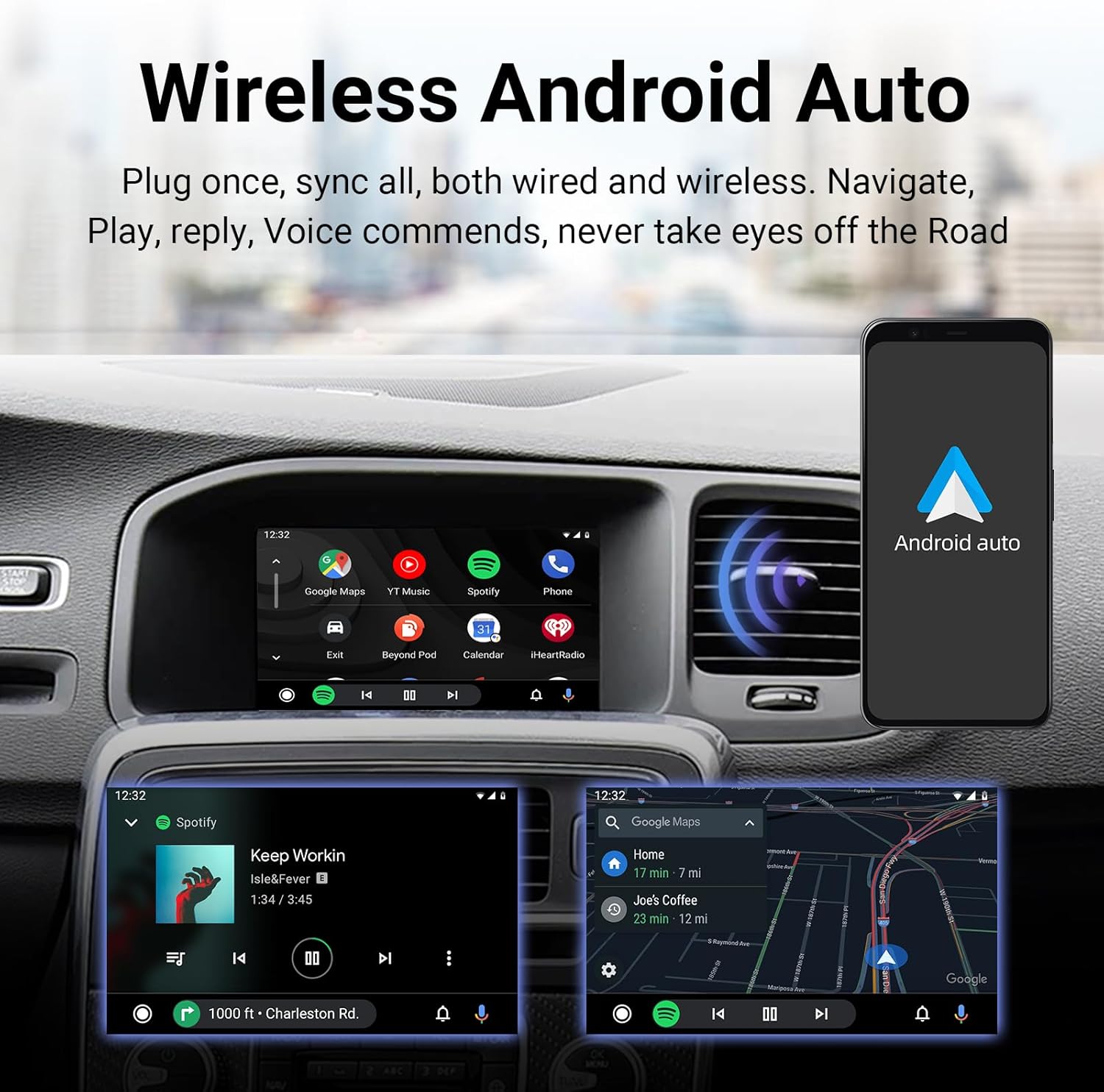
Image 5.3: Wireless Android Auto interface displayed on the vehicle's screen, showing music and navigation applications.
5.4 Wired CarPlay/Android Auto
For a wired connection, simply connect your smartphone to the decoder's USB port using a compatible USB cable. The system will automatically detect and launch CarPlay or Android Auto.
5.5 Ahots kontrola
The decoder supports intelligent voice control for both CarPlay (Siri) and Android Auto (Google Assistant). Activate voice control by saying "Hey Siri" or by pressing the voice command button on your steering wheel (if applicable). This allows for hands-free operation of navigation, music, and calls.

Image 5.4: Demonstrates intelligent voice control functionality for both Apple CarPlay (Siri) and Android Auto (Google Assistant).
5.6 Bluetooth Audio Output
The system utilizes the factory car Bluetooth for audio output, which helps reduce interference and provides faster sound response. Ensure your phone is paired via Bluetooth for optimal audio quality.
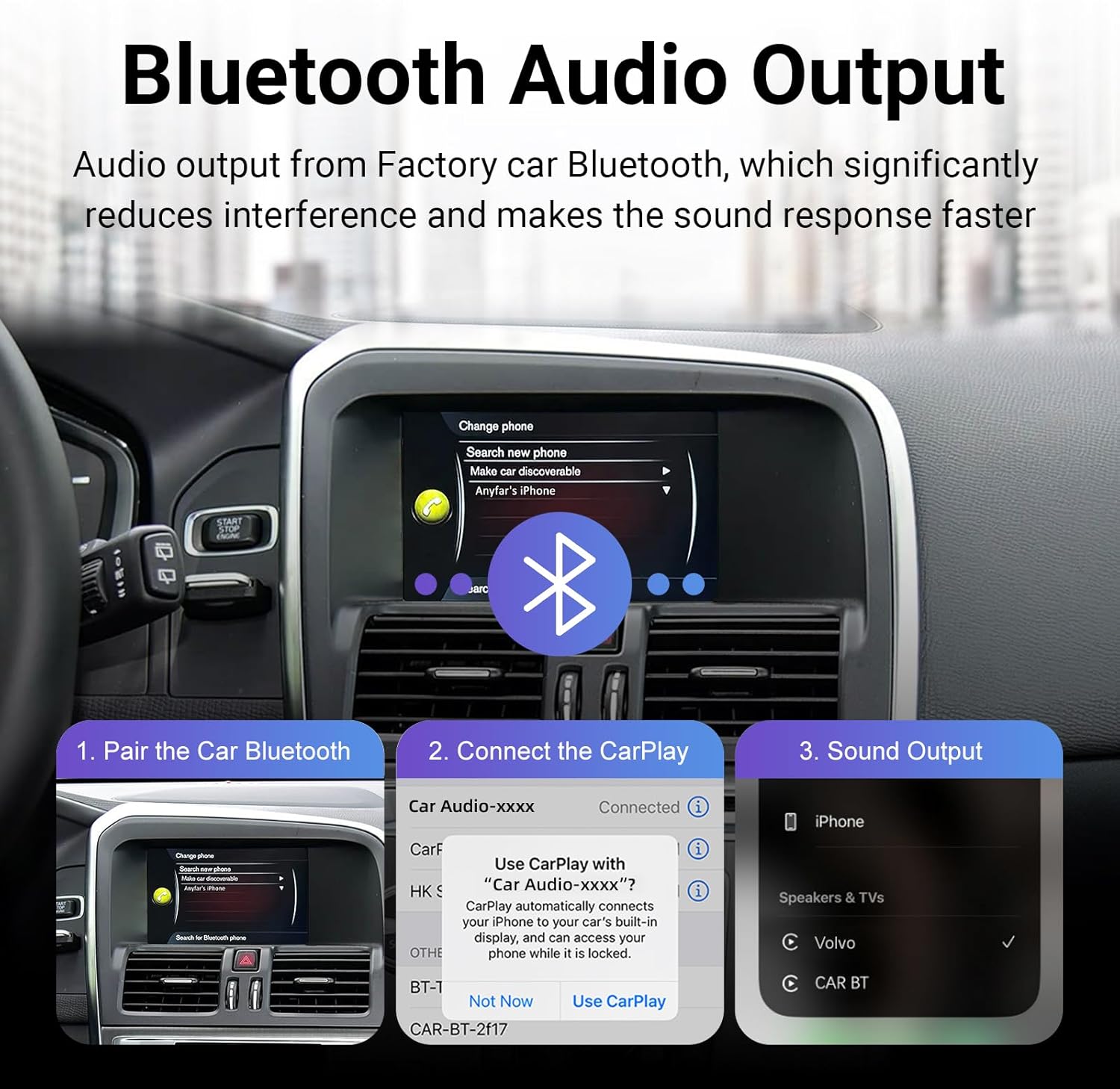
Image 5.5: Step-by-step guide for pairing your phone's Bluetooth and connecting to the CarPlay system for audio output.
6. Parking Assistance
The decoder supports professional parking assistance features, enhancing safety and convenience.
- Kameraren laguntza: Compatible with PAL, NTSC, and CVBS camera systems, including rear and right-side cameras.
- 360° HD Panoramic Cameras: Supports 360° HD camera systems for a comprehensive view around your vehicle. (Cameras sold separately).
- Dynamic Guidelines: Provides dynamic parking guidelines that adjust with steering input.
- Original Radar Integration: Connects with the vehicle's original radar system for parking distance control.
7. Mantentzea
To ensure the longevity and optimal performance of your LEXXSON decoder, follow these general maintenance guidelines:
- Mantendu unitatea hautsik eta hezetasunik gabe.
- Avoid exposing the unit to extreme temperatures. The efficient heat dissipation system ensures stable operation up to 70 °C.
- Ez saiatu unitatea zeuk irekitzen edo konpontzen, bermea baliogabetuko baitu horrek.
- Regularly check for software updates to ensure the system is always up to date with the latest features and improvements.
8. Arazoak
If you encounter issues with your LEXXSON decoder, please refer to the following common troubleshooting steps:
- Potentziarik gabe: Check all power connections to ensure they are securely plugged in. Verify the vehicle's battery is properly connected.
- Pantailarik ez/Pantaila beltza: Ensure the LVDS cables are correctly connected between the screen, decoder, and infotainment unit. Try switching between the original system and the decoder interface.
- CarPlay/Android Auto ez da konektatzen:
- For wireless connections, ensure Bluetooth and Wi-Fi are enabled on your phone and paired correctly.
- For wired connections, try a different USB cable.
- Restart your phone and the vehicle's infotainment system.
- Audio-arazoak: Ensure your phone is paired via Bluetooth for audio output. Check the volume levels on both your phone and the vehicle's system.
- Kontrolek ez dute erantzuten: Verify that the decoder is fully integrated with the vehicle's CAN-bus system. Ensure all connections are secure.
Urrats hauek saiatu ondoren arazoak konpontzen ez badira, jarri harremanetan bezeroarentzako arreta-zerbitzuarekin laguntza gehiago jasotzeko.
9. Zehaztapenak
| Ezaugarri | Zehaztapena |
|---|---|
| Marka | LEXXSON |
| Modelo zenbakia | RM-VLV2540F |
| Kolorea | Beltza |
| Pantailaren bateragarritasuna | 7 Inches (Volvo factory screen) |
| Konektibitate Teknologia | Bluetooth 5.0, Wi-Fi (2.4G & 5.8G) |
| Ezaugarri bereziak | Wireless/Wired Apple CarPlay, Wireless/Wired Android Auto, Voice Control, DSP, Parking Assistance |
| Kameraren sarrerak | 2 x RCA (PAL/NTSC/CVBS) |
| Elementuaren pisua | 1100 gramo |
| Fabrikatzailea | LEXXSON |
10. Bermea eta Laguntza
Your LEXXSON Wireless CarPlay/Android Auto Decoder comes with a manufacturer's warranty to cover defects in materials and workmanship.
- Fabrikatzailearen bermea: 1 urte.
- Ordezko piezen erabilgarritasuna: Informazioa ez dago eskuragarri.
- Software eguneraketak: Information unavailable regarding guaranteed update period.
For warranty claims, technical support, or any inquiries regarding your product, please contact the seller directly. The seller for this product is LEXXSON-EU.
Gorde erosketaren egiaztagiria bermea balioztatzeko.