
Produktua amaituview
The DIERYA DK68 is a 60% compact mechanical keyboard designed for versatility and performance. It features triple-mode connectivity, allowing seamless switching between Bluetooth 5.0, 2.4GHz wireless, and USB-C wired connections. Equipped with clicky blue mechanical switches and vibrant RGB backlighting, it offers a responsive and customizable typing experience for both gaming and office use.

Figure 1: DIERYA DK68 Wireless Mechanical Keyboard showcasinbere diseinu trinkoa eta RGB argiztapena esker.
Paketearen edukia
Ziurtatu elementu guztiak paketean daudela:
- DIERYA DK68 Wireless Mechanical Keyboard
- USB-C USB-A kablea
- Keycap tiratzailea
- 2.4 GHz-ko USB hartzailea (teklatuaren atzeko konpartimentuan gordeta)
- Erabiltzailearen eskuliburua (dokumentu hau)
Konfigurazioa eta Konektibitatea
The DK68 keyboard supports three connection modes: USB-C wired, 2.4GHz wireless, and Bluetooth 5.0. Choose the mode that best suits your needs.
1. USB-C Wired Mode
- Konektatu emandako USB-C kablea teklatuaren USB-C atakara.
- Konektatu kablearen USB-A muturra ordenagailuko USB ataka libre batera.
- Teklatua automatikoki ezagutuko da eta erabiltzeko prest egongo da.
2. 2.4 GHz-ko haririk gabeko modua
- Kokatu 2.4 GHz-ko USB hargailua teklatuaren atzealdeko konpartimentuan.
- Remove the receiver and plug it into an available USB port on your computer.
- Turn on the keyboard using the switch located on the back.
- The keyboard should automatically connect to the receiver. If not, press Fn + G (labeled '2.4G' on the key) to activate 2.4GHz pairing mode.

Figure 2: Triple-mode connectivity options including 2.4GHz wireless.
3. Bluetooth 5.0 Mode
Teklatuak gehienez hiru Bluetooth gailu konekta ditzake.
- Turn on the keyboard using the switch on the back.
- Luze sakatu Fn+Z (labeled 'BT1'), Fn + X (labeled 'BT2'), or Fn + C (labeled 'BT3') for 3-5 seconds until the corresponding key's backlight flashes rapidly. This indicates pairing mode.
- On your device (PC, laptop, tablet, phone), enable Bluetooth and search for "DIERYA DK68".
- Select the keyboard to pair. The key's backlight will stop flashing once connected.
- Bluetooth gailu parekatutakoen artean aldatzeko, sakatu besterik ez duzu egin behar Fn + Z/X/C.

Figure 3: Bluetooth connectivity for multiple devices.
Funtzionamendu-argibideak
RGB atzeko argiztapenaren kontrola
The DK68 features 20 built-in RGB lighting effects and 16.8 million customizable colors. Use the following key combinations to control the lighting:
- Fn + Atzera atzera: Turn backlighting On/Off.
- Fn + Maius: Switch light colors.
- Fn + Sartu: Switch light modes (20 dynamic RGB modes).
- Fn + Gora gezia: Distira handitu.
- Fn + Behera gezia: Distira txikitu.
- Fn + Ezkerreko Gezia: Decrease light speed.
- Fn + Eskuineko gezia: Increase light speed.

Figure 4: RGB lighting control key combinations for the DK68 keyboard.
Gakoen pertsonalizazioa eta makroak
The DIERYA DK68 supports full key anti-ghosting and N-Key Rollover (NKRO) for accurate input. For advanced customization, including key remapping, macro programming, and additional lighting effects, dedicated software is available. Please refer to the official DIERYA websoftwarea deskargatzeko eta argibideak lortzeko gunea.

Figure 5: Full N-Key Rollover and software customization capabilities.
Etengailu urdin mekanikoak
The keyboard is equipped with clicky blue mechanical switches, providing a distinct tactile bump and an audible click with each keystroke. These switches are ideal for users who prefer clear feedback and a satisfying typing experience. They feature a medium 60gf actuation force (±15gf) and 2.3mm travel (±0.6mm), with a lifespan of 50 million clicks.

6. irudia: Xehetasuna view of mechanical blue switches and their specifications.
Mantentzea
Baterien kudeaketa
The keyboard is powered by a 3000mAh lithium battery. To charge, connect the keyboard via the USB-C cable to a power source. The keyboard can be used while charging.
- Usage Time (Backlighting On): Gehienez 12 ordu.
- Usage Time (Backlighting Off): Gehienez 333 ordu.
- Automatikoki lo egiteko modua: The keyboard enters auto-sleep mode after 3 minutes of inactivity to conserve power.
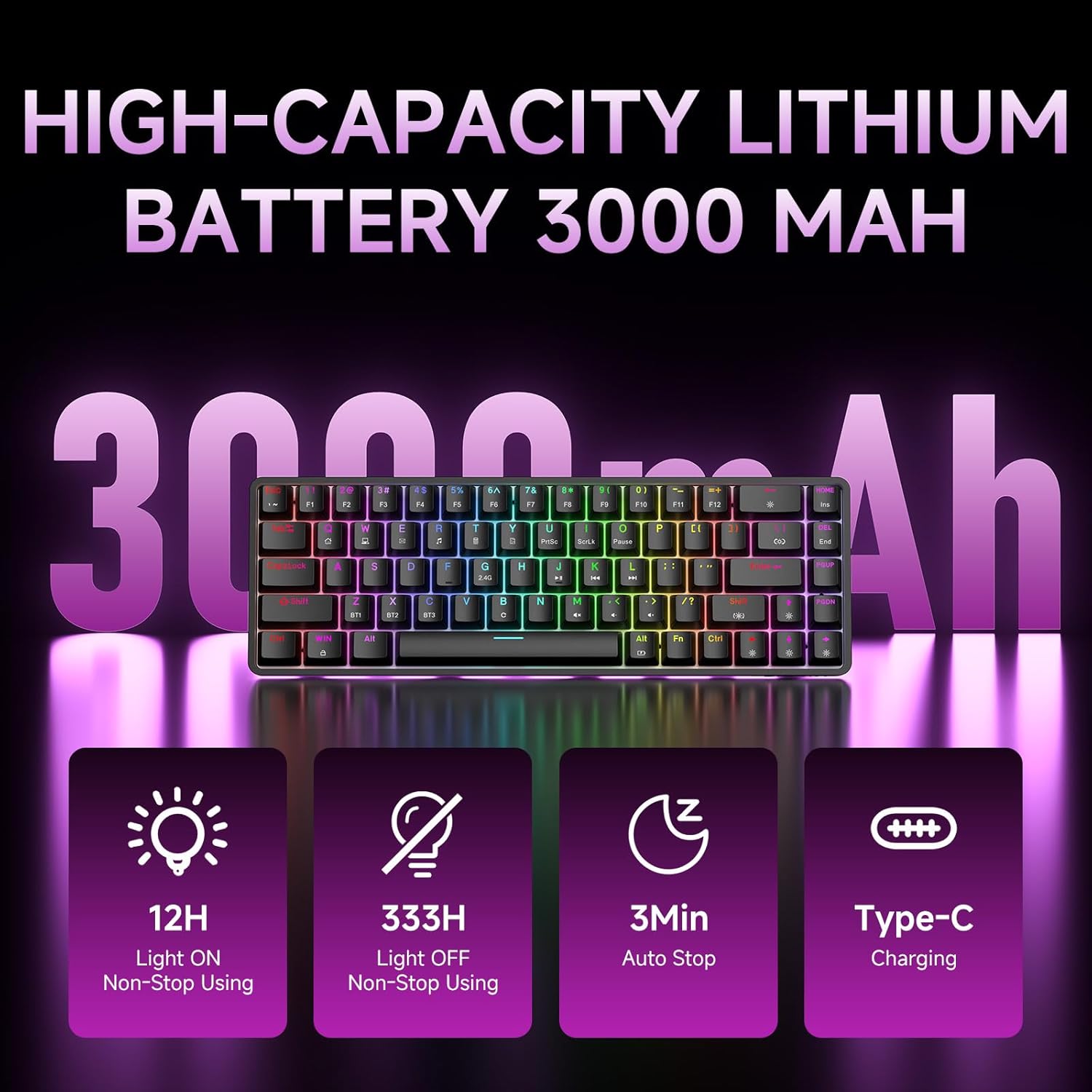
Figure 7: Battery capacity and power-saving features of the DK68.
Garbiketa eta Zainketa
- Use the provided keycap puller to carefully remove keycaps for cleaning.
- Garbitu teklatuaren gainazala oihal leun eta lehor batekinamp oihal. Saihestu gehiegizko hezetasuna.
- Ez erabili produktu kimiko gogorrik edo garbigailu urratzailea.
- Ziurtatu teklatua itzalita dagoela garbitu aurretik.
Arazoak konpontzea
- Teklatuak ez du erantzuten:
- Check the power switch on the back of the keyboard.
- Ensure the correct connection mode (wired, 2.4GHz, or Bluetooth) is selected.
- 2.4 GHz-rako, ziurtatu USB hartzailea ondo konektatuta dagoela.
- Bluetooth-erako, ziurtatu teklatua parekatuta eta hautatuta dagoela zure gailuan. Saiatu berriro parekatzen beharrezkoa bada.
- Kable bidezko modua erabiltzen baduzu, saiatu beste USB ataka edo kable batekin.
- Atzeko argiztapena ez dabil:
- Sakatu Fn + Atzera atzera to toggle the backlighting.
- Egiaztatu bateriaren maila; bateria baxuak atzeko argiztapena desgaitu dezake.
- Giltzak ez dira erregistratzen:
- Ziurtatu teklatua behar bezala konektatuta eta piztuta dagoela.
- If specific keys are not working, try removing and re-seating their keycaps.
Zehaztapenak
| Ezaugarri | Xehetasuna |
|---|---|
| Modelo zenbakia | DK68 |
| Konektibitate Teknologia | 2.4 GHz haririk gabekoa, Bluetooth 5.0, USB-C kable bidezkoa |
| Aldatu mota | Clicky Blue Mechanical Switches |
| Gakoen diseinua | 68 tekla (% 60eko diseinua) |
| Atzeko argiztapena | RGB (16.8 milioi kolore, 20 efektu) |
| Bateria Edukiera | 3000mAh litio-polimeroa |
| Gailu bateragarriak | Joko kontsola, ordenagailu eramangarria, ordenagailua, tableta |
| Ghostingaren aurkakoa | Full Key Anti-Ghosting & NKRO |
| Materiala | Plastikoa |
| Elementuaren pisua | 1.76 kilo (800 g inguru) |
| Paketearen neurriak | 14.33 x 4.37 x 1.73 hazbete |

Figure 8: Keyboard dimensions and compact 68-key layout.
Bermea eta Laguntza
For warranty information and technical support, please refer to the documentation included with your product or visit the official DIERYA website. Amazon's return policy for this product is 30 days from the date of receipt.