
1. Sarrera eta Overview
This manual provides essential information for setting up, operating, maintaining, and troubleshooting your HP 17-inch Business Laptop. This device is designed for productivity and features a 13th Generation Intel Core i5 processor, a 17.3-inch HD+ anti-glare display, a backlit keyboard with a numeric keypad, and a fingerprint reader for enhanced security. It comes pre-installed with Windows 11 Home.
Ezaugarri nagusiak hauek dira:
- Prozesadorea: 13th Gen Intel Core i5-1334U 10-core processor for efficient multitasking.
- Sistema eragilea: Windows 11 Home for a modern and secure computing experience.
- Pantaila: 17.3-inch HD+ (1366x768) anti-glare screen with micro-edge design.
- Memoria eta biltegiratzea: Up to 64GB DDR4 RAM and up to 2TB NVMe M.2 SSD for fast performance and ample biltegiratze.
- Konektibitatea: USB 3.2 Gen 1 Type-C, USB 3.2 Gen 1 Type-A, HDMI 1.4, and a headphone/microphone combo jack.
- Segurtasuna: Integrated fingerprint reader.
- Erosotasuna: Full-size backlit keyboard with numeric keypad and HP Fast Charge battery technology.
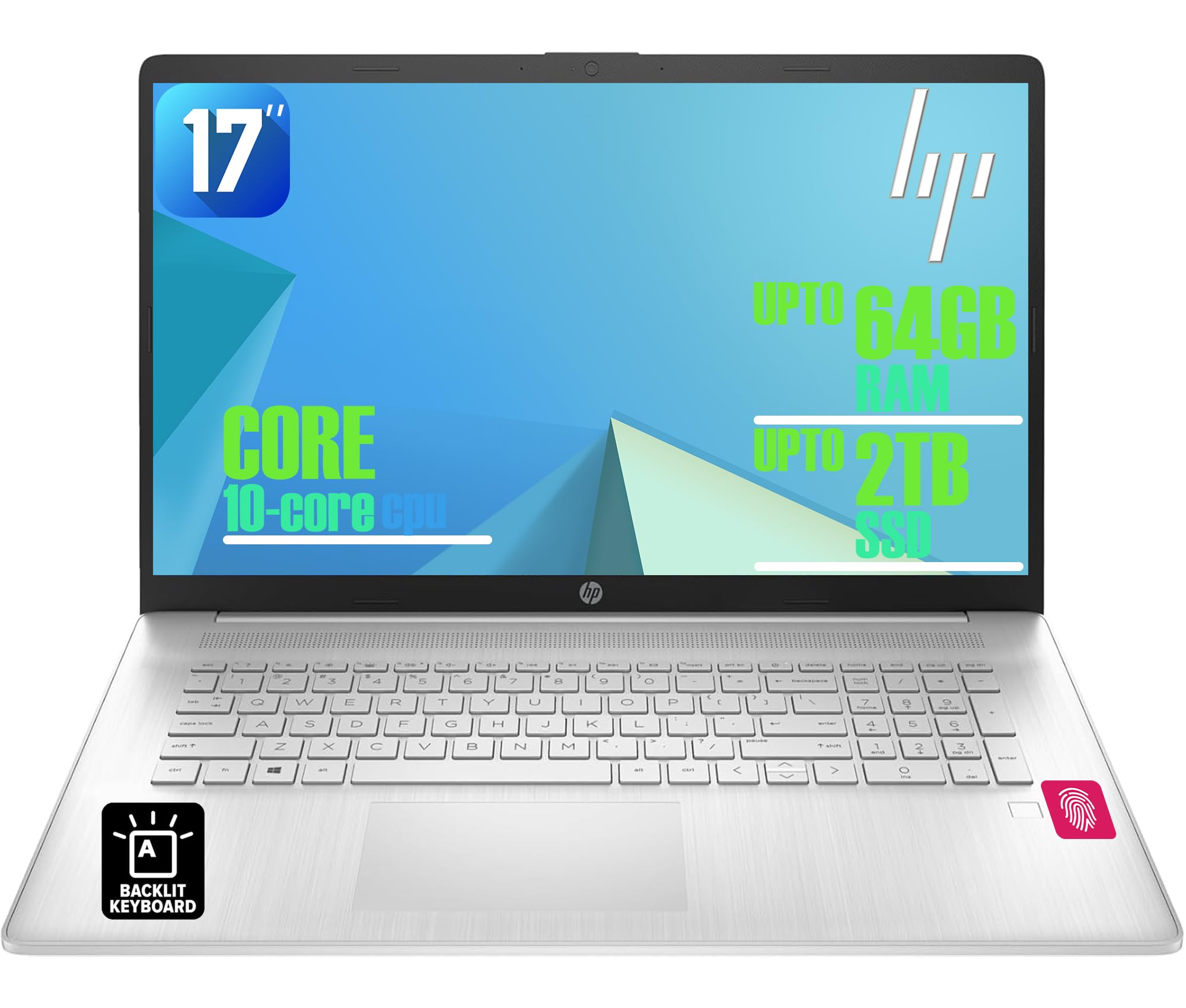
Figure 1: HP 17-inch Business Laptop (Silver)
2. Konfigurazioa
2.1 Kutxatik ateratzea eta hasierako ikuskapena
Carefully remove the laptop and all accessories from the packaging. Check for any visible damage. The package should include the HP 17-inch laptop, a power adapter, and documentation.
2.2 Potentziara konektatzea
- Connect the power adapter to the AC smart pin port on the side of the laptop.
- Entxufatu korronte-egokigailua hormako entxufe batera.
- Utzi ordenagailu eramangarria gutxienez 30 minutuz kargatzen lehenengo aldiz erabili aurretik, edo bateriaren adierazleak karga nahikoa erakutsi arte.
2.3 Hasierako abiaraztea eta Windows konfigurazioa
- Ireki ordenagailu eramangarriaren tapa eta sakatu pizteko botoia, normalean teklatuaren goiko eskuinaldean dagoena.
- Jarraitu pantailan agertzen diren argibideei Windows 11 Home konfigurazio prozesua osatzeko. Horrek eskualdea eta hizkuntza hautatzea, Wi-Fi sare batera konektatzea eta erabiltzaile kontu bat sortzea barne hartzen ditu.
2.4 Periferikoak konektatzea
Your HP laptop offers various ports for connecting external devices:
- USB atakak: Use the USB 3.2 Gen 1 Type-C port or the two USB 3.2 Gen 1 Type-A ports for connecting external drives, mice, keyboards, or other USB accessories.
- HDMI: Connect an external monitor or projector using the HDMI 1.4 port.
- Audioa: Plug headphones or an external microphone into the 3.5mm headphone/microphone combo jack.

2. irudia: Aldea view illustrating available ports (USB Type-C, USB Type-A, HDMI, Headphone/microphone combo, AC smart pin)
3. Zure ordenagailu eramangarria erabiltzea
3.1 Energiaren kudeaketa
- Piztu: Sakatu pizteko botoia.
- Lo egiteko modua: Itxi tapa edo hautatu 'Lo egin' Hasi menuan.
- Itzali: Hautatu 'Itzali' Hasi menuan.
- Berrabiarazi: Hautatu 'Berrabiarazi' Hasi menuan.
3.2 Teklatua eta ukipen-panela
The laptop features a full-size backlit keyboard with a numeric keypad. Use the function keys (Fn) in combination with other keys for specific actions like adjusting screen brightness, volume, or toggling the keyboard backlight.
The integrated touchpad supports multi-touch gestures for navigation. Refer to Windows settings for customizing touchpad behavior.

Figure 3: Backlit keyboard with numeric keypad and integrated fingerprint reader
3.3 hatz-marken irakurgailua
The integrated fingerprint reader allows for secure and quick login using Windows Hello. To set up, navigate to Ezarpenak > Kontuak > Saioa hasteko aukerak eta jarraitu argibideei zure hatz-marka erregistratzeko.
3.4 Haririk gabeko konexioa
- Wi-Fi: The laptop supports Realtek Wi-Fi 6 (2x2). To connect to a wireless network, click the Wi-Fi icon in the taskbar, select your desired network, and enter the password if required.
- Bluetootha: Bluetooth 5.3 is integrated for connecting wireless accessories like headphones or mice. Enable Bluetooth from Ezarpenak > Bluetooth eta gailuak and pair your devices.
3.5 Pantaila eta Webkamara
The 17.3-inch HD+ anti-glare display provides a clear viewing experience. The HP True Vision 720p HD webcam with dual microphones is suitable for video calls and online meetings.
3.6 HP QuickDrop
HP QuickDrop allows for wireless file transfer between your laptop and mobile devices without needing cables. Install the HP QuickDrop app on both your laptop and mobile device and follow the in-app instructions to pair and transfer files.

Figure 4: HP QuickDrop for wireless file transfer between laptop and phone
4. Mantentzea
4.1 Ordenagailu eramangarria garbitzea
- Pantaila: Erabili lipurrik gabeko zapi leun bat dampUrarekin edo pantaila-garbitzaile batekin garbitu. Ez ihinztatu likidoa zuzenean pantailan.
- Teklatua eta txasisa: Erabili zapi leun eta lehor bat. Zikinkeria egoskorra bada, ukitu apur batamp cloth can be used, ensuring no liquid enters the device. Compressed air can help remove debris from between keys.
4.2 Bateria zaintzea
The laptop is equipped with a 41Wh Lithium-Ion Battery. To maximize battery lifespan:
- Saihestu muturreko tenperaturak.
- Ez deskargatu bateria guztiz aldizka.
- Utilize HP Fast Charge, which can charge the battery from 0 to 50% in approximately 45 minutes.

Figure 5: Battery life indicator (Up to 8 hours wireless streaming)
4.3 Software eguneraketak
Egiaztatu eta instalatu aldizka Windows eguneraketak zure sistemak azken segurtasun-adabakiak eta errendimendu-hobekuntzak dituela ziurtatzeko. Joan honera Ezarpenak > Windows eguneratzea eguneraketak kudeatzeko.
5. Arazoak
This section addresses common issues you might encounter with your HP laptop.
5.1 Energia arazoak
- Ordenagailu eramangarria ez da pizten: Ensure the power adapter is securely connected to both the laptop and a working power outlet. Check if the power adapter's indicator light is on. Try a different outlet.
- Bateria ez da kargatzen: Verify the power adapter connection. Check battery health in Windows settings.
5.2 Bistaratzeko arazoak
- Ez dago irudirik pantailan: Ziurtatu ordenagailu eramangarria piztuta dagoela. Kanpoko monitore bat konektatuta badago, saiatu deskonektatzen edo sakatu Fn + F4 (or the corresponding display toggle key) to switch display output.
- Pantaila ilunagoa: Adjust brightness using the function keys (e.g., Fn + F2/F3) or through Windows settings.
5.3 Konexio arazoak
- Wi-Fia ez da konektatzen: Ensure Wi-Fi is enabled in Windows settings. Restart your router and the laptop. Check for updated network drivers.
- Bluetooth gailua ez da parekatzen: Ensure Bluetooth is enabled on both the laptop and the device. Make sure the device is in pairing mode.
5.4 Errendimendu Orokorreko Arazoak
- Errendimendu motela: Itxi beharrezkoak ez diren aplikazioak. Egiaztatu malwarea dagoen. Ziurtatu SSDan leku libre nahikoa dagoela.
- Sistemak blokeatzen du: Sakatu Ktrl + Alt + Del to open Task Manager and end unresponsive tasks. If unresponsive, perform a hard shutdown by holding the power button for several seconds.
6. Zehaztapenak
The following table outlines the key technical specifications for the HP 17-inch Business Laptop (Model: HP laptop).
| Ezaugarri | Zehaztapena |
|---|---|
| Marka | HP |
| Ereduaren izena | HP laptop |
| Prozesadorea | 13th Gen Intel Core i5-1334U (10 Cores, up to 4.6 GHz) |
| Sistema eragilea | Windows 11 Home |
| Bistaratzea | 17.3-inch HD+ (1366x768) Anti-glare, 250 nits |
| Grafikoak | Intel Iris Xe grafikoak (integratuak) |
| RAM Memoria | Up to 64GB DDR4 SDRAM 3200 MHz |
| Biltegiratzea | Up to 2TB NVMe M.2 SSD |
| Haririk gabeko konexioa | Realtek Wi-Fi 6 (2x2), Bluetooth 5.3 |
| Portuak | 1x USB 3.2 Gen 1 Type-C, 2x USB 3.2 Gen 1 Type-A, 1x HDMI 1.4, 1x Headphone/microphone combo jack |
| Teklatua | Tamaina osoko atzeko argiztatutako teklatua zenbakizko teklatuarekin |
| Segurtasuna | Hatz-marken irakurgailua |
| Kamera | 720p HD kamera pribatutasun-obturadorearekin |
| Bateria | 41Wh Lithium-Ion (HP Fast Charge) |
| Neurriak (L x W x H) | 15.78 cm x 10.15 cm x 0.81 cm (gutxi gorabehera) |
| Pisua | 4.6 lb (gutxi gorabehera) |
| Kolorea | Zilar Naturala |

Figure 6: Laptop dimensions (15.78" W x 10.15" D x 0.78" H) and weight (4.60 lbs)
7. Bermea eta Laguntza
7.1 Fabrikatzailearen bermea
Your HP laptop is covered by a manufacturer's warranty. Please refer to the warranty documentation included with your product for specific terms, conditions, and duration. Keep your proof of purchase for warranty claims.
7.2 Laguntza Teknikoa
Laguntza teknikoa, kontrolatzaileak deskargatzeko edo laguntza gehiago lortzeko, bisitatu HPren laguntza ofiziala website. You will typically need your product's serial number or model number to access specific support resources.
Lineako laguntza: https://support.hp.com