
Sarrera
Thank you for choosing the ProtoArc KM310 Wireless Mechanical Keyboard and Mouse. This combo offers a responsive typing experience with low-profile linear red switches and versatile multi-device connectivity. The ergonomic mouse is designed for comfort and precision. This manual provides detailed instructions for setup, operation, maintenance, and troubleshooting to ensure optimal performance.
Kutxan dagoena

Image: Contents of the ProtoArc KM310 package, including the keyboard, mouse, charging cable, and user manual.
- ProtoArc KM310 Wireless Mechanical Keyboard
- ProtoArc Haririk gabeko Sagua
- USB-C kargatzeko kablea
- Erabiltzailearen eskuliburua
Produktua amaituview
Teklatuaren Ezaugarriak

Irudia: Gertutik view of the ProtoArc KM310 keyboard, highlighting its low-profile keys and linear red switches.
- Low-Profile Giltza mekanikoak: Equipped with linear red switches for a smooth, quiet, and responsive typing experience.
- Aluminum Top Case: Provides durability and a sleek, modern aesthetic.
- Hanka inklinatu erregulagarriak: Ergonomically designed with 2-stage foot mats offering 6° and 9° tilt options for comfortable typing.
- Tamaina osoko diseinua: A 108-key layout suitable for office and business use.
Saguaren ezaugarriak

Image: The ProtoArc KM310 mouse being held, showcasing its ergonomic design for a natural grip.
- 63G Ultra-Lightweight: Reduces hand fatigue during extended use and enhances portability.
- Diseinu ergonomikoa: Contoured shape for a comfortable and natural grip.
- DPI erregulagarria: Three DPI levels (1000/1600/2400) for tailored control and precision.
- Klik isila: Funtzionamendu isilerako diseinatua.
- Aurrera/Atzera botoiak: Integrated for seamless browsing.
Konektibitatea eta potentzia
- Gailu anitzeko konexioa: Connects up to 3 devices via 2.4G USB receiver or Dual Bluetooth (BT1, BT2).
- Kargagarria: Both keyboard and mouse feature Type-C charging. The mouse's USB receiver is stored on its bottom.
- Bateriaren iraupen luzea: Up to 150-200 days standby time; 2-3 hours for a full charge.
Konfigurazio Argibideak
1. Gailuak kargatzea

Image: The keyboard and mouse are shown connected to power sources via USB-C cables for charging.
- Connect the provided USB-C charging cable to the charging port on the keyboard (located on the top edge) and the mouse (located on the front edge).
- Plug the other end of the cable into a USB power source (e.g., computer USB port, USB wall adapter).
- The indicator lights will show charging status. Allow 2-3 hours for a full charge.
2. Gailuetara konektatzea

Image: A desk setup showing the ProtoArc KM310 keyboard and mouse connected to a laptop, monitor, and tablet, illustrating multi-device capability.
The KM310 combo supports three connection modes: 2.4G wireless via USB receiver, Bluetooth 1 (BT1), and Bluetooth 2 (BT2).
2.1. 2.4G Haririk gabeko konexioa
- Bilatu saguaren beheko konpartimentuan gordetako USB hargailua.
- Konektatu USB hargailua zure ordenagailuko USB ataka erabilgarri batean.
- Piztu teklatua eta sagua dagokien pizteko etengailuak erabiliz.
- Gailuak automatikoki konektatu beharko lirateke.
2.2. Bluetooth konexioa (BT1 / BT2)
- Piztu teklatua eta sagua.
- Teklatuan, sakatu BT1 or BT2 key (usually located on the number pad, indicated by orange keycaps) to select the desired Bluetooth channel. The indicator light will flash.
- On your device (computer, tablet, etc.), go to Bluetooth settings and search for "ProtoArc KM310 Keyboard" and "ProtoArc KM310 Mouse".
- Select the devices to pair. The indicator light will stop flashing once connected.
- Errepikatu beste BT kanala erabiltzen duen bigarren Bluetooth gailu batekin.
2.3. Gailuen artean aldatzea
To switch between connected devices, simply press the corresponding connection key on the keyboard (2.4G, BT1, or BT2) and the channel switch button on the bottom of the mouse.
Funtzionamendu-argibideak
Teklatuaren erabilera
- Idazketa: Behe-profile linear red switches provide a responsive and quiet typing experience.
- Sistema eragilearen bateragarritasuna: The keyboard is compatible with Windows and Mac OS. Keys like 'Win' and 'Alt' also show 'Option' and 'Cmd' for Mac users.
- Inklinazioa doitzea: Use the adjustable tilt legs on the underside of the keyboard to set your preferred typing angle (6° or 9°).
Saguaren erabilera
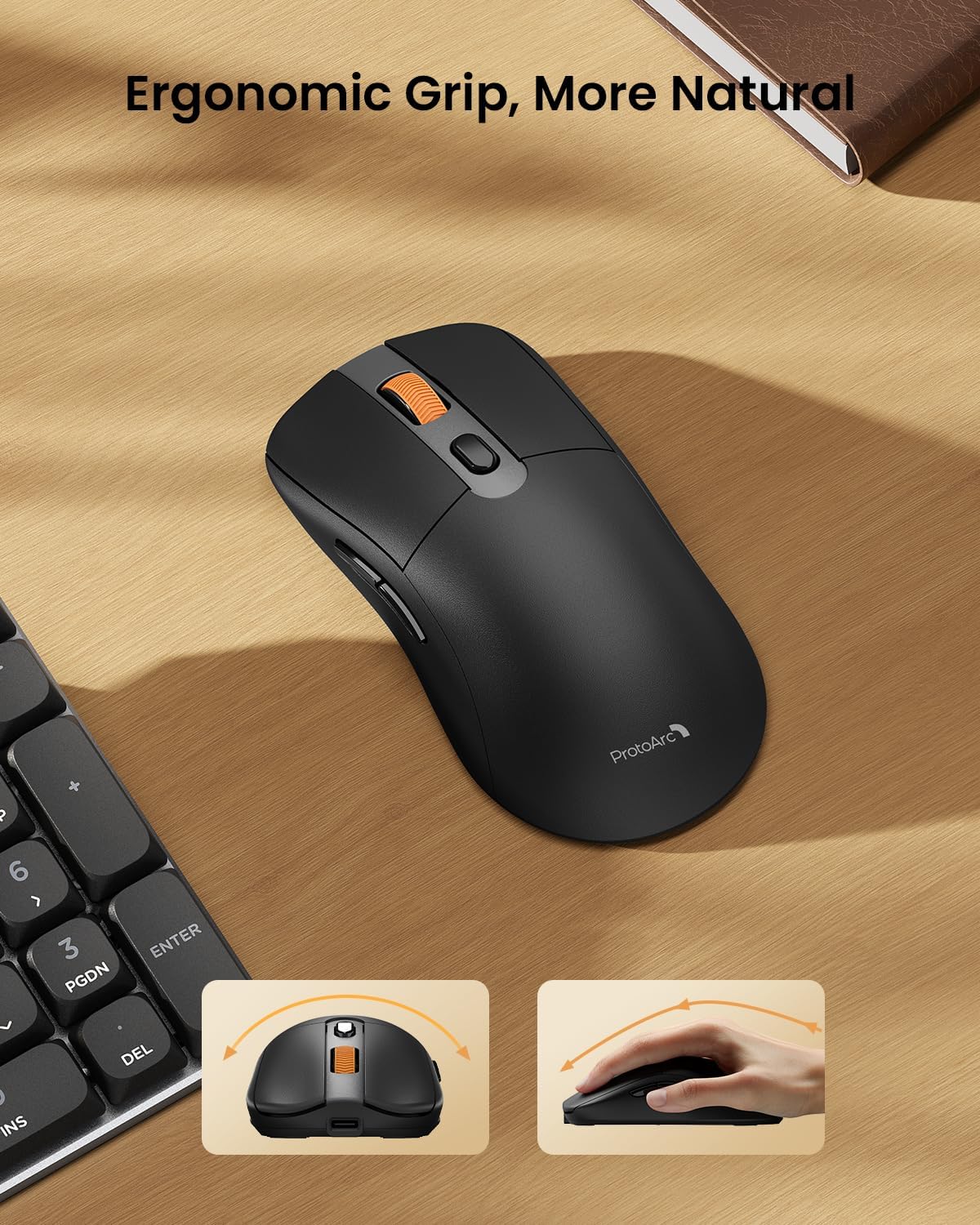
Image: A close-up of the ProtoArc KM310 mouse, illustrating the three adjustable DPI settings (1000, 1600, 2400).
- DPI doikuntza: Press the DPI switch button (usually located near the scroll wheel) to cycle through the 3 DPI levels (1000/1600/2400) to match your preference for cursor speed and precision.
- Nabigazio botoiak: Use the forward and backward buttons on the side of the mouse for quick navigation in web nabigatzaileak edo file esploratzaileak.
- Klik isilak: The mouse features silent click buttons for a quiet working environment.
Mantentzea
- Garbiketa: Use a soft, dry cloth to wipe down the keyboard and mouse. For stubborn dirt, a slightly damp xaboi leun batekin oihal bat erabil daiteke, likidorik gailuan sartzen ez dela ziurtatuz.
- Bateria zaintzea: Recharge the devices when the battery indicator is low. Avoid prolonged exposure to extreme temperatures.
- Biltegiratzea: When not in use for extended periods, turn off the devices to conserve battery life. Store the USB receiver inside the mouse to prevent loss.
Arazoak konpontzea
Keyboard/Mouse Not Turning On or Stopping Working
- Egiaztatu bateria: Ensure both the keyboard and mouse are sufficiently charged. Connect them to a power source using the USB-C cable.
- Gailuak berriro parekatu:
- For 2.4G connection, ensure the USB receiver is securely plugged in and the devices are set to 2.4G mode.
- For Bluetooth connection, ensure the devices are set to the correct BT channel (BT1 or BT2) and re-pair them through your device's Bluetooth settings.
- Probatu beste kable bat: If charging issues persist, try using a different USB-C cable to rule out a faulty cable.
- Interferentzia: Move the devices closer to your computer or away from other wireless devices that might cause interference.
- Jarri harremanetan laguntzarekin: If the issue persists, please contact ProtoArc customer support for further assistance.
Zehaztapenak
| Modelo zenbakia | KM310 |
| Marka | ProtoArc |
| Kolorea | Espazio Grisa |
| Konektibitate Teknologia | Bluetooth, USB (2.4G Wireless) |
| Ezaugarri bereziak | Pro baxuafile Keys, Linear Red Switches, Ergonomic Design, Ultra-Light Mouse, Ergonomic Mouse |
| Gailu bateragarriak | Laptop, Personal Computer, Tablet (Windows 7/8/10, Mac OS X 10.12, Android 4.3 or higher) |
| Elementuaren pisua | 2.31 kilo |
| Paketearen neurriak | 17.68 x 8.07 x 2.05 hazbete |
Bermea eta laguntza
The ProtoArc KM310 Mechanical Keyboard and Mouse combo comes with a 2 urteko bermea.
For any questions, technical support, or warranty claims, please contact ProtoArc customer service:
- Posta elektronikoa: support@protoarc.com
- Telefonoa: +1 866-287-8188
Produktuaren bideo ofiziala
Bideoa: Produktu ofizialaren bideo-erakustaldiaasing the features and design of the ProtoArc KM310 Aluminum Mechanical Keyboard and Mouse.