
Sarrera
The HWWR MS82 Portable Karaoke Machine is designed to provide an immersive audio experience with its professional acoustics, including a 5.5-inch tweeter and woofer. It delivers high-volume sound without distortion, suitable for various environments. Featuring intelligent DSP for adjustable reverb and EQ settings, it creates a 3D surround sound experience. The system includes dual 2.4G wireless microphones for stable, delay-free connection within 10 meters, allowing freedom of movement. Its compact and portable design, along with multiple connectivity options, makes it versatile for home parties, outdoor events, and personal entertainment.
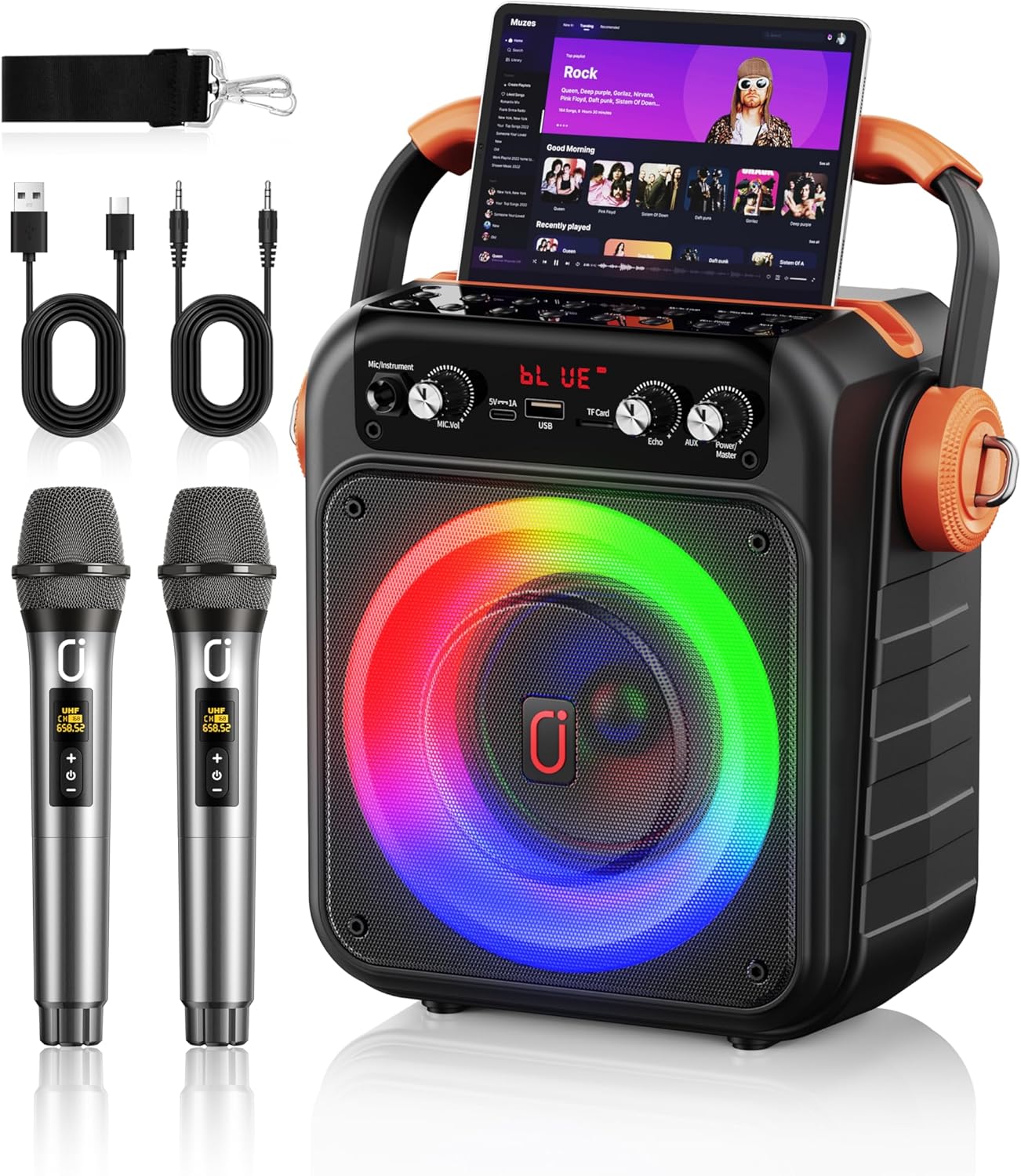
Image: The HWWR MS82 Portable Karaoke Machine, showcasing the main unit, two wireless microphones, charging cables, and a shoulder strap.
Kutxan dagoena
- 1x HWWR MS82 Karaoke Speaker
- 2x Haririk gabeko mikrofonoak
- 1x AUX kablea
- 1x Kargatzeko kablea (C motakoa)
- 1x Sorbalda-uhal
- 1x Erabiltzailearen eskuliburua

Image: All components included in the HWWR MS82 package, neatly arranged.
Produktua amaituview
Kontrol panela (goian) View)

Image: Close-up of the top control panel, highlighting buttons for Mode/Loop, Rec/Playback, Priority Mic/Vocal Accompany, Prev/Rewind, Next, Play/Pause/Pair, and number/light controls.
Control Panel (Front View)

Image: Close-up of the front control panel, indicating Mic Vol, Mic In, Type-C Charging, USB Port, TF Card slot, Echo knob, AUX In, and Power/Speaker Vol knob.
Mikrofonoa amaituview

Image: The two wireless microphones, highlighting their stable connection, channel display, and universal compatibility. Note: 3A batteries are required and not included.
Konfigurazioa
Hizlaria kargatzen
Before first use, fully charge the karaoke speaker. Connect the provided Type-C charging cable to the speaker's Type-C port and a suitable USB power adapter (not included). The speaker features a power display and fast charging capabilities, providing 8-12 hours of playtime after a 3-hour charge.
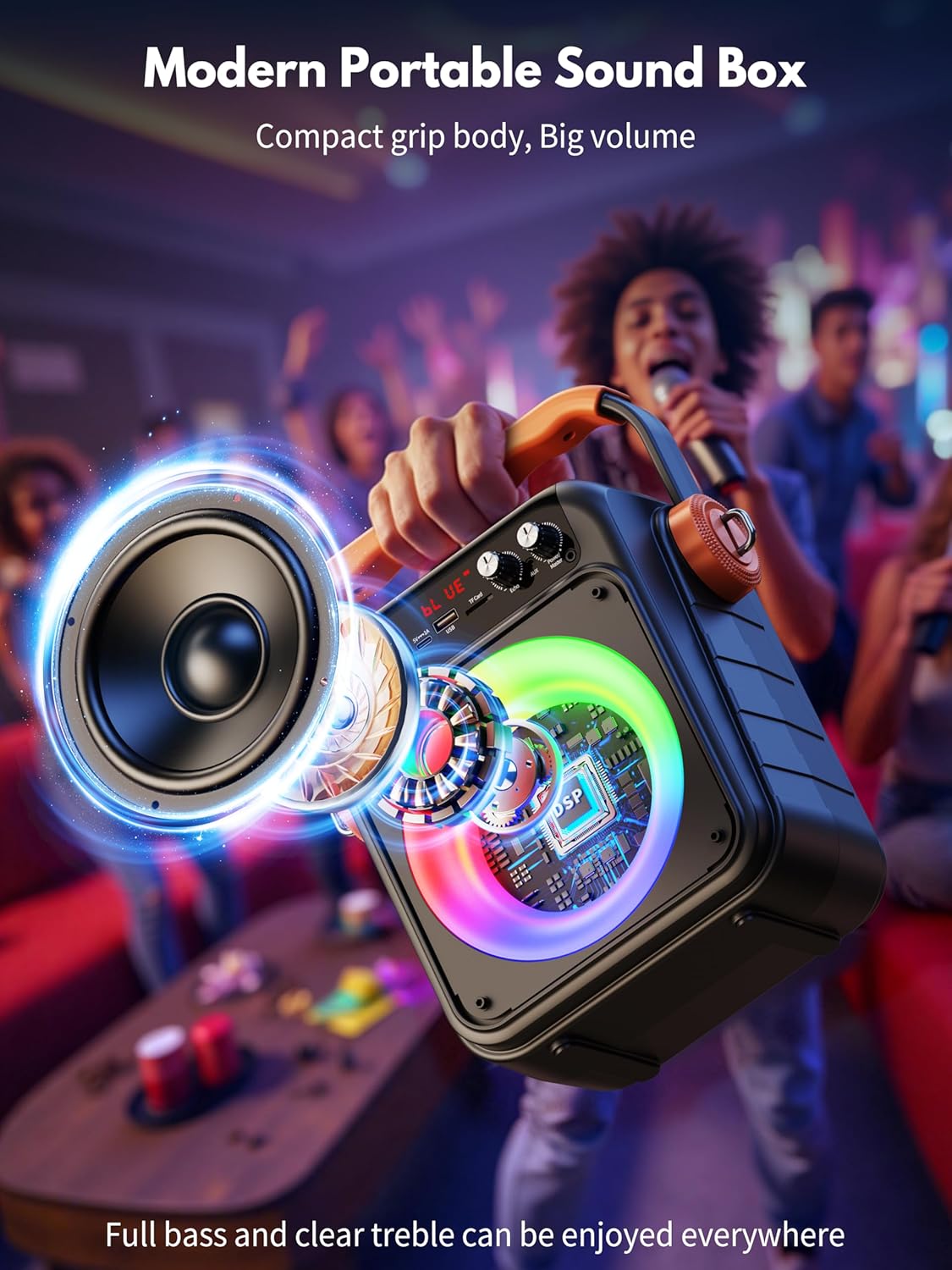
Image: The HWWR MS82 speaker connected to a charger, illustrating its portable charging feature and battery capacity.
Mikrofonoaren bateriaren instalazioa
Each wireless microphone requires 3A batteries (not included). Open the battery compartment at the bottom of the microphone and insert the batteries, ensuring correct polarity.
Funtzionamendu-argibideak
Piztu/Itzali
Turn the 'Power/Speaker Vol' knob clockwise to power on the speaker. Turn it counter-clockwise until it clicks to power off.
Bluetooth parekatzea
The HWWR MS82 features Bluetooth 5.3 for stable wireless connection.
- Turn on Bluetooth on your phone, tablet, or TV (compatible with both iPhone and Android).
- Power on the HWWR MS82 speaker. It will automatically enter Bluetooth pairing mode, indicated by 'BLUE' on the display.
- Scroll through the available devices on your device and find 'HWWR MS82'.
- Tap to pair. Once connected, you can play your favorite music through the speaker.

Image: Visual guide for Bluetooth setup, showing a phone connecting to the MS82 speaker.
USB/TF txartelaren erreprodukzioa
Insert a USB drive or TF card into the respective port on the speaker. The speaker will automatically detect and play audio files from the storage device. Use the 'Prev/Rewind', 'Next', and 'Play/Pause' buttons to control playback.
AUX sarrera
Connect an external audio device (e.g., MP3 player, computer) to the speaker's AUX IN port using the provided AUX cable. The speaker will switch to AUX mode, and audio from the connected device will play.
Mikrofonoaren erabilera
Once the microphones are powered on and paired, you can adjust their volume using the 'Mic Vol' knob and add echo effects using the 'Echo' knob on the speaker's control panel. The microphones ensure stable, delay-free connection.
TWS (True Wireless Stereo) konexioa
For an enhanced stereo experience, two HWWR MS82 speakers can be connected wirelessly.
- Ensure both MS82 speakers are powered on and not connected to any Bluetooth device.
- Long press the 'Mode/Loop' button on one of the speakers. It will enter TWS pairing mode.
- The two speakers will automatically pair with each other. Once paired, they will function as a stereo pair.
- Connect your Bluetooth device to the primary speaker (the one you initiated TWS pairing on).

Image: Illustration of the TWS connection method, showing two speakers linked wirelessly to a single device for stereo audio.
Disko Argiak
The speaker features colorful disco lights that enhance the party atmosphere. These lights can be controlled or toggled using the 'Num & Light' button on the top control panel.

Image: The MS82 speaker with its vibrant, multi-colored disco lights active, adding visual flair to the audio experience.
Produktuen Bideoa
Video: An introduction to the HWWR MS82 Light Karaoke Machine with two microphones, provided by the seller HSDZ US. This video demonstrates the product's features and functionality.
Mantentzea
- Garbiketa: Use a soft, dry cloth to clean the speaker and microphones. Avoid using abrasive cleaners or solvents.
- Biltegiratzea: Gorde gailua leku fresko eta lehor batean, eguzki-argitik eta muturreko tenperaturetatik babestuta.
- Bateria zaintzea: For optimal battery life, avoid fully discharging the speaker frequently. Charge it regularly, even if not in use for extended periods.
- Mikrofonoaren zainketa: Ensure microphones are kept dry. Remove batteries if storing for long periods to prevent leakage.
Arazoak konpontzea
| Gaia | Kausa posiblea | Irtenbidea |
|---|---|---|
| Bozgorailua ez da pizten | Low battery; Power knob not turned sufficiently. | Charge the speaker; Turn the 'Power/Speaker Vol' knob fully clockwise. |
| Ezin da Bluetooth bidez konektatu | Bluetooth not enabled on device; Speaker not in pairing mode; Device compatibility issue. | Ensure Bluetooth is on; Restart speaker to enter pairing mode; Try connecting with a different device (e.g., iPad instead of phone). |
| Mikrofonoak ez dute funtzionatzen | Microphone batteries low or incorrectly installed; Microphone not paired. | Replace or correctly install 3A batteries; Ensure microphones are powered on and automatically paired with the speaker. |
| Bozgorailutik soinurik ez | Volume too low; Incorrect input mode selected; Cables not properly connected. | Increase 'Power/Speaker Vol' knob; Ensure correct mode (Bluetooth, USB, AUX) is active; Check cable connections. |
| Echo effect too strong/weak | 'Echo' knob setting. | Adjust the 'Echo' knob to desired level. |
Zehaztapenak
| Ezaugarri | Xehetasuna |
|---|---|
| Modelo zenbakia | MS82 |
| Produktuaren neurriak | 4 x 3.5 x 9 hazbete |
| Elementuaren pisua | 4 kilo |
| Marka | HWWR |
| Kolorea | Beltza |
| Energia iturria | Bateriaren bidez |
| Bluetooth bertsioa | 5.3 |
| Konektibitatea | Bluetooth, USB, TF Card, AUX |
| Mikrofonoak | 2 Wireless Microphones (2.4G) |
| Hizlariaren Ezaugarriak | 5.5-inch tweeter and woofer, DSP, Disco Lights |
| Bateriaren iraupena | 8-12 hours playtime (approx.) |
| Kargatzeko Denbora | 3 ordu (gutxi gorabehera) |
Bermea eta Laguntza
HWWR upholds strict quality standards for the MS82 karaoke machine. For any product-related inquiries or support, please contact HWWR customer service. Refer to the included user manual for specific warranty details and contact information.