
1. Sarrera
Eskerrik asko erosketagatik.asing the LG 27G411A UltraGear Gaming Monitor. This manual provides essential information for the safe and efficient use of your monitor. Please read it thoroughly before operating the product and retain it for future reference. This 27-inch Full HD (1920 x 1080) IPS display is designed for an immersive gaming experience, featuring a 144Hz refresh rate, 1ms Motion Blur Reduction (MBR), HDR10 support, and compatibility with NVIDIA G-Sync and AMD FreeSync technologies.
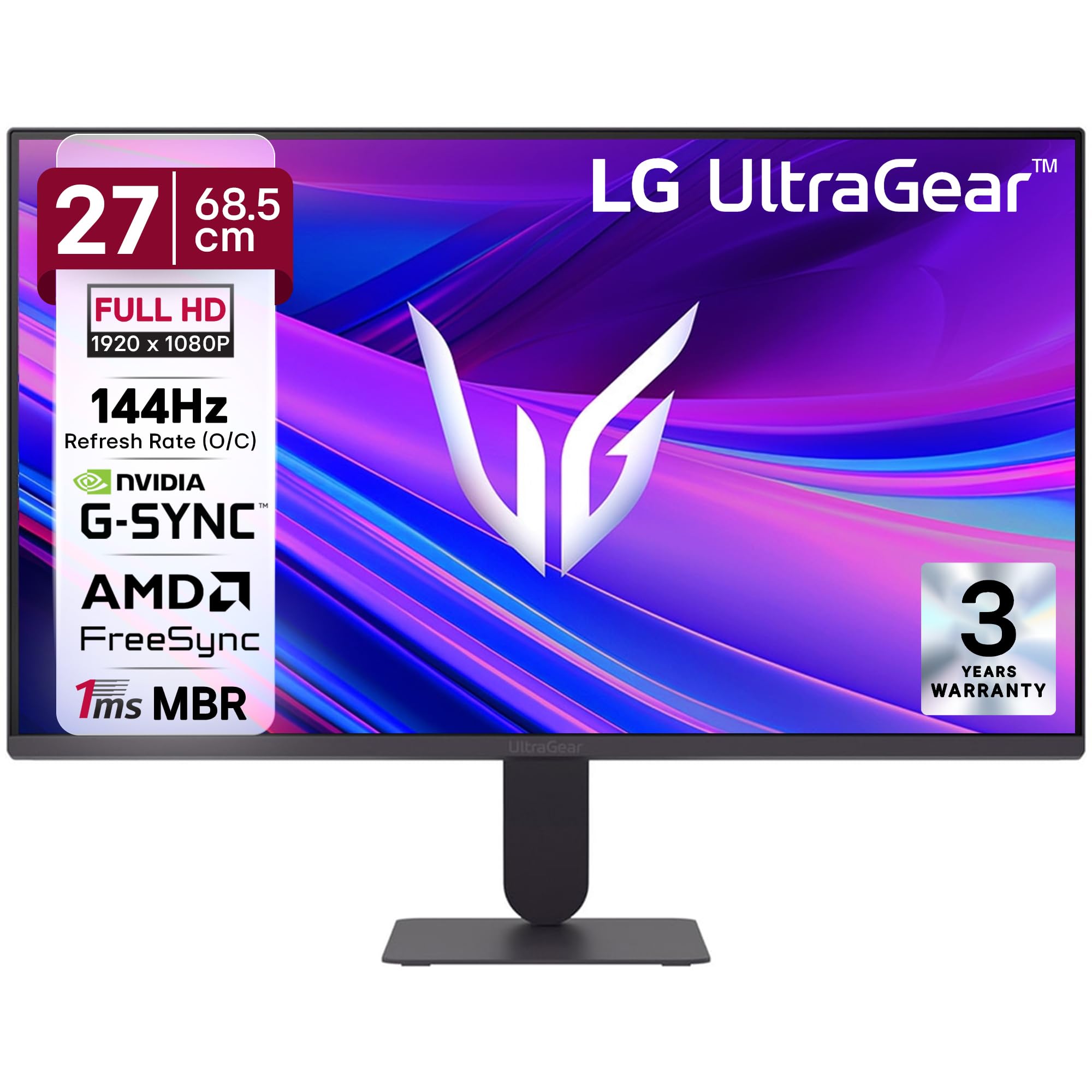
1. irudia: Aurrealdea view of the LG 27G411A UltraGear Gaming Monitor.
2. Segurtasun informazioa
Produktuari kalterik ez egiteko edo zeure buruari edo besteei lesiorik ez egiteko, jarraitu segurtasun neurri hauek.
- Potentzia: Use only the power cord and adapter supplied with the monitor. Do not overload power outlets.
- Lekua: Place the monitor on a stable, level surface. Avoid direct sunlight, heat sources, and areas with high humidity or dust. Ensure adequate ventilation around the monitor.
- Manipulazioa: Do not drop the monitor or subject it to strong impacts. Avoid touching the screen with sharp objects.
- Garbiketa: Deskonektatu kablea garbitu aurretik. Erabili zapi leun eta lehor bat. Ez erabili garbitzaile likidorik edo aerosol-sprayrik.
- Konponketak: Ez saiatu produktu hau zuk zeuk ematen. Bidali zerbitzu guztiak zerbitzu kualifikatuko langileengana.
3. Paketearen edukia
Egiaztatu elementu guztiak zure produktuaren kaxan daudela:
- LG 27G411A UltraGear Monitor
- Elikatze-kablea
- HDMI kablea
- Monitorearen euskarria (oinarria eta lepoa)
- Erabiltzailearen eskuliburua (dokumentu hau)
4. Konfigurazioa
4.1 Monitorearen Muntaketa
Jarraitu urrats hauek monitorearen euskarria muntatu eta pantaila-panelari lotzeko.
- Carefully place the monitor face down on a soft cloth or cushion to prevent scratches.
- Attach the stand neck to the base, securing it with the captive screw.
- Align the assembled stand with the mounting slot on the back of the monitor panel and push until it clicks into place.
- Alternatively, the monitor supports VESA 100x100mm wall mounting. Remove the stand if using a wall mount.

Figure 2: Illustration of the monitor's ultra-slim design, tilt adjustment, and VESA wall mount compatibility.
4.2 Monitorea konektatzea
Konektatu zure gailuak monitorera kable egokiak erabiliz.
- Potentzia-konexioa: Konektatu elikatze-kablea monitorearen elikatze-sarrerara eta gero hormako entxufe batera.
- HDMI konexioa: Use the supplied HDMI cable to connect your computer or gaming console to the HDMI port on the monitor.
- DisplayPort konexioa: For optimal performance, especially for 144Hz refresh rate, connect your computer to the DisplayPort (DP) on the monitor using a DisplayPort cable (not always included).
- Aurikularretarako irteera: Connect headphones or external speakers to the 3-pole headphone out port for audio output.

3. Irudia: Atzealdea view of the monitor displaying the power input, HDMI, DisplayPort, and headphone out ports.

4. irudia: Xehetasuna view of the DisplayPort (DP-IN), HDMI, and Headphone (HP) ports.
5. Funtzionamendu-argibideak
5.1 Piztu/Itzali
Press the joystick button located at the bottom center of the monitor to turn it on or off. A short press will bring up the OSD menu, while a long press will power off the monitor.
5.2 Pantailan bistaratzeko (OSD) menua
The OSD menu allows you to adjust various monitor settings. Use the joystick button to navigate:
- Mugitu joystick-a gora/behera/ezkerrera/eskuinera menuko aukeretan nabigatzeko.
- Sakatu joystick-a aukera bat hautatzeko edo ezarpen bat berresteko.
5.3 Irudi moduak
The monitor offers several preset picture modes optimized for different content types:
- Pertsonalizatua: Irudiaren ezarpen guztiak eskuz doitzeko aukera ematen du.
- Gamer1/Gamer2: User-configurable modes for gaming preferences.
- FPS/RTS: Optimized for First-Person Shooter and Real-Time Strategy games.
- Bizia: Enhances color and contrast for general viewing.
- Irakurlea: Irakurketa erosoa lortzeko, argi urdina murrizten du.
- HDR efektua: HDR ez diren iturrietarako HDR edukia simulatzen du.
- Kolore ahultasuna: Adjusts color settings to assist users with color vision deficiency.
5.4 Gaming Enhancements
The LG 27G411A is equipped with features to enhance your gaming experience:
- 144Hz Refresh Rate & 1ms MBR: Experience fluid motion and reduced ghosting. The monitor supports a native 120Hz refresh rate and up to 144Hz in overclock mode via DisplayPort 1.4 (HDMI 2.0 supports up to 144Hz).
- AMD FreeSync & NVIDIA G-Sync Compatible: Monitorearen freskatze-tasa GPUaren fotograma-tasarekin sinkronizatzen du pantailaren urradura eta tartekatzea ezabatzeko.
- Egonkortasun Beltza: Eremu ilunak argitzen ditu itzaletan ezkutatuta dauden etsaiak antzematen laguntzeko.
- Ekintza Dinamikoen Sinkronizazioa (DAS): Minimizes input lag for real-time action.
- Gurutzea: FPS jokoetan hobeto apuntatzeko, gurutze finko bat jartzen du pantailaren erdian.
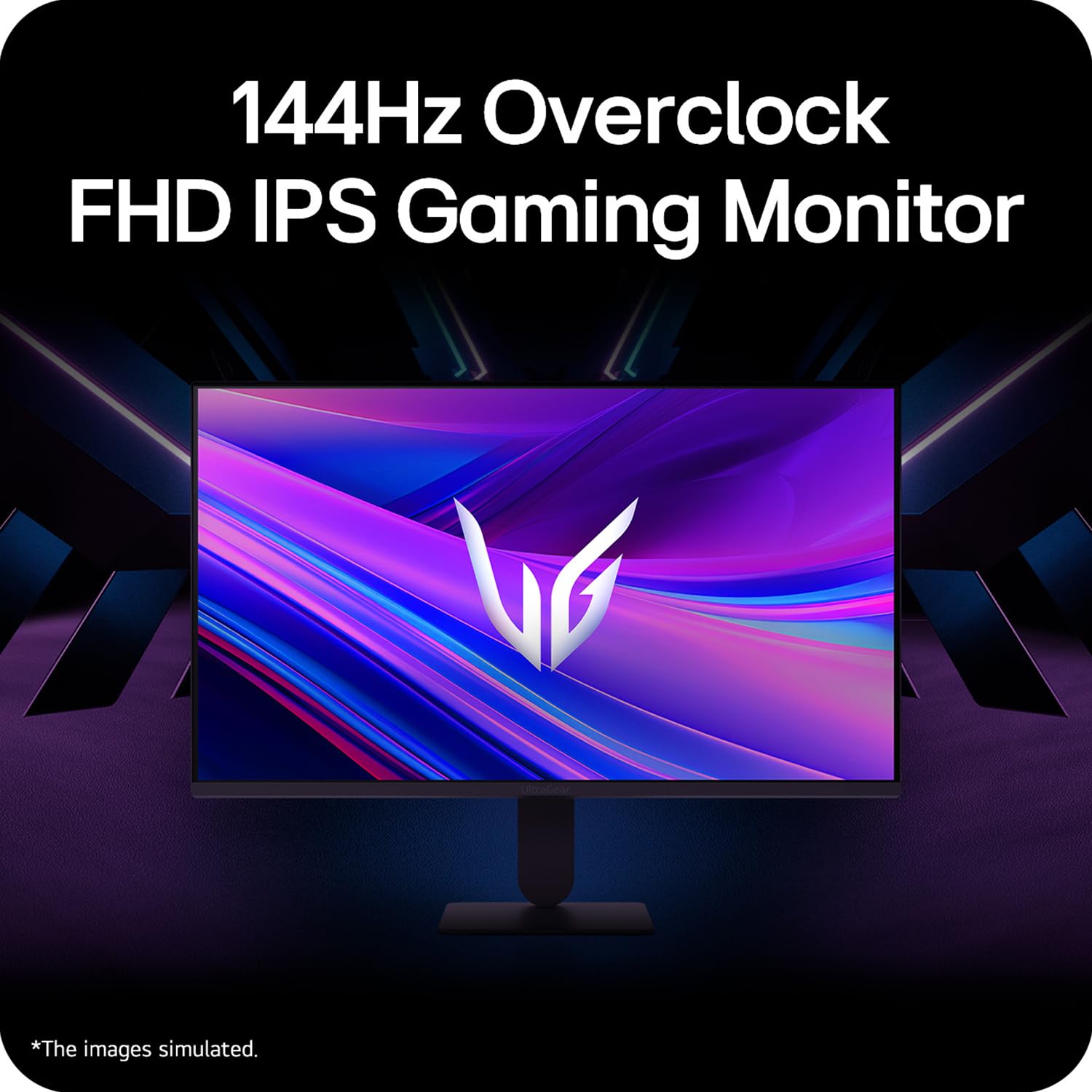
Figure 5: Visual representation of 144Hz overclock for fluid gaming motion.

Figure 6: Illustration of 1ms Motion Blur Reduction (MBR) for fast-paced gaming. Note: 1ms MBR causes lowered luminance and cannot be used with AMD FreeSync/DAS. Flicker may occur during 1ms MBR operation.

Figure 7: The monitor is certified compatible with NVIDIA G-Sync and AMD FreeSync technologies.

Figure 8: Precision Gaming Mode features: Dynamic Action Sync (DAS), Black Stabilizer, and Crosshair.
5.5 Begien Zainketa Ezaugarriak
To reduce eye strain during prolonged use, the monitor includes:
- Flicker segurua: Reduces screen flicker to minimize eye fatigue.
- Irakurle modua: Adjusts color temperature and brightness to simulate paper, making it easier on the eyes for reading tasks.
- Kolore ahultasuna: Provides color adjustments for users with color vision deficiencies.
5.6 Smart Convenience (LG Switch App)
The LG Switch app offers enhanced control and customization options for your monitor directly from your computer. Features include Dual mode, Smart screen split, Launch a video call, and Personalized Picture Wizard.

Figure 9: The LG Switch app provides smarter control and seamless switching between various display modes and settings.
6. Mantentzea
6.1 Monitorea garbitzea
Monitorearen itxura eta errendimendua mantentzeko:
- Deskonektatu beti monitorearen entxufea korrontetik garbitu aurretik.
- Erabili zapi leun eta lihorik gabeko bat pantaila eta kanpoko gainazalak astiro-astiro garbitzeko.
- Marka egoskorretarako, arinki garbituampGarbitu zapi bat urarekin edo pantaila-garbitzaile leun eta ez-urratzaile batekin. Ez ihinztatu likidoa zuzenean pantailan.
- Avoid using benzene, alcohol, or other volatile solvents, as they may damage the monitor.
7. Arazoak
Monitorearekin arazoak badituzu, jo ezazu ohiko irtenbide hauetara:
| Arazoa | Balizko Kausa / Irtenbidea |
|---|---|
| Botererik ez | Ensure the power cable is securely connected to the monitor and a working power outlet. Check if the power outlet is functional. |
| Seinalerik ez / Pantaila hutsa | Verify that the video cable (HDMI or DisplayPort) is securely connected to both the monitor and your computer/device. Ensure the correct input source is selected in the OSD menu. Check if the computer is powered on and not in sleep mode. |
| Irudi keinukaria edo desitxuratua | Check the video cable for damage or loose connections. Try a different video cable or port. Adjust the refresh rate settings on your computer. Disable 1ms MBR if flicker is observed. |
| Backlight leakage on corners | Minor backlight leakage can be a characteristic of IPS panels, especially visible on a completely black screen in a dark environment. This is generally not considered a defect unless it significantly impacts normal viewing. |
| Monitor not recognized by PC | Update your graphics card drivers. Restart your computer. |
8. Zehaztapenak
Key technical specifications for the LG 27G411A UltraGear Gaming Monitor:
- Pantailaren tamaina: 27 hazbete (68.5 cm)
- Panel mota: IPS
- Ebazpena: FHD (1920 x 1080)
- Aspektu-erlazioa: 16:9
- Freskatze-tasa: 144 Hz (Overclock)
- Erantzun denbora: 1ms MBR (5ms GTG)
- Distira: 250 cd/m² (ohikoa)
- Kontraste-erlazioa: 1500:1
- Kolore gama: sRGB% 99
- HDR euskarria: HDR10
- Sinkronizazio egokitzailea: NVIDIA G-Sync bateragarria, AMD FreeSync
- ViewAngelua: 178° (H/B)
- Konektibitatea: 1 x HDMI, 1 x DisplayPort, 1 x Entzungailuen irteera
- Dimensions (with stand, WxHxD): 61.2 x 45.2 x 22 cm (24.07 x 17.81 x 8.66 hazbete)
- Pisua (euskarriarekin): 3.8 kg
- Energia-kontsumoa: 20 W (ohikoa)
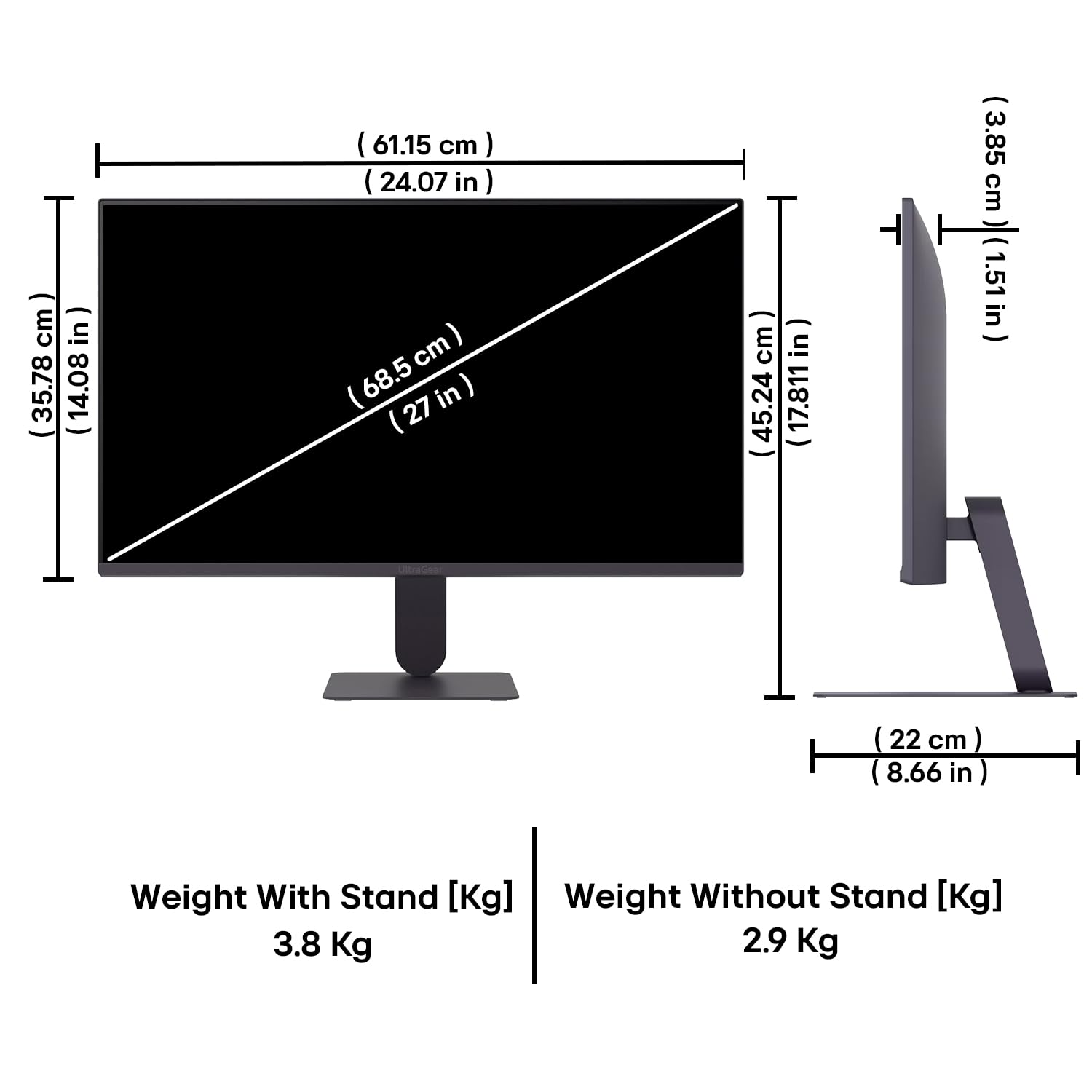
Figure 10: Physical dimensions and weight of the LG 27G411A monitor with and without the stand.
9. Bermearen informazioa
This LG 27G411A UltraGear Gaming Monitor comes with a 3 urteko fabrikatzailearen bermea covering parts and labor. Please retain your proof of purchase for warranty claims. For detailed terms and conditions, refer to the warranty card included in your product packaging or visit the official LG webgunea.
10. Bezeroarentzako arreta
Laguntza gehiago, euskarri teknikoa edo zerbitzu-kontsultak egiteko, jarri harremanetan LG Bezeroarentzako Arreta Zerbitzuarekin. Harremanetarako informazioa LGren webgune ofizialean aurki dezakezu. webgunean edo monitorearekin batera emandako dokumentazioan.
LG Electronics India Pvt. SL.
PLOT NO. A-5, MIDC RANJANGAON.
TALUKA SHIRUR, PUNE, MAHRASHTRA (INDIA), 412220


