
Sarrera
Thank you for choosing the NEWFAST AC1200 WiFi Repeater. This device is designed to extend the coverage of your existing wireless network, eliminating Wi-Fi dead zones and providing a stronger, more reliable connection throughout your home or office. Please read this manual carefully before using the device to ensure proper installation and operation.
Paketearen edukia
Egiaztatu elementu guztiak zure paketean daudela:
- 1 x NEWFAST AC1200 WiFi Repeater
- 1 x Erabiltzailearen eskuliburua
- 1 x RJ-45 Ethernet kablea
Produktua amaituview
Familiarize yourself with the physical components of your NEWFAST AC1200 WiFi Repeater.
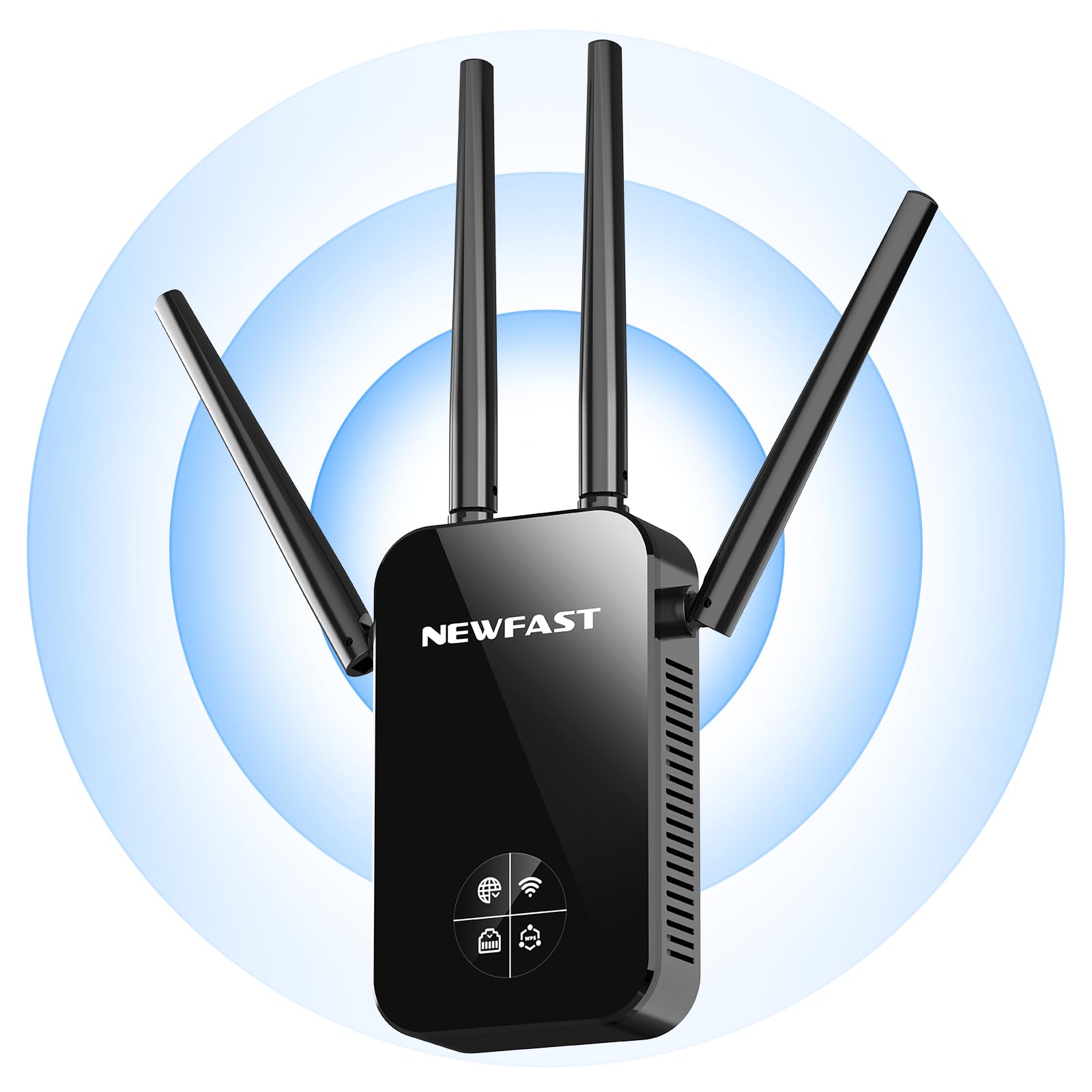
Aurrealdea view of the NEWFAST AC1200 WiFi Repeater, showing its compact design and indicator lights.
The device typically features indicator LEDs for power, Wi-Fi signal strength, and connection status. It also includes an Ethernet port for wired connections and a WPS button for quick setup.
Konfigurazioa
Follow these steps for initial setup of your NEWFAST AC1200 WiFi Repeater:
- Piztu: Plug the repeater into an electrical outlet near your existing router. Wait for the power indicator light to turn on.
- Connect to Repeater: On your computer or mobile device, connect to the repeater's default Wi-Fi network (e.g., "NEWFAST_Repeater" or similar, usually found on a label on the device). No password is required for the initial connection.
- Sarbide Konfigurazio Orria: Ireki a web browser and enter the default IP address (e.g., 192.168.10.1) or web address (e.g., repeater.net) provided in the device's label or quick start guide.
- Saioa hasi: Sartu erabiltzaile-izena eta pasahitza lehenetsiak (adibidez, admin/admin).
- Aukeratu modua: Choose the desired operating mode (Repeater Mode or Access Point Mode).
- Konfiguratu sarea:
- Errepikagailu modua: Select your existing Wi-Fi network from the list, enter its password, and choose whether to keep the same SSID or create a new one for the extended network.
- Sarbide Puntua Modua: Connect the repeater to your router via an Ethernet cable. Configure a new Wi-Fi network name (SSID) and password for the repeater.
- Aplikatu ezarpenak: Save the settings and wait for the repeater to restart. The indicator lights will show the connection status.
Alternatively, you can use the WPS (Wi-Fi Protected Setup) button for a quicker setup if your router supports it. Press the WPS button on your router, then within two minutes, press the WPS button on the repeater. The devices will automatically connect.
Funtzionamendu moduak
The NEWFAST AC1200 WiFi Repeater supports multiple operating modes:
- Errepikagailu modua (eremu-hedatzailea): This is the primary mode, extending the range of your existing Wi-Fi network. The repeater connects wirelessly to your router and re-broadcasts the signal.
- Sarbide puntua (AP) modua: In this mode, the repeater connects to your router via an Ethernet cable and creates a new wireless network. This is useful for adding Wi-Fi capability to a wired network or creating a separate Wi-Fi network.
Funtzionamendu-argibideak
Once set up, the repeater operates automatically. To ensure optimal performance:
- Lekua: Position the repeater halfway between your router and the area with poor Wi-Fi coverage. Ensure it receives a good signal from the router.
- Konexioa: Connect your wireless devices (smartphones, tablets, laptops) to the extended Wi-Fi network created by the repeater.
- Kable bidezko gailuak: If in Repeater Mode, you can connect a wired device (e.g., a desktop computer or gaming console) to the repeater's Ethernet port for a stable connection.
Mantentzea
To maintain the performance and longevity of your device:
- Garbiketa: Garbitu gailua oihal lehor eta leun batekin astiro-astiro. Ez erabili garbitzaile likidorik edo aerosolik.
- Firmware eguneraketak: Aldian-aldian egiaztatu fabrikatzailearen website for firmware updates. Updating the firmware can improve performance, add new features, and fix bugs. Follow the instructions provided with the firmware update carefully.
- Berrabiarazten: If you experience network issues, try restarting the repeater by unplugging it from the power outlet for 10 seconds and then plugging it back in.
Arazoak konpontzea
If you encounter problems with your NEWFAST AC1200 WiFi Repeater, refer to the following common issues and solutions:
- Potentziarik gabe: Ensure the repeater is securely plugged into a working electrical outlet. Check the power indicator light.
- Ezin da konfigurazio orrira sartu: Verify that your device is connected to the repeater's Wi-Fi network. Try clearing your browser's cache or using a different browser. Ensure you are using the correct IP address or web helbidea.
- Seinalearen indar eskasa: Relocate the repeater closer to your main router. Ensure there are no major obstructions (thick walls, metal objects) between the router and the repeater.
- Interneterako sarbidea ez: Check if your main router has internet access. Ensure the repeater is correctly configured and connected to your router's Wi-Fi network with the correct password.
- WPS konfigurazioak huts egin du: Ensure your router supports WPS and that you are pressing the buttons within the specified time frame. If it continues to fail, try manual setup via the web interfazea.
- Pasahitza ahaztuta: If you forget the repeater's login password or Wi-Fi password, you may need to perform a factory reset. Locate the reset button (usually a small pinhole) on the device, press and hold it for 5-10 seconds until the lights flash, then release. This will restore the device to its factory default settings.
Zehaztapenak
Key technical specifications for the NEWFAST AC1200 WiFi Repeater:
| Marka | BERRIA |
| Fabrikatzailea | BERRIA |
| Produktuaren neurriak | 8.6 x 4.5 x 19.7 cm; 120 g |
| Gailu bateragarriak | Internet Box, Computer, Access Point, Router |
| Ezaugarri bereziak | 360 degrees, 1-touch setup, 1-click setup, MU-MIMO, Access Point Mode, LCD Display |
| Dakarten osagaiak | 1 RJ-45 Ethernet Cable, 1 User Manual, 1 AC1200 WiFi Repeater |
| Produktu kopurua | 1 |
| Beharrezko bateriak | Ez |
| Datuen transferentzia-tasa | 1200 megabit segundoko |
| Haririk gabeko konexio mota | 802.11a/b/g/n/ac |
| Maiztasuna | 5.8 GHz |
| Produktuaren pisua | 120 g |
| Haririk gabeko komunikazio estandarra | 802.11a/b/g/n/ac |
| Maiztasun Banda Klasea | Banda Bikoitza |
| Kolorea | Beltza |
Bermea eta Laguntza
This NEWFAST AC1200 WiFi Repeater comes with a standard manufacturer's warranty. Please refer to the warranty card included in your package or visit the official NEWFAST webwebgunean bermearen baldintza zehatzak ikusteko.
For technical support, troubleshooting assistance, or to inquire about product information, please contact NEWFAST customer service through their official webgunea edo zure produktuaren dokumentazioan emandako harremanetarako informazioa.


