
1. Sarrera
Welcome to the FUNYET NY-03 16-inch Laptop user manual. This guide provides essential information for setting up, operating, maintaining, and troubleshooting your new laptop. Please read this manual thoroughly to ensure optimal performance and longevity of your device.
2. Segurtasun informazioa
To prevent damage to your device or injury to yourself and others, please observe the following safety precautions:
- Ez jarri ordenagailu eramangarria tenperatura altuen, eguzki-argiaren eraginpean edo hezetasun handiaren eraginpean.
- Saihestu objektu astunak ordenagailu eramangarriaren gainean jartzea.
- Keep liquids away from the device. In case of spills, immediately power off and disconnect the charger.
- Use only the original power adapter provided with your laptop.
- Do not attempt to disassemble or repair the laptop yourself. Contact qualified service personnel for assistance.
- Berotu gehiegi ez dadin, aireztapen egokia ziurtatu. Ez blokeatu aireztapen-zuloak.
3. Paketearen edukia
Egiaztatu elementu guztiak zure produktuaren paketean daudela:
- FUNYET NY-03 16-inch Laptop
- Elikatze-moldagailua
- Erabiltzailearen eskuliburua (dokumentu hau)
4. Produktua amaitu daview
Familiarize yourself with the physical features and components of your FUNYET NY-03 laptop.
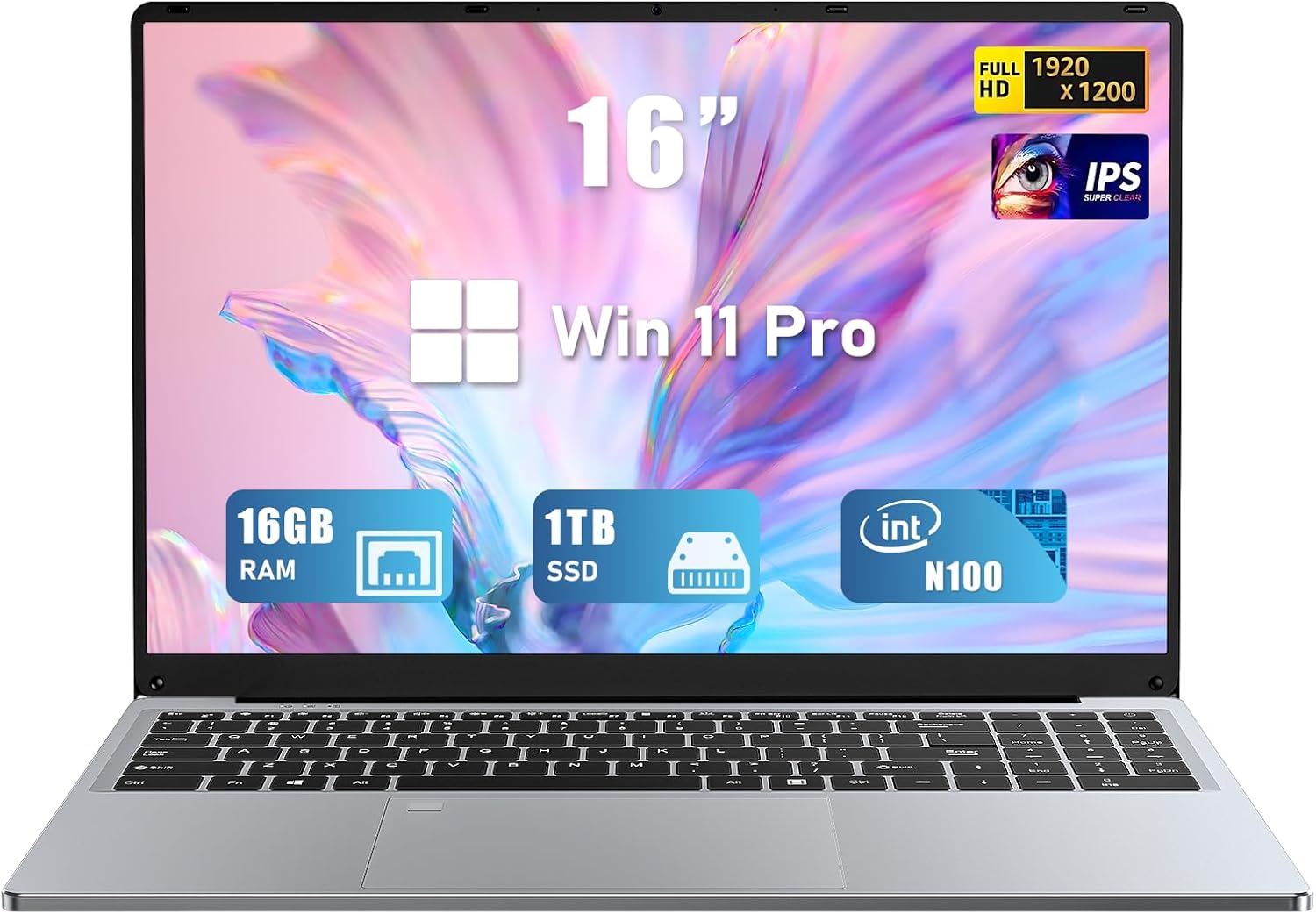
4.1. irudia: Aurrealdea view of the FUNYET NY-03 16-inch Laptop, showcasinbere diseinu dotorea eta pantaila handia ditu.
4.1. Kanpoko osagaiak
- 16.0 hazbeteko FHD IPS pantaila: Bereizmen handiko pantaila, ikusmen garbiak lortzeko.
- Atzeko argiztatutako teklatua: Full-size keyboard with adjustable backlighting for comfortable typing in various lighting conditions.
- Large Touchpad: Responsive touchpad for precise navigation.
- Integratua Webkamera: Located above the display for video calls.
- Hatz-marken irakurgailua: Integrated for secure and quick login.
4.2. Ataka eta konektoreak

4.2. irudia: Aldea view of the FUNYET NY-03 laptop highlighting the various input/output ports.
- USB 3.0 portuak: Abiadura handiko USB gailuak konektatzeko.
- USB 2.0 ataka: USB gailu estandarrak konektatzeko.
- Mini HDMI ataka: Kanpoko pantailetara konektatzeko.
- DC potentzia sarrera: Korronte-egokigailua konektatzeko.
- 3.5 mm-ko audio-konexioa: Entzungailuak edo kanpoko bozgorailuak konektatzeko.
4.3. Produktuen bideoak
4.1. bideoa: Over batview of the FUNYET 16-inch laptop, demonstrating its design and key features. This video provides a visual guide to the laptop's physical aspects and functionality.
Video 4.2: A detailed look at the FUNYET 16-inch gaming laptop, showcasing its various components and user experience. This video highlights the laptop's build quality and interface.
5. Konfigurazioa
5.1. Hasierako piztea
- Connect the power adapter to the DC power input port on your laptop and then to a power outlet.
- Press the power button located on the keyboard to turn on the laptop.
- Follow the on-screen instructions to complete the initial Windows 11 Pro setup, including language, region, and network settings.
5.2. Sare-konexioa
Wi-Fi sare batera konektatzeko:
- Egin klik ataza-barran dagoen Wi-Fi ikonoan.
- Hautatu nahi duzun sarea zerrendatik.
- Sareko pasahitza idatzi behar baduzu eta egin klik Konektatu.
6. Zure ordenagailu eramangarria erabiltzea
6.1. Oinarrizko Eragiketak
- Piztu/Itzali: Pizteko botoia sakatu. Itzaltzeko, Hasi botoia sakatu eta, ondoren, Pizteko botoia sakatu > Itzali.
- Teklatua: The backlit keyboard allows for comfortable typing. Use the Fn keys (e.g., Fn + F5/F6) to adjust backlight brightness.
- Ukipen-panela: Nabigaziorako ukipen anitzeko keinuak onartzen ditu. Ikusi Windows ezarpenak pertsonalizaziorako.
- Hatz-marken irakurgailua: Set up your fingerprint for secure and fast login via Windows Hello in Settings > Accounts > Sign-in options.
6.2. Pantailaren ezaugarriak

Figure 6.1: The 16-inch FHD IPS display with a 1920x1200 resolution, offering a vibrant and immersive viewesperientzia.
The 16.0-inch FHD IPS display provides a resolution of 1920x1200 pixels, ensuring sharp and vibrant visuals. The micro-bezel design enhances the immersive viewesperientzia.
6.3. Errendimendua

Figure 6.2: Visual representation of the Intel 12th Gen N100 Processor, highlighting its 4 cores and 3.4 GHz turbo frequency for efficient performance.
Powered by an Intel 12th Gen N100 processor with 4 cores and 4 threads, operating up to 3.4 GHz, the laptop delivers seamless performance for daily tasks. With 16GB of RAM and a 1TB high-speed SSD, it efficiently handles multitasking and provides ample biltegiratze.
6.4. Konektibitatea
The laptop supports 802.11a/b/g/n/ac Wi-Fi for fast internet access and Bluetooth for connecting wireless peripherals.
6.5. Baterien kudeaketa

Figure 6.3: Illustration of the laptop's long battery life, indicating up to 8 hours of usage on a single charge.
The laptop is equipped with a 6000mAH rechargeable battery, offering up to 8 hours of battery life. To maximize battery longevity, ensure the laptop is fully charged before first use and avoid frequent deep discharges.
6.6. Operating System: Windows 11 Pro
Your laptop comes pre-installed with Windows 11 Pro, offering enhanced security, productivity features, and a modern user interface. Explore features like Snap Layouts, Widgets, and Microsoft Teams integration for an optimized computing experience.
7. Mantentzea
- Garbiketa: Use a soft, lint-free cloth to clean the screen and exterior. Avoid abrasive cleaners or solvents.
- Software eguneraketak: Aldian-aldian egiaztatu eta instalatu Windows eguneraketak sistemaren egonkortasuna eta segurtasuna bermatzeko.
- Biltegiratzea: Gorde ordenagailu eramangarria leku fresko eta lehor batean erabiltzen ez duzunean.
8. Arazoak
Atal honek zure ordenagailu eramangarriarekin izan ditzakezun arazo ohikoenei buruzko informazioa ematen du.
- Ordenagailu eramangarria ez da pizten: Ziurtatu korronte-egokitzailea ondo konektatuta dagoela eta bateria kargatuta dagoela. Saiatu beste korronte-hartune batekin.
- Ez dago Wi-Fi konexiorik: Egiaztatu Wi-Fi gaituta dagoen Windows ezarpenetan. Berrabiarazi bideratzailea eta ordenagailu eramangarria.
- Errendimendu motela: Close unnecessary applications, check for malware, and ensure sufficient free space on the SSD.
- Pantailaren arazoak: Adjust display brightness. If the screen remains blank or distorted, try connecting to an external monitor via Mini HDMI to diagnose.
9. Zehaztapenak
| Ezaugarri | Zehaztapena |
|---|---|
| Marka | FUNYET |
| Ereduaren izena | NY-03 |
| Pantailaren tamaina | 16 hazbete |
| Pantailaren bereizmena | 1920 x 1200 pixel (FHD IPS) |
| Prozesadorea | Intel 12th Gen N100 (up to 3.4GHz) |
| RAM | 16 GB DDR4 |
| Biltegiratzea | 1TB SSD |
| Sistema eragilea | Windows 11 Pro |
| Txartel grafikoa | Integratua (Intel UHD grafikoak) |
| Haririk gabeko mota | 802.11a/b/g/n/ac, Bluetooth |
| Portuak | 1x USB 3.0, 1x USB 2.0, 1x Mini HDMI, 1x DC Power Input, 1x 3.5mm Audio Jack |
| Ezaugarri bereziak | Atzeko argiztatutako teklatua, hatz-marken irakurgailua |
| Bateria | 6000mAH (up to 8 hours) |
| Elementuaren pisua | 5.1 kilo |
| Produktuaren neurriak | 14 x 9 x 0.8 hazbete |
10. Bermea eta Laguntza
Your FUNYET NY-03 laptop comes with a 1 urteko bermea. For any issues or queries, please contact FUNYET customer support. They aim to reply within 24 hours.
- Bezeroarentzako arreta: Enjoy worry-free usage with dedicated round-the-clock customer service.
- Harremanetarako informazioa: Refer to the contact details provided in your product packaging or on the official FUNYET weblaguntzarako gunea.