
ANCEL BM700Pro
ANCEL BM700Pro Professional Scanner User Manual
Model: BM700Pro | Brand: ANCEL
1. Sarrera
The ANCEL BM700Pro is an advanced OBD2 diagnostic scanner designed for comprehensive vehicle analysis. It is specifically engineered for BMW Group vehicles, including BMW, MINI, and Rolls-Royce models. Additionally, it supports standard OBD II functionality for most 12V cars and light trucks (non-electric) manufactured after 2002 that comply with 16-pin OBD II protocols (J1850 VPM, J1850PWM, ISO9141, KWP 2000, and CAN).
This device offers a user-friendly interface with support for 11 display languages, including English. It provides lifetime free software updates to ensure compatibility with the latest vehicle models and diagnostic protocols.

Figure 1: ANCEL BM700Pro Diagnostic Scanner.
2. Produktua amaitu daview eta Ezaugarriak
The BM700Pro offers a wide range of diagnostic and maintenance functions:
2.1. Standard OBD II Functions (for most 12V vehicles)
- Read and clear error codes.
- Display error code definitions.
- Turn off the Malfunction Indicator Lamp (MIL).
- Read live data stream.
- Perform EVAP system tests.
- Check I/M readiness status.
- Probatu bateriaren bolumenatage.
- Retrieve Vehicle Identification Number (VIN) information.

Figure 2: OBDII Functions for General Vehicles, including reading and clearing fault codes.
2.2. BMW Group Specific Functions (BMW, MINI, Rolls-Royce)
2.2.1. Basic System Diagnostics
The BM700Pro can diagnose all systems within BMW Group vehicles, including but not limited to:
- Blokeoaren aurkako balazta-sistema (ABS)
- Transmisio Sistema
- Orientazio angeluaren sentsorea (SAS)
- Supplemental Restraint System (SRS) / Airbag
- Egonkortasun Elektronikoaren Programa (ESP)
- Pneumatikoen presioa kontrolatzeko sistema (TPMS)
- Motorra Kontrolatzeko Modulua (ECM)
- Electronic Gear Selector (EGS)
- Central Access System (CAS)
- Integrated Heating and Air Conditioning (IHKA)
- Electronic Motor Electronics (EME)
- Zuzendaritza Elektronikoa (EPS)
- And other vehicle systems.
It also allows reading live data streams and retrieving VIN information for these specific systems.

Figure 3: Comprehensive System Diagnostics for BMW Group vehicles.
2.2.2. Advanced Maintenance Functions (Resets and Adaptations)
The device supports various advanced service functions:
- CBS (Condition Based Service) Reset/Correction
- Battery Registration
- Aparkaleku-balazta elektronikoaren (EPB) berrezarpena
- Steering Angle Sensor (SAS) Learning
- Diesel partikula-iragazkia (DPF) birsortzea
- EGS (Electronic Gear Selector) Clear Adaptation
- Fuel Pump Reset
- Olioa Berrezarri
- ETCS (Electronic Throttle Control System) Reset
- TPMS berrezarri
- ABS/ASC/DSC Dynamic Stability Reset
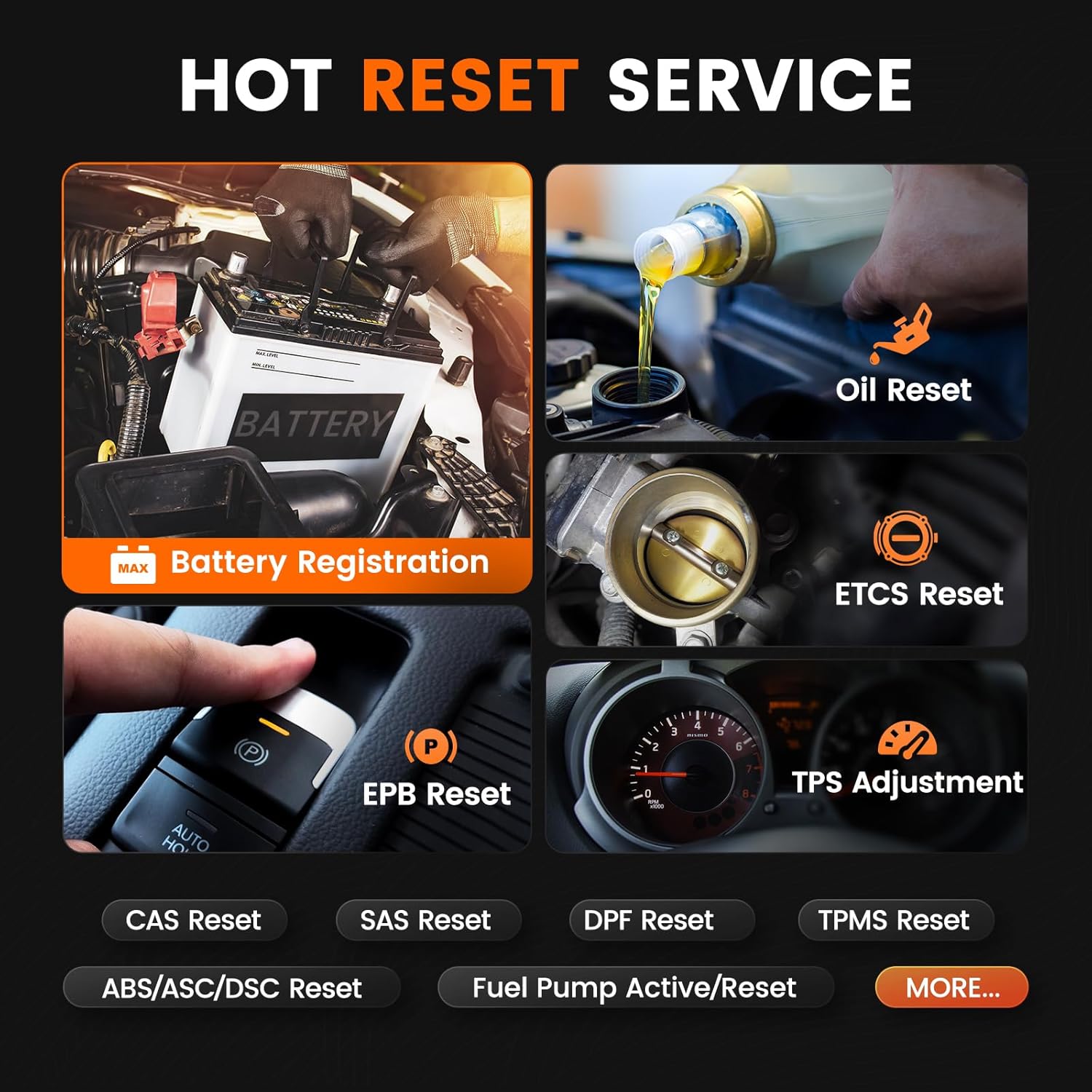
4 Irudia: Gainetikview of various reset and maintenance services.
2.3. Ezaugarri gehigarriak
- Automatic VIN Detection: The BM700Pro automatically records vehicle information after the first test, eliminating manual input for subsequent diagnostics.
- Datu-jario zuzena: Monitor vehicle sensor data in real-time, displayed graphically for easy analysis.
- I/M Readiness Check: Quickly verify if the vehicle's emission systems are ready for an inspection.
- Diseinu iraunkorra: Features a drop-resistant construction and switchable day/night modes for optimal visibility in various lighting conditions.

Figure 5: Comparison of BM700 and BM700Pro, highlighting enhanced Auto VIN feature.
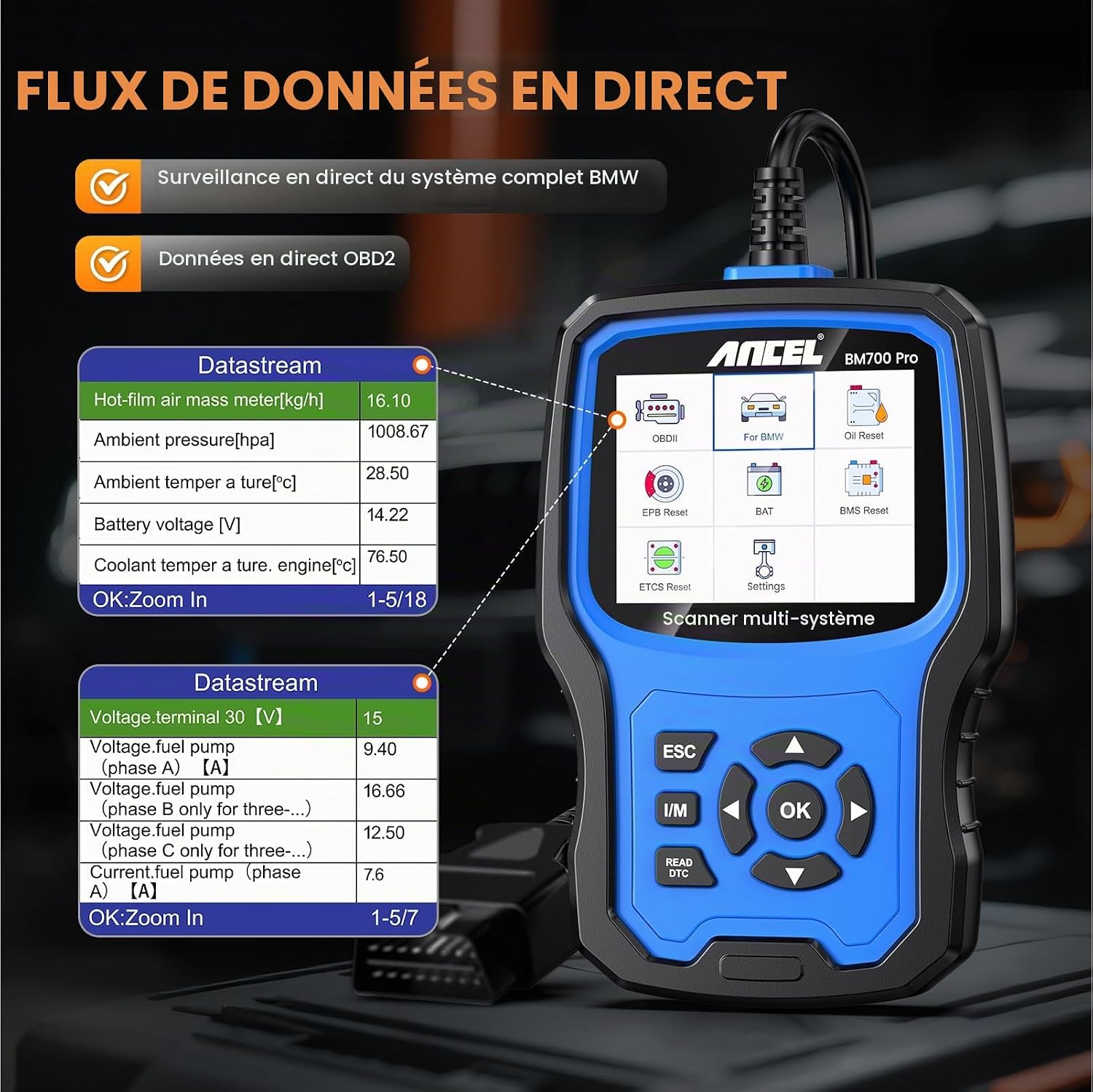
Figure 6: Real-time live data stream display for comprehensive monitoring.

Figure 7: One-click I/M readiness check for emission system status.
3. Konfigurazioa
Before using the ANCEL BM700Pro, ensure the following:
- Ibilgailuen Voltage Egiaztatu: Ensure the vehicle's OBDII interface voltage is within the normal range (typically between 6.5V and 24V). The device may not function correctly outside this range.
- Ignition Status: Turn the vehicle's ignition switch to the "ON" position, but ensure the engine is turned off.
- Konektatu ibilgailura: Locate the OBDII diagnostic port in your vehicle (usually under the dashboard on the driver's side). Plug the BM700Pro's diagnostic cable firmly into the vehicle's OBDII port.
- Piztu: The device will power on automatically once connected to the vehicle's OBDII port.
4. Funtzionamendu-argibideak
Follow these general steps to operate the ANCEL BM700Pro:
- Hasierako konexioa: Connect the BM700Pro to your vehicle's OBDII port as described in the Setup section.
- Menu nagusia: Once powered on, the device will display the main menu. Use the navigation buttons (UP/DOWN/LEFT/RIGHT) and the "OK" button to select options.
- Ibilgailuen hautaketa: For BMW Group vehicles, select the appropriate option (e.g., "For BMW") to access specific diagnostic functions. For general OBDII functions, select "OBDII".
- Automatic Search (Auto VIN): The device supports automatic VIN detection. This feature helps identify your vehicle quickly and saves time on manual input.
- Performing Diagnostics:
- Irakurri kodeak: Select this option to read current, pending, or permanent diagnostic trouble codes (DTCs).
- Ezabatu kodeak: After addressing a vehicle issue, select this to clear the DTCs and turn off the MIL.
- Zuzeneko datuak: View real-time data parameters from various sensors.
- I / M prest egotea: Egiaztatu isuriekin lotutako monitoreen egoera.
- Funtzio bereziak: Navigate to specific service functions like "Battery Registration," "EPB Reset," "Oil Reset," etc., and follow the on-screen prompts.
- Example: Battery Registration (3-Step Process)
- 1. urratsa: Replace or install the new battery (original or equivalent type).
- 2. urratsa: Turn the ignition ON (engine OFF).
- 3. urratsa: Select 'Quick Mode (Common)' on the device, then click 'Register Battery Change'.

Figure 8: Detailed steps for performing battery registration.
5. Mantentzea
To ensure optimal performance and compatibility, regular software updates are recommended.
5.1. Software eguneraketak
The ANCEL BM700Pro offers lifetime free software updates. These updates help fix bugs and add new parameters or vehicle models.
- 1. urratsa: Go to the ANCEL official website and search for "BM700 PRO".
- 2. urratsa: Click on "VIEW MORE" or navigate to the product page.
- 3. urratsa: Click "Downloads" to find the latest software update package.
- 4. urratsa: Connect the BM700Pro to your computer using the provided USB cable.
- 5. urratsa: Decompress the downloaded package and install the update software. (Supports Windows 7/8/10/11 for upgrades only).

Figure 9: Instructions for updating the BM700Pro software.
5.2. Gailuaren zaintza
- Mantendu gailua garbi eta hautsik eta hezetasunik gabe.
- Gorde leku fresko eta lehor batean erabiltzen ez duzunean.
- Avoid dropping the device, although it features a drop-resistant design.
- Use the provided dust-proof bag for storage.
6. Arazoak
Hona hemen ohiko arazo batzuk eta haien konponbideak:
Q: Why can't the device clear fault codes?
A: If the vehicle itself has a hard fault (a persistent mechanical or electrical issue), the fault code cannot be cleared until the underlying problem is repaired. The scanner can only clear codes once the vehicle's system detects that the fault is no longer present.
Q: The device does not power on or connect.
A:
- Ensure the OBDII interface on the vehicle is providing normal voltage (6.5V eta 24V artean).
- Verify that the ignition switch is turned ON and the engine is OFF.
- Check the connection of the diagnostic cable to both the vehicle's OBDII port and the BM700Pro. Ensure it is secure.
- If the issue persists, try connecting the device to another compatible vehicle to rule out a vehicle-specific problem.
7. Zehaztapenak
| Ezaugarri | Deskribapena |
|---|---|
| Marka | ANCEL |
| Eredua | BM700Pro |
| Fabrikatzailearen pieza zenbakia | BM700Pro |
| Onartutako Ibilgailuak | BMW, MINI, Rolls-Royce (full system diagnostics); Most 12V OBD II compliant vehicles (basic OBDII functions). |
| Onartutako protokoloak | J1850 VPM, J1850PWM, ISO9141, KWP 2000, CAN |
| Bistaratzeko hizkuntzak | 11 languages, including English. |
| Software eguneraketak | Bizitza osorako doako eguneratzeak |
7.1. Vehicle Compatibility (Examples)
The BM700Pro is compatible with a wide range of BMW, MINI, and Rolls-Royce models. For detailed chassis and model year compatibility, please refer to the tables below or contact ANCEL support.

Figure 10: Compatibility table for BMW 1-8 Series.

Figure 11: Compatibility table for BMW X and Z Series.

Figure 12: Compatibility table for MINI and Rolls-Royce models.
Ohar garrantzitsua: Due to differences in protocols and vehicle-specific systems/ECUs, not all listed services may be available for every vehicle model. Please contact ANCEL for specific function compatibility before purchase.
8. Bermea eta Laguntza
ANCEL is committed to providing high-quality products and customer support.
8.1. Software eguneraketak
The BM700Pro includes lifetime free software updates, ensuring your device remains up-to-date with the latest vehicle data and diagnostic capabilities.
8.2. Bezeroarentzako arreta
For any questions regarding model compatibility before purchase, or product usage and functions after purchase, please contact ANCEL customer support. We aim to respond within 24 hours to provide pre-sales and after-sales assistance.
Please refer to the official ANCEL webharremanetarako informazioa eta laguntza baliabide gehiago lortzeko gunea.

Figure 13: ANCEL's commitment to certified and patented quality.
9. Zer dago kutxan
The ANCEL BM700Pro package typically includes:
- ANCEL BM700Pro Diagnostic Scanner
- Erabiltzailearen eskuliburua
- OBDII diagnostiko kablea
- USB Cable (for upgrades)
- Hautsaren aurkako poltsa
- Enbalatzeko Kutxa

Figure 14: Contents included in the ANCEL BM700Pro package.
Lotutako dokumentuakBM700Pro


Ask a question about this manual
Ask about setup, troubleshooting, compatibility, parts, safety, or missing instructions. Manuals+ will review the question and use this page’s manual context to help answer it.