
Sarrera
The Radtel RT-950 PRO is a high-performance handheld two-way radio designed for amateur radio enthusiasts and professional operations. It offers a wide range of features including 10W output power, multi-band reception (AM/FM/CB/SW/MW/LW RX), Bluetooth APP programming, GPS/APRS functionality, NOAA weather channel reception, and an integrated spectrum analyzer. This manual provides essential information for the proper setup, operation, and maintenance of your RT-950 PRO radio.
Kutxan dagoena
Mesedez, egiaztatu elementu guztiak zure paketean daudela:
- 1x RT-950 PRO Main Unit (Green)
- 1x 2200mAh Li-ioizko bateria
- 1x Dual Band Antenna
- 1x Gerriko Klipa
- 1x C motako kargatzeko kablea
- 1x Power Supply with USB Port
- 1x Desktop Charger
- 1x Ingelesezko erabiltzailearen eskuliburua
Produktua amaituview
Familiarize yourself with the physical components and layout of your Radtel RT-950 PRO radio.

1. irudia: Aurrealdea view of the Radtel RT-950 PRO with labeled components.

2. irudia: Aldea view and dimensions of the Radtel RT-950 PRO.
Hasierako konfigurazioa
1. Bateriaren instalazioa
- Lerrokatu bateria-paketea irratiaren atzealdeko ildoekin.
- Irristatu bateria-paketea gorantz, bere lekuan klik egin arte.
- Kentzeko, sakatu bateriaren askatzeko pestilloa eta irristatu bateria beherantz.
2. Antena eranskina
- Screw the dual-band antenna clockwise into the antenna connector on top of the radio until it is finger-tight. Do not overtighten.
3. Bateria kargatzea
The RT-950 PRO supports both Type-C direct charging and desktop charger charging.
- Mahaigaineko kargagailua erabiliz: Place the radio with the battery installed into the desktop charger. Ensure the charging contacts align. The indicator light on the charger will show charging status.
- C motako kablea erabiliz: Connect the Type-C charging cable to the port on the side of the radio and to the provided power supply or any compatible USB power source.

Figure 3: Type-C charging port on the Radtel RT-950 PRO.
Funtzionamendu-argibideak
Piztu/Itzali eta bolumen kontrola
Rotate the Power Switch/Volume Knob clockwise to turn on the radio and adjust the volume. Rotate counter-clockwise until it clicks to turn off.
Basic Communication (TX/RX)
To transmit, press and hold the PTT (Push-To-Talk) button on the side of the radio. Speak clearly into the microphone. Release the PTT button to receive. The RT-950 PRO features multiple PTT buttons (PTT A, PTT B, Side-key 1) which can be configured for different functions.

Figure 4: Programmable PTT and Side Keys.
Bluetooth APP Programming
The RT-950 PRO can be programmed wirelessly via a Bluetooth application on your smartphone. This allows for convenient configuration of channels, frequencies, and other settings without a physical cable.
- Download the official Radtel programming app from your smartphone's app store.
- Enable Bluetooth on your smartphone and the RT-950 PRO.
- Open the app, search for your radio, and connect.
- Follow the in-app instructions to read, modify, and write radio settings.

Figure 5: Mobile Programming via Bluetooth App.
NOAA Weather Channel Reception
Stay informed about weather conditions by accessing NOAA weather channels. The radio can receive real-time weather alerts, crucial for outdoor activities and emergency preparedness.
- Navigate to the NOAA weather channel function on your radio's menu.
- Select the desired NOAA channel to receive broadcasts.

Figure 6: NOAA Weather Channel display.
GPS/APRS Functionality
The integrated GPS and APRS features allow for real-time position sharing and tracking, enhancing coordination during group activities or emergencies.
- One-Click GPS Positioning: Access the GPS function through the menu or a programmable side-key to view your current coordinates and other location data.
- APRS Position Transmission: Configure APRS settings to transmit your position data to other APRS-enabled devices or networks.
Spectrum Analyzer
The built-in spectrum analyzer allows you to monitor frequency activity, visualize signal strength, and identify active channels within a specified range.
- Activate the spectrum analyzer mode from the radio's menu.
- Observe the graphical display to identify active frequencies and signal patterns.

Figure 7: Real-time Spectrum Analysis display.
Multi-Band Reception
The RT-950 PRO offers extensive reception capabilities across various bands:
- AM/FM Broadcast
- CB (Citizens Band)
- SW (uhin motza)
- MW (Medium Wave)
- LW (uhin luzea)
- LSB/USB/CW (Single Sideband and Continuous Wave)
To switch between bands, use the appropriate menu options or programmable keys. For optimal shortwave reception, an external shortwave antenna (sold separately) may be required.
Wireless Frequency Copy
The wireless frequency copy feature allows you to quickly duplicate frequency and CTCSS/DCS settings from another radio without the need for cables.
- Activate the frequency copy mode on your RT-950 PRO.
- Place the transmitting radio near the RT-950 PRO.
- Initiate the copy process, and the radio will detect and store the frequency and tone settings.

Figure 8: Wireless Frequency Copy in action.
Potentzia-maila aldatzea
The RT-950 PRO supports three power output levels (High, Middle, Low) to optimize battery life and transmission range based on your communication needs.
- Access the power level setting through the radio's menu.
- Select the desired power output: High (up to 10W), Middle, or Low.
27MHz Transmission
The radio supports 27MHz transmission and reception in FM modulation only, with a power output of 3-4W in this band.
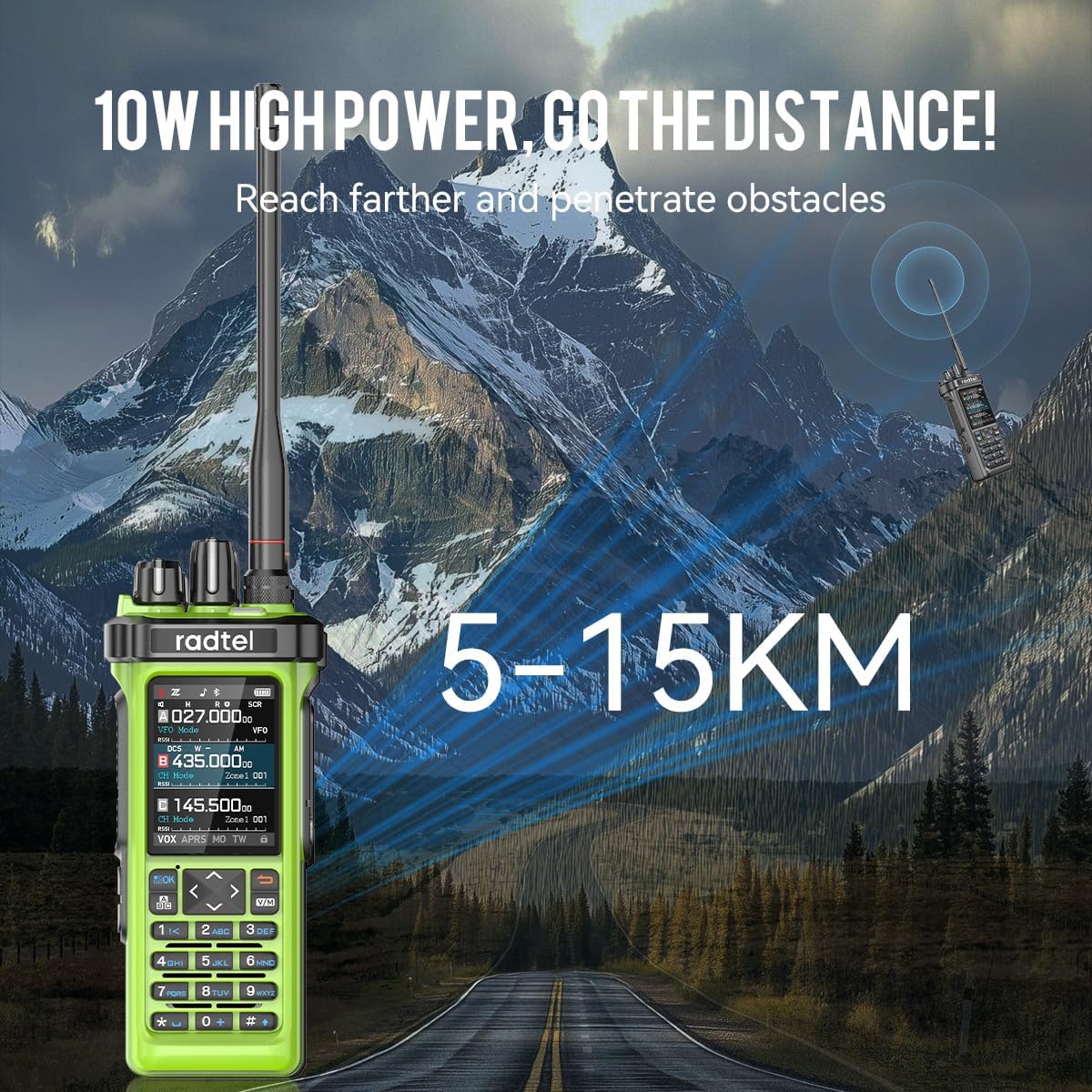
Figure 9: The 10W high power output of the RT-950 PRO for extended range.
Banda zeharkako errepikagailuaren funtzioa
The RT-950 PRO can function as a cross-band repeater, allowing interoperability between UHF and VHF frequencies. This extends the communication range for other radios.

Figure 10: Cross-Band Repeater capability.
Produktuaren bideo ofiziala
Video 1: Radtel RT-950 PRO V2 Green. This video demonstrates key features including Bluetooth programming, NOAA weather reception, power level switching, frequency spectrum analysis, one-click GPS positioning, APRS transmission, shortwave reception, 27MHz transmission, fast frequency copy, and Type-C charging.
Mantentzea
- Garbiketa: Erabili biguna, damp oihal bat irratiaren kanpoaldea garbitzeko. Ez erabili produktu kimiko edo disolbatzaile gogorrik.
- Bateria zaintzea: To prolong battery life, avoid overcharging or completely draining the battery. Store the radio and battery in a cool, dry place.
- Accessory Warning: OHARRA: Please use the 950/950Pro with caution. Using non-Radtel brand headphones and microphones may burn out the audio amplifier module and cause the radio to be silent. Always use original or Radtel-approved accessories.
Arazoak konpontzea
| Arazoa | Kausa posiblea | Irtenbidea |
|---|---|---|
| Irratia ez da pizten | Bateria gutxi dago edo ez dago behar bezala instalatuta. | Kargatu bateria edo instalatu berriro behar bezala. |
| Ezin da transmititu edo jaso | Incorrect frequency/channel, antenna not connected, low power setting. | Verify frequency/channel, ensure antenna is secure, check power output setting. |
| Audio kalitate eskasa | Weak signal, incorrect squelch setting, faulty accessory. | Adjust squelch, move to an area with better signal, test with different accessories. |
Zehaztapenak
| Ezaugarri | Xehetasuna |
|---|---|
| Marka | radtel |
| Modelo zenbakia | RT-950 Pro |
| Kolorea | Berdea |
| Kanal kopurua | 960 |
| Maiztasun barrutia | 144-148Mhz/420-450Mhz (TX/RX), Multi-band RX (AM/FM/CB/SW/MW/LW LSB USB CW) |
| 27MHz TX/RX | FM Modulation only, 3-4W power |
| Hitz egiteko tartea gehienez | 6 Kilometroa |
| liburukiatage | 7.4 Volt |
| Uraren Erresistentzia Maila | Ez Urarekiko Erresistentea |
| Pila kopurua | 1 (barne) |
| Konektibitate-protokoloa | Bluetootha |
| Inpedantzia | 50 ohmio |
| Ezaugarri bereziak | Bluetooth App Programming, High Output Power, GPS/APRS Position Sending, Channel Zone Function, Full-Color Display, PC Programming, Integrated Spectrum Analyzer, Wireless Frequency Copy, NOAA Weather Channel Support |
Bermea eta Laguntza
The Radtel RT-950 PRO comes with a 1 urteko bermea from the date of purchase. For technical support, software updates, or warranty claims, please visit the official Radtel webgunean radtel.com or contact your authorized dealer.