
Sarrera
The MINIX 100W USB C Charger (NEO P3 Pro) is a versatile 3-port GaN charger designed for rapid charging of various devices, including laptops, tablets, and smartphones. It features a smart display for real-time charging information and a compact, travel-friendly design. This manual provides essential information for the safe and efficient use of your charger.

Image: The MINIX 100W USB C Charger (NEO P3 Pro) connected to a laptop, illustrating its fast charging capability.
What's in the Box (Setup)
Your MINIX 100W USB C Charger package includes the following items:
- 1x MINIX P3 PRO 100W Charger
- 1x EU Plug Adapter
- 1x UK Plug Adapter
- 1x Erabiltzailearen eskuliburua
- 1x Biltegiratze Poltsa

Image: The MINIX P3 Pro charger, EU plug, UK plug, and storage bag, as included in the package.
Attaching the Correct Plug Adapter
The MINIX P3 Pro charger comes with interchangeable plug adapters (US, EU, UK) to ensure compatibility in various regions. To attach an adapter:
- Align the desired plug adapter with the charger's prongs.
- Gently push the adapter onto the charger until it clicks securely into place.
- To remove, press the release button (if present) and slide the adapter off.

Image: The MINIX charger with its switchable US, EU, and UK plug adapters.
Funtzionamendu-argibideak
Gailuak konektatzea
The MINIX P3 Pro features two USB-C ports and one USB-A port. Connect your devices using appropriate charging cables. For optimal 100W charging, use a 100W 5A cable connected to a single USB-C port.
- USB-C1: Up to 100W Max output.
- USB-C2: Up to 100W Max output.
- USB-A1: Up to 30W Max output.

Image: The MINIX P3 Pro charging three devices concurrently: a laptop via USB-C1, a tablet via USB-C2, and a smartphone via USB-A1.
Smart Display and Touch Control
The integrated smart display provides real-time information about your charging status. You can interact with the display using the touch control button.
- Kargatzeko egoera: View the current wattagirteera.
- Portuaren xehetasun espezifikoak: Tap the touch button to cycle through individual port outputs.
- Temperature Reminder: The display may show temperature-related information for safety.
- Denbora osoa: Displays the total charging duration.
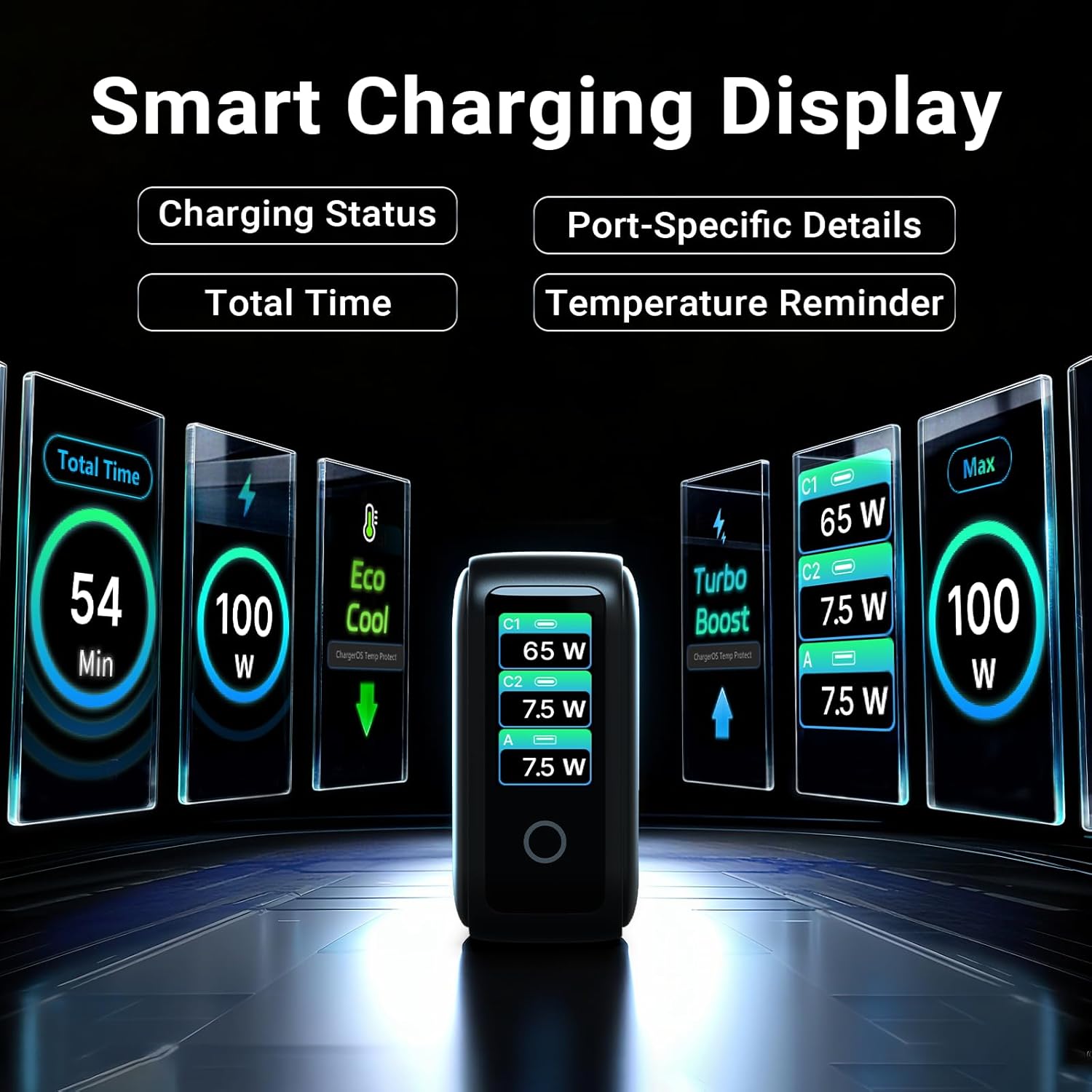
Image: The smart display of the MINIX P3 Pro, showcasing real-time charging status and port-specific details.
Pantailaren biraketa
To adapt the display orientation to your wall outlet, press and hold the touch control button for 3 seconds. The screen will rotate 180°.
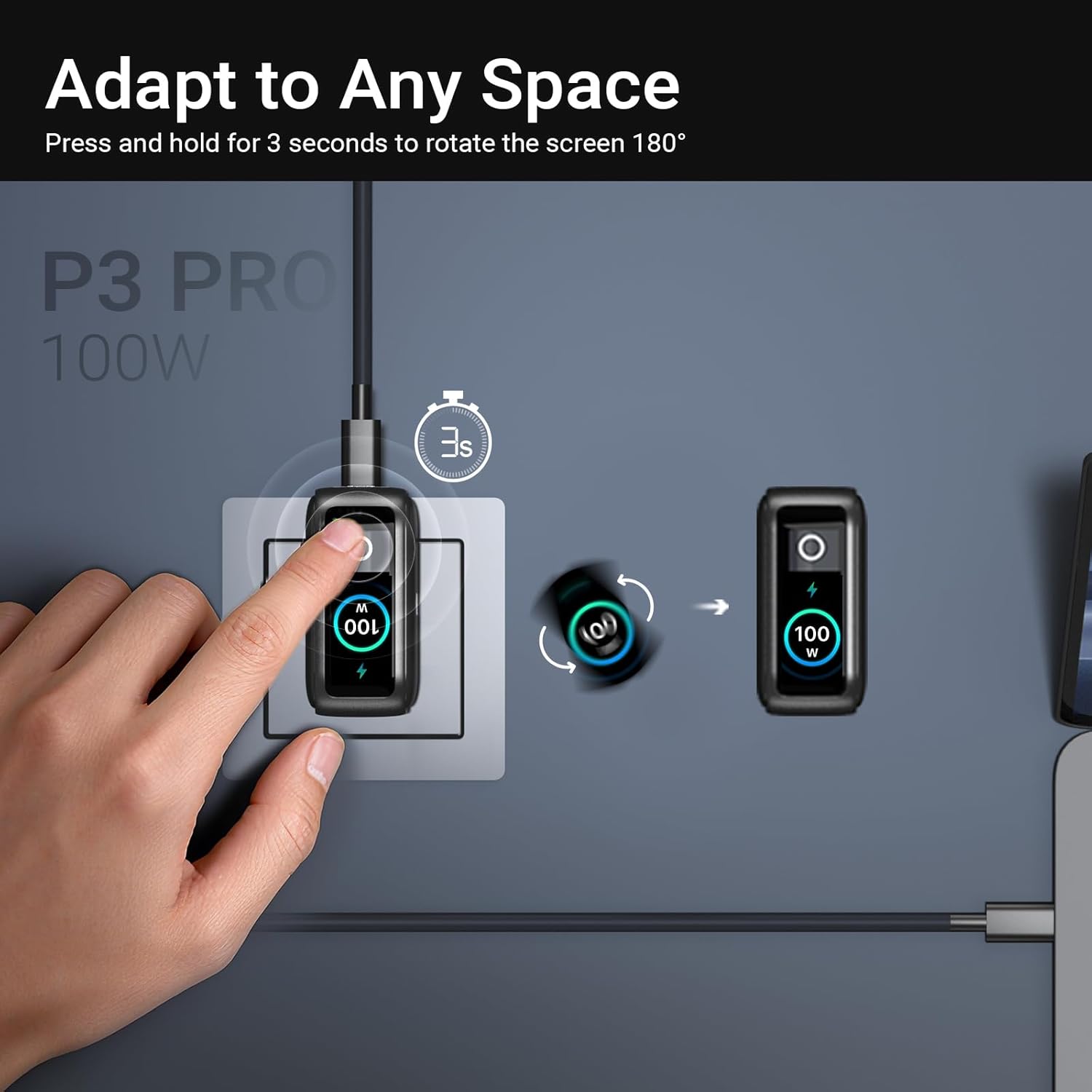
Image: The MINIX P3 Pro charger plugged into a wall socket, illustrating how to rotate the smart display by 180 degrees for better viewing.
Potentzia Banaketa
The charger intelligently redistributes power based on the number of connected devices and their power requirements. Below is a general guide to power output configurations:
- 1 Portu Irteera:
- USB-C1: 100W
- USB-C2: 100W
- USB-A1: 30W
- 2 Portu Irteera:
- USB-C1 + USB-C2: 65W + 30W
- USB-C1 + USB-A1: 65W + 7.5W
- USB-C2 + USB-A1: 7.5W + 7.5W
- 3 Portu Irteera:
- USB-C1 + USB-C2 + USB-A1: 65W + 7.5W + 7.5W
Video: An official product introduction video for the MINIX P3 Pro, demonstrating its features and functionality, including power distribution across multiple ports.
Mantentzea
To ensure the longevity and optimal performance of your MINIX P3 Pro charger, follow these maintenance guidelines:
- Kargagailua garbi eta hautsik eta hondakinik gabe mantendu. Erabili zapi leun eta lehor bat garbitzeko.
- Saihestu kargagailua muturreko tenperaturen, hezetasunaren edo eguzki-argiaren eraginpean jartzea.
- Do not drop or subject the charger to strong impacts.
- Store the charger in the provided storage bag when not in use, especially during travel, to protect it from scratches and damage.
- Kargagailuaren inguruan behar bezala aireztatuta dagoela ziurtatu funtzionamenduan zehar, gehiegi berotzea saihesteko.
Zehaztapenak
| Ezaugarri | Xehetasuna |
|---|---|
| Marka | Minix |
| Modelo zenbakia | P5010 |
| USB portuak guztira | 3 (2x USB Type-C, 1x USB Type-A) |
| Wattage | 100 W (gehienez) |
| Sarrera boltage | 240 Volt |
| Irteera Korrontea | 5 Amps |
| Irteera boltage | 120 Volt |
| Konektore mota | USB A mota, USB C mota |
| Gailu bateragarriak | Laptops, Tablets, Samsung Galaxy S21-S24 Series, iPhone 17/16/15/14/13/12 Series, iPhone SE (3rd Gen) |
| Ezaugarri bereziak | Fast Charging, Lightweight Design, Multi-Device Charging, Travel-Friendly, Smart Display, Touch Control |
| Kolorea | Beltza |
| Elementuaren pisua | 200 gramo |
| Materiala | Elastomero Termoplastikoa (TPE) |
| Ziurtagiriak | CE, FCC, WEEE |
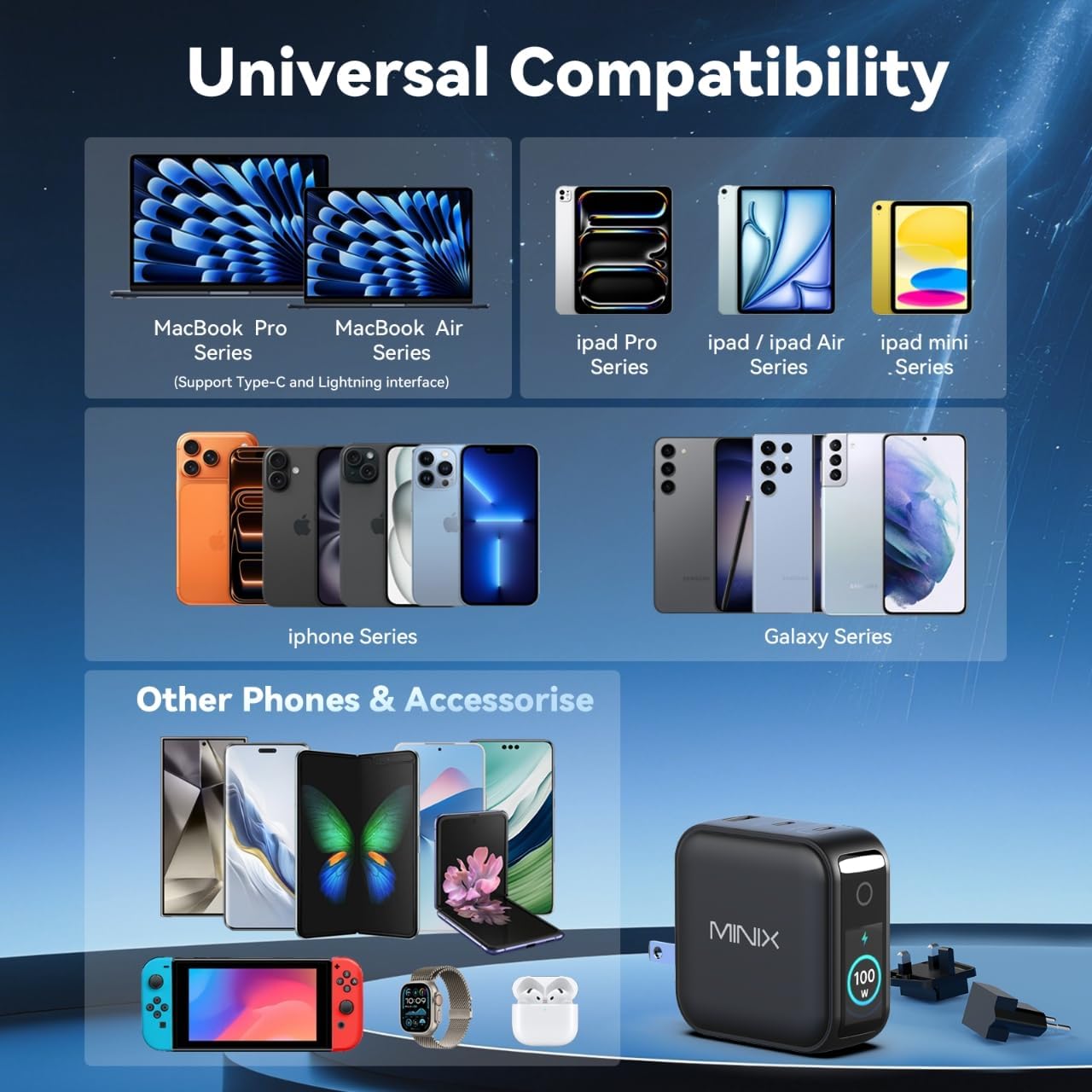
Image: A visual representation of the MINIX P3 Pro's universal compatibility with various devices.
Arazoak konpontzea
If you encounter issues with your MINIX P3 Pro charger, please refer to the following common troubleshooting steps:
- Kargagailua ez da pizten:
- Ziurtatu kargagailua ondo konektatuta dagoela funtzionatzen duen hormako entxufe batera.
- Verify that the correct regional plug adapter is firmly attached.
- Device not charging or charging slowly:
- Check that the charging cable is securely connected to both the charger and your device.
- Ensure the charging cable is not damaged and supports the required power delivery (e.g., 100W for high-power devices).
- Try a different port on the charger.
- If charging multiple devices, note that power is distributed, which may reduce individual port output. Refer to the "Power Distribution" section.
- Ensure your device supports the charging protocols (PPS, PD3.0, QC3.0) supported by the charger.
- Smart display not working or showing incorrect information:
- Ensure the charger is powered on and a device is connected.
- Tap the touch button to cycle through display modes.
- If the display is unresponsive, unplug the charger from the wall for a few seconds and then plug it back in.
- Kargagailua bero sentitzen da erabiltzean:
- Normala da kargagailua berotzea funtzionamenduan zehar, batez ere potentzia handiko kargatzean.
- Ensure there is adequate ventilation around the charger. If it becomes excessively hot, disconnect it immediately and contact support.
Segurtasun Informazioa
Please read and follow these safety precautions to prevent damage to the product or injury to yourself:
- Ez jarri kargagailua uraren, hezetasunaren edo hezetasun handiaren eraginpean.
- Avoid using the charger in environments with extreme temperatures.
- Do not disassemble, modify, or attempt to repair the charger yourself. This will void the warranty.
- Mantendu kargagailua haurren eta maskoten eskura urrun.
- Use only compatible cables and devices with the charger.
- Deskonektatu kargagailua tximista-ekaitzetan edo denbora luzez erabili gabe dagoenean.
- The charger includes built-in safety features such as over-current, over-voltage, gain-tenperatura eta zirkuitulaburra babestea.
Bermea eta Laguntza
The MINIX 100W USB C Charger (NEO P3 Pro) comes with a 1 urteko fabrikatzailearen bermea.
Bezeroarentzako Arreta
For any questions, technical assistance, or warranty claims, please contact MINIX customer service:
- Lineako laguntza: Bisitatu MINIX Store on Amazon and use the "Ask Product Question" feature.
- Offline Maintenance Service: Mesedez, bisitatu gure ofiziala webinformazio gehiago eskuratzeko gunea.
Please have your product model number (P5010) and purchase details ready when contacting support.