Sarrera
This manual provides instructions for the proper installation, use, and maintenance of your YESWELDER Blue Light Blocking Outer and Inner Replacement Lenses. These lenses are specifically designed for compatibility with YESWELDER LYG-M800H and 17800F welding helmets. Adhering to these instructions will ensure optimal performance and longevity of the product.
Segurtasun Informazioa
- Always ensure your welding helmet is turned off and disconnected from any power source before attempting to replace lenses.
- Wear appropriate personal protective equipment (PPE), such as gloves, when handling lenses to prevent fingerprints and scratches.
- Inspect new lenses for any defects or damage before installation. Do not use damaged lenses.
- These lenses are replacement parts for specific welding helmets. They do not provide primary eye protection on their own. Always use them in conjunction with a functional welding helmet.
Paketearen edukia
Egiaztatu osagai guztiak zure paketean daudela:
- 5 x Blue Light Blocking Outer Replacement Lenses (5.23'' x 4.72'', thickness: 0.04'')
- 2 x Inner Replacement Lenses (4.05'' x 3.85'', thickness: 0.04'')
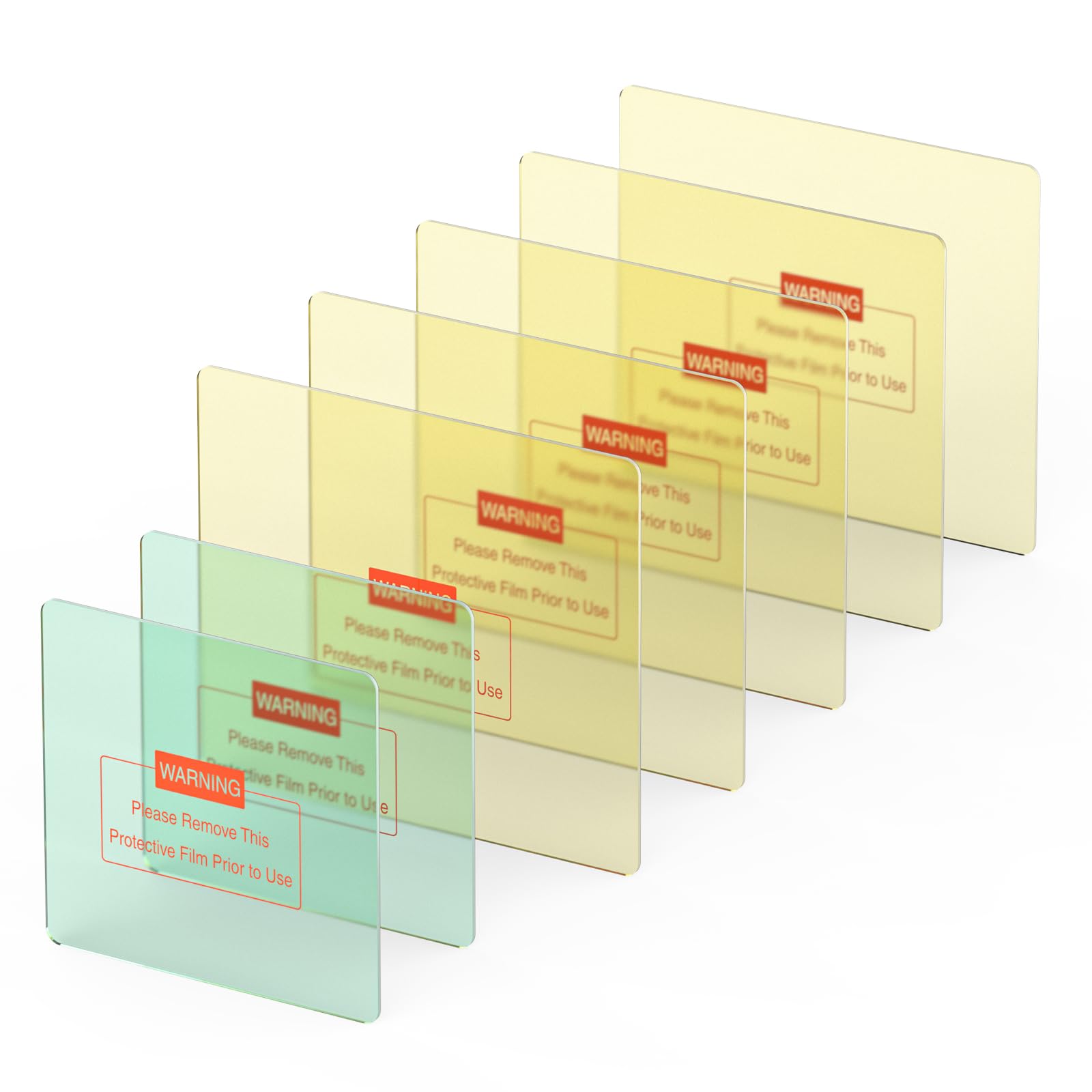
Image: Contents of the YESWELDER replacement lens package, showing multiple outer and inner lenses.
Konfigurazioa eta Instalazioa
Follow these steps to correctly install the replacement lenses into your YESWELDER LYG-M800H or 17800F welding helmet.
- Prestatu kaskoa: Open the front cover of your welding helmet. Locate the existing outer and inner lenses.
- Remove Old Lenses: Carefully unclip or slide out the worn or damaged outer and inner lenses from their respective slots. Dispose of old lenses responsibly.
- Prepare New Lenses: Garrantzitsua: Both sides of the new lenses are protected by a thin plastic film. Gently peel off this protective film from both surfaces of each new lens (outer and inner) before installation. Failure to remove the film will result in blurry vision.
- Install Inner Lens: Slide the new inner replacement lens into the designated inner slot of the helmet. Ensure it sits flush and securely.
- Install Outer Lens: Slide the new blue light blocking outer replacement lens into the outer slot. Ensure it is properly seated and secured by the helmet's retaining clips or frame.
- Close Helmet Cover: Close the front cover of the welding helmet, ensuring all components are securely in place.
- Funtzio egiaztapena: Before welding, perform a quick visual check to ensure clear vision through the lenses and that they are free from dust or smudges.
Funtzionamendua
Once installed, the blue light blocking outer lenses provide advanced eye protection by filtering out harmful high-energy blue light rays, while allowing less harmful portions of the blue light spectrum to pass through. This technology is designed to enhance eye comfort and safety during extended welding sessions. The inner lenses provide an additional layer of protection and clarity.
Mantentzea
- Garbiketa: Clean lenses regularly with a soft, lint-free cloth and a mild lens cleaning solution. Avoid abrasive materials or harsh chemicals that can scratch or damage the lens coating.
- Ikuskapena: Periodically inspect both outer and inner lenses for scratches, cracks, or excessive spatter buildup. Replace lenses immediately if they show signs of damage that could impair vision or protection.
- Biltegiratzea: Store unused replacement lenses in their original packaging or a clean, dry, and protected environment to prevent scratches and dust accumulation.
Arazoak konpontzea
| Arazoa | Kausa posiblea | Irtenbidea |
|---|---|---|
| Vision is blurry or unclear. | Protective film not removed; smudges or dirt on lens; lens scratched. | Ensure protective film is removed from both sides. Clean lenses with a soft cloth. Replace if scratched. |
| Lenses do not fit securely. | Incorrect lens size; improper installation. | Verify you have the correct model lenses (JP01-M800H-BL). Re-install, ensuring lenses are fully seated in their slots. |
| Excessive glare or discomfort. | Outer lens is heavily scratched or covered in spatter. | Replace the outer lens. Clean the lens regularly to prevent spatter buildup. |
Zehaztapenak
- Outer Lens Dimensions: 5.23 hazbete x 4.72 hazbete
- Outer Lens Thickness: 0.04 hazbetekoa
- Inner Lens Dimensions: 4.05 hazbete x 3.85 hazbete
- Inner Lens Thickness: 0.04 hazbetekoa
- Bateragarritasuna: YESWELDER LYG-M800H and 17800F Welding Helmets
- Ezaugarri: Blue Light Blocking Technology (Outer Lenses)
- Elementuaren pisua (paketea): 4.6 ontza gutxi gorabehera
- Paketearen neurriak: 5.39 x 4.76 x 0.39 hazbete
Bermea
For detailed warranty information regarding your YESWELDER replacement lenses, please refer to the official YESWELDER webwebgunera edo jarri harremanetan bezeroarentzako arreta-zerbitzura zuzenean. Bermearen baldintzak eta zehaztapenak alda daitezke.
Laguntza
If you require further assistance or have questions not covered in this manual, please contact YESWELDER customer support through their official webgunea edo produktua erosi diozun dendaria.
Webgunea: Visit the YESWELDER Store on Amazon