
1. Sarrera
Eskerrik asko erosketagatik.asing the Aiwa BST-130RD Bluetooth Speaker. This portable speaker features Bluetooth 5.3 connectivity, vibrant RGB lighting, FM radio, and multiple playback options including USB and TF card. This manual provides essential information for the safe and efficient use of your device. Please read it thoroughly before operation and retain it for future reference.
2. Paketearen edukia
Ziurtatu elementu guztiak paketean daudela:
- Aiwa BST-130RD Bluetooth Speaker
- USB motako C kargatzeko kablea
- Argibide eskuliburua
3. Produktua amaitu daview
Familiarize yourself with the speaker's controls and ports.
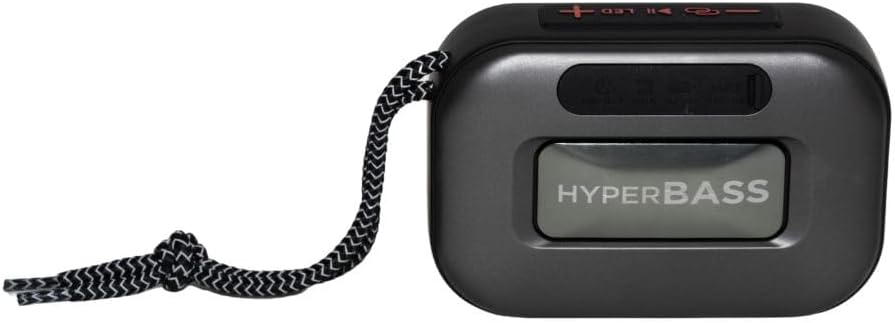
3.1. irudia: Aurrealdea view of the Aiwa BST-130RD Bluetooth Speaker, showcasing the speaker grille and RGB light ring.

3.2. irudia: Close-up of the tactile control buttons located on the top panel of the speaker. These include power, play/pause, volume, mode, and LED light controls.

3.3. irudia: Atzekoa view of the speaker, illustrating the USB-A port, Micro SD (TF) card slot, AUX-IN port, and USB Type-C charging port.
Kontrolak:
- Pizteko botoia: Luze sakatu bozgorailua pizteko/desaktibatzeko.
- Erreproduzitu/Pausatu botoia: Play or pause audio. Answer/end calls in Bluetooth mode.
- Bolumena igo (+): Increase volume. Long press for next track/FM station.
- Bolumena jaitsi (-): Decrease volume. Long press for previous track/FM station.
- Modu botoia (M): Switch between Bluetooth, FM Radio, USB, TF Card, and AUX-IN modes.
- LED botoia: Aldatu RGB argiztapen moduak.
Portuak:
- USB-A ataka: USB flash unitatean erreproduzitzeko.
- TF txartelaren zirrikitua: Mikro SD txartela erreproduzitzeko.
- AUX-IN Port (3.5mm): Kable bidezko audio konexiorako.
- USB motako C kargatzeko ataka: Bozgorailua kargatzeko.
4. Konfigurazioa
4.1 Bozgorailua kargatzea
- Konektatu emandako USB C motako kargatzeko kablea bozgorailuaren kargatzeko atakara.
- Connect the other end of the cable to a 5V DC USB power adapter (not included).
- Kargatzeko adierazlearen argia piztuko da kargatzen ari den bitartean eta itzali egingo da guztiz kargatzen denean.
- Karga oso batek normalean 2-3 ordu inguru behar ditu.
4.2 Piztu/Itzali
- Pizteko: Press and hold the Power button for 2-3 seconds until you hear an audible prompt and the RGB lights activate.
- Itzaltzeko: Press and hold the Power button for 2-3 seconds until you hear an audible prompt and the RGB lights deactivate.
5. Funtzionamendu-argibideak
5.1 Bluetooth parekatzea
- Ensure the speaker is powered on and in Bluetooth mode (indicated by an audible prompt or LED status). If not, press the Mode button to switch to Bluetooth mode.
- Gaitu Bluetooth-a zure telefonoan, tabletan edo beste Bluetooth gaitutako gailu batean.
- Bilatu available devices and select "AIWA BST-130RD" from the list.
- Once paired, the speaker will emit an audible confirmation.
- Orain zure gailuko audioa bozgorailuaren bidez erreproduzitu dezakezu.
5.2 Benetako Haririk gabeko Estereoa (TWS) Parekatzea
The TWS function allows you to connect two Aiwa BST-130RD speakers for a stereo sound experience.
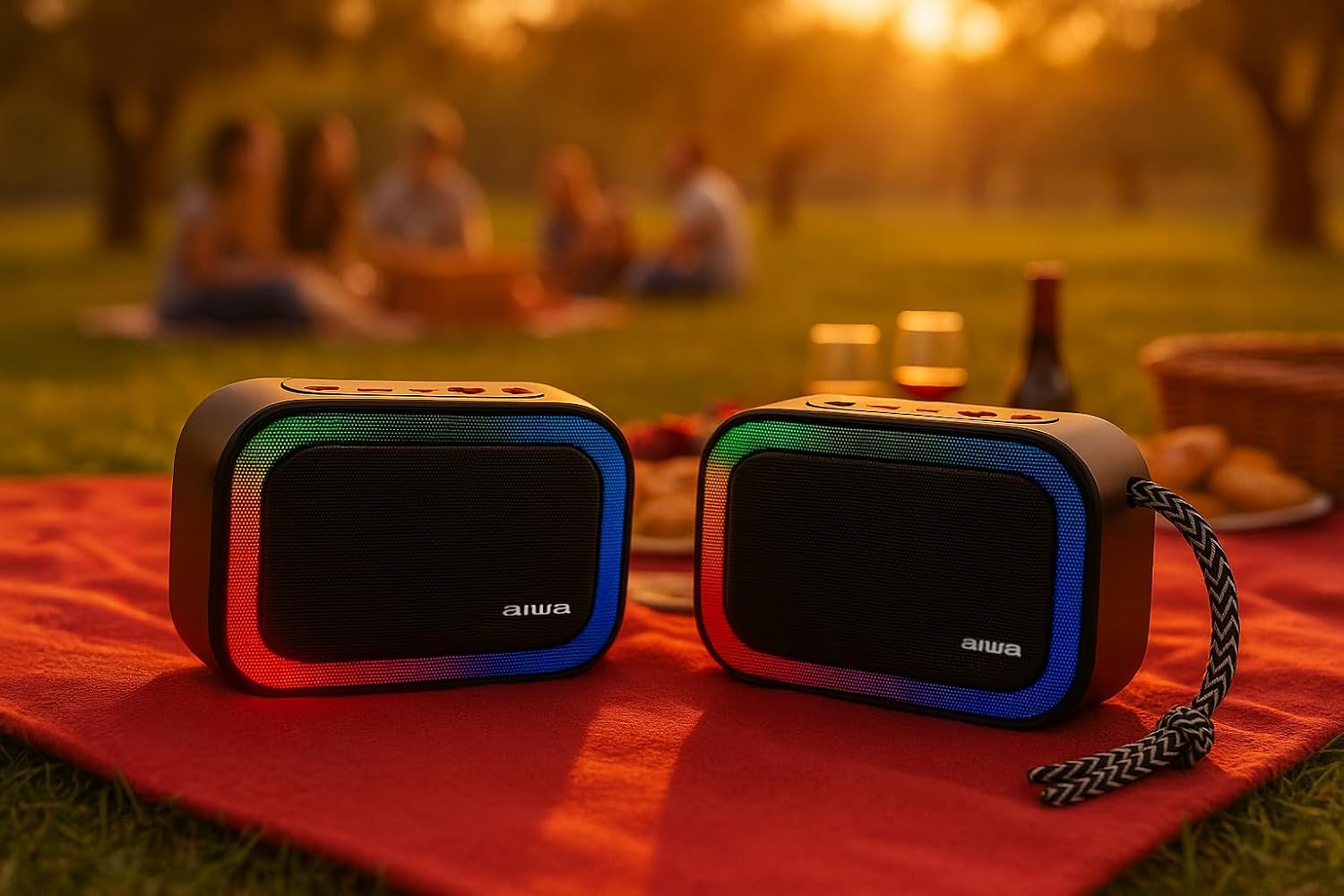
5.1. irudia: Two Aiwa BST-130RD speakers operating in True Wireless Stereo (TWS) mode, providing a wider soundstage.
- Ensure both BST-130RD speakers are powered on and in Bluetooth mode, but not yet paired to any device.
- On one of the speakers (this will be the primary speaker), double-press the Play/Pause button. The speaker will search for another BST-130RD.
- Once connected, you will hear an audible confirmation. The primary speaker will act as the left channel, and the secondary speaker as the right channel.
- Now, pair your Bluetooth device to the primary speaker as described in Section 5.1.
5.3 FM irratiaren funtzionamendua
- Sakatu Modu botoia behin eta berriz FM irrati moduan sartu arte.
- Press the Play/Pause button once to initiate an automatic station scan. The speaker will scan and save available FM stations.
- Use the Volume Up (+) and Volume Down (-) buttons (long press) to navigate between saved stations.
5.4 USB / TF txartelaren erreprodukzioa
- Insert a USB flash drive into the USB-A port or a TF (Micro SD) card into the TF card slot.
- Bozgorailuak automatikoki dagokion modura aldatuko da eta MP3 erreproduzitzen hasiko da files. If not, press the Mode button to select USB or TF mode.
- Use the Play/Pause button to control playback. Use the Volume Up (+) and Volume Down (-) buttons (long press) to skip tracks.
5.5 AUX-IN modua
- Connect one end of a 3.5mm audio cable (not included) to the speaker's AUX-IN port.
- Connect the other end to the audio output of your external device (e.g., MP3 player, computer).
- Press the Mode button to switch to AUX-IN mode.
- Audio will now play through the speaker. Control playback from your external device.
5.6 Eskurik gabeko funtzioa
Bluetooth bidez telefono adimendun batera konektatuta dagoenean, bozgorailua esku libreko deiak egiteko erabil daiteke.
- Erantzun deia: Sakatu Erreproduzitu/Pausatu botoia behin.
- Amaitu deia: Sakatu Erreproduzitu/Pausatu botoia behin dei batean zehar.
- Deia baztertu: Eduki sakatuta Erreproduzitu/Pausatu botoia 2 segundoz.
5.7 RGB argiztapenaren kontrola
The speaker features a dynamic RGB lighting system.

5.2. irudia: The Aiwa BST-130RD speaker displaying its vibrant RGB lighting effects.
- Sakatu LED botoia RGB argiztapen moduen artean aldatzeko.
- Press and hold the LED button to turn the RGB lighting On/Off.
6. Mantentzea
- Garbitu bozgorailua zapi leun eta lehor batekin. Ez erabili garbitzaile edo disolbatzaile urratzailerik.
- Saihestu bozgorailua tenperatura altuen, eguzki-argiaren eraginpean edo hezetasun handiaren eraginpean jartzea.
- Ez murgildu bozgorailua uretan. Ez da iragazgaitza.
- When not in use for extended periods, charge the battery at least once every three months to prolong its lifespan.
7. Arazoak
| Arazoa | Kausa posiblea | Irtenbidea |
|---|---|---|
| Bozgorailuak ez du pizten. | Bateria baxua. | Kargatu bozgorailua emandako USB C motako kablea erabiliz. |
| Soinurik ez. | Volume too low; incorrect mode; device not paired. | Increase volume on speaker and connected device. Ensure correct mode is selected. Re-pair Bluetooth device. |
| Bluetooth parekatzeak huts egiten du. | Bozgorailua ez dago parekatze moduan; gailua urrunegi dago; interferentziak. | Ziurtatu bozgorailua Bluetooth parekatze moduan dagoela. Hurbildu gailua bozgorailura. Itzali beste Bluetooth gailuak. |
| FM irratiaren harrera eskasa da. | Seinale ahula; ingurumen-interferentziak. | Move the speaker to a different location. Perform an auto-scan again. |
8. Zehaztapenak
- Eredua: BST-130RD
- Bluetooth bertsioa: V5.3
- Irteera potentzia: 5 W RMS (% 10 THD)
- Bozgorailuaren gidaria: 5 cm (Full Range), 3 Ohm Impedance
- Maiztasun-erantzuna: 80 Hz - 18 kHz
- Seinaleztapen-zarata ratioa: ≥ 85 dB
- Sentikortasuna: 490 mV (1 kHz)
- Sarrerak: Bluetooth, USB MP3, TF MP3, FM Scanner, AUX-IN (3.5mm Stereo)
- Potentzia sarrera: 5V DC USB Type-C
- Bateria: 1200mAh, 3.7V Lithium (with protection circuit)
- Kargatzen Voltage: 5V 1A
- Ezaugarriak: TWS (True Wireless Stereo), RGB Lighting, Hands-free Function
- Neurriak: 133 x 89 x 47.5 mm
- Pisua: 0.314 kg
9. Segurtasun informazioa
- Ez desmuntatu, konpondu edo aldatu gailua.
- Keep the device away from water, moisture, and flammable substances.
- Entzumen-kalteak saihesteko, saihestu denbora luzez bolumen altuan entzutea.
- Dispose of the battery and device responsibly according to local regulations.
10. Bermea eta Laguntza
Aiwa products are designed and manufactured to the highest quality standards. For warranty information and technical support, please refer to the warranty card included in your package or visit the official Aiwa webzure eskualderako gunea.


