
1. Sarrera
This manual provides essential instructions for setting up, operating, maintaining, and troubleshooting your suevery Gaming PC Desktop Computer. Please read this manual thoroughly before using your new computer to ensure optimal performance and longevity.
Your suevery Gaming PC is equipped with an AMD Ryzen 5 5500 processor, Radeon RX 6500XT 4GB graphics, 16GB DDR4 RAM, and a 512GB NVME SSD, designed for a balanced experience in gaming, streaming, work, and office tasks.

1.1. irudia: Amaituview of the PC's core components including AMD-R5-5500 CPU, RX6500XT-4G GPU, 16G RAM-DDR4, 512G SSD, and RGB FAN*6.
2. Konfigurazio gida
2.1 Deskargatzea
Carefully remove the computer and all accessories from the packaging. Ensure all components listed in the 'What's in the Box' section are present.
- Mahaigaineko Ordenagailuen Dorrea
- Elikatze-kablea
- Dokumentazioa (eskuliburu hau)

Image 2.1: The suevery Gaming PC Desktop Computer tower, showcasing its white chassis and RGB lighting.
2.2 Periferikoak konektatzea
- Monitorearen konexioa: Connect your monitor to the graphics card's output ports (HDMI or DisplayPort) located at the rear of the PC. Garrantzitsua: Ensure your monitor is connected to the dedicated graphics card (RX 6500XT 4G) ports, not the motherboard's video outputs, as the latter are automatically disabled when a dedicated GPU is present.
- Teklatua eta sagua: Connect your keyboard and mouse to the available USB ports on the rear or front of the PC.
- Potentzia-konexioa: Connect the power cable to the power supply unit (PSU) at the rear of the PC, then plug the other end into a grounded electrical outlet.
- Sare-konexioa: For wired internet, connect an Ethernet cable to the network port. For wireless internet, the PC supports Wi-Fi 6.

2.2 irudia: Xehetasun zehatza view of the PC's front and rear ports, including USB 3.0, USB 2.0, HDMI, DisplayPort, and audio jacks. Note the warning regarding connecting the monitor to the dedicated GPU.
2.3 Hasierako piztea
Press the power button located on the front panel of the PC. The system will initiate the boot process. If an operating system is not pre-installed, you will need to install one (e.g., Windows, Linux) to use the computer.
3. Funtzionamendu-argibideak
3.1 Oinarrizko funtzionamendua
- Piztu/Itzali: Press the power button once to turn on the PC. To shut down, use the operating system's shutdown function. A short press of the power button can also put the PC to sleep. A long press (4-5 seconds) will force a shutdown.
- Berrabiarazi: Use the operating system's restart function.
- RGB argiztapenaren kontrola: The PC features multiple RGB modes for its fans. A dedicated button or software (if provided) can be used to cycle through or customize the lighting effects.
3.2 Performance and Usage
Your suevery Gaming PC is designed for various demanding tasks:
- Jokoa: The AMD Ryzen 5 5500 processor and Radeon RX 6500XT 4GB graphics card provide smooth performance for 1080P gaming.
- Multiataza: With 16GB DDR4 RAM and a 6-core, 12-thread CPU, the system handles multiple applications and HD streaming efficiently.
- Sormen lana: Suitable for light video editing, graphic design, and other creative applications.
- Office & Home Use: Excellent for daily productivity, online learning, and general home entertainment.
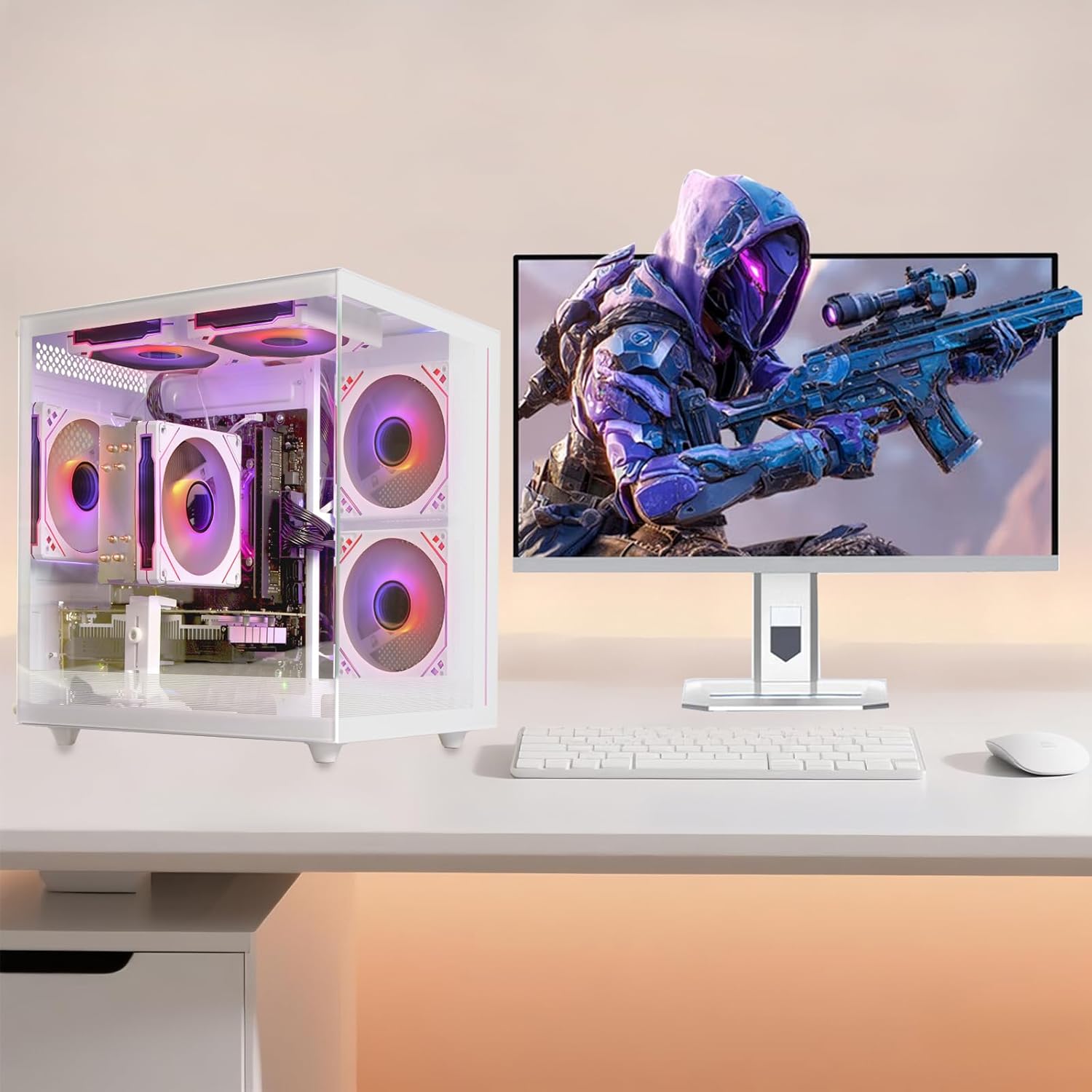
Image 3.1: The suevery Gaming PC connected to a monitor, demonstrating a typical setup for gaming or productivity.
3.1 bideoa: Laburbilduzview of the suevery Gaming PC, highlighting its features and design. This video demonstrates the aesthetic and some internal components.
4. Mantentzea
4.1 Garbiketa
Regular cleaning helps maintain performance and extends the lifespan of your PC.
- Kanpoaldea: Use a soft, dry cloth to wipe down the exterior surfaces. Avoid abrasive cleaners.
- Hauts-iragazkiak: The PC features fine dustproofing. Regularly check and clean the dust filters (e.g., on top or front panels) to ensure optimal airflow. Gently remove and brush off accumulated dust.
- Barne osagaiak: Periodically, with the PC powered off and unplugged, use compressed air to clear dust from fans (CPU, GPU, case fans) and heatsinks. Hold fans in place while spraying to prevent damage.

4.1 irudia: Gertuko planoa view of the PC's dust cover pad, illustrating its design for easy maintenance and protection against dust accumulation.
4.2 Software eguneraketak
Keep your operating system, drivers (especially graphics drivers), and applications updated to ensure security, stability, and optimal performance.
5. Arazoak
Atal honek aurki ditzakezun arazo ohikoenei heltzen die.
| Arazoa | Kausa posiblea | Irtenbidea |
|---|---|---|
| Ez dago pantailarik monitorean | Monitor not connected to dedicated GPU; loose cable; monitor off. | Ensure monitor cable is securely connected to the graphics card's HDMI or DisplayPort. Check monitor power and input source. |
| PCa ez da pizten | Power cable loose; PSU switch off; power outlet issue. | Check power cable connections at both the PC and the wall outlet. Ensure the PSU switch (if present) is in the 'ON' position. Try a different power outlet. |
| No internet connection (Wi-Fi) | Wi-Fia desgaituta; pasahitz okerra; bideratzailearen arazoa. | Check Wi-Fi settings in your operating system. Verify Wi-Fi password. Restart your router/modem. |
| System slow or freezing | Too many applications open; insufficient RAM; overheating; malware. | Close unnecessary programs. Check task manager for resource-intensive processes. Ensure proper ventilation and clean dust filters. Run antivirus scans. |
If you encounter issues not covered here, please refer to the Warranty & Support section for further assistance.
6. Zehaztapenak
Detailed technical specifications for your suevery Gaming PC Desktop Computer.

6.1. irudia: Atzekoa view eta alde view of the PC, illustrating its physical dimensions and internal layout.
| Osagaia | Xehetasuna |
|---|---|
| Marka | suevery |
| Ereduaren izena | SUV9W01 |
| CPU eredua | AMD Ryzen 5 5500 (6-Core, 12-Thread) |
| CPU Abiadura | Up to 4.2 GHz (Boost) |
| Txartel grafikoa | Radeon RX 6500XT 4GB GDDR4 |
| RAM | 16 GB DDR4 (3200 MHz) |
| Biltegiratzea | 512 GB NVMe SSD |
| Sistema eragilea | DOS (Erabiltzaileak instalatutako sistema eragilea behar da) |
| Konektibitatea | Wi-Fi 6, USB 3.0 Type A, USB 2.0, HDMI, DisplayPort, Ethernet |
| Hoztea | Air Cooling (5 RGB Fans) |
| Elikatze Hornidura | 400 Watt |
| Neurriak (L x W x H) | 13.35 x 10.87 x 12.99 hazbete (gutxi gorabehera) |
| Pisua | 8 kilogramo |
| Kolorea | Zuria |
7. Bermea eta Laguntza
7.1 Bermearen informazioa
This suevery Gaming PC Desktop Computer comes with a 1 urteko berme mugatua from the date of purchase. This warranty covers manufacturing defects in materials and workmanship under normal use. It does not cover damage caused by accident, misuse, abuse, unauthorized modification, or external causes.
7.2 Bezeroarentzako laguntza
For technical assistance, warranty claims, or any questions regarding your suevery Gaming PC, please contact the manufacturer or seller directly. Refer to your purchase documentation for specific contact details.
When contacting support, please have your product model number (Ryzen 5 5500-16G-512G-RX 6500XT 4G) and proof of purchase readily available.