
Sarrera
The Luqeeg Signal Generator is a versatile device designed for generating DC voltage and current outputs, as well as PWM pulse square waves. It also features input measurement capabilities, making it suitable for a wide range of applications including PLC controller testing, LED calibration, and general electronic circuit analysis. This manual provides detailed instructions for the proper setup, operation, and maintenance of your signal generator.
1. Konfigurazioa eta hasierako erabilera
1.1 Paketatzea
Carefully remove all components from the packaging. The package should contain:
- 1 x Signal Generator
- 4 x klipak
- 1 x USB kablea
- 1 x Erabiltzailearen eskuliburua (dokumentu hau)
1.1. irudia: Included alligator clips for connections.
1.2 Gailua gainditzeaview
Familiarize yourself with the main components of the signal generator:

1.2. irudia: Signal Generator Component Diagram.
- Pluggable terminal block (3.81-9P)
- Terminal ikurra
- 2 inch TFT color display screen
- Behera gezi-tekla
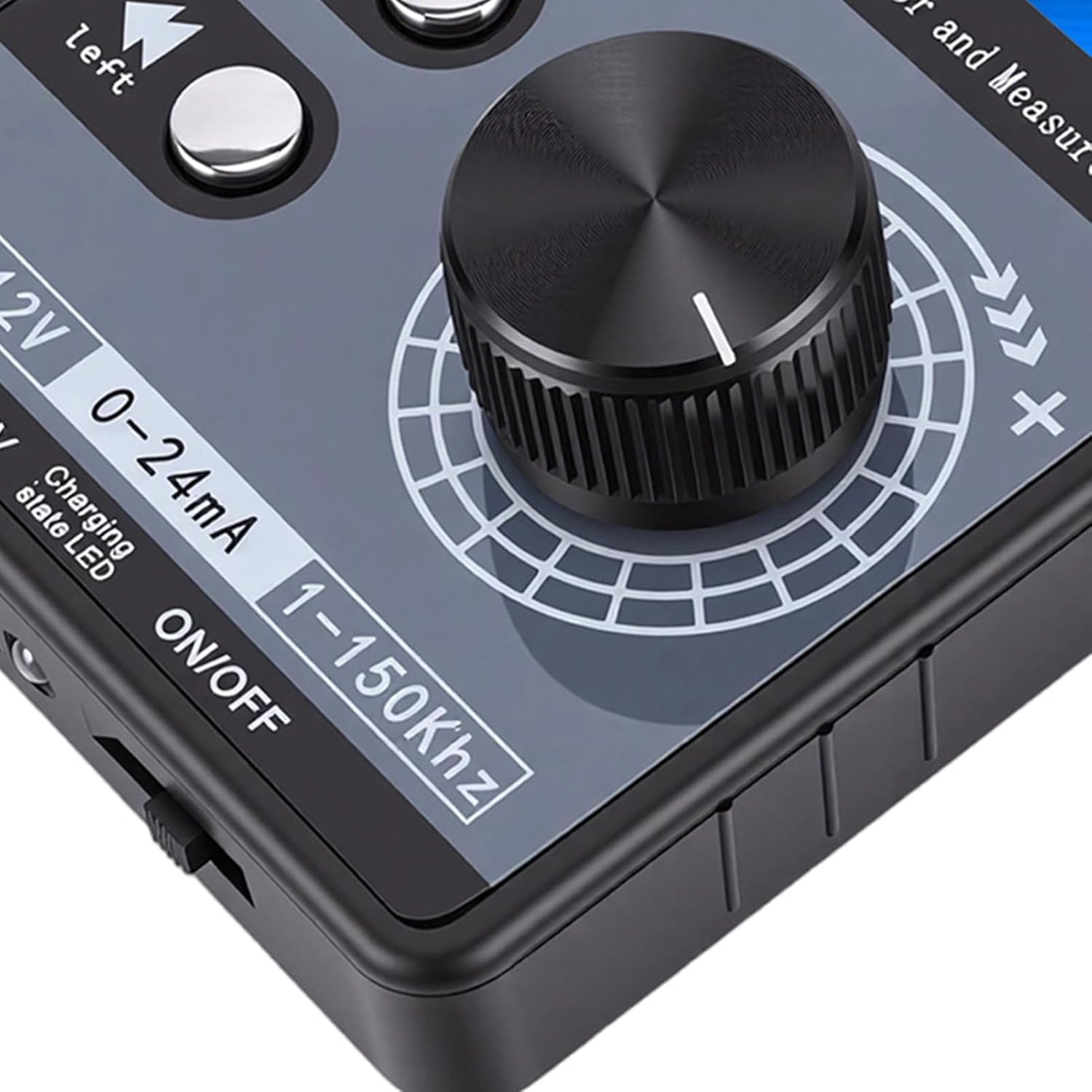
- Digital encoder adjustment knob (with button, can be pressed)
- Ezkerreko maius tekla
- Pizteko etengailua
- Kargaren adierazle argia
- USB ataka
1.3 Elikatze-iturrien aukerak
The signal generator offers flexible power supply methods:
- External 24VDC Terminal: Connect a 24VDC power source to the designated terminals.
- USB C mota: Use the provided USB Type-C cable to connect to a power adapter or computer.
- Rechargeable Li Battery: The device supports an internal rechargeable lithium battery (not included). When a battery is installed, it can be charged via USB Type-C or external 24VDC while in use.

1.3. irudia: Multiple power supply methods for the signal generator.
1.4 Konexio-diagrama
Refer to the following diagram for proper terminal connections. Terminal numbers are read from left to right (1-9).

1.4. irudia: Terminal Connection Diagram.
- GND (1): Power supply negative (input). This is the same as 9-GND and can be arbitrarily connected.
- 24V (2): Power supply positive (input). External power input to power or charge the meter.
- mA i (3): Current signal input positive.
- Vi (4): liburukiatage signal input positive.
- LP+ (5): EXT 24V input (passive mode).
- mA o (6): Current signal output positive. The current output is commonly used in active mode. The output of the meter 6-mAo 9-GND corresponds to positive and negative current input of the PLC.
- Vo (7): liburukiatage signal output positive. The voltage irteera 7-Vo 9-GND corresponds to the positive and negative voltage input of the PLC, or it can be measured directly with a multimeter.
- PWM (8): PWM output positive.
- GND (9): Signal common ground (internal connect to ①-GND).
Current Sink Two-Wire Output: Konektatu 24V + du 5-LP+ terminal of the meter head, and output from the 6-mAo terminal to control the current of the external 24V. The meter head is equivalent to a variable resistor, so it is called passive mode. Direct measurement cannot detect the current, and it can be directly replaced with a passive two-wire pressure/temperature sensor, etc.
2. Funtzionamendu-argibideak
2.1 User Interface and Display
The device features a 2.0-inch TFT color screen (320x240) that displays all values clearly on one screen. It supports both Chinese and English interface switching. The large digital encoder knob allows for easy and precise adjustments.

2.1. irudia: TFT Color Screen Display.

2.2. irudia: Digital Encoder Adjustment Knob.
2.2 DC Voltage eta Korronte Irteera
- liburukiatage DC Analog Output Range: ±12V (with short circuit protection).
- Current DC Analog Output Range: 0-24mA (short circuit protected).
- Irteera doikuntza: Users can freely set the output range, such as 0-20mA, 4-20mA, 0-10V, 0-5V, etc. The corresponding engineering display values can also be set.
2.3 PWM Pulse Square Wave Output
- Maiztasun erregulagarria: 1-150kHz.
- Ziklo erregulagarria: %0-100.
- Maila altua: 5V.
- Aplikazioa: PWM pulse output high level is 5V, low level is 0V. It can directly drive buzzers, LEDs, optocouplers, etc., or connect to 12V/24V systems through external level conversion modules.

2.3. irudia: Signal generator connected and operating.
2.4 Input Measurement
- liburukiatage Neurketa-tartea: ±50V.
- Uneko neurketa-barrutia: ±50mA.
3. Mantentzea
To ensure the longevity and optimal performance of your Luqeeg Signal Generator, follow these maintenance guidelines:
- Garbiketa: Use a soft, dry cloth to clean the device. Avoid using abrasive cleaners or solvents, which can damage the casing edo pantaila.
- Biltegiratzea: Gorde gailua leku fresko eta lehor batean, eguzki-argitik, tenperatura muturrekoetatik eta hezetasun handitik babestuta.
- Manipulazioa: Handle the device with care to prevent physical damage. Avoid dropping it or exposing it to strong impacts.
- Battery Care (if installed): If using a rechargeable Li battery, ensure it is charged regularly, even if not in frequent use, to maintain battery health. Do not expose the battery to extreme heat or puncture it.
- Film babeslea: The surface protective film of the sticker can be peeled off for clearer viewing.
4. Arazoak
This section addresses common issues you might encounter with your signal generator.
- Gailua ez da pizten:
- Egiaztatu ea etengailua "ON" posizioan dagoen.
- Ensure the USB Type-C cable is securely connected and the power source is active.
- If using external 24VDC, verify the power supply is connected correctly to the terminals and is providing the correct voltage.
- If using a rechargeable battery, ensure it is charged.
- Irteera seinalerik ez:
- Verify that the output parameters (voltage, current, PWM frequency, duty cycle) are set correctly on the display.
- Check all connections to the output terminals for proper contact.
- Ensure the device is powered on and functioning.
- Irteerako irakurketa okerrak:
- Confirm that the measurement range is appropriate for the signal being measured.
- Check the calibration settings if custom ranges have been configured.
- Ziurtatu konexio guztiak seguru daudela eta interferentziarik gabe.
- PWM Output Compatibility:
Oharra: The PWM output of this device is not suitable for 12V or 2V systems, as 5V is regarded as a low level in these systems. For such applications, an external level conversion module is required.
5. Zehaztapen Teknikoak
| Ezaugarri | Zehaztapena |
|---|---|
| Produktuaren Materiala | ABS |
| liburukiatage DC Analog Output Range | ±12V (with Short Circuit Protection) |
| liburukiatage Neurketa-eremua | ±50V |
| Current DC Analog Output Range | 0-24mA (Short Circuit Protected) |
| Uneko Neurketa-Eremua | ± 50 mA |
| PWM Pulse Square Wave Output Frequency | 1-150kHz (Adjustable) |
| PWM Pulse Square Wave Output Duty Cycle | 0-100% (Adjustable) |
| PWM High Level | 5V |
| Bistaratzea | 2.0 inch TFT color screen (320x240), supports Chinese and English |
| Kodetzailea | Digital encoder, large knob adjustment |
| Elikatze-metodoak | Terminal external 24VDC / USB Type-C / 1 x Rechargeable Li Battery (not included) |
| Paketearen neurriak | 5.91 x 3.54 x 1.97 hazbete |
| Elementuaren pisua | 7.8 ontza |
| Modelo zenbakia | Luqeegbnay3rfesc |
| ASIN | B0GDFZ67MF |
6. Bermearen informazioa
Luqeeg products are manufactured to high quality standards. This product is covered by a manufacturer's warranty against defects in materials and workmanship. Please refer to the warranty card included with your product or contact Luqeeg customer support for specific warranty terms and conditions. Keep your purchase receipt as proof of purchase for warranty claims.
7. Bezeroarentzako arreta
For technical assistance, troubleshooting, or any questions regarding your Luqeeg Signal Generator, please visit the official Luqeeg store or contact their customer support. You can find more information and contact details at the Luqeeg denda Amazonen.