1. Sarrera
This manual provides essential information for the installation, operation, and maintenance of your TMF13 4PIN Display Dashboard, designed for KUGOO Kukirin G2 Max and G2 Pro electric scooters. Please read these instructions carefully before proceeding with installation or use to ensure proper function and safety.

Image 1.1: The TMF13 4PIN Display Dashboard for KUGOO Kukirin G2 Max/Pro scooters.
2. Produktua amaitu daview
The TMF13 4PIN Display Dashboard is a digital instrument meter designed to provide real-time information about your electric scooter's performance. It features a clear digital display for easy readability and is constructed from high-grade, durable materials.
Ezaugarri nagusiak:
- Bistaratze digitala: Provides clear readability of speed, battery life, riding mode, and other essential metrics.
- Kalitatezko materiala: Crafted from high-grade acrylic, ensuring longevity and reliability under various conditions.
- Bateragarritasuna: Specifically designed for KUGOO Kukirin G2 Max and G2 Pro electric scooters.
- Instalatzeko erraztasuna: Equipped with a 4PIN TMF13 connector for a seamless and direct replacement.
- Tenperatura handiko erresistentzia: Withstands temperatures up to 105℃, enhancing durability in extreme conditions.
3. Konfigurazioa eta instalazioa
Before beginning installation, ensure your scooter is powered off and disconnected from any charging source. It is recommended to wear appropriate safety gear, such as gloves, during the installation process.
Instalazio urratsak:
- Remove Old Dashboard: Carefully disconnect the existing dashboard from your scooter's handlebar. Note the routing of the cables and the type of connector used.
- Deskonektatu kableatuak: Gently unplug the 4PIN connector from the old dashboard. Avoid pulling on the wires directly.
- Muntatu aginte-panela berria: Position the new TMF13 dashboard on the handlebar. Secure it using the integrated mounting clamps. Ziurtatu ondo lotuta dagoela eta ez duela direkzioa edo beste kontrolak oztopatzen.
- Konektatu kableatzea: Connect the scooter's 4PIN cable to the corresponding 4PIN TMF13 connector on the new dashboard. Ensure the connection is secure and fully seated.
- Kableen kudeaketa: Route the cables neatly and securely to prevent them from getting snagged or damaged during operation.
- Proba funtzionaltasuna: Power on your scooter and verify that the new dashboard illuminates and displays information correctly. Check all functions, including speed, battery level, and mode selection.
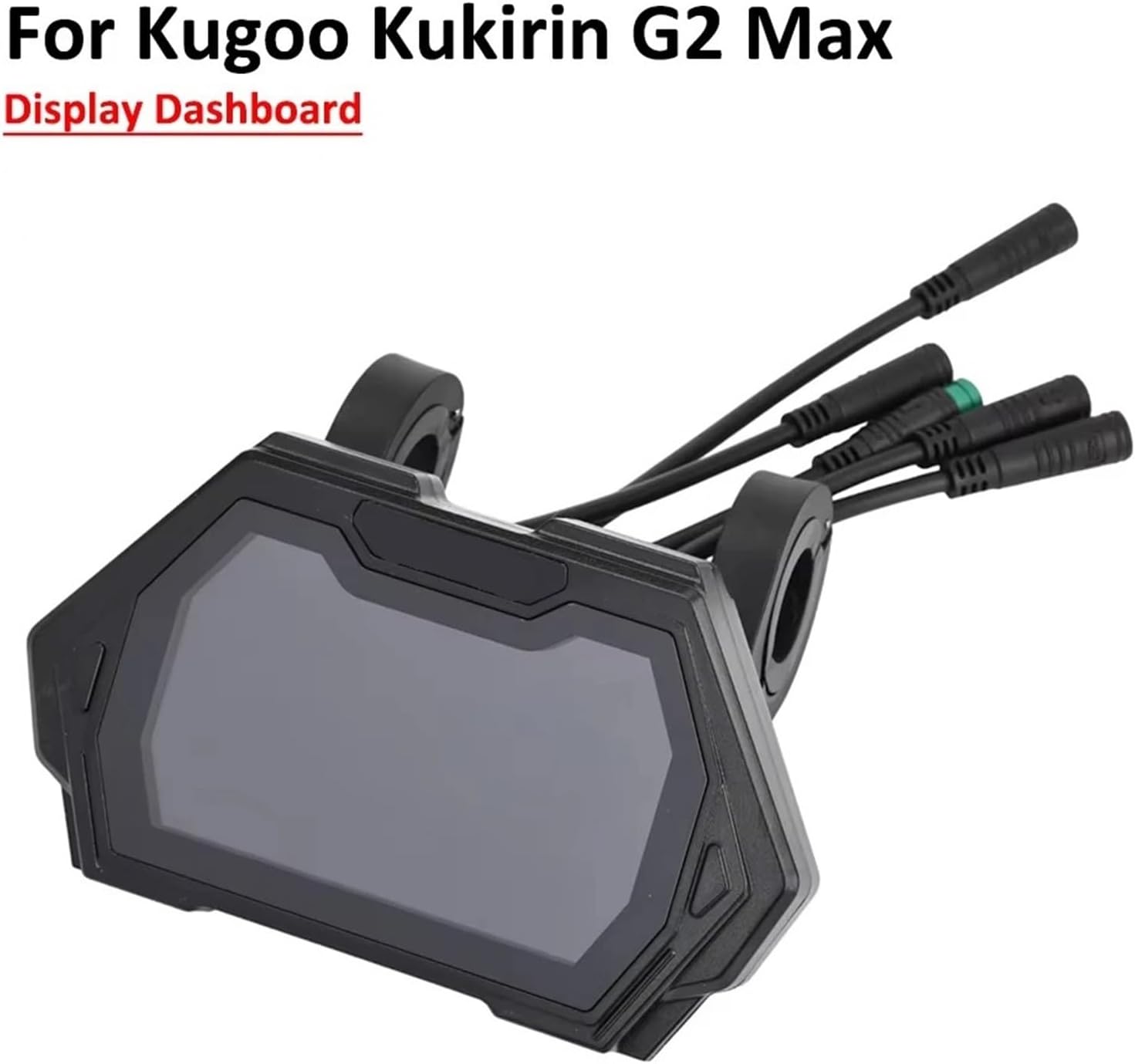
Image 3.1: The TMF13 dashboard correctly installed on a scooter handlebar.
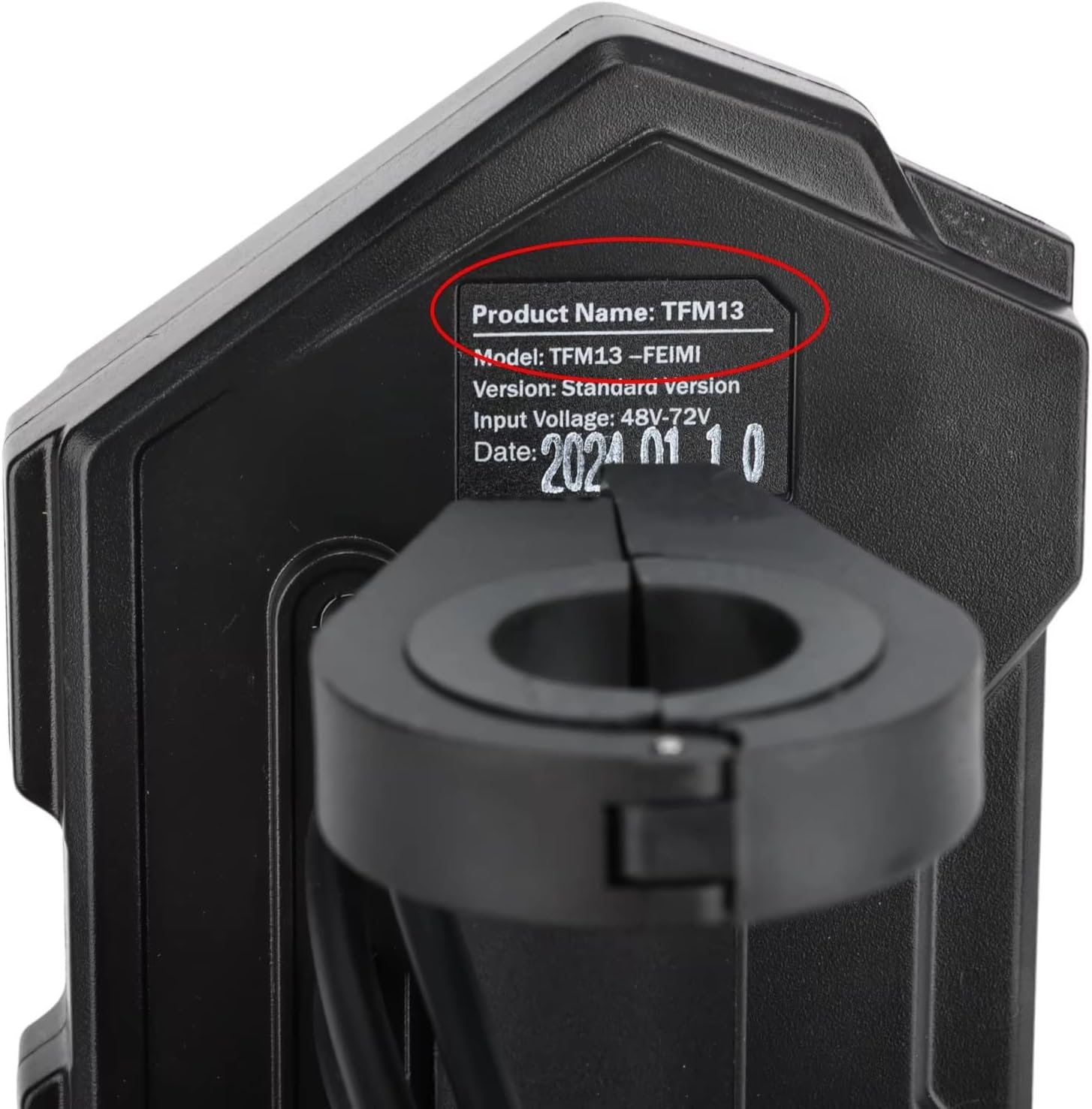
3.2 irudia: Gertuko planoa view of the 4PIN connector, crucial for proper installation.
4. Funtzionamendu-argibideak
The TMF13 display dashboard provides essential information at a glance. Familiarize yourself with the display layout and controls for optimal use.
Bistaratu informazioa:
- Abiadura adierazlea: Uneko bizikleta-abiadura erakusten du.
- Bateria maila: Gainerako bateriaren karga bistaratzen du.
- Ibiltzeko modua: Indicates the selected power or speed mode (e.g., Eco, Standard, Sport).
- Odometer/Trip Meter: Shows total distance traveled or current trip distance.
- Faroen adierazlea: Confirms if headlights are active.

Image 4.1: The TMF13 dashboard displaying various operational data during use.
Kontrolak:
Specific button functions for changing modes, turning on lights, or accessing settings will typically be located on the scooter's handlebar controls, which interface with the dashboard. Refer to your scooter's main user manual for detailed instructions on these controls.
5. Mantentzea
Proper maintenance ensures the longevity and optimal performance of your display dashboard.
Arreta orokorra:
- Garbiketa: Erabili biguna, damp cloth to wipe the display screen. Avoid abrasive cleaners or solvents that could damage the acrylic surface.
- Babesa: While the dashboard is temperature resistant, avoid prolonged exposure to direct sunlight or extreme weather conditions when not in use.
- Konexioaren egiaztapena: Periodically inspect the 4PIN connector and cables for any signs of wear, corrosion, or loose connections. Ensure all connections remain secure.
- Kalte fisikoa: Protect the dashboard from impacts or drops, which can cause internal or external damage.
6. Arazoak
If you encounter issues with your TMF13 display dashboard, refer to the following common problems and solutions:
| Arazoa | Kausa posiblea | Irtenbidea |
|---|---|---|
| Dashboard does not power on. | Loose or disconnected 4PIN cable. Scooter battery is dead. | Check the 4PIN connection. Ensure the scooter battery is charged. |
| Incorrect speed or battery reading. | Sensor malfunction. Loose connection. | Verify all connections are secure. If the problem persists, consult a professional. |
| Pantaila ilun dago edo keinuka ari da. | Low power supply. Internal fault. | Ensure scooter battery is adequately charged. If issue continues, professional inspection may be required. |
Arazoa konpontzeko urratsek ez badute konpontzen, jarri harremanetan bezeroarentzako arreta-zerbitzuarekin edo teknikari kualifikatu batekin.
7. Zehaztapenak
- Produktuaren izena: TMF13 Display Dashboard
- Eredua: TMF13
- Konektore mota: 4 PIN
- Bateragarritasuna: KUGOO Kukirin G2 Max, KUGOO Kukirin G2 Pro Electric Scooters
- Materiala: Akrilikoa
- Tenperatura erresistentzia: Up to 105℃
- Neurriak: Approximately 7.87 x 7.87 x 3.94 inches (Item Package Dimensions)
- Pisua: Approximately 1000 Grams (Package Weight)

Image 7.1: Identification label showing the TMF13 model and input voltagbarrutia.
8. Bermea eta Laguntza
This product is covered by a standard manufacturer's warranty against defects in materials and workmanship. For specific warranty terms and conditions, please refer to the documentation provided with your purchase or contact the seller directly.
For technical support, installation assistance, or warranty claims, please contact the retailer or manufacturer through their official support channels. Provide your purchase details and a clear description of the issue to facilitate a quicker resolution.


