
1. Sarrera
Thank you for choosing the GOBOULT Tenet TWS Earbuds. This manual provides essential information to help you set up, operate, and maintain your earbuds for an optimal audio experience. Please read this manual thoroughly before use and retain it for future reference.
Kutxan dagoena
- GOBOULT Tenet TWS Earbuds (Left and Right)
- Kargatzeko kaxa
- USB motako C kargatzeko kablea
- Belarri-kuxinak (tamaina desberdinak)
- Erabiltzailearen eskuliburua
- Berme Txartela
2. Produktua amaitu daview
Familiarize yourself with the components of your GOBOULT Tenet TWS Earbuds and charging case.
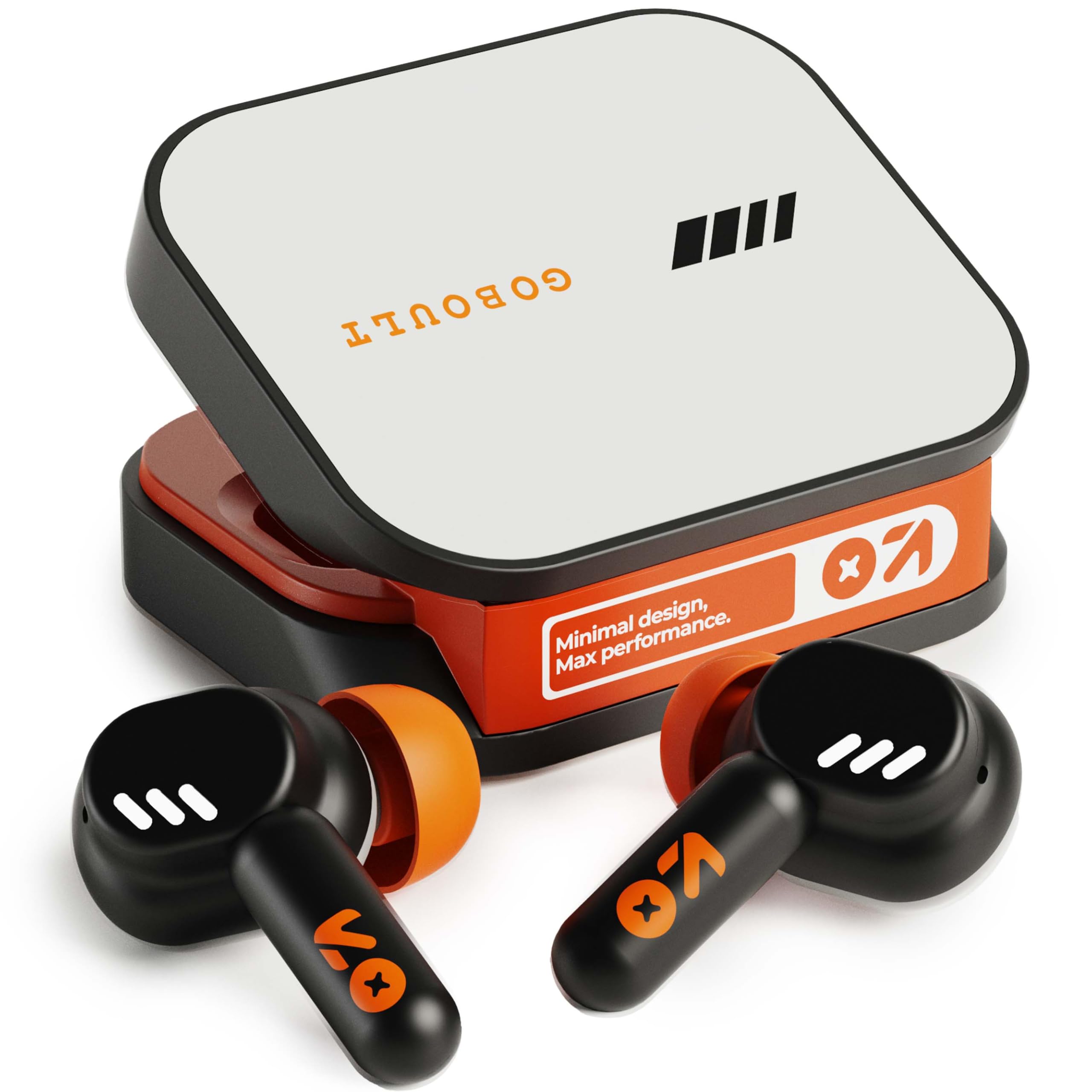
Image: GOBOULT Tenet TWS Earbuds in their charging case, showcasing the Turbo Orange color variant.

Irudia: Hainbat views of the GOBOULT Tenet charging case, highlighting its minimal design and Type-C charging port.
Ezaugarri nagusiak
- 75 orduko erreprodukzio-denbora osoa: Bateriaren iraupen luzeagoa erabilera luzerako.
- Karga azkarra: 10 minutes of charge provides up to 120 minutes of playtime.
- Amp Aplikazioen euskarria: Customize EQ settings and controls via the dedicated application.
- Quad Mic ENC: Environmental Noise Cancellation for clear calls.
- 13 mm-ko kontrolatzaile dinamikoak: Delivers deep bass and balanced audio.
- Gailu bikoitzeko konexioa: Aldatu bi gailu parekatutakoen artean arazorik gabe.
- Bluetooth 5.4: Stable connection with low latency.
- IPX5 urarekiko erresistentea: Splash and sweat-ready design.
3. Konfigurazioa
3.1 Entzungailuak eta zorroa kargatzea
Lehenengo aldiz erabili aurretik, kargatu guztiz entzungailuak eta kargatzeko zorroa.
- Jarri entzungailuak kargatzeko zorroan. Ziurtatu ondo sartuta daudela.
- Connect the USB Type-C charging cable to the charging port on the case and plug the other end into a power source.
- The LED indicator on the case will show charging status. Once fully charged, the indicator will change or turn off depending on the model.
Karga azkarra: A 10-minute charge provides approximately 120 minutes of playtime.

Image: The GOBOULT Tenet earbuds in their charging case, connected via a Type-C cable, illustrating the charging process and fast charging capability.
3.2 Gailu batekin parekatzea
For first-time use, follow these steps to pair your earbuds with your device.
- Ireki kargatzeko zorroa. Aurikularrak automatikoki piztuko dira eta parekatze moduan sartuko dira.
- Zure gailuan (telefono adimenduna, tableta, ordenagailu eramangarria), gaitu Bluetooth-a.
- Bilatu available Bluetooth devices and select "GOBOULT Tenet" from the list.
- Behin konektatuta, ahots-abisu batek parekatzea behar bezala egin dela baieztatuko du.
Gailu bikoitzeko konexioa: The earbuds support simultaneous connection to two devices. After pairing with the first device, disable Bluetooth on it. Pair with the second device. Then, re-enable Bluetooth on the first device. The earbuds should now be connected to both, allowing seamless switching.

Image: The GOBOULT Tenet earbuds and case positioned between a smartphone and a laptop, illustrating the dual device connectivity feature.
4. Funtzionamendu-argibideak
4.1 Piztu/Itzali
- Piztu: Ireki kargatzeko zorroa edo sakatu luze bi entzungailuetako ukipen-eremua 3 segundoz.
- Itzali: Jarri entzungailuak berriro kargatzeko zorroan eta itxi tapa, edo sakatu luze bi entzungailuetako ukipen-eremua 5 segundoz.
4.2 Ukitu Kontrolak
The GOBOULT Tenet earbuds feature intuitive touch controls for various functions.

Image: A close-up of an earbud in an ear, detailing the touch control functions for music, calls, and activation of AI assistance.
| Funtzioa | Ekintza |
|---|---|
| Erreproduzitu/Pausatu musika | Sakatu bakar batean entzungailu batean |
| Hurrengo Pista | Sakatu birritan eskuineko entzungailuan |
| Aurreko Pista | Sakatu bi aldiz ezkerreko entzungailuan |
| Erantzun/Amaitu deia | Sakatu bakar batean entzungailu batean |
| Deia baztertu | Sakatu luze entzungailuetako edozeinetan 2 segundoz |
| Aktibatu ahots-laguntzailea (Siri/Google laguntzailea) | Hiru aldiz sakatu entzungailuetako edozeinetan |
| Toggle Gaming Mode (Combat Mode) | Quadruple tap on either earbud |
4.3 GOBOULT Amp Aplikazioen laguntza
Enhance your listening experience by downloading the GOBOULT Amp App. The app allows for personalized audio settings and controls.
- Custom EQ Modes: Doitu audio-maiztasunak zure lehentasunetara.
- Rename Earbuds: Personalize the Bluetooth name of your earbuds.
- Tailored Widgets: Access quick controls and information.
- Uraren kanporatzea: Utilize this feature to clear water from the earbuds after exposure.

Image: A smartphone displaying the GOBOULT Amp App interface with equalizer settings, alongside the earbuds, demonstrating app customization.
4.4 Entzungailuak janztea
Soinu-kalitate eta erosotasun optimoa lortzeko, ziurtatu egokitzapen egokia dagoela.
- Select the ear tips that best fit your ear canal. Experiment with different sizes for the best seal.
- Gently insert the earbud into your ear, then twist it slightly to secure a snug fit. The "Vacuum Lock Earshell" design is engineered for an air-tight seal.

Image: Diagrams and an illustration showing the proper way to wear the GOBOULT Tenet earbuds for a secure and comfortable fit, highlighting the Vacuum Lock Earshell technology.
4.5 Combat Gaming Mode (Low Latency)
Activate Combat Gaming Mode for a low-latency audio experience, ideal for gaming.
- Aktibazioa: Sakatu laukoitza entzungailu batean.
- This mode reduces audio delay to approximately 45ms, providing synchronized sound with on-screen action.
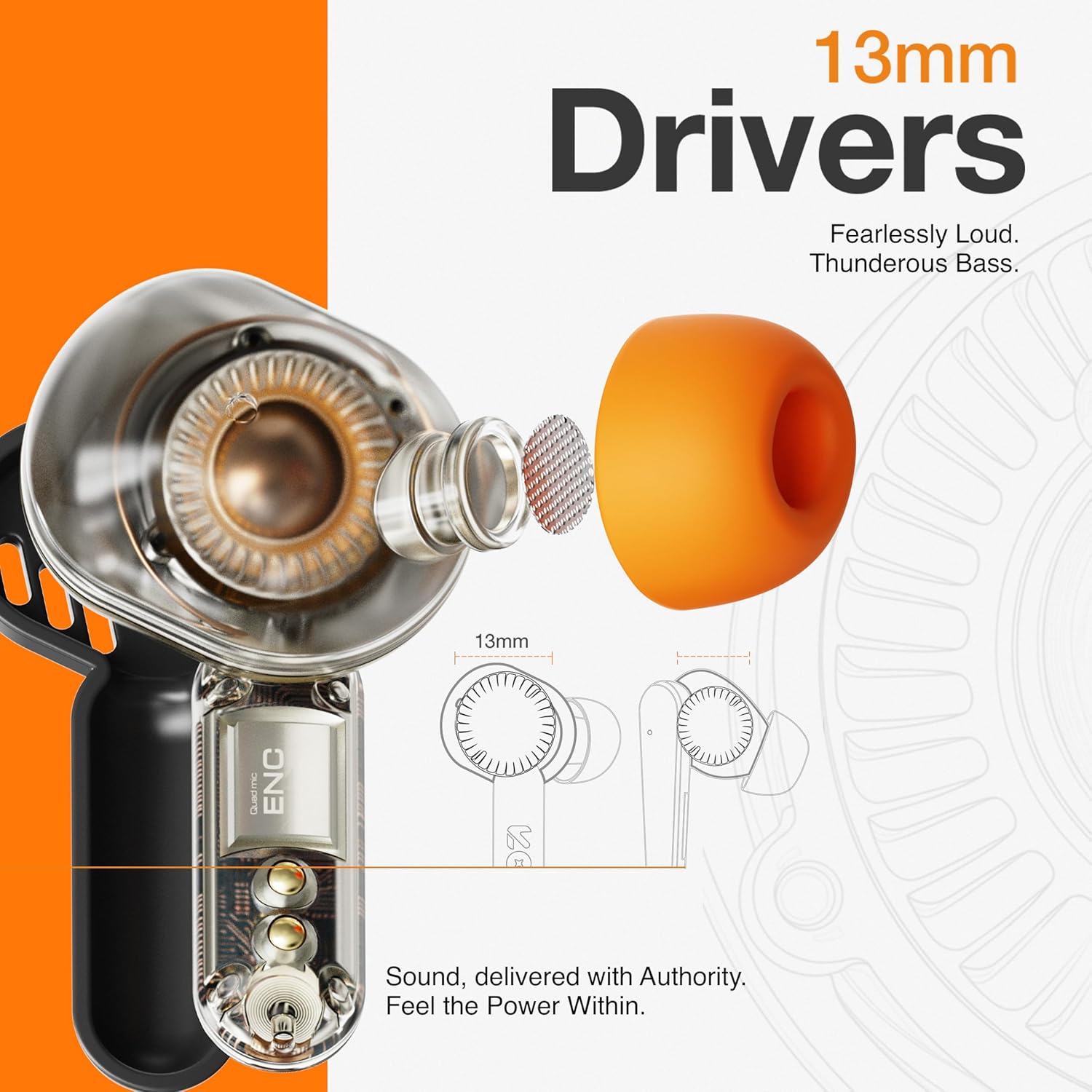
Image: The GOBOULT Tenet earbuds and charging case next to a smartphone and game controller, illustrating Bluetooth 5.4 connectivity and the 45ms ultra-low latency Combat Gaming Mode.
5. Mantentzea
5.1 Garbiketa
Garbiketa erregularrak soinuaren kalitatea eta higienea mantentzen laguntzen du.
- Erabili zapi leun, lehor eta lihorik gabeko bat entzungailuak eta kargatzeko zorroa garbitzeko.
- Kendu belarri-puntak eta garbitu xaboi leun eta urarekin, eta gero ondo lehortu berriro jarri aurretik.
- Use a cotton swab or a small, soft brush to gently clean the speaker mesh and charging contacts.
- Saihestu material urratzaileak, alkohola edo garbitzaile kimikoak erabiltzea.
5.2 Biltegiratzea
Erabiltzen ez dituzunean, gorde entzungailuak kargatzeko zorroan babesteko eta kargatuta mantentzeko.
- Gorde leku fresko eta lehor batean, tenperatura altuetatik eta eguzki-argitik babestuta.
5.3 Urarekiko erresistentzia
The GOBOULT Tenet earbuds are IPX5 water resistant, meaning they are protected against low-pressure water jets from any direction. This makes them suitable for workouts and light rain.
- Ez murgildu entzungailuak uretan.
- Kargatzeko kasuak ez du ura erresistenterik.
- Aurikularrak bustitzen badira, ondo lehortu kargatzeko kaxan berriro sartu aurretik.
6. Arazoak
Entzungailuekin arazoak badituzu, jo ezazu honako ohiko irtenbide hauetara.
| Arazoa | Irtenbidea |
|---|---|
| Entzungailuak ez dira parekatzen | Ensure earbuds are charged. Turn off and on Bluetooth on your device. Forget "GOBOULT Tenet" from your device's Bluetooth list and re-pair. |
| Aurikular bakarra funtzionatzen du | Place both earbuds back in the case, close the lid, then open again. Ensure both earbuds are charged. Perform a factory reset if the issue persists. |
| Bolumen baxua edo soinu-kalitate eskasa | Adjust volume on both earbuds and your connected device. Ensure ear tips provide a snug fit. Clean earbud speaker meshes. Check EQ settings in the Amp Aplikazioa. |
| Aurikularrak ez dira kargatzen | Ensure charging cable is securely connected. Check if the charging port is clean. Verify the power source is working. Ensure earbuds are correctly seated in the case. |
| Konektibitatea maiz jaisten da | Ensure your device is within the 10-meter Bluetooth range. Avoid obstacles between earbuds and device. Disconnect from other Bluetooth devices. |
6.1 Fabrika berrezarri
If issues persist, a factory reset may resolve them. Refer to the specific reset procedure in the Amp App or contact customer support.
7. Zehaztapenak
Technical specifications for the GOBOULT Tenet TWS Earbuds.
| Ezaugarri | Xehetasuna |
|---|---|
| Marka | GOBOULT |
| Ereduaren izena | Tenet (Airbass Earbuds) |
| Belarrien Kokatzea | Belarrian |
| Zarata Kontrola | Environmental Noise Cancellation (ENC), Sound Isolation |
| Bluetooth bertsioa | 5.4 |
| Bluetooth barrutia | 10 metro |
| Audio kontrolatzailearen tamaina | 13 milimetro |
| Maiztasun Erantzuna | 20 Hz - 20,000 Hz |
| Bateriaren batez besteko bizitza | 75 ordu (erreprodukzio-denbora osoa) |
| Bateria kargatzeko denbora | 10 Minutes (for 120 mins playtime) |
| Kontrol-metodoa | Ukitu |
| Uraren Erresistentzia Maila | IPX5 (urarekiko erresistentea) |
| Gailu bateragarriak | Desktops, Gaming Consoles, Laptops, Smart Watch, Tablets |
| Elementuaren pisua | 54.5 Grams (Carrying Case Weight) |
| Itxituraren Materiala | Plastikoa |
8. Bermea eta Laguntza
8.1 Bermearen informazioa
The GOBOULT Tenet TWS Earbuds come with a 1 urteko fabrikatzailearen bermea erosketa-datatik aurrera. Berme honek fabrikazio-akatsak estaltzen ditu. Gorde erosketaren egiaztagiria berme-erreklamazioetarako.
Bermeak ez ditu estaltzen erabilera okerrak, istripuek, baimenik gabeko aldaketek edo ohiko higadurak eragindako kalteak.
8.2 Bezeroarentzako laguntza
For any product-related queries, technical assistance, or warranty claims, please contact GOBOULT customer support through the official webgunea edo berme-txartelean emandako harremanetarako informazioa.


