
1. Sarrera
Thank you for choosing the GOBOULT Tenet TWS Earbuds. This manual provides essential information for setting up, operating, and maintaining your earbuds to ensure optimal performance and longevity. The Tenet earbuds feature Bluetooth 5.4 connectivity, 13mm dynamic drivers, Quad Mic Environmental Noise Cancellation (ENC), and support for the Amp App for personalized audio.
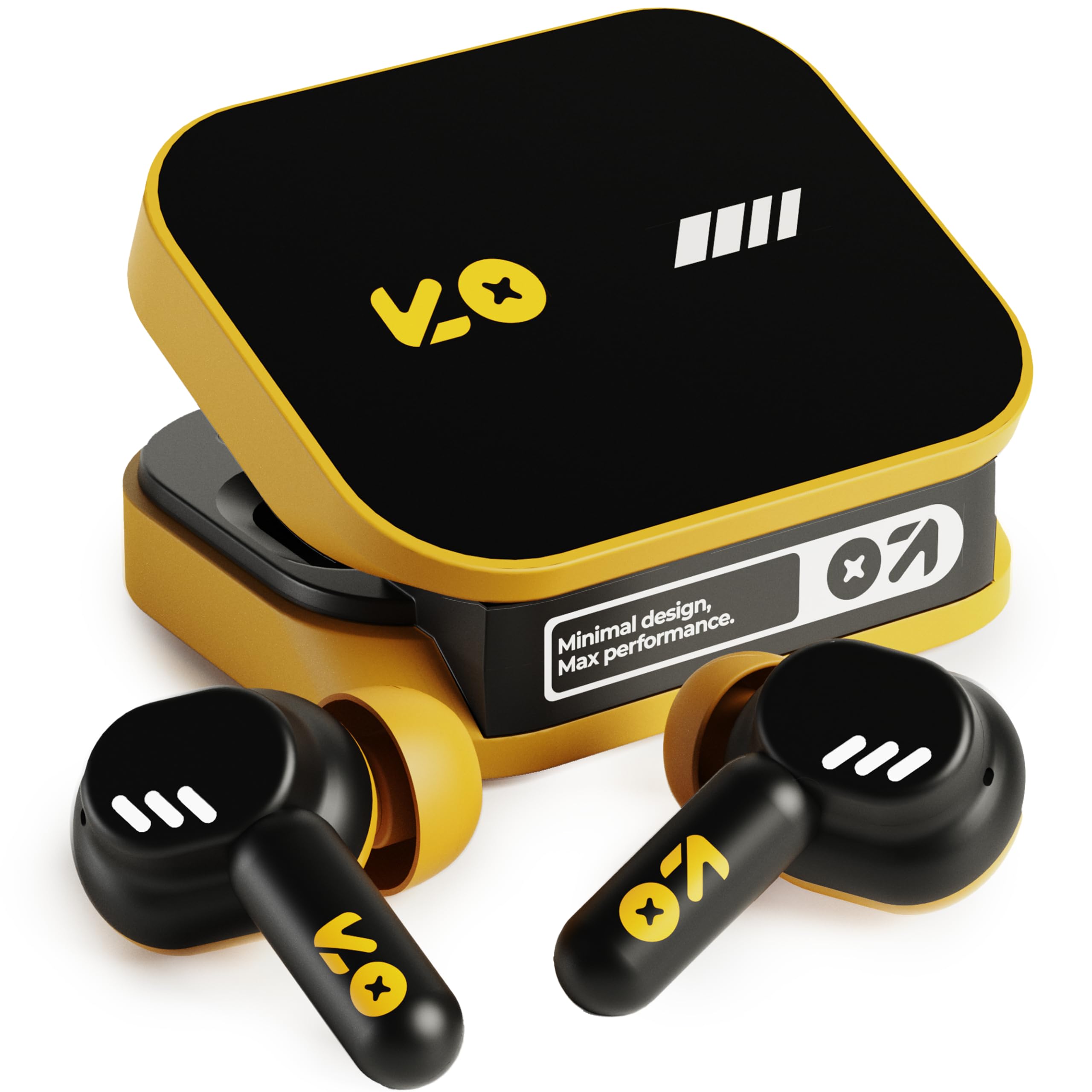
Image: The GOBOULT Tenet TWS Earbuds in Solar Yellow, shown with their charging case.
2. Paketearen edukia
Egiaztatu elementu hauek guztiak zure paketean sartuta daudela:
- GOBOULT Tenet TWS Earbuds (Left and Right)
- Kargatzeko kaxa
- USB motako C kargatzeko kablea
- Belarri-kuxinak (tamaina desberdinak)
- Erabiltzailearen eskuliburua (dokumentu hau)
- Berme Txartela
3. Konfigurazioa
3.1. Entzungailuak eta zorroa kargatzea
Before first use, fully charge the earbuds and the charging case. The case provides extended battery life for the earbuds.
- Jarri bi entzungailuak kargatzeko zorroan, behar bezala sartuta daudela ziurtatuz.
- Connect the provided USB Type-C charging cable to the charging port on the case and to a compatible USB power source (e.g., wall adapter, computer USB port).
- The indicator light on the charging case will show the charging status. Refer to the LED indicator guide in the operating section for details.
- A full charge provides up to 75 hours of total playtime with the charging case. A quick 10-minute charge can provide up to 120 minutes of playtime.

Image: The GOBOULT Tenet earbuds in their open charging case, illustrating the USB-C charging port and battery life.
3.2. Entzungailuak jartzea
Proper fit is crucial for sound quality and comfort. The earbuds feature a 'Vacuum Lock Earshell' design for a secure fit.
- Select the ear cushions that best fit your ears. Different sizes are provided.
- Sartu aurikularrak astiro-astiro belarri-hodian.
- Twist slightly to ensure a snug and comfortable seal. This helps optimize audio performance and noise isolation.

Image: A diagram illustrating the 'Vacuum Lock Earshell' design and how the earbud sits securely in the ear.
4. Funtzionamendu-argibideak
4.1. Piztu/Itzali
- Piztu: Ireki kargatzeko kaxa eta entzungailuak automatikoki piztuko dira.
- Itzali: Jarri entzungailuak berriro kargatzeko zorroan eta itxi tapa. Automatikoki itzali eta kargatzen hasiko dira.
4.2. Bluetooth parekatzea
The GOBOULT Tenet earbuds use Bluetooth 5.4 for stable and efficient connection.
- Ziurtatu entzungailuak kargatuta daudela eta kargatzeko zorroaren barruan daudela.
- Open the charging case. The earbuds will enter pairing mode, indicated by flashing LED lights.
- Zure gailuan (telefono adimenduna, tableta, ordenagailu eramangarria), gaitu Bluetooth-a.
- Bilatu available Bluetooth devices and select "GOBOULT Tenet" from the list.
- Once connected, the earbud indicator lights will stop flashing.
4.3. Dual Device Connectivity
The earbuds support dual device pairing, allowing seamless switching between two connected devices.
- Parekatu entzungailuak zure lehenengo gailuarekin (adibidez, telefonoarekin) goian azaldu bezala.
- Deskonektatu entzungailuak lehenengo gailuaren Bluetooth ezarpenetatik (ez desegin parekatzea).
- Pair the earbuds with your second device (e.g., laptop).
- Reconnect the earbuds to the first device from its Bluetooth settings. The earbuds are now connected to both devices.
- To switch between devices, simply pause audio on one device and play on the other.

Image: The GOBOULT Tenet earbuds and charging case positioned between a smartphone and a laptop, demonstrating dual device connectivity.
4.4. Ukitu Kontrolak
The earbuds feature intuitive touch controls for music playback, call management, and voice assistant activation.
| Funtzioa | Ekintza |
|---|---|
| Erreproduzitu/Pausatu | Sakatu bakar batean entzungailu batean |
| Hurrengo Pista | Sakatu birritan eskuineko entzungailuan |
| Aurreko Pista | Sakatu bi aldiz ezkerreko entzungailuan |
| Erantzun/Amaitu deia | Sakatu bakar batean entzungailu batean |
| Deia baztertu | Luze sakatu bi entzungailuetan |
| Aktibatu ahots-laguntzailea (Siri/Google laguntzailea) | Hiru aldiz sakatu entzungailuetako edozeinetan |

Image: An illustration detailing the touch controls for music and calls, along with information on intelligent AI assistance and IPX5 water resistance.
4.5. Erabiliz Amp Aplikazioa
Personalize your listening experience with the dedicated Amp Aplikazioa.
- Download the "Amp App" from your device's app store.
- Connect your GOBOULT Tenet earbuds to your device via Bluetooth.
- Ireki Amp App. It will automatically detect your earbuds.
- Within the app, you can customize EQ settings (e.g., Rock, Jazz, Natural, Bass), rename your earbuds, and access tailored widgets.

Image: The GOBOULT Amp App interface displayed on a smartphone, showing custom EQ modes and other personalization options for the earbuds.
4.6. Call Management (Quad Mic ENC)
The Quad Mic Environmental Noise Cancellation (ENC) ensures clear calls by reducing background noise.
- Use the touch controls (Section 4.4) to answer, end, or reject calls.
- The four integrated microphones work to isolate your voice from ambient sounds, providing clear communication even in noisy environments.
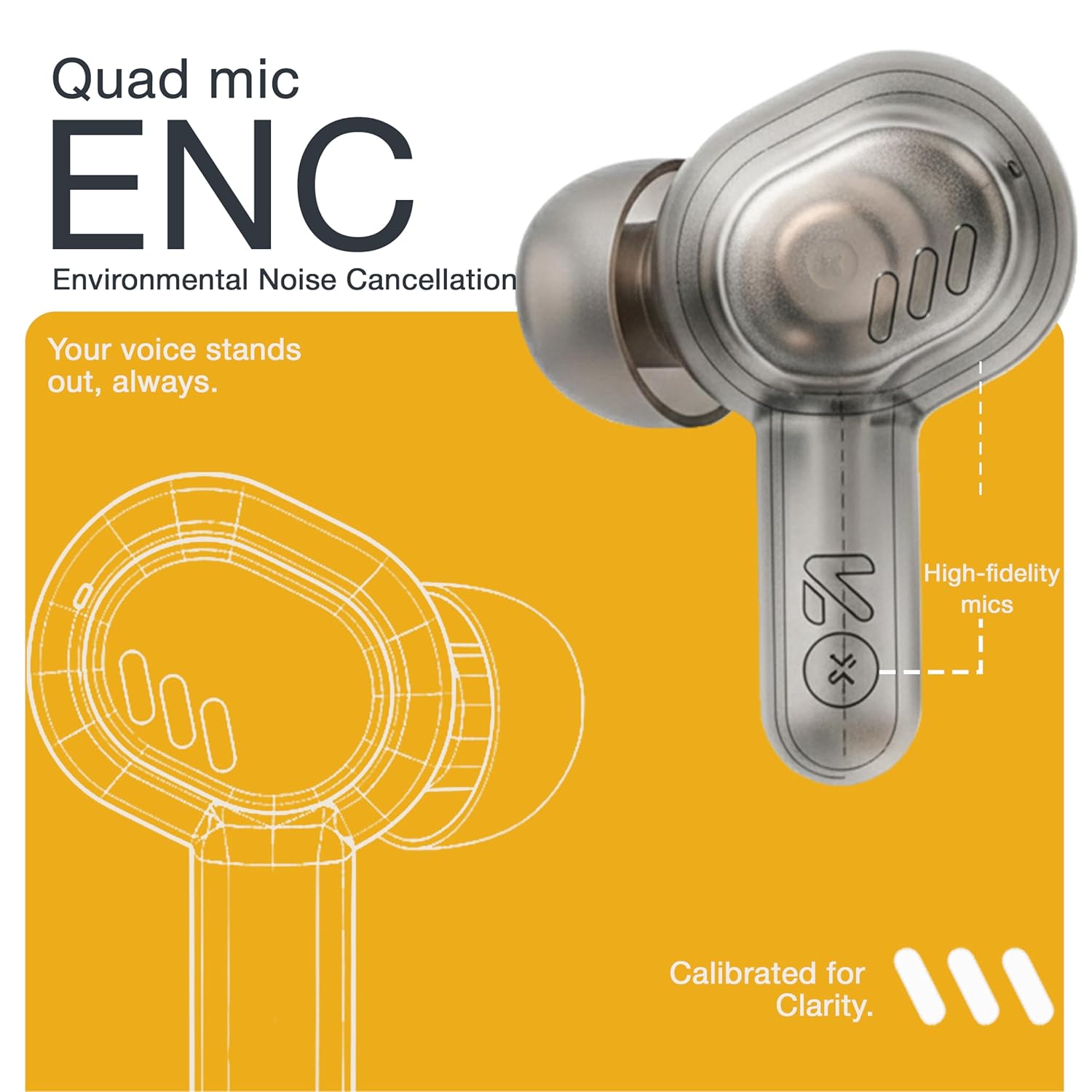
Image: A detailed diagram highlighting the Quad Mic ENC system within the earbud, designed for clear voice transmission.
4.7. Audio Performance (13mm Drivers)
The GOBOULT Tenet earbuds are equipped with 13mm dynamic drivers for a rich audio experience.
- Experience deep bass, clear vocals, and balanced audio across various music genres.
- Soinu profesionala doitufile further using the Amp App's equalizer settings.

Irudia: Leherketa bat view diagram of the earbud, showcasing the 13mm dynamic driver responsible for audio output.
4.8. Urarekiko erresistentzia
The earbuds are IPX5 water resistant, making them suitable for workouts and light splashes.
- IPX5 rating means the earbuds can resist a sustained, low-pressure water jet spray.
- Do not submerge the earbuds in water or expose them to heavy rain.
- Kargatzeko kasuak ez du ura erresistenterik.
5. Mantentzea
5.1. Garbiketa
- Garbitu aldizka entzungailuak eta kargatzeko zorroa oihal leun, lehor eta lihorik gabeko batekin.
- Remove ear cushions and clean them with mild soap and water if necessary, ensuring they are completely dry before reattaching.
- Ez erabili garbitzaile urratzailerik, alkoholik edo disolbatzaile kimikorik.
- Ziurtatu entzungailuen eta zorroaren kargatzeko kontaktuak garbi eta hondakinik gabe daudela.
5.2. Biltegiratzea
- Erabiltzen ez dituzunean, gorde entzungailuak kargatzeko zorroan babesteko eta kargatuta mantentzeko.
- Gorde gailua leku fresko eta lehor batean, muturreko tenperaturetatik eta eguzki-argitik babestuta.
5.3. Bateria zaintzea
- To prolong battery life, avoid fully discharging the earbuds and case frequently.
- Kargatu gailua aldizka, maiz erabiltzen ez bada ere, deskarga sakonak saihesteko.
6. Arazoak
| Arazoa | Irtenbide posiblea |
|---|---|
| Entzungailuak ez dira parekatzen |
|
| Ez dago soinurik entzungailu batetik |
|
| Kargatzeko arazoak |
|
| Bolumen baxua edo soinu-kalitate eskasa |
|
| Ahots-laguntzaileak ez du erantzuten |
|
7. Zehaztapenak
| Ezaugarri | Xehetasuna |
|---|---|
| Marka | GOBOULT |
| Ereduaren izena | Tenet (Airbass) |
| Modelo zenbakia | Airbass Earbuds |
| Belarrien Kokatzea | Belarrian |
| Zarata Kontrola | Environmental Noise Cancellation (ENC), Sound Isolation |
| Bluetooth bertsioa | 5.4 |
| Bluetooth barrutia | Gehienez 10 metro |
| Audio kontrolatzailearen tamaina | 13 milimetro |
| Maiztasun barrutia | 20 Hz - 20,000 Hz |
| Sentikortasuna | 105 dB |
| Battery Average Life (with case) | Gehienez 75 ordu |
| Karga azkarra | 10 minutuko karga 120 minutuko erreprodukzio-denborarako |
| Kargatzeko ataka | USB C motakoa |
| Uraren Erresistentzia Maila | IPX5 (aurikularretarako soilik) |
| Kontrolagailu mota | Touch, Google Assistant, Siri |
| Gailu bateragarriak | Desktops, Gaming Consoles, Laptops, Smart Watch, Tablets |
| Elementuaren pisua | 54.5 Grams (Case + Earbuds) |
| Jatorrizko Herrialdea | Txina |
8. Bermea eta laguntza
8.1. Bermearen informazioa
The GOBOULT Tenet TWS Earbuds come with a 1-Year Manufacturer's Warranty from the date of purchase. This warranty covers manufacturing defects.
- Gorde erosketa-agiria erosketaren frogagiri gisa, berme-erreklamazioetarako.
- Bermeak ez ditu estaltzen erabilera okerrak, istripuek, baimenik gabeko aldaketek edo ohiko higadurak eragindako kalteak.
8.2. Bezeroarentzako arreta
For any queries, technical assistance, or warranty claims, please contact GOBOULT customer support.
- Fabrikatzailea: Exotic Mile Private Limited, B-67 Wazirpur Industrial Area, New Delhi 110052
- Inportatzailea: Exotic Mile Pvt. Ltd., B67 Wazirpur Industrial Area, New Delhi 110052
- Refer to the contact information provided on your warranty card or the official GOBOULT webgunea laguntza-kanal eguneratuenetarako.


