
1. Sarrera
This manual provides essential information for setting up, operating, maintaining, and troubleshooting your FUNYET NY-14 Laptop. Please read this manual thoroughly before using your device to ensure proper function and longevity.
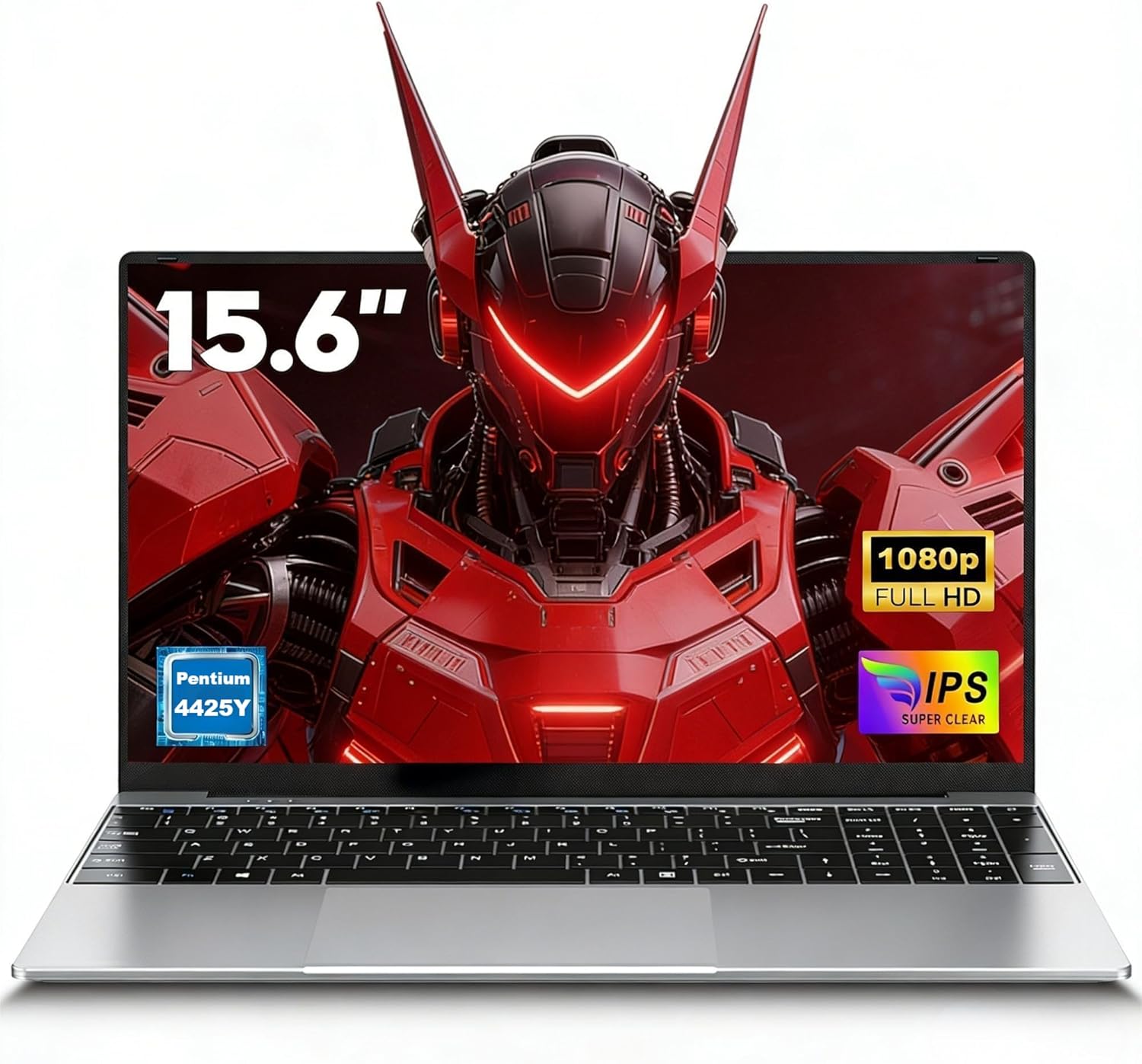
Image 1.1: The FUNYET NY-14 Laptop in a closed position, showcasinbere diseinu dotorea.
2. Paketearen edukia
Egiaztatu elementu guztiak paketean daudela:
- 1 × FUNYET NY-14 Laptop (Intel 4425Y)
- 1 × 12V2A DC Adapter
- 1 × Instruction Manual (this document)
- 1 × Berme Txartela
3. Konfigurazioa
3.1 Hasierako kargatzea eta piztea
- Connect the provided 12V2A DC adapter to the laptop's DC power port and a power outlet.
- Allow the laptop to charge for at least 30 minutes before initial use.
- Press and hold the power button for a few seconds until the screen illuminates to power on the device.
3.2 Sistema eragilearen konfigurazioa (Windows 11 Pro)
Upon first boot, you will be guided through the Windows 11 Pro setup process. Follow the on-screen instructions to configure:
- Hizkuntza eta Eskualdea
- Sare konexioa (Wi-Fi)
- Microsoft account login or local account creation
- Pribatutasun-ezarpenak
3.3 Keyboard Configuration
The laptop may come with a non-Italian keyboard layout. To adjust this:
- Go to Windows Settings > Time & Language > Language & Region.
- Add your preferred keyboard layout (e.g., Italian).
- Physical keyboard stickers may be provided to visually match the desired layout. Apply these carefully if needed.
4. Funtzionamendu-argibideak
4.1 Energiaren kudeaketa
- Piztu: Eduki sakatuta pizteko botoia.
- Lo egiteko modua: Briefly press the power button or close the lid.
- Itzali: Click Start > Power > Shut down in Windows.
- Berrabiarazi: Click Start > Power > Restart in Windows.
4.2 Pantaila eta irudiak
The FUNYET NY-14 features a 15.6-inch Full HD (1920x1080) IPS display, offering clear visuals and wide viewing angles. The 180° hinge allows for flexible screen positioning, useful for sharing content.

Image 4.1: Visual representation of the 15.6-inch Full HD IPS display with features like 1920P resolution, True HD View, IPS technology, and Eyes Protection.
4.3 Konektibitatea
- Wi-Fi: Supports Wi-Fi 5 (802.11ac) for stable and fast internet connection. Connect via Windows network settings.
- Bluetootha: Features Bluetooth 4.2 for connecting wireless peripherals like mice, keyboards, headphones, or speakers. Enable Bluetooth in Windows settings to pair devices.
4.4 Ports and External Devices
Ordenagailu eramangarriak kanpoko gailuak konektatzeko hainbat ataka eskaintzen ditu:
- USB 3.0 portuak (x2): For high-speed data transfer with USB drives, external hard drives, and other USB peripherals.
- Mini HDMI Port (x1): Connect to external monitors or projectors for extended display. An adapter may be required.
- TF Card Slot (MicroSD): Insert a TF (MicroSD) card for additional storage or data transfer.
- 3.5 mm aurikularretarako konektua: Entzungailuak edo kanpoko bozgorailuak konektatzeko.
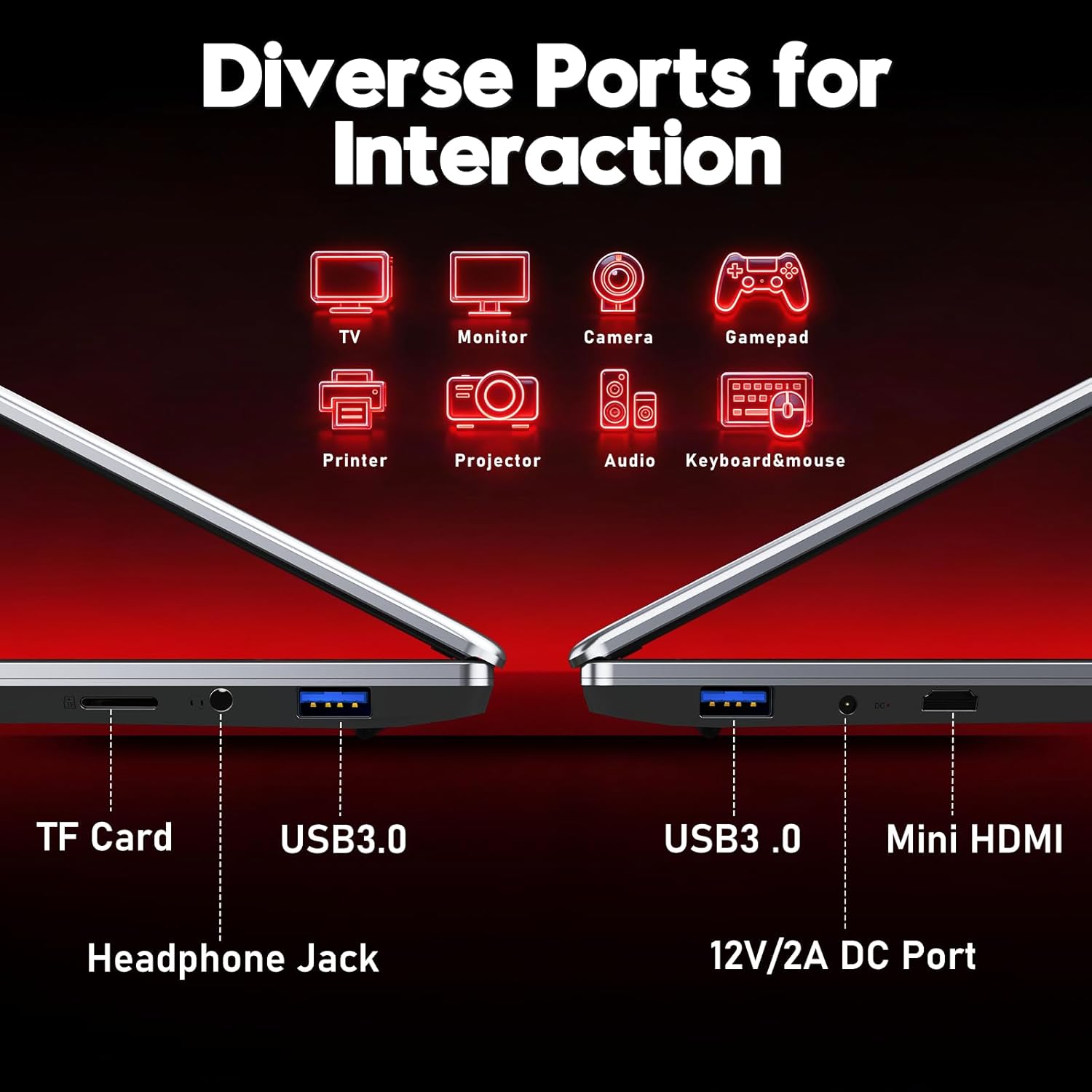
4.2. irudia: Amaituview of the laptop's diverse ports, including TF Card slot, Headphone Jack, USB 3.0, Mini HDMI, and DC Power port.
4.5 Webkamera eta mikrofonoa
The integrated 1MP front camera and microphone are suitable for video calls and online meetings.
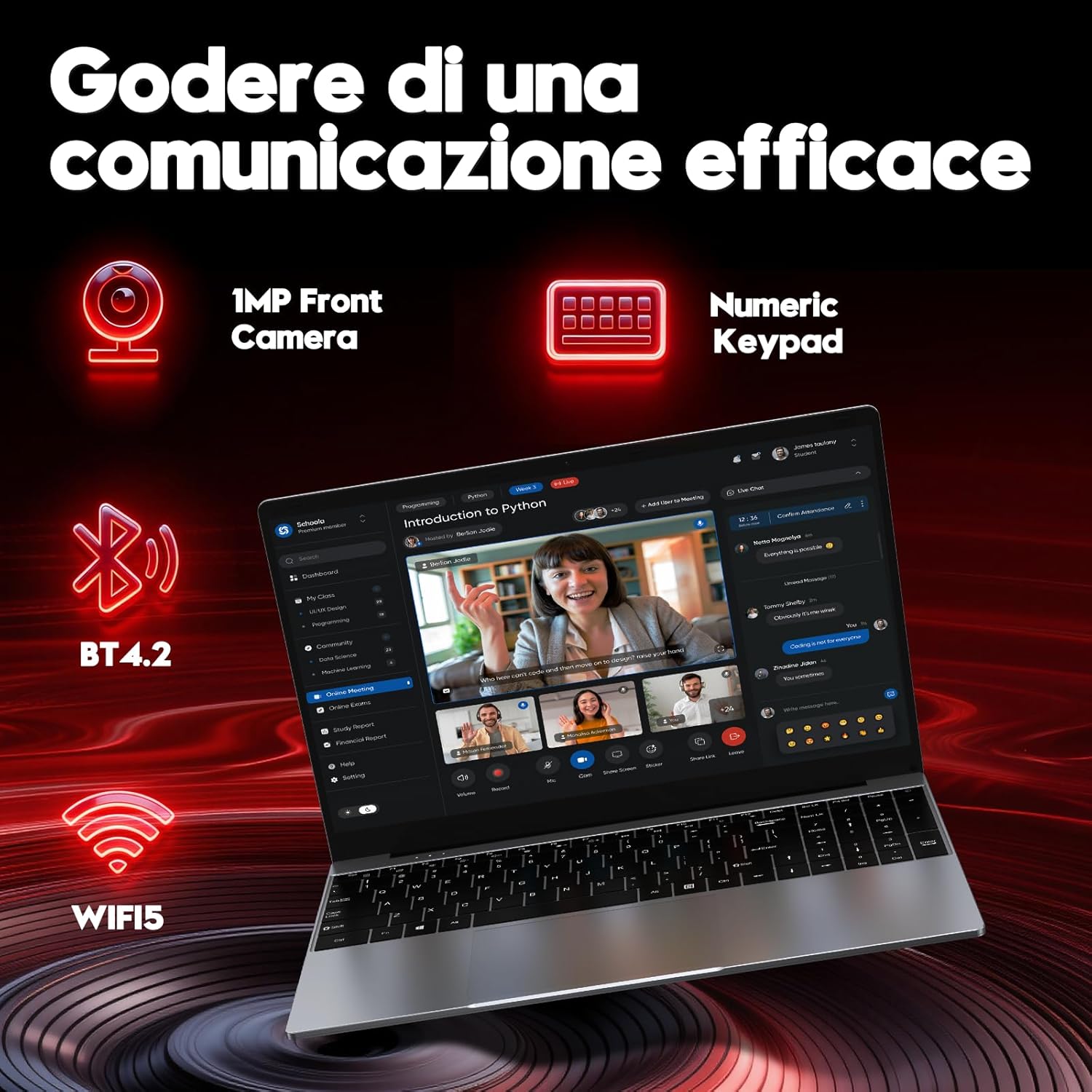
Image 4.3: Features for effective communication, highlighting the 1MP front camera, numeric keypad, Bluetooth 4.2, and Wi-Fi 5 connectivity.
4.6 Bateriaren erabilera
The laptop is equipped with a 5000mAh battery. For optimal battery life:
- Saihestu bateria maiz erabat deskargatzea.
- Gorde ordenagailu eramangarria leku fresko eta lehor batean erabiltzen ez duzunean.
- Adjust power settings in Windows to optimize battery consumption.

Image 4.4: Illustration emphasizing the 5000mAh battery capacity designed for extended use.
4.7 Teklatua eta ukipen-panela
The laptop features a full-size keyboard with a numeric keypad for efficient data entry. The touchpad supports multi-touch gestures for navigation.
5. Mantentzea
5.1 Garbiketa
- Erabili zapi leun eta lihorik gabeko bat pantaila eta kanpoko gainazalak garbitzeko.
- Marka egoskorretarako, dampen the cloth slightly with water or a screen-safe cleaner.
- Saihestu produktu kimiko gogorrak, material urratzaileak edo gehiegizko hezetasuna.
5.2 Software eguneraketak
Regularly check for and install Windows updates to ensure system stability, security, and performance. Go to Settings > Windows Update.
5.3 Biltegiratze kudeaketa
The 256GB SSD provides fast performance. To maintain optimal speed:
- Avoid filling the SSD to full capacity. Leave some free space for system operations.
- Ezabatu beharrezkoak ez direnak aldizka files eta desinstalatu erabiltzen ez diren aplikazioak.
6. Arazoak
Atal honek aurki ditzakezun arazo ohikoenei heltzen die.
6.1 Energia arazoak
- Ordenagailu eramangarria ez da pizten: Ensure the power adapter is securely connected and the battery has sufficient charge. Try holding the power button for 10-15 seconds for a hard reset.
- Bateria azkar agortzen da: Check power settings in Windows. Reduce screen brightness, close unnecessary applications, and disconnect unused peripherals.
6.2 Bistaratzeko arazoak
- Ez dago pantailarik: Connect an external monitor via Mini HDMI to check if the issue is with the laptop's screen or the system.
- Pantaila keinukaria: Update graphics drivers or adjust display refresh rate in Windows settings.
6.3 Konexio arazoak
- Wi-Fia ez da konektatzen: Ziurtatu Wi-Fia gaituta dagoela Windows ezarpenetan. Berrabiarazi bideratzailea eta ordenagailu eramangarria.
- Bluetooth gailua ez da parekatzen: Ensure Bluetooth is enabled on both devices and they are in pairing mode. Remove and re-add the device in Windows settings.
6.4 System Errors
- Frequent crashes or blue screens: This can indicate software conflicts or hardware issues. Try reinstalling Windows if the problem persists after driver updates. If the issue continues, contact support.
7. Zehaztapenak
Detailed technical specifications for the FUNYET NY-14 Laptop (Intel 4425Y).

7.1. irudia: Amaituview of key specifications including processor, ports, display, battery, and graphics.
| Ezaugarri | Zehaztapena |
|---|---|
| Marka | FUNYET |
| Ereduaren izena | NY-14 |
| Prozesadorea | Intel Core 4425Y (1.7 GHz) |
| Processor Cores/Threads | 2 Nukleo / 4 Hari |
| RAM | 8 GB DDR3 SDRAM |
| Biltegiratzea | 256 GB SSD (eSATA Interface) |
| Bistaratzeko tamaina | 15.6 hazbete |
| Bistaratzeko ebazpena | 1920 x 1080 pixel (Full HD IPS) |
| Grafikoak | Intel UHD Graphics 615 integratua |
| Sistema eragilea | Windows 11 Pro |
| Haririk gabeko konexioa | Wi-Fi 5 (802.11ac), Bluetooth 4.2 |
| Portuak | 2x USB 3.0, 1x Mini HDMI, 1x DC Power, 1x 3.5mm Headphone Jack, 1x TF Card Slot |
| Bateria Edukiera | 5000 mAh |
| Pisua | 1.6 kilogramo |
| Kolorea | Zilarrezkoa |
| Ezaugarri bereziak | HD Audio, Lightweight, Memory card slot, Numeric keypad, 180° hinge |
8. Bermea eta Laguntza
8.1 Bermearen informazioa
Your FUNYET NY-14 Laptop comes with a warranty. Please refer to the included Warranty Card for details on coverage, terms, and conditions. Keep your proof of purchase for warranty claims.
8.2 Laguntza Teknikoa
For technical assistance or if you encounter issues not covered in this manual, please contact the seller, Caiyue Electronics, through the Amazon platform. They can provide support and guidance for your device.