
1. Produktua amaitu daview
The Hunter ZenTech 52 Inch Smart Ceiling Fan (Model 53638) is designed for both indoor and covered outdoor spaces, offering quiet, efficient performance with advanced smart home integration. This 5-blade fan features a slim DC motor, adjustable LED lighting with TrueLight technology, and Wi-Fi connectivity for control via the HunterSMART app, Amazon Alexa, Google Assistant, and Apple HomeKit. It is ENERGY STAR certified and damp-rated for versatile use.
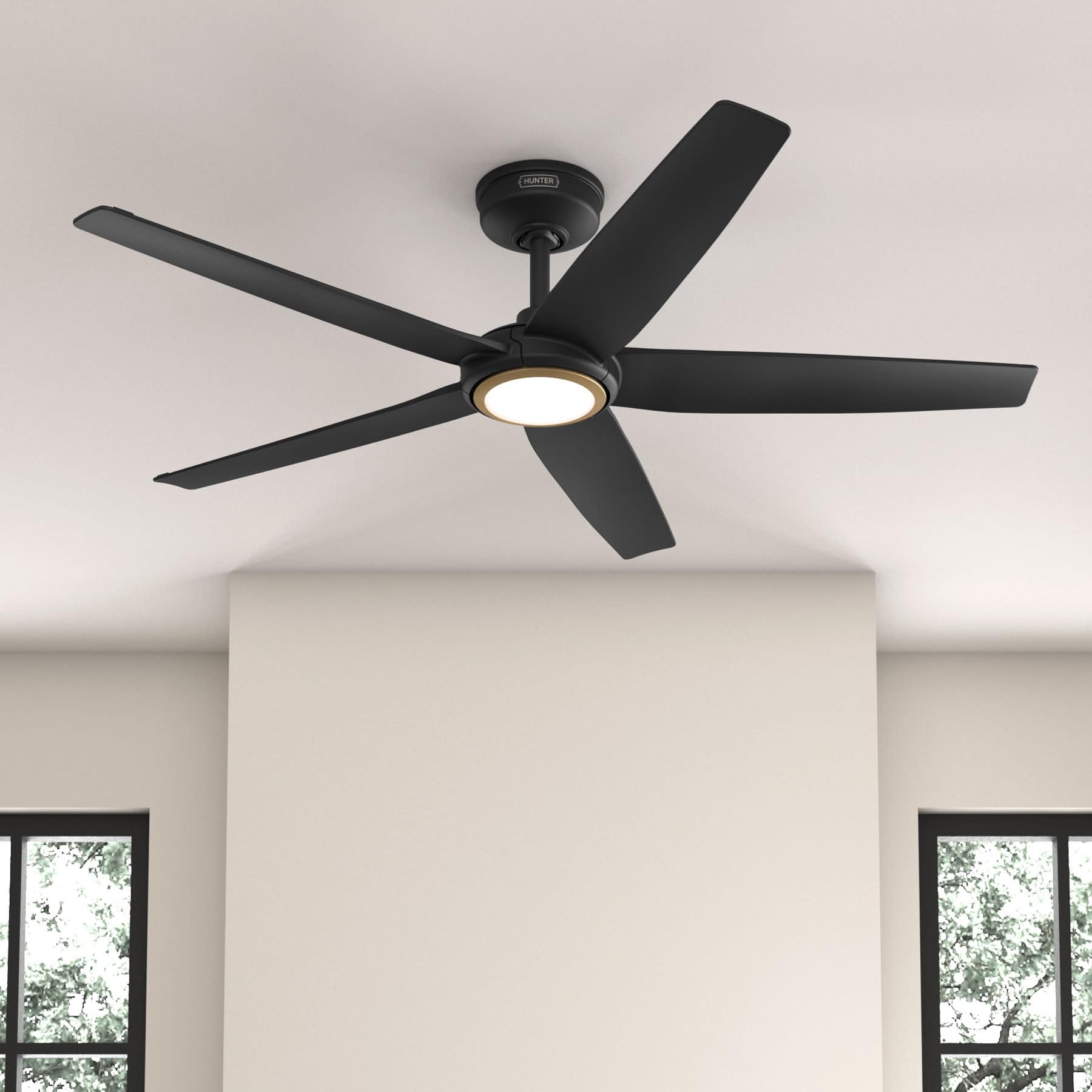
Figure 1: Hunter ZenTech 52 Inch Smart Ceiling Fan (Matte Black)
Ezaugarri nagusiak:
- Diseinu aurreratua: Ultra-slim DC motor for powerful, quiet airflow and a modern aesthetic.
- Etxe adimendunaren integrazioa: HunterSMART technology for app and voice control via Amazon Alexa, Google Assistant, and Apple HomeKit.
- LED argiztapen erregulagarria: TrueLight LED offers 10 brightness levels and 10 color temperatures, protected by a durable Duralight lens.
- SureSpeed Guarantee: Delivers strong, consistent airflow with quiet, wobble-free performance.
- Energia eraginkorra: ENERGY STAR certified reversible 6-speed DC motor.
- Damp Balorazioa: Suitable for indoor and covered outdoor areas.
2. Segurtasun-argibide garrantzitsuak
Irakurri arretaz argibide guztiak instalazioa hasi aurretik. Argibide hauek jarraitzen ez badira, deskarga elektrikoak, sua edo lesio pertsonalak gerta daitezke.
- Deskonektatu beti zirkuitu-etengailu nagusian korrontea instalazioa edo mantentze-lanak egin aurretik.
- Ensure all electrical connections comply with local codes and ordinances. If you are unfamiliar with electrical wiring, consult a qualified electrician.
- Muntatzeko egiturak haizagailuaren pisua (14.11 lb inguru) eusteko gai izan behar du.
- Do not bend blade brackets during installation or cleaning.
- Mantendu eskuak haizagailuaren paletatik urrun haizagailua martxan dagoenean.
- Fan hau damp-rated for use in covered outdoor areas but should not be exposed directly to water.
3. Paketearen edukia
Instalazioa hasi aurretik, egiaztatu behean zerrendatutako osagai guztiak zure paketean daudela.
- Sabaiko haizagailuaren motorraren karkasa
- 5 haizagailu-pala
- Light Kit with Duralight Lens
- 6 hazbeteko beheranzko haga
- Kanopia eta muntatzeko euskarria
- Eskuko urrutiko agintea
- Hardware paketea (torlojuak, arandelak, kable-azkoinak)

Figure 2: ZenTech 52 Inch Fan Components
4. Instalazio gida
Professional installation is recommended. Ensure the power is OFF at the circuit breaker before starting.
4.1 Haizagailua muntatzea
- Secure the mounting bracket to the ceiling junction box. The junction box must be listed for fan support.
- Assemble the downrod (6-inch included, compatible with up to 24-inch downrods) to the fan motor housing.
- Hang the fan assembly from the mounting bracket.
- Complete electrical wiring connections as per the wiring diagram provided in the full manual.
- Lotu haizagailuaren palak motorraren karkasari.
- Install the light kit and Duralight lens.

Figure 3: ZenTech Fan installed in a covered outdoor space
5. Funtzionamendu-argibideak
The ZenTech fan can be operated using the included handheld remote control or through the HunterSMART app.
5.1 Urruneko kontrolaren funtzionamendua
- Haizagailua aktibatuta / desaktibatuta: Sakatu haizagailuaren botoia haizagailua piztu edo itzaltzeko.
- Fan abiadura: Erabili abiadura-botoiak 6 haizagailu-abiadura aldatzeko.
- Argia piztu/itzali: Sakatu argiaren botoia argia pizteko edo itzaltzeko.
- Argiaren iluntzea: Hold the light button to dim or brighten the light.
- Kolore Tenperatura: Press the color temperature button to cycle through different color temperatures (warm to cool).
- Alderantzizko funtzioa: Press the reverse button to change the fan's direction for seasonal use.
5.2 LED Light Control (TrueLight Technology)
The TrueLight LED system allows for precise control over your lighting environment. You can select from 10 brightness levels and 10 color temperatures to match your preference.

Figure 4: TrueLight LED Technology for adjustable lighting
6. Smart Home Integrazioa
The ZenTech fan features HunterSMART technology, enabling seamless integration with popular smart home ecosystems.
6.1 Connecting to HunterSMART App
- Download the HunterSMART app from your device's app store.
- Follow the in-app instructions to create an account and add your ZenTech fan.
- Ensure your fan is powered on and your mobile device is connected to a 2.4 GHz Wi-Fi network during setup.
6.2 Ahots-kontrolaren bateragarritasuna
Once connected to the HunterSMART app, you can link your fan to:
- Amazon Alexa
- Google Laguntzailea
- Apple HomeKit
Refer to the respective smart home platform's instructions for linking smart devices.

Figure 5: HunterSMART Control Options
7. Zainketa eta Mantentzea
Mantentze-lan erregularrak zure sabaiko haizagailuaren errendimendu optimoa eta iraupen luzea bermatzen ditu.
- Garbiketa: Dust the fan blades and motor housing periodically with a soft, lint-free cloth. For damp-rated areas, wipe down with a slightly damp cloth, then dry thoroughly. Do not use abrasive cleaners or solvents.
- Estutasun-egiaztapena: Annually, check all screws and connections for tightness. Vibrations can cause them to loosen over time.
- Argi kit: The LED light source is designed for long life and is not user-serviceable.
8. Arazoak konpontzeko gida
If you encounter issues with your ZenTech ceiling fan, refer to the table below for common problems and solutions.
| Arazoa | Kausa posiblea | Irtenbidea |
|---|---|---|
| Fan ez da martxan jartzen | Ez dago haizagailurako korronterik; Kableen konexio solteak; Urrutiko agintearen bateria baxua. | Egiaztatu zirkuitu-hauslea; Ziurtatu kable-konexio guztiak ondo daudela; Ordeztu urrutiko agintearen bateria. |
| Argiak ez du funtzionatzen | No power to the light kit; Loose wire connection; Light kit malfunction. | Check circuit breaker; Verify light kit wiring; Contact customer support if LED is faulty. |
| Fan dabil | Loose blades or blade holders; Improperly balanced blades; Loose mounting bracket. | Ensure all blade screws are tight; Use a blade balancing kit (not included); Tighten mounting bracket screws. |
| Ezaugarri adimendunak ez dira konektatzen | Incorrect Wi-Fi network (not 2.4 GHz); Incorrect app setup; Router issues. | Ensure connection to 2.4 GHz Wi-Fi; Re-attempt app setup; Restart router and fan. |
9. Zehaztapen Teknikoak
| Zehaztapena | Xehetasuna |
|---|---|
| Marka | Ehiztaria |
| Ereduaren izena | ZenTech |
| Modelo zenbakia | 53638 |
| Tamaina | 52 hazbetekoa |
| Kolorea | Beltza Mattea |
| Produktuaren neurriak | 52" L x 52" W x 11.78" H |
| Elementuaren pisua | 14.11 kilo |
| Pala kopurua | 5 |
| Motor Mota | DC |
| Abiadura kopurua | 6 |
| Aire Fluxuaren Ahalmena | 5443.94 oin kubiko minutuko |
| Wattage | 17 watt |
| liburukiatage | 120 Volt |
| Barruko/Kanpoko erabilera | Barrukoa, Estalia Kanpokoa (Damp Sailkatua) |
| Ezaugarri bereziak | LED Light, Quiet Operation, Water Resistant, Wi-Fi Enabled |
| Kontrolagailu mota | Aplikazioen kontrola, urrutiko kontrola |
| Ziurtagiriak | ETL, Energy Star, FCC |
| Downrod Luzera | 6 Inches (included) |
10. Bermearen informazioa
The Hunter ZenTech 52 Inch Smart Ceiling Fan is backed by Hunter's commitment to quality. It includes a limited lifetime motor warranty, ensuring long-term confidence in your product. For full warranty details and terms, please refer to the documentation included with your fan or visit the official Hunter Fan Company webgunea.
11. Bezeroarentzako arreta
If you require further assistance, have questions about installation, operation, or troubleshooting that are not covered in this manual, please contact Hunter Fan Company customer support. You can typically find contact information on the official Hunter Fan Company webgunean edo produktuaren ontzian.