
1. Produktua amaitu daview
The THERUN Walking Pad Treadmill YT05-CP is a portable and compact exercise device designed for both home and office use. It features a 2.5 HP motor, an LED display, and can be controlled via a remote or a dedicated mobile application. This walking pad supports users up to 265 lbs and offers a speed range of 0.6 to 3.8 mph, making it suitable for light walking and moderate exercise.

Image: The THERUN Walking Pad Treadmill YT05-CP positioned in a living room, ready for use.
2. Segurtasun informazio garrantzitsua
Please read all instructions carefully before using the THERUN Walking Pad Treadmill YT05-CP. Retain this manual for future reference.
- Ziurtatu zinta gainazal lau eta egonkor batean kokatuta dagoela.
- Mantendu haurrak eta maskotak zintatik urrun funtzionatzen ari diren bitartean.
- Ez erabili zinta-korrikalaria kablea edo entxufea hondatuta badu, edo behar bezala ez badabil.
- Wear appropriate athletic footwear when using the treadmill.
- Ez igo edo jaitsi zinta-korrikalaritik zinta mugitzen ari den bitartean.
- Ariketa programa berri bat hasi aurretik, kontsultatu medikuari.
- The maximum user weight capacity for this model is 265 lbs (120 kg). Do not exceed this limit.
- Deskonektatu zinta-korrikalaria entxufetik erabiltzen ez duzunean edo garbitu eta mantendu aurretik.
3. Paketearen edukia
Desontziratzean, egiaztatu osagai guztiak bertan daudela:
- THERUN Walking Pad Treadmill YT05-CP
- Urruneko Kontrola
- Elikatze kablea
- Erabiltzailearen eskuliburua (dokumentu hau)
- Lubrifikatzailea (mantentze-lanetarako)

Image: The remote control for the walking pad, used for speed adjustments.
4. Konfigurazioa eta hasierako erabilera
The THERUN Walking Pad Treadmill YT05-CP requires no assembly and is ready for use directly out of the box. Follow these steps for initial setup:
- Desegin: Carefully remove the walking pad from its packaging.
- Posizioa: Place the treadmill on a firm, level surface, ensuring there is adequate space around it for safe operation.
- Potentzia-konexioa: Plug the power cord into the treadmill's power port, then into a standard electrical outlet.
- Piztu: Locate the power switch (usually near the power cord connection) and turn it to the 'ON' position. The LED display should illuminate.

Image: The walking pad positioned under a standing desk, illustrating its suitability for office environments.
5. Funtzionamendu-argibideak
5.1 Urruneko agintea erabiltzea
The included remote control allows for easy adjustment of the treadmill's speed.
- Hasi/Gelditu: Sakatu urrutiko agintearen pizteko botoia zinta martxan jartzeko edo gelditzeko.
- Abiadura doitzea: Use the '+' and '-' buttons to increase or decrease the walking speed. The speed range is 0.6 to 3.8 mph.
- Modu aukeraketa: Some remotes may have additional buttons for mode selection (if applicable). Refer to the remote's specific markings.
5.2 APP Konektibitatea
Enhance your exercise experience by connecting your walking pad to a compatible mobile application. The THERUN Walking Pad YT05-CP supports connection to three different applications, allowing for varied exercise scenarios and data tracking.
- Deskargatu aplikazioa: Bilatu the recommended THERUN fitness app or compatible third-party apps (e.g., Kinomap, Zwift, FitShow) on your smartphone's app store.
- Parekatu gailua: Open the app and follow the on-screen instructions to pair your walking pad via Bluetooth. Ensure Bluetooth is enabled on your device.
- Hasi entrenamendua: Once connected, you can control the treadmill, select exercise programs, track your progress, and view real-time data directly from the app.

Image: A user exercising on the walking pad while connected to a fitness application, displaying virtual outdoor workouts on a screen.
5.3 LED pantaila
The integrated LED display provides essential workout information at a glance, typically showing speed, time, distance, and calories burned.
6. Ezaugarri nagusiak
6.1 Low Noise Motor
The THERUN Walking Pad YT05-CP is equipped with a 2.5 HP motor designed for quiet operation. At approximately 45 dB, its noise level is comparable to a library environment, ensuring minimal disturbance to others in your home or office.

Image: A user walking on the treadmill under a desk, with a dog resting nearby, demonstrating the low noise operation.
6.2 Diseinu trinkoa eta eramangarria
With dimensions of 41.9"D x 19.6"W x 4.5"H and built-in transport wheels, this walking pad is designed for easy movement and storage. It can be conveniently stored under furniture or in narrow spaces when not in use.
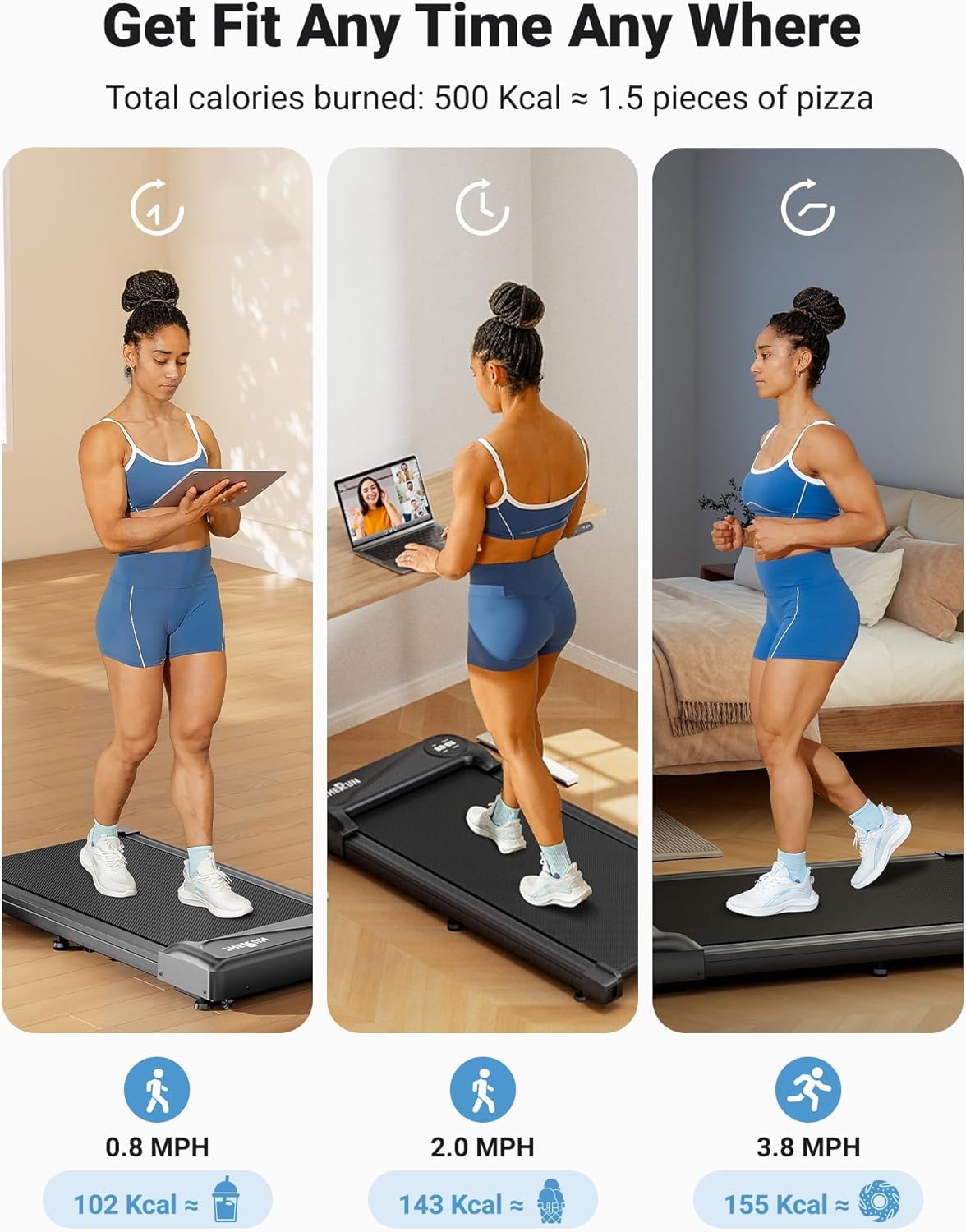
Image: The THERUN Walking Pad Treadmill shown in a vertical storage position, highlighting its compact design.
7. Mantentzea
Regular maintenance ensures the longevity and optimal performance of your walking pad.
- Garbiketa: Garbitu zinta-korda iragarki batekinamp Erabili ondoren zapi bat izerdia eta hautsa kentzeko. Ez erabili garbitzaile urratzailerik.
- Gerrikoaren lubrifikazioa: The walking belt requires periodic lubrication to reduce friction and extend its lifespan. Apply the provided lubricant (or a suitable treadmill lubricant) under the belt every 3-6 months, or after approximately 100 hours of use. Refer to the specific instructions for lubrication in the included user manual.
- Gerriko doikuntza: If the walking belt starts to slip or drift to one side, it may need adjustment. Consult the detailed instructions in the full user manual for proper belt tensioning and centering procedures.
- Biltegiratzea: Store the treadmill in a dry, cool place away from direct sunlight and moisture.
8. Arazoak
If you encounter issues with your THERUN Walking Pad Treadmill YT05-CP, refer to the following common solutions:
| Arazoa | Kausa posiblea | Irtenbidea |
|---|---|---|
| Zinta-errotak ez du pizten. | Power cord not properly connected; Power switch off; Outlet issue. | Ensure power cord is securely plugged in. Turn power switch to 'ON'. Test outlet with another device. |
| Uhala gelditu edo irristatu egiten da erabiltzean. | Uhala solteegi; Lubrifikazio eskasa; Gehiegizko karga. | Adjust belt tension (refer to manual). Lubricate the belt. Ensure user weight is within limits (265 lbs). |
| Zarata ezohikoa zinta-korrikalaritik. | Osagai solteak; Lubrifikazio falta; Objektu arrotzak. | Check for loose screws. Lubricate the belt. Inspect for any objects under the belt or motor cover. |
| Urrutiko agintea ez da erantzuten. | Dead batteries; Remote not paired; Obstruction. | Replace remote batteries. Re-pair remote with treadmill (refer to manual). Ensure no obstructions between remote and treadmill. |
If the problem persists after attempting these solutions, please contact THERUN customer support.
9. Produktuaren zehaztapenak
| Ezaugarri | Xehetasuna |
|---|---|
| Marka | HERUN |
| Modelo zenbakia | YT05-CP |
| Produktuaren neurriak (L x W x H) | 41.9" x 19.6" x 4.5" |
| Elementuaren pisua | 34.39 kilo |
| Materiala | Altzairu aleazioa |
| Motor Zaldia | 2.5 HP |
| Abiadura barrutia | 0.6 - 3.8 milia orduko |
| Gehienezko pisuaren gomendioa | 265 kilo |
| Bistaratzeko mota | LED |
| Ezaugarri bereziak | App Connectivity, Portable Design |
| Muntaia Beharrezkoa | Ez |

Image: A visual representation of the walking pad's key parameters and dimensions.
10. Bermea eta bezeroarentzako laguntza
The THERUN Walking Pad Treadmill YT05-CP comes with a 1 urteko babes planaBerme honek fabrikazio-akatsak estaltzen ditu eta zure produktuak erabilera normalaren pean behar bezala funtzionatzen duela ziurtatzen du.
For any inquiries, technical assistance, or warranty claims, please contact THERUN customer support. Our professional team is available to provide assistance, including product guides and documents via email.
- Harremanetarako informazioa: Refer to the contact details provided on the THERUN official webgunea edo zure erosketa-dokumentazioa.
- Laguntza-baliabideak: Additional product guides and FAQs may be available online.

Image: Information regarding THERUN's after-sales service, including warranty details and availability of replacement parts.