
Sarrera
Thank you for choosing the OneOdio Focus A1Pro Wireless On-Ear Headphones. This manual provides detailed instructions for setting up, operating, maintaining, and troubleshooting your new headphones. Please read this manual thoroughly before use to ensure optimal performance and longevity of your device.
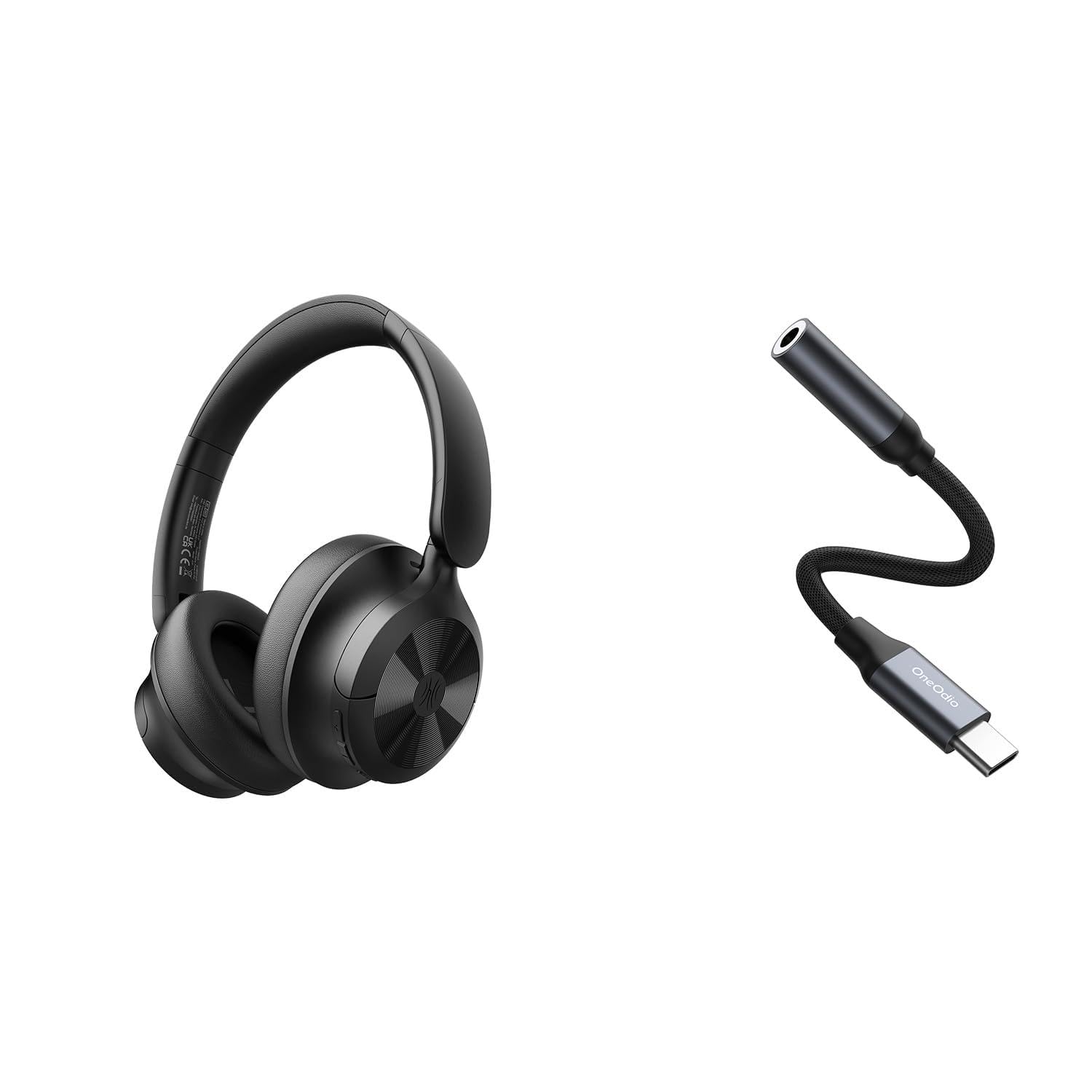
Image: OneOdio Focus A1Pro Wireless On-Ear Headphones. This image displays the headphones in their typical on-ear design, showcasinbelarri-euskarriak eta buruko zinta g.
Paketearen edukia
Mesedez, egiaztatu paketea elementu hauek dituen:
- OneOdio Focus A1Pro Wireless On-Ear Headphones
- USB-C 3.5 mm-ra audio egokitzailea
- USB-C kargatzeko kablea
- Eramateko poltsa
- Erabiltzailearen eskuliburua (dokumentu hau)
Konfigurazioa
1. Entzungailuak kargatzea
Before first use, fully charge the headphones. Connect the USB-C charging cable to the charging port on the headphones and the other end to a USB power source (e.g., computer USB port, wall adapter). The LED indicator will show charging status and turn off or change color when fully charged.

Image: Close-up of the USB-C charging port on the OneOdio Focus A1Pro headphones, with a charging cable connected.
2. Piztu/Itzaltzea
- Pizteko: Press and hold the Multi-function button for approximately 3 seconds until the LED indicator flashes blue.
- Itzaltzeko: Press and hold the Multi-function button for approximately 3 seconds until the LED indicator flashes red and then turns off.
3. Bluetooth parekatzea
- Ziurtatu entzungailuak itzalita daudela.
- Press and hold the Multi-function button for 5-7 seconds until the LED indicator flashes red and blue alternately. This indicates pairing mode.
- Zure gailuan (telefono adimenduna, tableta, ordenagailua), gaitu Bluetooth eta bilatu eskuragarri dauden gailuak.
- Select "OneOdio A1Pro" from the list of found devices.
- Konektatu ondoren, LED adierazlea urdin argituko da poliki-poliki.
- Pasahitza beharrezkoa bada, idatzi "0000".
Entzungailuak automatikoki saiatuko dira azken parekatutako gailura berriro konektatzen piztean.
4. Wired Connection (using USB-C to 3.5mm Audio Adapter)
For a wired connection, use the provided USB-C to 3.5mm audio adapter. This allows you to connect the headphones to devices with a standard 3.5mm audio jack.
- Plug the USB-C end of the adapter into the USB-C port on the headphones.
- Plug the 3.5mm end of the adapter into the 3.5mm audio jack of your audio source device.
- Ensure the headphones are powered off for wired mode to function correctly and conserve battery.

Image: The OneOdio Focus A1Pro headphones connected to an audio source via the USB-C to 3.5mm audio adapter.
Funtzionamendu-argibideak
Kontrolak amaitu diraview
The headphones feature intuitive controls located on the earcup. Familiarize yourself with these buttons for seamless operation.

Image: Diagram showing the location and function of control buttons on the OneOdio Focus A1Pro headphones, including volume, multi-function, and ANC buttons.
Musika erreproduzitzea
- Erreproduzitu/Pausatu: Sakatu funtzio anitzeko botoia behin.
- Hurrengo ibilbidea: Sakatu eta eutsi bolumena igotzeko botoia 2 segundoz.
- Aurreko pista: Sakatu eta eutsi bolumena jaisteko botoia 2 segundoz.
- Bolumena igo: Sakatu laburki bolumena igotzeko botoia.
- Bolumena jaitsi: Sakatu laburki Bolumena Jaisteko botoia.
Deien kudeaketa
- Deia erantzun/amaitu: Sakatu funtzio anitzeko botoia behin.
- Deia baztertu: Eduki sakatuta funtzio anitzeko botoia 2 segundoz.
- Berriz markatu azken zenbakia: Sakatu birritan funtzio anitzeko botoia.
Zarata aktiboaren baliogabetzea (ANC)
The Focus A1Pro headphones feature Active Noise Cancellation to reduce ambient noise.
- Aktibatu ANC: Press the ANC button once. The ANC indicator light will turn green.
- Desaktibatu ANC: Sakatu ANC botoia berriro. ANC adierazlearen argia itzali egingo da.
Entzungailuak jantzita
Adjust the headband to fit comfortably over your head. The earcups should fully cover your ears for optimal sound quality and noise cancellation. The earcups are typically marked 'L' for left and 'R' for right.
Mantentzea
Garbiketa
- Garbitu entzungailuak zapi leun, lehor eta lihorik gabeko batekin.
- Ez erabili garbitzaile urratzailerik, alkoholik edo disolbatzaile kimikorik.
- Saihestu hezetasuna irekiduretan sartzea.
- The earpads can be gently wiped with a slightly damp oihal eta xaboi leunaren disoluzio batekin, eta ondoren ondo lehortu.
Biltegiratzea
When not in use, store the headphones in the provided carrying pouch to protect them from dust and scratches. Store in a cool, dry place away from extreme temperatures.
Bateria zaintzea
- Saihestu bateria maiz erabat deskargatzea.
- Bateriaren egoera mantentzeko, denbora luzez erabili ez badira ere, entzungailuak aldizka kargatu.
- Do not expose the headphones to high temperatures, as this can degrade battery performance.
Arazoak konpontzea
Botererik ez
- Ziurtatu entzungailuak guztiz kargatuta daudela.
- Press and hold the Multi-function button for 3 seconds to power on.
Soinurik ez
- Bluetootha:
- Ensure the headphones are paired and connected to your device.
- Check the volume level on both the headphones and your device.
- Saiatu entzungailuak desparekatzen eta berriro parekatzen.
- Sare:
- Ensure the USB-C to 3.5mm adapter is securely connected to both the headphones and the audio source.
- Verify the audio source is playing and its volume is up.
- Test with a different audio cable or device if possible.
Bluetooth konexio-arazoak
- Ensure the headphones are in pairing mode (red and blue flashing LED).
- Hurbildu entzungailuak gailura.
- Garbitu gailuko Bluetooth zerrenda eta saiatu berriro parekatzen.
- Saihestu beste haririk gabeko gailuen interferentziak.
Entzungailuak berrezartzea
If you experience persistent issues, you can try resetting the headphones to their factory settings. (Note: Specific reset procedures vary by model. A common method is to press and hold the Multi-function and Volume Down buttons simultaneously for 5-10 seconds while powered on, or connect to power while holding a button. Refer to the manufacturer's official support for exact steps if this general method does not work.)
Zehaztapenak
| Ereduaren izena | Focus A1Pro |
| Bluetooth bertsioa | 5.0 (Estimated, common for modern headphones) |
| Gidariaren diametroa | 40 mm (Estimatua) |
| Maiztasun Erantzuna | 20Hz - 20kHz (Tipikoa) |
| Bateria Edukiera | 500mAh (Estimatua) |
| Kargatzeko Denbora | Gutxi gorabehera. 2-3 ordu |
| Erreprodukzio-denbora | 30 ordu arte (Varies with volume and ANC usage) |
| Pisua | Approx. 250g (Estimatua) |
Note: Specifications are subject to change without notice. Actual performance may vary.
Bermea eta Laguntza
Bermearen informazioa
OneOdio products are covered by a limited warranty from the date of purchase. This warranty covers manufacturing defects in materials and workmanship. It does not cover damage caused by misuse, accidents, unauthorized modifications, or normal wear and tear. Please retain your proof of purchase for warranty claims.
Bezeroarentzako Arreta
For technical support, warranty inquiries, or other assistance, please contact OneOdio customer service through their official webproduktua erosi duzun gunea edo dendaria.
Ofiziala Webgunea: www.oneodio.com
Posta elektronikoko laguntza: support@oneodio.com