
MorePro AIR6
MorePro Fitness Tracker AIR6 Black User Manual
Model: AIR6 Black
1. Sarrera
Welcome to the MorePro Fitness Tracker AIR6 Black user manual. This guide provides detailed instructions on how to set up, operate, and maintain your new fitness tracker. The MorePro AIR6 is designed to help you monitor your health and fitness activities with features such as 24/7 heart rate, blood pressure, blood oxygen, and sleep tracking. It also includes multiple sports modes, smart notifications, and a durable, waterproof design.
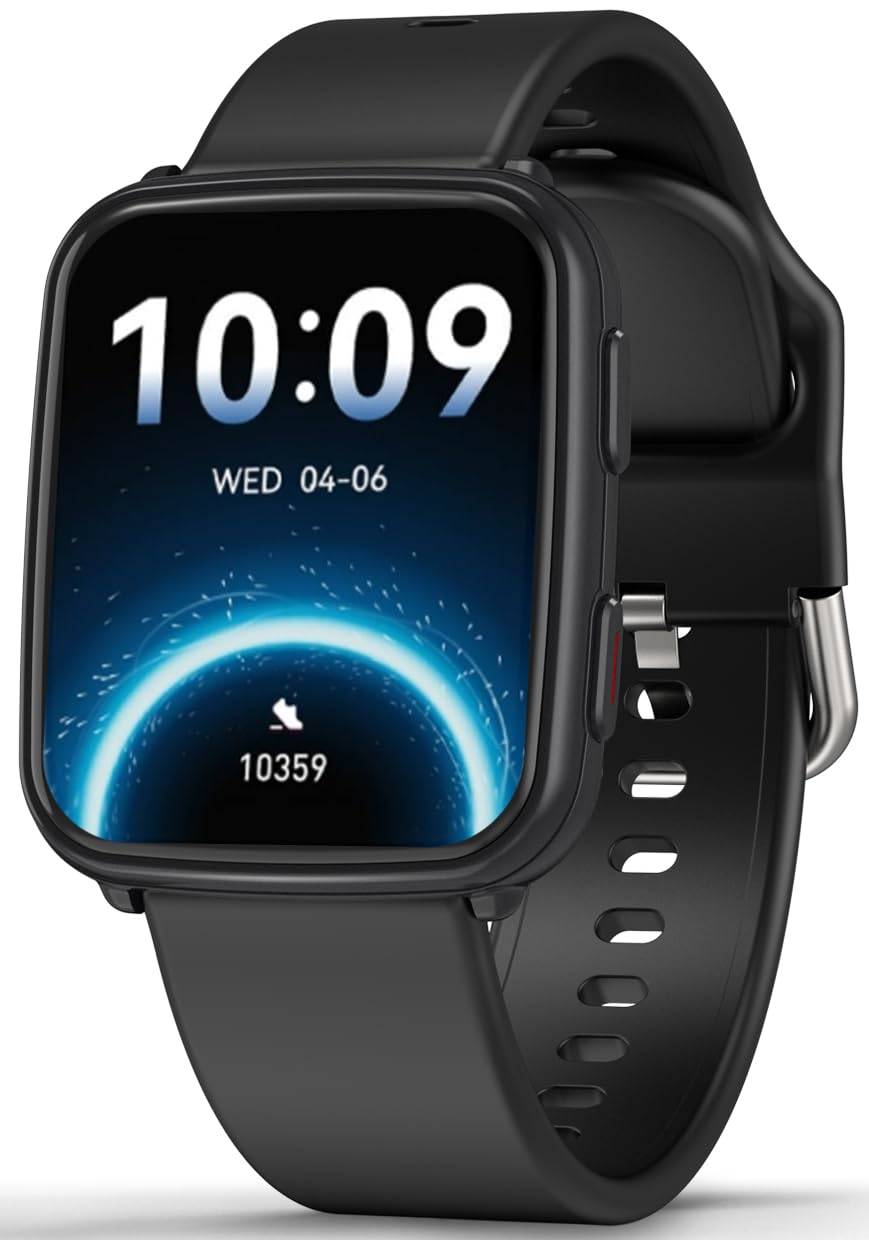
Image: MorePro Fitness Tracker AIR6 Black, showcasinbere diseinu dotorea.
2. Konfigurazio gida
2.1. Kutxatik ateratzea eta hasierako kargatzea
Upon opening the package, you will find the MorePro Fitness Tracker, a charging cable, and this user manual. Before first use, ensure the device is fully charged.
- Konektatu kargatzeko kable magnetikoa erlojuaren atzealdeko kargatzeko puntuetara.
- Konektatu kablearen USB muturra USB elikatze-egokitzaile estandar batera (ez dago barne) edo ordenagailuaren USB ataka batera.
- The watch screen will indicate charging status. A full charge typically takes approximately 2 hours.
2.2. Powering On and App Pairing
- To power on the device, press and hold the side button until the screen lights up.
- Select your preferred language from the options displayed on the screen.
- Scan the QR code shown on the watch screen or in the manual using your smartphone to download the companion MorePro app. The app is compatible with Android 7.0+ and iOS 13.0+ devices.
- Open the MorePro app on your smartphone, create an account, and follow the on-screen instructions to pair your fitness tracker via Bluetooth. Ensure Bluetooth is enabled on your phone.
Video: Demonstrates unboxing, connecting the charger, powering on the watch, selecting language, and scanning the QR code for app download and pairing.
3. Funtzionamendu-argibideak
3.1. Oinarrizko nabigazioa
MorePro Fitness Trackerrak ukipen-pantaila sentikorra eta nabigaziorako alboko botoia ditu:
- Irristatu gora/behera: Joan menuetan eta jakinarazpenetan zehar.
- Irristatu ezkerrera/eskuinera: Access quick data screens (e.g., steps, heart rate, weather).
- Sakatu: Hautatu elementu bat edo berretsi ekintza bat.
- Alboko botoia: Press to return to the previous screen or wake the display. Press and hold to access the main menu or power options.
3.2. Osasunaren jarraipena
The device continuously monitors various health metrics:
- Bihotz-taupadak: Provides 24/7 heart rate tracking. Access detailed graphs in the app.
- Odol-presioa: Offers on-demand blood pressure measurements. (Note: Not for medical use.)
- Odoleko oxigenoa (SpO2): Check your blood oxygen levels at any time.
- Loaren jarraipena: Automatically tracks deep sleep, light sleep, and wake-up times to provide comprehensive sleep insights.

Image: The watch screen showing real-time heart rate, blood pressure, and blood oxygen data.

Image: A close-up of the smart watch displaying heart rate monitoring.

Image: The smart watch screen showing blood pressure measurement.

Image: The smart watch displaying blood oxygen levels.
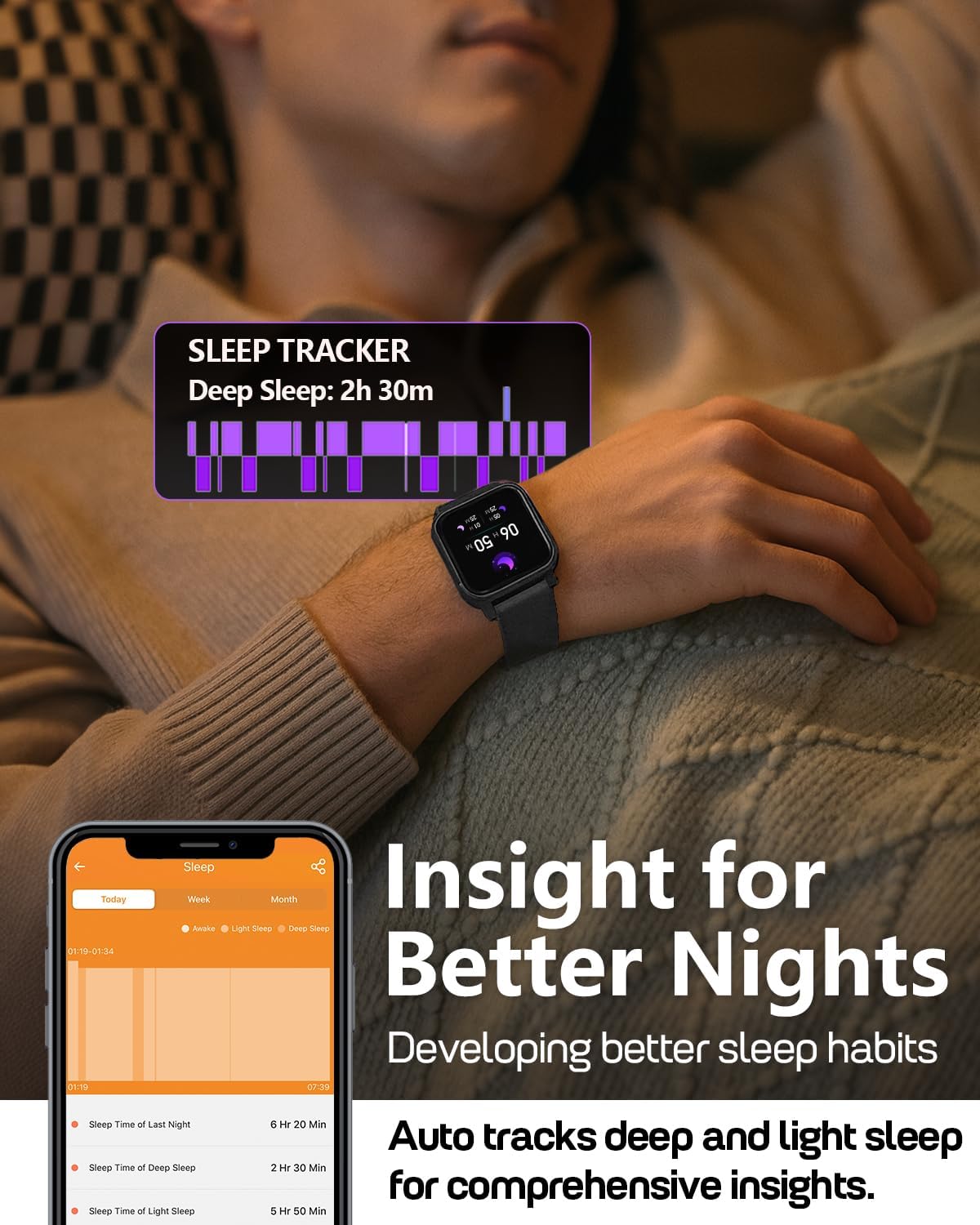
Image: A person wearing the MorePro Fitness Tracker while sleeping, with sleep data displayed on the screen.

Image: The smart watch displaying sleep tracking data.
3.3. Jardueren jarraipena
The tracker supports over 20 sports modes and records daily activity:
- 20 kirol modu baino gehiago: Includes running, walking, cycling, yoga, elliptical, swimming, basketball, football, badminton, table tennis, skipping, tennis, baseball, rugby, hula hoop, golf, and more.
- Eguneroko jarduera: Pausoak, distantzia eta erretako kaloriak erregistratzen ditu.

Image: A person exercising while wearing the MorePro Fitness Tracker, displaying activity time, heart rate, steps, and calories burned.

Image: The fitness tracker displaying various sports modes like cycling, exercise bike, swimming, and yoga.
3.4. Women's Health Tracking
The tracker includes a dedicated feature for women's health, allowing you to log and track menstrual periods, safe days, ovulation windows, and ovulation days directly on your wrist. The app supports period mode, trying-to-conceive mode, and pregnancy mode.

Image: A woman using the smart watch to track her menstrual cycle.
3.5. Funtzio adimendunak
Stay connected and organized with these smart features:
- Jakinarazpenak: Receive real-time call, SMS, and app message notifications (e.g., Facebook, Instagram, TikTok) on your wrist.
- Eguraldi Iragarpena: Get on-wrist weather updates.
- Musika kontrola: Kontrolatu musika erreproduzitzea telefonoan.
- Kameraren kontrola: Erabili erlojua telefonoaren kamerarentzako urrutiko obturadore gisa.
- Kronometroa eta tenporizadorea: Denbora neurtzeko jardueretarako tresna integratuak.
- Iratzargailua: Ezarri alarmak zuzenean eskumuturretik.
- Aurkitu telefonoa: Aurkitu galdutako telefonoa.
- Sedentary & Hydration Reminders: Prompts to move and drink water throughout the day.
- Erloju aurpegi pertsonalizatuak: Choose from over 200 watch faces or create custom ones using your own photos.

Image: The smart watch showing notifications from various social media apps and a stress monitor.

Image: The 1.52-inch HD screen of the MorePro Fitness Tracker displaying various watch face options, including custom photo faces.
4. Mantentzea
4.1. Iragazgaiztasuna
The MorePro Fitness Tracker is IP68 waterproof, meaning it is resistant to sweat, rain, and can be worn during hand-washing or swimming. However, it is not recommended for hot showers, saunas, or diving.

Image: Demonstrates the IP68 waterproof feature, showing the watch being exposed to sweat, poolside splashes, and hand-washing.
4.2. Garbiketa
To maintain your device, regularly clean the watch and strap with a soft, damp oihal. Saihestu produktu kimiko gogorrak edo material urratzaileak erabiltzea.
4.3. Bateriaren iraupena eta kargatzea
The device offers up to 7-10 days of battery life with normal use and 15 days on standby. Recharge using the provided magnetic charging cable when the battery is low.

Image: A person in a desert setting, highlighting the ultra-long battery life of 15 days standby and 7 days normal use, with a 2-hour magnetic charging time.
5. Arazoak
If you encounter issues with your MorePro Fitness Tracker, try the following steps:
- Gailua ez da pizten: Ensure the device is fully charged. Connect it to the charger and wait a few minutes before attempting to power it on again.
- Konexio arazoak: Make sure Bluetooth is enabled on your smartphone and the tracker is within range. Restart both your phone and the tracker. Check the app for pairing status.
- Irakurketa zehaztugabeak: Ziurtatu erlojua eskumuturrean ondo estututa dagoela, ez gehiegi estututa ez gehiegi solte. Garbitu erlojuaren atzealdeko sentsoreak.
- Aplikazioa ez da sinkronizatzen: Verify your phone has an active internet connection. Close and reopen the MorePro app.
- Ez dira agertzen jakinarazpenak: Check your phone's notification settings for the MorePro app and ensure all necessary permissions are granted.
For further assistance, refer to the in-app help section or contact customer support.
6. Zehaztapenak
| Ezaugarri | Xehetasuna |
|---|---|
| Marka | GehiagoPro |
| Eredua | AIR6 Black |
| Pantailaren tamaina | 1.52 hazbete |
| Bistaratzeko mota | LCDa |
| Memoria Biltegiratzeko Ahalmena | 128 MB |
| Sistema eragilea | Android eta iOS |
| Gailu bateragarriak | Smartphone |
| Ezaugarri bereziak | Activity Tracker, Cycle Tracking, Daily Workout Memory, Music Player, Sedentary Reminder, Heart Rate, Blood Pressure, Blood Oxygen, Sleep Monitor, Weather, Alarm Clock, Find Phone, Camera Control, Stopwatch, Timer, Hydration Reminder |
| Iragazgaitzaren balorazioa | IP68 |
| Bateria Edukiera | 230 milioiamp Orduak |
| Bateriaren iraupena (erabilera arrunta) | 7-10 egun |
| Bateriaren iraupena (etenean) | 15 Egun |
| Kargatzeko Denbora | Gutxi gorabehera. 2 ordu |
| Konektibitate Teknologia | Bluetooth 5.3 |
| Material Mota | Plastikoa |
| Eskumuturraren neurriaren bateragarritasuna | 6.3 - 8.6 hazbete |

Image: Details on watch dimensions, minimum and maximum wrist sizes, and compatibility with Android 7.0+ and iOS 13.0+ via Bluetooth 5.3.

Image: The smart watch highlighting its 1.52-inch HD screen and various watch face options.

Image: Detailed measurements of the watch strap, indicating its adjustable length for wrist sizes between 6.3 and 8.6 inches.
7. Bermea eta laguntza
MorePro offers comprehensive support for your fitness tracker:
- 2-Year Replacement: Enjoy a 2-year replacement policy for manufacturing defects.
- Bizi osorako zerbitzua: Benefit from lifetime technical support and service.
- 12-Hour Quick Reply: Expect a prompt response to your inquiries within 12 hours.
For any questions or support needs, please contact MorePro customer service.

Image: Highlights MorePro's after-sales support, including a 2-year premium service and 12-hour quick support.
Ask a question about this manual
Ask about setup, troubleshooting, compatibility, parts, safety, or missing instructions. Manuals+ will review the question and use this page’s manual context to help answer it.