
Sarrera
Welcome to your new Yamaha YDP105 Digital Piano. This manual provides essential information for setting up, operating, maintaining, and troubleshooting your instrument. Please read it thoroughly to ensure proper use and to maximize your playing experience.
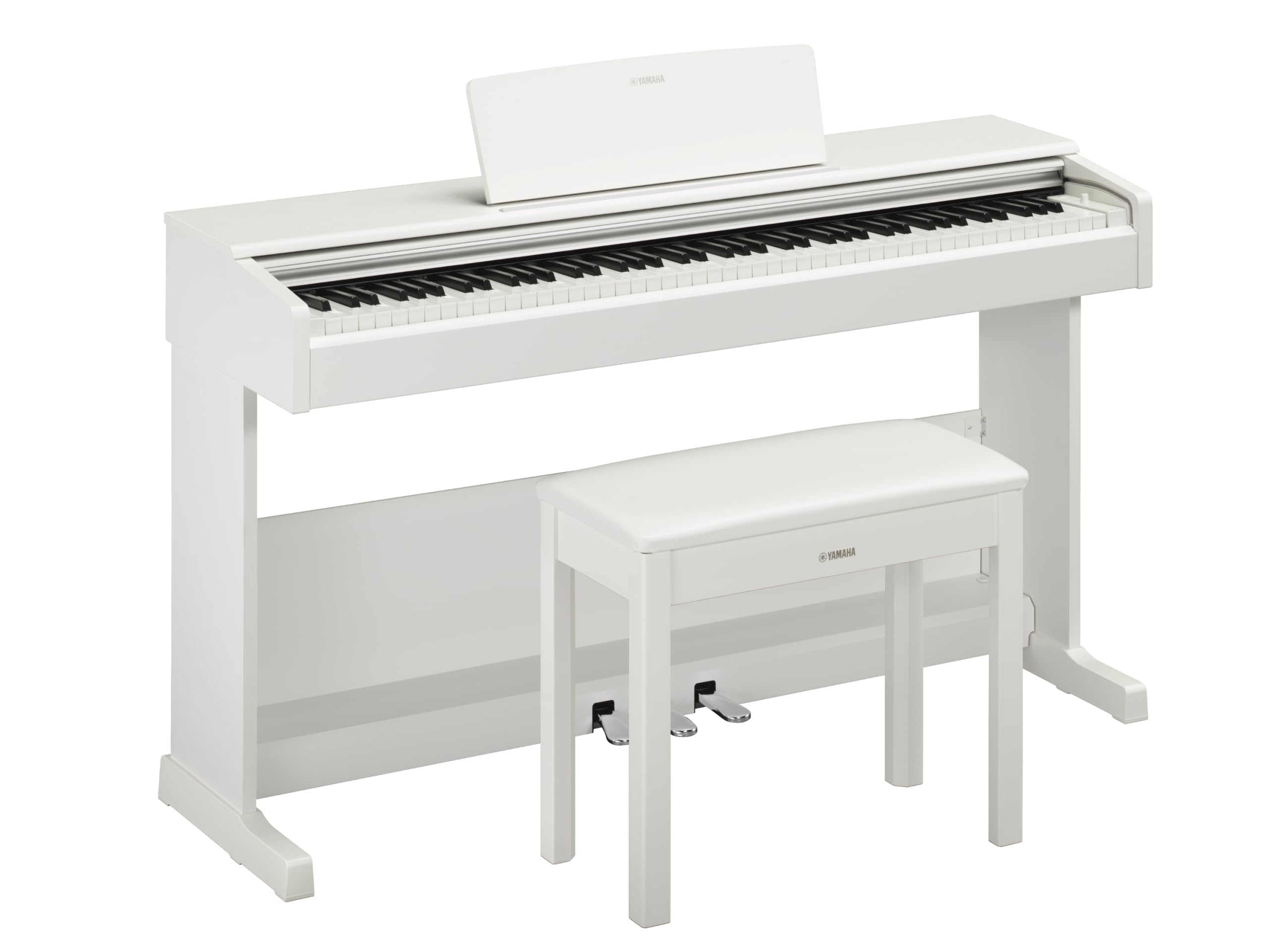
This image shows the Yamaha YDP105 digital piano in a white finish, positioned in a modern living room environment, highlighting its elegant design.
Segurtasun-argibide garrantzitsuak
- Elikatze-iturria: Erabili zehaztutako energia-egokitzailea soilik. Ziurtatu bolumenatage zure tokiko elikadura hornidura bat dator.
- Ura eta hezetasuna: Ez jarri instrumentua euripean, hezetasunean edo gehiegizko hezetasunean. Mantendu likidoak pianotik urrun.
- Aireztapena: Ensure adequate ventilation around the instrument. Do not block ventilation openings.
- Lekua: Place the piano on a stable, level surface. Avoid direct sunlight, heat sources, and areas with excessive dust or vibrations.
- Manipulazioa: Kontu handiz maneiatu tresna. Saihestu erortzea edo kolpe bortitzak jasotzea.
- Zerbitzua: Do not attempt to service the instrument yourself. Refer all servicing to qualified personnel.
Konfigurazioa
Despaketatzea
Carefully remove all components from the packaging. Ensure all included items are present: the piano unit, bench, 3-pedal unit, power adapter, and music rest.
Batzarra
The Yamaha YDP105 requires some assembly. Follow these steps:
- Attach the side panels to the main keyboard unit using the provided screws.
- Secure the pedal unit to the assembled frame.
- Attach the backboard.
- Place the music rest into its slot on the keyboard unit.
- Muntatu bankua bere argibide bereizien arabera.

This image shows the fully assembled Yamaha YDP105 digital piano in white, complete with its matching bench and music rest.
Potentzia-konexioa
Connect the supplied power adapter to the DC IN jack on the rear of the piano and then to a standard AC outlet.
Pedal unitatearen konexioa
Ensure the 3-pedal unit cable is securely connected to the corresponding jack on the piano.

This image displays a close-up of the three-pedal unit, showing the sustain, sostenuto, and soft pedals.
Funtzionamendu-argibideak
Piztu/Itzali
Sakatu BOTEREA button to turn the instrument on or off.
Bolumen kontrola
Erabili MASTER BOLUMENA botoia soinu-maila orokorra doitzeko.
Ahotsak hautatzea (tresna soinuak)
The YDP105 features 10 instrument voices. To select a voice:
- Sakatu AHOTSA botoia.
- Use the keyboard keys to select the desired voice as indicated in the manual's voice list.

This image shows a close-up of the control panel on the left side of the keyboard, highlighting the "GRAND PIANO" and "FUNCTION" buttons.
Entzungailuak erabiltzea
The piano includes dual headphone jacks for private practice or duets. Connect standard 3.5mm headphones to either jack.

This image shows a pair of headphones resting on the top surface of the digital piano, near the keys.
Smart Pianist aplikazioaren integrazioa
Enhance your experience by connecting the YDP105 to the Yamaha Smart Pianist app. This app allows for intuitive control of piano functions, access to scores, and learning tools. Refer to the Smart Pianist app's documentation for detailed connection and usage instructions.

This image displays the icon for the Yamaha Smart Pianist App, featuring a stylized piano keyboard and musical notes.
Mantentzea
Garbiketa
Garbitu tresna zapi leun eta lehor batekin. Zikinkeria egoskorra bada, erabili zapi apur bat lehor.amp cloth and then wipe dry. Avoid abrasive cleaners, solvents, or polishes.
Biltegiratzea
Gorde pianoa ingurune egonkor batean, eguzki-argitik, tenperatura muturrekoetatik eta hezetasun handitik urrun.
Moving the Instrument
When moving the piano, ensure it is powered off and disconnected from the power source. Handle with care to prevent damage.
Arazoak konpontzea
Soinurik ez
- Egiaztatu boterea piztuta dagoen.
- Ziurtatu bolumena igo dela.
- If headphones are connected, disconnect them to check speaker output.
- Egiaztatu kable guztiak ondo konektatuta daudela.
Giltzak ez dute erantzuten
- Power cycle the instrument (turn off, then on again).
- Ensure no objects are obstructing the keys.
Pedals Not Working
- Check the pedal unit cable connection.
- Ensure the pedal unit is correctly assembled and positioned.
Zehaztapenak
| Ezaugarri | Xehetasuna |
|---|---|
| Ereduaren izena | YDP-105 |
| Gako kopurua | 88 |
| Gako mota | Graded Hammer Standard (GHS) keyboard with matte black keytops |
| Ukitu Erantzuna | Gogorra/Ertaina/Biguna/Finkoa |
| Ahotsak | 10 (including Grand Piano) |
| Polifonia | 64 ohar |
| Pedalak | 3 (Damper with half pedal effect, Sostenuto, Soft) |
| Konektibitatea | USB to Host, Headphone Jacks (2 x Standard Stereo Phone Jack) |
| Hizlariak | 12 cm x 2 |
| Ampbiziagoa | 8 zabalera x 2 |
| Neurriak (W x D x H) | 1357 mm x 422 mm x 815 mm (53.44" x 16.63" x 32.09") |
| Pisua | 37.5 kg (82.7 lb) |
| Elikatze Hornidura | PA-150B or an equivalent recommended by Yamaha |
Bermearen informazioa
The Yamaha YDP105 Digital Piano comes with a 1-year manufacturer warranty. Yamaha Corporation of America is committed to the quality and craftsmanship of its products. This limited warranty applies only to products purchased from an authorized Yamaha retailer in the fifty United States (including the District of Columbia) and used within this area. For complete warranty details and terms, please refer to the official Yamaha webgunea edo jarri harremanetan Yamakaren bezeroarentzako arreta-zerbitzuarekin.
Bezeroarentzako Arreta
Laguntza gehiago, euskarri teknikoa edo zerbitzu-kontsultak egiteko, bisitatu Yamaha-ren webgune ofiziala. webwebgunean edo jarri harremanetan bere bezeroarentzako arreta zerbitzuarekin.