
1. Sarrera
Thank you for choosing the AMAZTIM T3 Ultra Smart Watch. This device combines a robust military-grade design with advanced smart features, including a 1.85-inch ultra-large HD display, extended battery life, Bluetooth calling, 24/7 health monitoring, and over 100 sports modes. This manual provides essential information for setting up, operating, and maintaining your smart watch to ensure optimal performance and longevity.
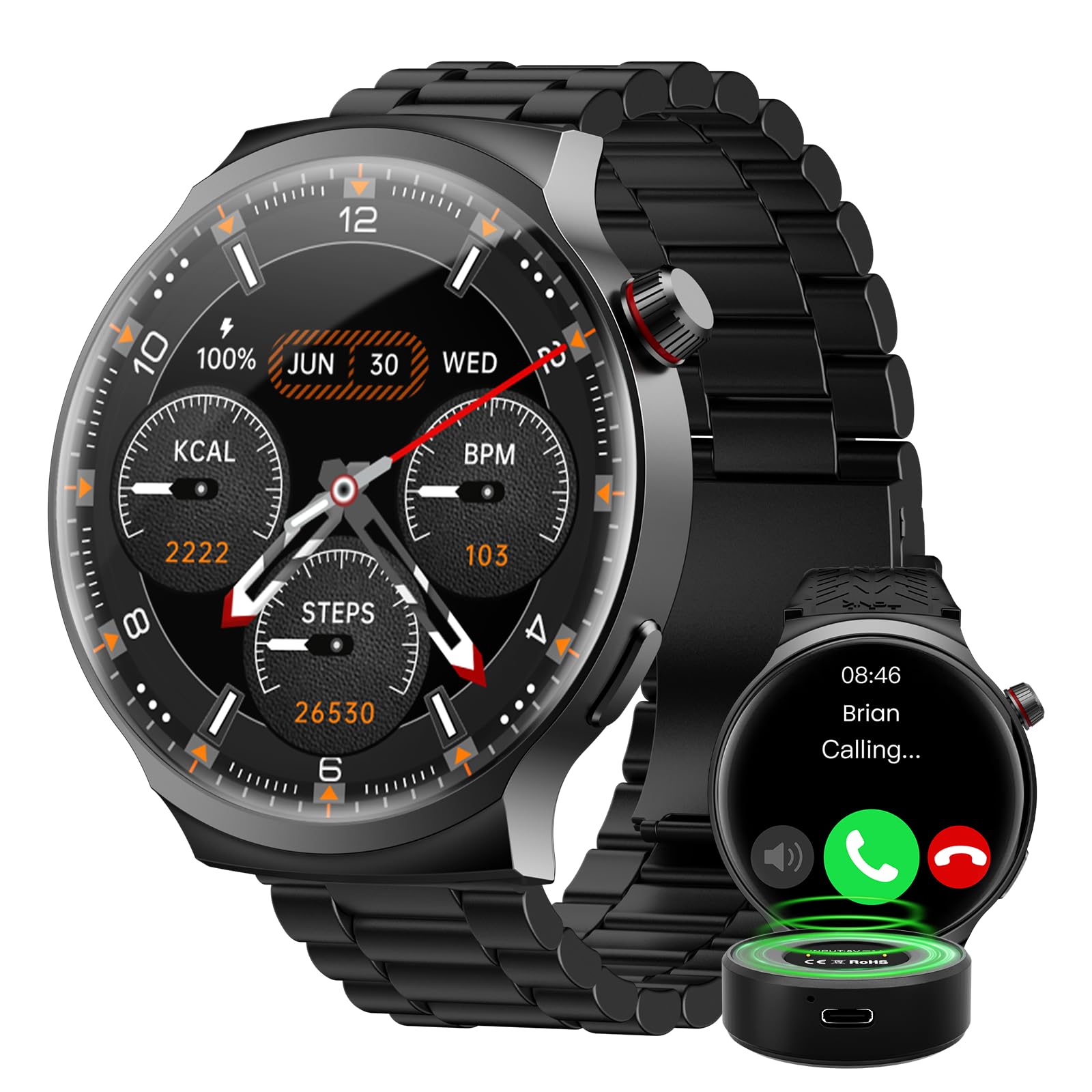
The AMAZTIM T3 Ultra Smart Watch, featuring its large display and rugged design.
2. Zer dago barne
Upon opening your AMAZTIM T3 Ultra Smart Watch package, please verify that all the following items are present:
- AMAZTIM T3 Ultra Smart Watch
- Kargatzeko kaxa (1000 mAh)
- Kargatzeko kablea (USB)
- Erabiltzailearen eskuliburua (dokumentu hau)
- Additional Watch Straps (if applicable to your model)

Image showing the smart watch, charging cable, charging case, and additional straps included in the package.
3. Konfigurazioa
3.1. Gailua kargatzea
Before initial use, fully charge your AMAZTIM T3 Ultra Smart Watch.
- Konektatu kargatzeko kablea kargatzeko zorrora.
- Place the smart watch onto the charging case, ensuring the magnetic contacts align correctly.
- Connect the USB end of the charging cable to a compatible USB power adapter (5V/1A recommended) or a computer's USB port.
- Erlojuaren pantailak kargatze-egoera adieraziko du. Karga oso batek normalean 2-3 ordu inguru behar ditu.
The watch features an 800mAh battery, and the portable charging case has an additional 1000mAh capacity, providing extended usage.

The smart watch being charged by its portable charging case, illustrating the battery capacity.
3.2. Zure telefonoarekin parekatzea
To unlock all features, pair your smart watch with the companion app on your iOS or Android device.
- Download the official AMAZTIM companion app from the App Store (iOS) or Google Play Store (Android).
- Ziurtatu Bluetootha gaituta dagoela zure telefonoan.
- Open the AMAZTIM app and follow the on-screen instructions to create an account or log in.
- In the app, navigate to "Add Device" or "Pair New Device" and select your AMAZTIM T3 Ultra from the list of available devices.
- Berretsi parekatze eskaera zure erlojuan eta telefonoan.
- Behin parekatuta, aplikazioak hasierako ezarpenetan eta sinkronizazioan gidatuko zaitu.
4. Funtzionamendu-argibideak
4.1. Oinarrizko nabigazioa
- Irristatu gora/behera: Joan menuetan eta jakinarazpenetan zehar.
- Irristatu ezkerrera/eskuinera: Sartu widget azkarretara edo erloju-esfera desberdinetara.
- Sakatu: Hautatu elementu bat edo berretsi ekintza bat.
- Sakatu alboko botoia: Itzuli hasierako pantailara edo sartu aplikazioen zerrendara.

The 1.85-inch ultra-large HD display provides clear visibility for all functions.
4.2. Deiak egitea eta erantzutea
Once paired via Bluetooth, you can make and answer calls directly from your watch.
- Erantzun: Dei bat jasotzen duzunean, sakatu telefono berdearen ikonoa erlojuaren pantailan.
- Dei bat egiteko: Access the phone function from the app list, then use the dial pad or select a contact to initiate a call.

The smart watch displaying options for answering calls and interacting with the AI Voice Assistant.
4.3. IA Ahots Laguntzailea
The built-in AI Voice Assistant allows for hands-free control and information retrieval.
- Activate the voice assistant by tapping its icon or using a designated gesture (refer to app settings for customization).
- Speak your commands clearly, such as "What's the weather today?", "Play music," or "Call John."
4.4. Osasunaren jarraipena
The watch continuously monitors various health metrics.
- Bihotz-taupadak: Provides 24-hour heart rate tracking. View erlojuan denbora errealeko datuak edo aplikazioan joera zehatzak.
- Odoleko oxigenoa (SpO2): Neurtu zure odoleko oxigeno mailak eskaeraren arabera.
- Loaren monitorea: Zure loaren ereduak kontrolatzen ditu, lo sakona, lo arina eta esnatzeko orduak barne.
- pedometer: Counts your steps and estimates calories burned throughout the day.

The watch interface showing real-time health data, including heart rate, SpO2, and blood pressure.
4.5. Kirol Moduak
With over 100 sports modes, the watch accurately tracks your workout data.
- Navigate to the "Workout" or "Sports" section on your watch.
- Aukeratu nahi duzun jarduera (adibidez, korrika egitea, bizikletan ibiltzea, igeriketa).
- The watch will record duration, distance, calories burned, and heart rate during your exercise.
- Review detailed workout summaries in the companion app.

A visual representation of the watch's sports tracking capabilities, showing different activity icons and workout metrics.
4.6. Jakinarazpenak
Jaso jakinarazpenak zure telefonotik zuzenean zure erlojuan.
- Ensure notification permissions are enabled in both your phone's settings and the AMAZTIM app.
- Irristatu behera erlojuaren aurpegitik view azken jakinarazpenak.
5. Mantentzea
5.1. Garbiketa
Zure erlojuaren itxura eta funtzionaltasuna mantentzeko:
- Garbitu erlojuaren pantaila eta gorputza zapi leun eta lihorik gabeko batekin.
- Zikinkeria egoskorrerako, apur bat lehortuampGarbitu oihalak urarekin. Saihestu produktu kimiko gogorrak edo material urratzaileak.
- Regularly clean the charging contacts on the back of the watch to ensure proper charging.
5.2. Urarekiko erresistentzia
The AMAZTIM T3 Ultra Smart Watch is designed with military-grade materials and features IP68 water resistance, making it suitable for swimming and exposure to rain.
- It can withstand submersion up to 50 meters.
- Avoid using the watch in hot water, saunas, or steam rooms, as this can compromise the water seal.
- Ur gazian egon ondoren, garbitu erlojua ur gezarekin eta lehortu ondo.

The smart watch is shown resisting water, highlighting its IP68 waterproof rating.
6. Arazoak
| Gaia | Irtenbide posiblea |
|---|---|
| Erlojua ez pizten | Ziurtatu erlojua guztiz kargatuta dagoela. Sakatu eta eutsi pizteko botoia hainbat segundoz. |
| Ezin da telefonoarekin parekatu |
|
| Osasun-datu zehaztugabeak |
|
| Jakinarazpenak ez dira jaso |
|
| Bateriaren iraupen laburra |
|
7. Zehaztapenak
| Ezaugarri | Xehetasuna |
|---|---|
| Marka | AMAZTIM |
| Modelo zenbakia | T3 Ultra |
| Pantailaren tamaina | 1.85 hazbete |
| Ebazpena | 360 x 360 |
| Sistema eragilea | Compatible Android and iOS |
| Konektibitate Teknologia | Bluetootha |
| Bateria Edukiera | 1000 milioiamp Hours (Charging Case) + 800mAh (Watch) |
| Ezaugarri bereziak | Activity Tracker, Heart Rate Monitor, Sleep Monitor, Voice Assistant, Bluetooth Calls, 100+ Sports Modes, Military-Grade Materials, IP68 Water Resistance |
| Memoria Biltegiratzeko Ahalmena | 256 MB |
| Neurtutako metrikak | Heart Rate, Blood Oxygen |
| Bandaren Zabalera | 22 milimetro |
| Kolorea | Luxury Black |
8. Bermea eta Laguntza
8.1. Bermearen informazioa
The AMAZTIM T3 Ultra Smart Watch comes with a standard manufacturer's warranty. Please refer to the warranty card included in your product packaging or visit the official AMAZTIM website for detailed terms and conditions regarding warranty coverage and duration. Keep your proof of purchase for warranty claims.
8.2. Bezeroarentzako arreta
If you encounter any issues not covered in this manual or require further assistance, please contact AMAZTIM customer support through the following channels:
- Ofiziala Webgunea: Visit the AMAZTIM official webMaiz egiten diren galderen, laguntza-baliabideen eta harremanetarako formularioen gunea.
- Posta elektronikoko laguntza: Kontsultatu zure produktuaren ontzia edo informazio ofiziala webbezeroarentzako arreta-zerbitzuko helbide elektronikoaren webgunea.
- Aplikazio barruko laguntza: The AMAZTIM companion app may offer direct support options.
9. Produktu Ofizialen Bideoak
Watch the official product video for a visual guide to the AMAZTIM T3 Ultra Smart Watch features and operation.
Bideo emanaldi ofizialaasing the AMAZTIM POWER PRO Smart Watch, demonstrating its key functionalities and design.