
1. Produktua amaitu daview
The PRUNUS J525 is a versatile portable radio offering AM/FM reception, Bluetooth connectivity for both earphone output and speaker mode, Micro SD card playback, and a convenient sleep timer. Its compact design and long-lasting rechargeable battery make it ideal for various uses.
Ezaugarri nagusiak:
- Bluetooth Earphone Output: Connect wireless headphones for private listening.
- Bluetooth bozgorailu modua: Use the radio as a portable speaker for your smartphone or other devices.
- AM/FM irratia: Enjoy clear reception with manual and auto-scan station presets.
- Micro SD erreprodukzioa: Erreproduzitu MP3 audioa files directly from a Micro SD card with shuffle and sequential play options.
- 2500mAh bateria kargagarria: Provides extended listening time.
- Lo egiteko tenporizadorea: Automatically turns off the radio after a set duration (10-120 minutes).
- Diseinu eramangarria: Arina eta trinkoa, erraz eramateko.

1. irudia: Aurrealdea view of the PRUNUS J525 Portable AM/FM Radio.
2. Zer dago kutxan
Mesedez, egiaztatu paketearen edukia kutxa irekitzean:
- 1 x PRUNUS J525 Portable Radio
- 1 x USB C kargatzeko kablea
- 1 x Erabiltzailearen eskuliburua (dokumentu hau)
3. Kontrolak eta Osagaiak
Familiarize yourself with the buttons and ports on your PRUNUS J525 radio.

Figure 2: Front panel controls including Power, Scan, FM/AM, Mode, Preset, Delete, Previous, Next, M-, M+, and BT Transmitter buttons.
3. irudia: Aldea view showing the USB-C charging port, 3.5mm headphone jack, and Micro SD (TF) card slot.
Botoiaren funtzioak:
- Pizteko botoia: Press and hold to turn the radio on/off. Short press to toggle display backlight.
- ESKANEA: In radio mode, short press to auto-scan and store stations. In Bluetooth transmitter mode, press to connect.
- FM/AM: Switch between FM and AM radio bands.
- JARRAIBIDEAK: Cycle through FM, AM, Bluetooth Speaker, Bluetooth Earphone, and Micro SD playback modes.
- AURRE AURREZARPENA: Access stored radio stations.
- DEL (Delete): Delete a stored radio station.
- Previous/Next (Arrow Buttons): Tune frequency, navigate tracks, or select menu options.
- M-/M+: Adjust volume or navigate through stored stations/menu options.
- BT Transmitter Button (Headphone Icon): Short press to enter Bluetooth transmitter menu.
4. Konfigurazioa
4.1 Bateria kargatzea
The PRUNUS J525 radio is equipped with a 2500mAh rechargeable Lithium-ion battery. Before first use, fully charge the device.
- Connect the provided USB-C charging cable to the USB-C port on the side of the radio.
- Connect the other end of the cable to a standard USB power adapter (not included) or a computer's USB port.
- The battery icon on the display will indicate charging status. A full battery icon indicates a complete charge.
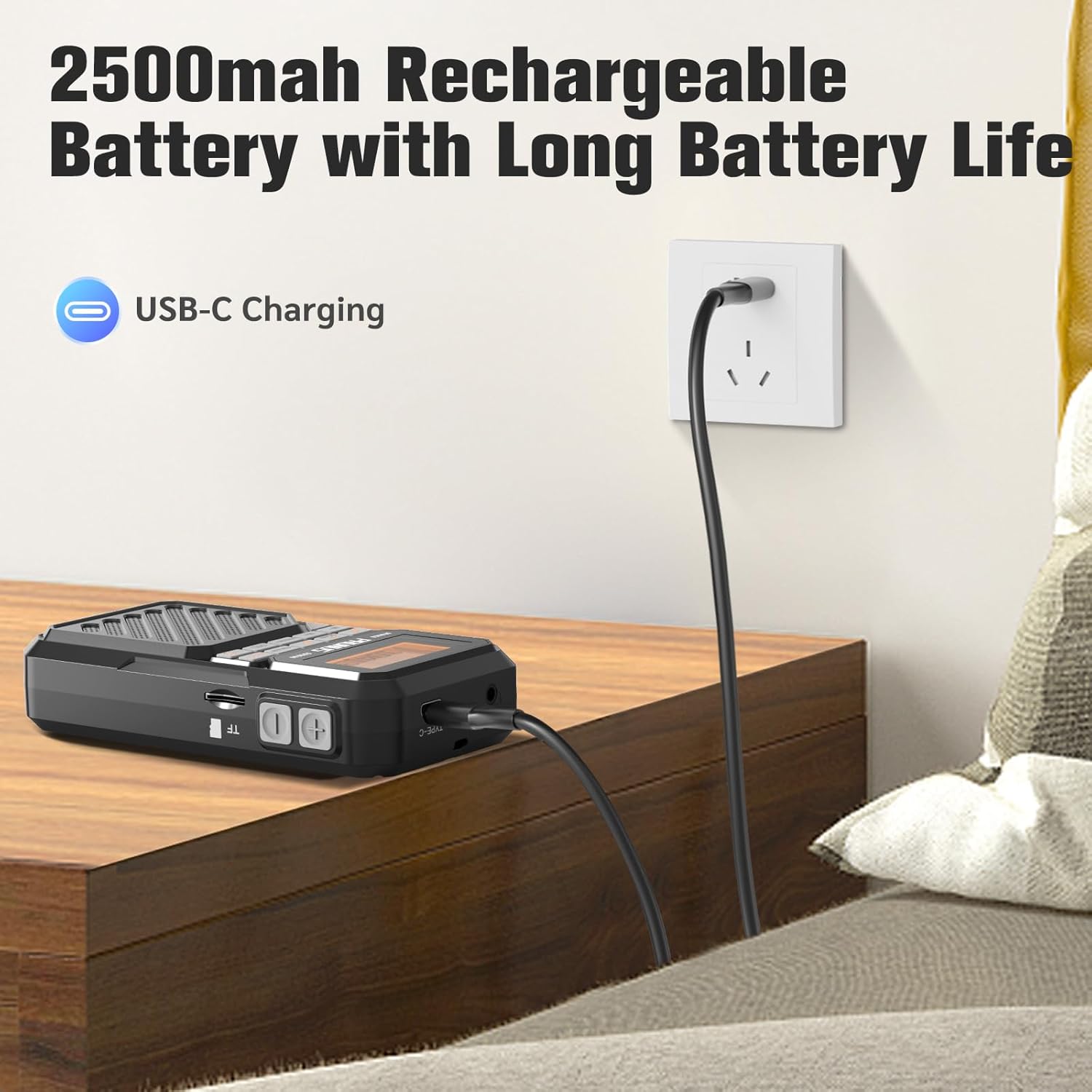
Figure 4: Charging the PRUNUS J525 radio via USB-C.
4.2 Antenaren doikuntza
For optimal FM and AM reception, extend the telescopic antenna fully and adjust its direction. The antenna is 16 inches (41 cm) long and can be rotated 360 degrees.

Figure 5: Extending and adjusting the telescopic antenna for better signal reception.
5. Funtzionamendu-argibideak
5.1 Piztu/Itzali
Eduki sakatuta Boterea button (orange button on the left) for a few seconds to turn the radio on or off. The LCD screen will display "welcome" upon startup.
5.2 FM/AM Radio Operation
- Piztu irratia.
- Sakatu FM/AM button to select your desired band (FM: 87-108MHz, AM: 520-1710KHz).
- Auto Scan and Store Stations: Sakatu laburra ESKANETATU button. The radio will automatically scan for available stations and store them as presets.
- Manual Tuning and Presets:
- Erabili Aurrekoa/Hurrengoa arrow buttons to fine-tune the frequency.
- To manually store a station, tune to the desired frequency, then press and hold the PRESET button. Select a preset number using the arrow buttons and press PRESET berriro baieztatzeko.
- To recall a stored station, short press the PRESET button, then use the arrow buttons to select the desired preset.
- To delete a stored station, select it using PRESET and arrow buttons, then press the DEL botoia.

Figure 6: Manual preset buttons for storing and recalling radio stations.
5.3 Bluetooth Earphone Output
Connect your Bluetooth headphones to the J525 radio for private listening.
- Ensure your Bluetooth headphones are in pairing mode. If previously connected to another device, disconnect them or reset them.
- Turn on the J525 radio.
- Sakatu laburra BT transmisorea button (headphone icon) to enter the transmitter menu.
- Select "Searching" using the arrow buttons and press ESKANETATU. The radio will search for nearby Bluetooth devices. This may take 10-30 seconds.
- Once your earphone's name appears in the device list, select it using the arrow buttons and press ESKANETATU konektatzeko.
- A solid Bluetooth icon next to your device name on the radio's display indicates a successful connection. The radio will automatically reconnect to paired earphones unless they are reset.
Video 1: Demonstrates how to connect Bluetooth headphones to the PRUNUS J525 radio.

Figure 7: PRUNUS J525 radio connected to wireless headphones for on-the-go listening.
5.4 Bluetooth bozgorailuen modua
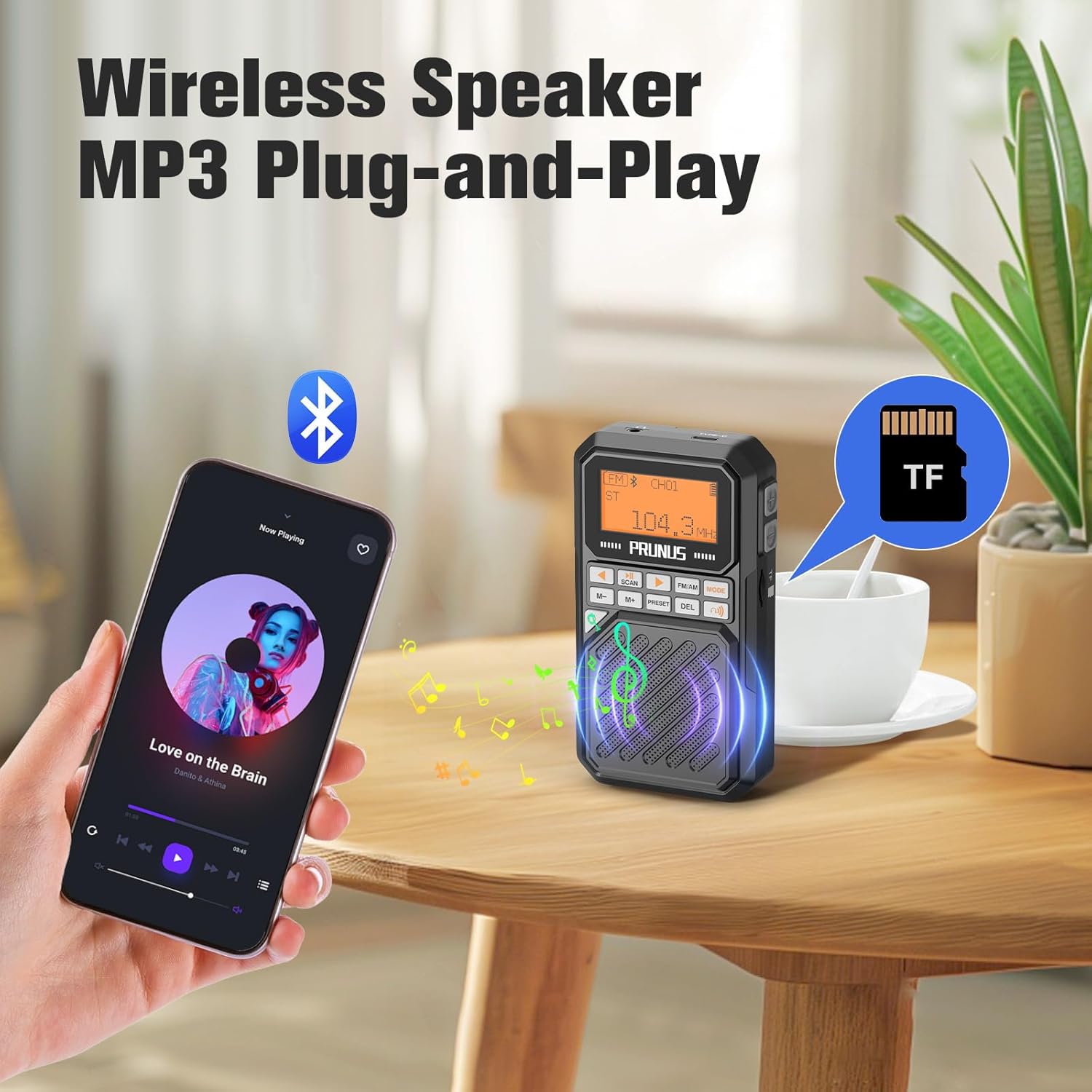
Use the J525 radio as a Bluetooth speaker to play audio from your smartphone or other Bluetooth-enabled devices.
- Turn on the J525 radio.
- Sakatu MODUA button until the Bluetooth speaker icon appears on the display. The radio will enter pairing mode.
- On your smartphone or Bluetooth device, go to Bluetooth settings and search for "J-525".
- Select "J-525" to pair and connect.
- Behin konektatuta, gailuko audioa irratiaren bozgorailuaren bidez erreproduzitu dezakezu.

Figure 8: PRUNUS J525 functioning as a Bluetooth speaker, playing music from a smartphone.
5.5 Micro SD Playback (MP3 Player)
The radio supports playing MP3 files from a Micro SD (TF) card.
- Insert a Micro SD card (formatted to FAT32) with MP3 audio files into the TF card slot on the side of the radio.
- Sakatu MODUA button until the Micro SD card icon appears on the display. The radio will automatically start playing music from the card.
- Erabili Aurrekoa/Hurrengoa arrow buttons to skip tracks.
- The radio supports shuffle playback, single repeat, and list repeat. These options can typically be accessed via the menu or by long-pressing certain buttons (refer to on-screen prompts if available).
5.6 Lo egiteko tenporizadorearen funtzioa
Lo egiteko tenporizadoreak irratia automatikoki itzaltzea ahalbidetzen du denbora jakin baten ondoren.
- While the radio is on, press and hold the MODUA botoia.
- Erabili Aurrekoa/Hurrengoa arrow buttons to select the desired sleep timer duration (10, 15, 30, 45, 60, 90, or 120 minutes).
- Sakatu MODUA button again to confirm your selection. A sleep icon will appear on the display.
- Irratia automatikoki itzaliko da hautatutako denbora igaro ondoren.

Figure 9: Setting the sleep timer on the PRUNUS J525 radio.
6. Mantentzea
To ensure the longevity and optimal performance of your PRUNUS J525 radio, follow these maintenance guidelines:
- Garbiketa: Use a soft, dry cloth to clean the exterior of the radio. Do not use abrasive cleaners, solvents, or strong chemicals, as these may damage the finish.
- Biltegiratzea: Denbora luzez erabiltzen ez baduzu, gorde irratia leku fresko eta lehor batean, eguzki-argitik eta muturreko tenperaturetatik babestuta.
- Bateria zaintzea: Bateriaren osasuna mantentzeko, saihestu bateria maiz erabat deskargatzea. Denbora luzez gordetzen baduzu, kargatu bateria % 50 inguru hilabete batzuk behin.
- Uraren esposizioa: Gailu hau ez da iragazgaitza. Saihestu uraren edo hezetasun handiaren eraginpean jartzea.
- Antenak zaintzea: Manipulatu antena teleskopikoa kontu handiz tolestu edo haustea saihesteko.
7. Arazoak
If you encounter issues with your PRUNUS J525 radio, refer to the following common problems and solutions:
| Arazoa | Kausa posiblea | Irtenbidea |
|---|---|---|
| Irratia ez da pizten. | Bateria baxua edo pizteko botoia ez da behar bezala sakatu. | Charge the radio fully. Press and hold the power button for a few seconds. |
| Irrati-harrera eskasa. | Antenna not extended or weak signal area. | Fully extend and adjust the telescopic antenna. Try moving to an area with better signal. |
| Ezin dira Bluetooth entzungailuak konektatu. | Headphones not in pairing mode or already connected to another device. | Ensure headphones are in pairing mode. Disconnect them from other devices or reset them. Follow the pairing steps in Section 5.3. |
| Bluetooth speaker mode not working. | Radio not in Bluetooth speaker mode or not paired with smartphone. | Press MODE to switch to Bluetooth speaker mode. Ensure "J-525" is selected and connected in your smartphone's Bluetooth settings. |
| Mikro SD txartela ez da erreproduzitzen. | Card not inserted correctly, unsupported format, or no MP3 files. | Ensure the Micro SD card is inserted correctly. Verify the card is FAT32 formatted and contains MP3 files. Press MODE to select Micro SD playback. |
8. Zehaztapenak
| Ezaugarri | Xehetasuna |
|---|---|
| Marka | PRUNUS |
| Eredua | J-525 |
| Kolorea | Grisa |
| Produktuaren neurriak | 2.6"L x 1"Z x 4.8"A |
| Elementuaren pisua | 5.5 ontza |
| Energia iturria | Bateriaren bidez |
| Bateria | 1 x 2500mAh Lithium Polymer (included) |
| Kargatzeko ataka | USB-C |
| Konektibitate Teknologia | USB, Bluetooth (Wireless Version 5.4) |
| Tuner Teknologia | FM, AM |
| FM maiztasun sorta | 87-108MHz |
| AM maiztasun tartea | 520-1710KHz |
| Irteera Potentzia | 3W |
| Bistaratzeko mota | LCDa |
| Itxituraren Materiala | Akrilonitrilo Butadieno Estirenoa (ABS) |
| Ezaugarri bereziak | Built-In AM Antenna, Lightweight, Portable, Rechargeable, Bluetooth Earphone Output, Bluetooth Speaker Mode, Micro SD Playback, Sleep Timer |
9. Bermea eta Laguntza
The PRUNUS J525 Portable AM/FM Radio comes with a 1-Year Seller Warranty.
For technical support, troubleshooting assistance, or warranty claims, please contact PRUNUS customer service through the platform where you purchased the product. Please have your purchase details and model number (J-525) ready when contacting support.