PowerA Advantage Wireless Controller for Nintendo Switch 2 - Mario & Yoshi
Model: NSGP0569-01V
Sarrera
Eskuliburu honek PowerA Advan-erako argibide osoak eskaintzen ditu.tage Wireless Controller, designed for use with the Nintendo Switch family of devices. It covers setup, operation, maintenance, and troubleshooting to ensure optimal performance and longevity of your controller.
Ezaugarri nagusiak
Hall Effect Modules: Equipped with contact-free magnetic sensors in the thumbsticks to prevent stick drift, offering smoother control, enhanced precision, and increased longevity.
Jokoetarako botoi aurreratuak: Two mappable buttons can be programmed on the fly during gameplay without needing to access system settings.
Intuitive Motion Controls: Experience fluid and responsive motion controls for aiming, steering, flying, and other in-game actions.
C botoia: Provides quick access to GameChat features.
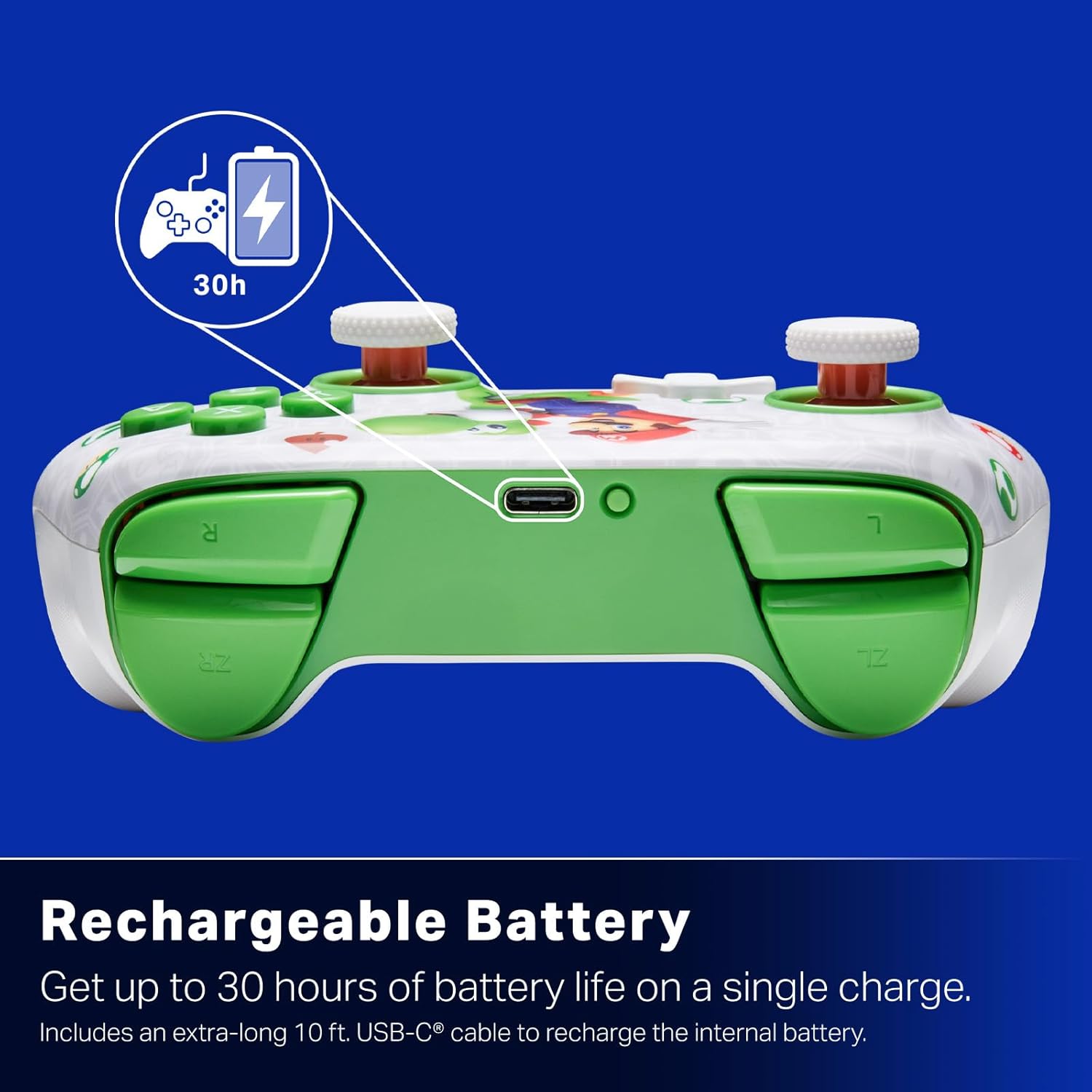
Bateria kargagarria: Offers up to 30 hours of gameplay on a single charge. Includes a 10 ft. (3m) USB-C cable for recharging.
Diseinu ergonomikoa: Crafted for comfort during extended gaming sessions, utilizing cutting-edge ergonomics and high-quality materials.
Nintendo Family Compatibility: Compatible with Nintendo Switch 2, Nintendo Switch, Nintendo Switch – OLED Model, and Nintendo Switch Lite.
Lizentzia ofiziala: PowerA products undergo rigorous testing by Nintendo to ensure compatibility and quality.
Konfigurazio Argibideak
1. Hasierako kargatzea
Before first use, fully charge your PowerA Advantage Wireless Controller. Connect the included 10 ft. (3m) USB-C cable to the controller's USB-C port and the other end to a powered USB port on your Nintendo Switch dock or a USB wall adapter.
Figure 1: Controller connected via USB-C for charging, highlighting the rechargeable battery feature.
2. Nintendo Switch-ekin parekatzea
Ziurtatu zure Nintendo Switch kontsola piztuta dagoela eta sistemaren softwarearen azken bertsiora eguneratuta dagoela.
HOME Menuan, hautatu Kontrolatzaileak, orduan Aldatu heldulekua/ordena.
On the PowerA Advantage Wireless Controller, press and hold the SYNC botoia located on the top edge of the controller for at least three seconds. The player indicator LEDs on the bottom of the controller will begin to flash.
Once the controller successfully pairs, the player indicator LED(s) corresponding to the controller number will remain lit.
Sakatu Botoi bat to confirm and exit the pairing screen.
For subsequent uses, simply press the HOME button on the controller to wake it up and automatically reconnect to your Switch console.
Funtzionamendu-argibideak
Oinarrizko Kontrolak
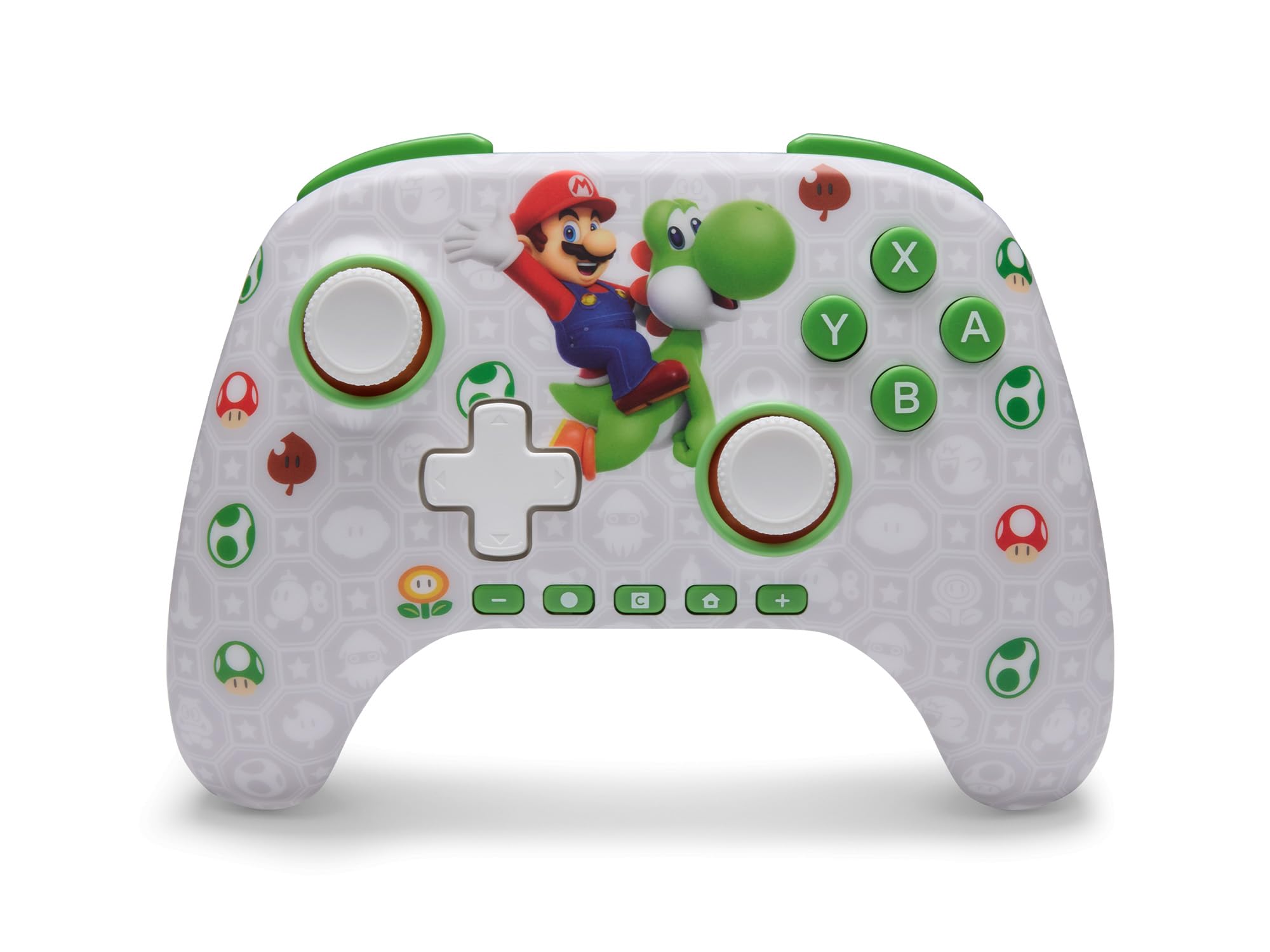
PowerA aurrerapenatage Wireless Controller features standard Nintendo Switch button layouts, including A, B, X, Y buttons, L/R and ZL/ZR shoulder buttons, a D-pad, and dual analog sticks. Familiarize yourself with these controls for general gameplay.
2. irudia: Aurrealdea view PowerA Advan-entage Wireless Controller, highlighting the Mario and Yoshi design and button layout.
Advanced Gaming Buttons (AGB)
The controller includes two mappable Advanced Gaming Buttons (AGR and AGL) on the back. These buttons can be assigned to replicate any other button on the controller for quick access during gameplay.
Sakatu Program Button (PRGM) on the back of the controller. The Program LED will flash.
Sakatu Advanced Gaming Button (AGR or AGL) you wish to map. The Program LED will flash rapidly.
Sakatu botoia you want to assign to the Advanced Gaming Button (e.g., A, B, X, Y, L, R, ZL, ZR, D-pad directions). The Program LED will stop flashing, indicating successful mapping.
To clear a mapped button, repeat steps 1-2, then press the Programaren botoia berriz.
Figure 3: Advanced Gaming Buttons (AGB) on the back of the controller, with an illustration of mappable functions.
Mugimendu-kontrolak
The controller supports motion controls, allowing for intuitive interaction in compatible games. These controls are automatically enabled when supported by the game.
Figure 4: Controller demonstrating motion control capabilities through tilting.
C Button (GameChat)
The dedicated C Button provides quick access to GameChat features in supported titles, enhancing your multiplayer experience.
Figure 5: The 'C' button, used for GameChat features.
Mantentzea
Garbiketa: Erabili zapi leun eta lehor bat kontrolatzailea garbitzeko. Saihestu produktu kimiko gogorrak edo material urratzaileak erabiltzea.
Biltegiratzea: Gorde kontrolatzailea leku fresko eta lehor batean, eguzki-argitik eta muturreko tenperaturetatik babestuta.
Bateria zaintzea: Bateriaren iraupena luzatzeko, saihestu kontrolagailua maiz erabat deskargatzea. Kargatu aldizka, etengabe erabiltzen ez baduzu ere.
Kableen zainketa: Handle the USB-C charging cable with care. Avoid bending or twisting it excessively.
Arazoak konpontzea
Kontrolatzailea ez da konektatzen/parekatzen
Ziurtatu kontrolatzailea guztiz kargatuta dagoela.
Egiaztatu Nintendo Switch kontsola sistemaren software berrienera eguneratuta dagoela.
Repeat the pairing process (see "Pairing with Nintendo Switch" in Setup Instructions).
If issues persist, try restarting both the controller and the Nintendo Switch console.
Stick Drift
PowerA aurrerapenatage Controller features Hall Effect modules designed to prevent stick drift. If you experience any unintended input, ensure the controller's firmware is up to date (check PowerA's official webgunea eguneratzeetarako).
Recalibrate the joysticks through the Nintendo Switch system settings if necessary (System Settings > Controllers and Sensors > Calibrate Control Sticks).
Bateriaren iraupen laburra
Ensure the controller is fully charged before each use.
Battery life can vary based on game usage and features enabled.
Erabili emandako USB-C kablea kargatzeko modu optimoa lortzeko.
Zehaztapenak
Ezaugarri
Xehetasuna
Modelo zenbakia
NSGP0569-01V
Konektibitatea
Wireless (Bluetooth), USB-C (for charging)
Gailu bateragarriak
Nintendo Switch 2, Nintendo Switch, Nintendo Switch – OLED Model, Nintendo Switch Lite
Bateriaren iraupena
Gehienez 30 ordu (erabileraren arabera aldatzen da)
Kablearen luzera
10 oin (3 m) USB-C
Neurriak
5.88 x 4.21 x 2.36 hazbete
Pisua
0.66 kilo
Ezaugarri bereziak
Hall Effect Thumbsticks, Mappable Advanced Gaming Buttons, Motion Controls, C Button
Bermea eta Laguntza
PowerA aurrerapenatage Wireless Controller comes with a Bi urteko berme mugatua. For detailed warranty information, product support, or to register your product, please visit the official PowerA webgunean PowerA.com/Support.
Figure 6: Official Nintendo Licensed Product badge, ensuring quality and compatibility.
Ask a question about this manual
Ask about setup, troubleshooting, compatibility, parts, safety, or missing instructions. Manuals+ will review the question and use this page’s manual context to help answer it.