
Sarrera
This manual provides essential information for the proper setup, operation, and maintenance of your GOBOULT Mustang Racer Smart Watch. Please read these instructions carefully before using your device to ensure optimal performance and longevity.
Kutxan dagoena
Upon unboxing your GOBOULT Mustang Racer Smart Watch, verify that all the following components are present:
- GOBOULT Mustang Racer Smart Watch (Black Blaze)
- Kargatzeko kablea
- Erabiltzailearen eskuliburua (dokumentu hau)
- Berme Txartela

Image: The GOBOULT Mustang Racer Smart Watch packaging, showing the watch, charging cable, user manual, and warranty card.
Produktua amaituview
The GOBOULT Mustang Racer Smart Watch features a robust design with intuitive controls and a vibrant display.
Funtsezko osagaiak:
- 1.43 hazbeteko AMOLED pantaila: Bereizmen handiko pantaila, ikusmen garbiak lortzeko.
- Biratzen den bezel-a: A functional bezel for navigating menus and features.
- Paddle Shifter: A unique side button for quick access to functions.
- Sentsoreak: Located on the rear for health monitoring.
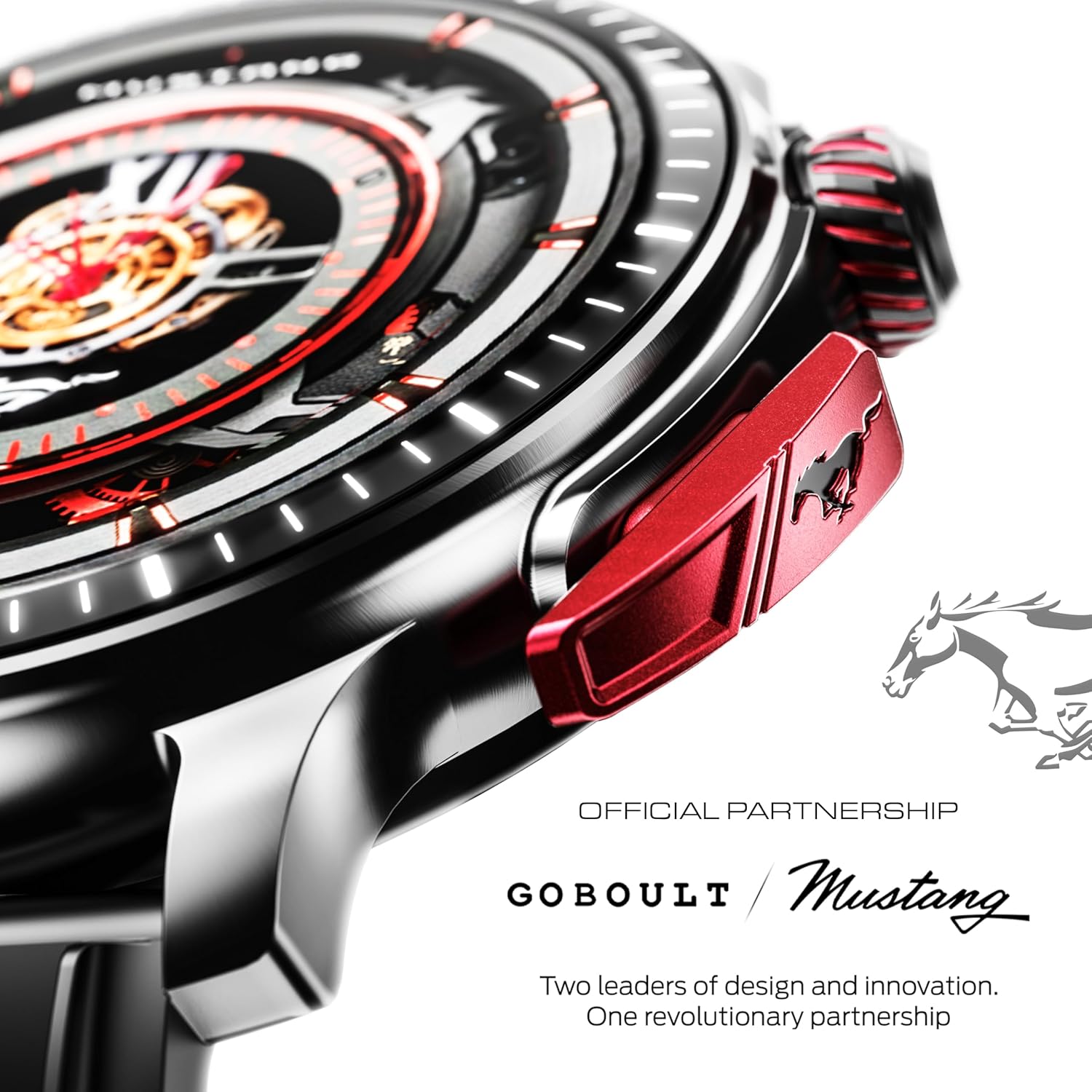
Irudia: Xehetasun zehatza view of the watch's side, highlighting the red paddle shifter and the textured rotating crown.

Image: The watch face, showcasing the 1.43-inch AMOLED display and the functional paddle shifter.
Konfigurazioa
1. Gailua kargatzea
Before initial use, fully charge your smart watch. Connect the provided charging cable to the charging port on the back of the watch and to a standard USB power adapter (not included). A full charge typically takes approximately 120 minutes.
2. Zure telefonoarekin parekatzea
- Download the official GOBOULT companion app from your smartphone's app store.
- Ziurtatu Bluetootha gaituta dagoela zure telefonoan.
- Open the GOBOULT app and follow the on-screen instructions to search for and connect to your Mustang Racer Smart Watch. The watch uses Bluetooth V5.3 for stable connectivity.
- Berretsi parekatze eskaera zure erlojuan eta telefonoan.

Image: The watch on a wet surface, indicating its Bluetooth V5.3 and IP67 water resistance features.
Funtzionamendu-argibideak
Bluetooth bidezko deiak
The integrated speaker and microphone allow you to make and receive calls directly from your wrist. Once paired with your smartphone, access the call function through the watch interface.
Erlojuaren aurpegiak pertsonalizatzea
Your Mustang Racer Smart Watch offers over 150 watch faces, including exclusive Mustang-themed designs. You can change watch faces through the watch settings or the companion app to match your style.

Image: Various watch faces displayed on the GOBOULT Mustang Racer Smart Watch, demonstrating customization options.
Kirol modalitateak
Track your physical activities with over 120 performance sports modes. Select your desired sport from the watch menu to monitor metrics such as steps, distance, calories burned, and heart rate during your workout.

Image: The watch on a wrist, displaying the sports mode interface.
AI Ahots Laguntzailea
Utilize the integrated AI Voice Assistant for hands-free control. Activate the assistant through the watch interface and issue commands for various functions.
Always On Display (AOD)
The Always On Display feature allows the watch face to remain visible at a low power state, providing continuous time and information without needing to raise your wrist or press a button.

Image: The watch face with Always On Display enabled, showing continuous time display.
Health Tracking Features
The GOBOULT Mustang Racer Smart Watch is equipped with advanced sensors to monitor various health metrics:
- 24x7 Heart Rate Monitor: Zure bihotz-maiztasuna etengabe kontrolatzen du egun osoan zehar eta entrenamenduetan zehar.
- SpO2 Blood Oxygen Saturation Monitor: Measures the oxygen level in your blood.
- Loaren jarraipena: Zure loaren ereduak aztertzen ditu, lo sakona, lo arina eta esna egoteko orduak barne.
- Odol-presioaren kontrola: Provides estimates of your blood pressure levels.
- Estresaren monitore: Zure estres mailak ulertzen eta kudeatzen laguntzen dizu.
Access detailed health data and trends through the companion app.

Image: The back of the watch, displaying the health monitoring sensors.
Zehaztapenak
| Ezaugarri | Zehaztapena |
|---|---|
| Marka | GOBOULT |
| Modelo zenbakia | GOBOULT Mustang Racer |
| Bistaratzeko tamaina | 1.43 hazbeteko AMOLED |
| Haririk gabeko mota | Bluetooth V5.3 |
| Bateria kargatzeko denbora | 120 minutu |
| Bateriaren energia-edukia | 1.11 watt ordu |
| Uraren Erresistentzia | IP67 |
| Elementuaren pisua | 55 g |
| Dakarten osagaiak | Charging Cable, Smart Watch, User Manual, Warranty Card |
Mantentzea
Garbiketa
Regularly clean your watch and strap with a soft, dry cloth. For stubborn dirt, lightly dampGarbitu oihalak urarekin. Saihestu produktu kimiko gogorrak edo material urratzaileak erabiltzea.
Uraren Erresistentzia
The GOBOULT Mustang Racer Smart Watch is IP67 water resistant, meaning it can withstand immersion in up to 1 meter of water for 30 minutes. It is suitable for daily use and can resist splashes and sweat. However, it is not recommended for swimming, diving, or exposure to high-pressure water.
Bateria zaintzea
To prolong battery life, avoid fully discharging the watch frequently. Charge it when the battery level is low, and avoid leaving it uncharged for extended periods.
Arazoak konpontzea
Erlojua ez da pizten
- Ensure the watch is fully charged. Connect it to the charging cable and allow it to charge for at least 30 minutes.
- Eduki sakatuta pizteko botoia hainbat segundoz.
Cannot Pair with Smartphone
- Verify that Bluetooth is enabled on your smartphone and the watch.
- Ensure the watch is within the Bluetooth range of your smartphone.
- Restart both your smartphone and the smart watch.
- Clear the Bluetooth cache on your smartphone and try pairing again.
Osasun-datu zehaztugabeak
- Ziurtatu erlojua eskumuturrean ondo estututa dagoela, baina ez gehiegi estututa.
- Garbitu erlojuaren atzealdeko sentsoreak.
- Saihestu mugimendu gehiegi neurketak egiten diren bitartean.
Bistaratzeko arazoak
- Berrabiarazi erlojua.
- Adjust the brightness settings.
Bermea eta Laguntza
Your GOBOULT Mustang Racer Smart Watch comes with a warranty. Please refer to the included Warranty Card for details regarding coverage, terms, and conditions.
For further assistance, technical support, or warranty claims, please contact GOBOULT customer service through their official webgunea edo zure Berme Txartelean emandako harremanetarako informazioa.