
Sarrera
The Roku Hiro 32-inch 720p HD Smart TV offers an integrated Roku streaming experience. This television features an HD display for clear picture quality and speakers with enhanced audio. It supports Bluetooth for private listening with headphones and includes Wi-Fi for internet connectivity. The Roku operating system provides a customizable home screen, access to numerous streaming channels, and automatic updates, making it suitable for various living spaces.
Kutxan dagoena
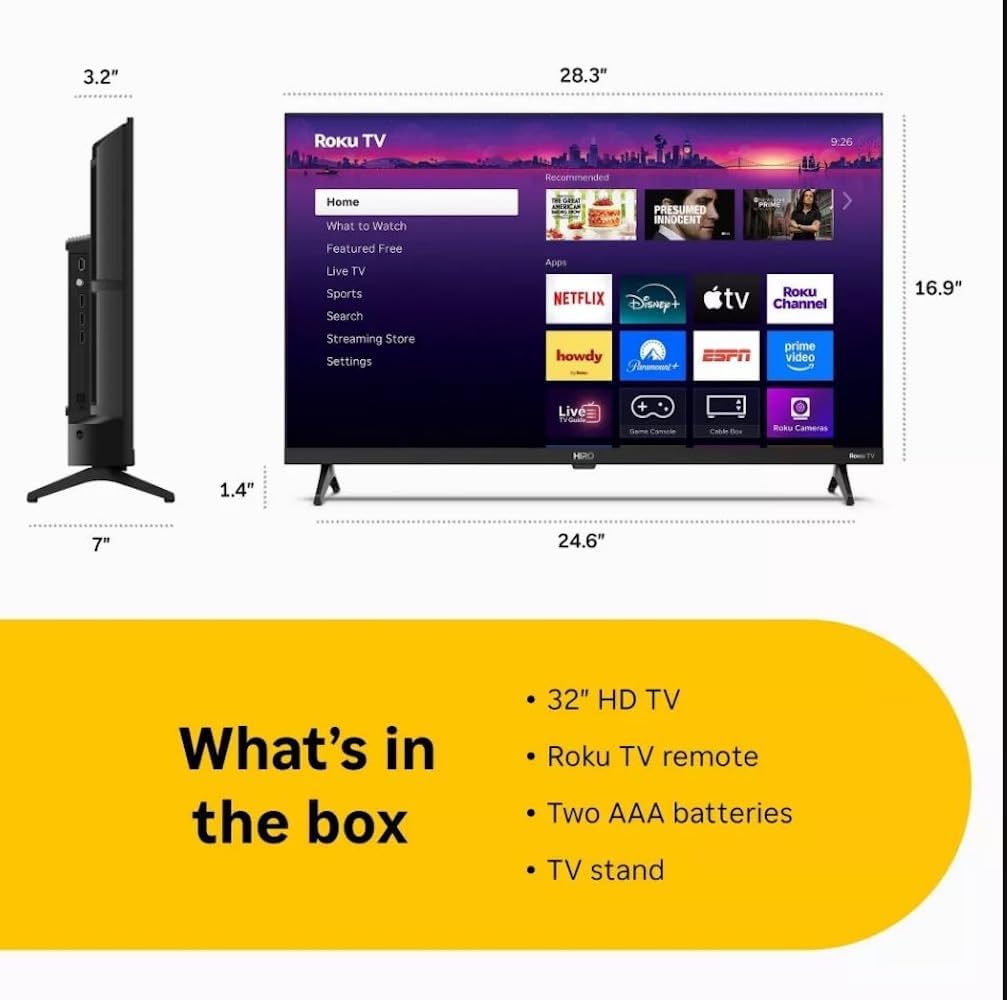
Diagram showing the dimensions of the Roku Hiro 32-inch TV and a list of included accessories: 32-inch HD TV, Roku TV remote, two AAA batteries, and TV stand.
- Hiro 32" 720p HD Smart TV Flat Screen LED Television with Roku TV
- Urruneko Kontrola
- Telebista
- Elikatze-kablea
- Erabiltzailearen Gida
Konfigurazioa
1. Standaren instalazioa
Carefully place the TV screen-down on a soft, clean surface to prevent damage. Align the TV stand with the designated slots on the bottom of the TV. Secure the stand using the provided screws. Ensure the stand is firmly attached before proceeding.
2. Gailuak konektatzea

Atzekoa view of the Roku Hiro TV, showing the input/output ports including USB, HDMI, and antenna connections.
- Potentzia: Konektatu elikatze-kablea telebistaren elikatze-sarrerara eta gero hormako entxufe batera.
- HDMI: Connect external devices such as Blu-ray players, game consoles, or cable boxes to the HDMI ports. This TV features 3 HDMI ports.
- USBa: Use the USB port for media playback from a USB drive.
- Audio optikoa: Connect an external sound system using an optical audio cable for enhanced sound.
- Antena/Kablea: Connect an antenna or cable TV feed to the RF input for over-the-air or cable channels.
3. Hasierako konfigurazioa
After connecting all necessary cables, power on the TV. Follow the on-screen instructions to:
- Hautatu zure hizkuntza.
- Konektatu zure Wi-Fi sarera.
- Activate your Roku account (or create a new one).
- Scan for available channels if an antenna is connected.
Funtzionamendu-argibideak
Urruneko Kontrol Funtzioak

Close-up of the Roku TV remote control, highlighting buttons for TV power, volume, mute, sleep timer, instant replay, options, and app shortcuts.
- Pizteko botoia: Telebista pizten edo itzaltzen du.
- Norabide-panel-a (D-Pad): Menuetan nabigatzen du eta elementuak hautatzen ditu.
- Ados botoia: Hautaketak berresten ditu.
- Hasierako botoia: Roku-ren hasierako pantailara itzultzen da.
- Atzera botoia: Aurreko pantailara itzultzen da.
- Bolumena igo/behera: Telebistaren bolumena doitzen du.
- Mututu botoia: Telebistaren soinua aktibatzen edo isilarazten du.
- Aplikazioaren lasterbideen botoiak: Direct access to popular streaming services (e.g., Netflix, Disney+, Apple TV+, Prime Video).
- Lo egiteko tenporizadorea: Sets a timer for the TV to turn off automatically.
- Berehalako erreprodukzioa: Jumps back a few seconds in supported content.
- Aukerak: Accesses additional settings or information for the current content.
Navigating the Roku OS

The Roku TV home screen interface, showing recommended content and various streaming applications.
The Roku home screen provides access to all your streaming channels, inputs, and settings. Use the D-Pad on your remote to navigate through the menu options on the left and the app grid on the right. You can customize the order of your channels by highlighting an app, pressing the * (Options) button, and selecting 'Move channel'.
Streaming edukia
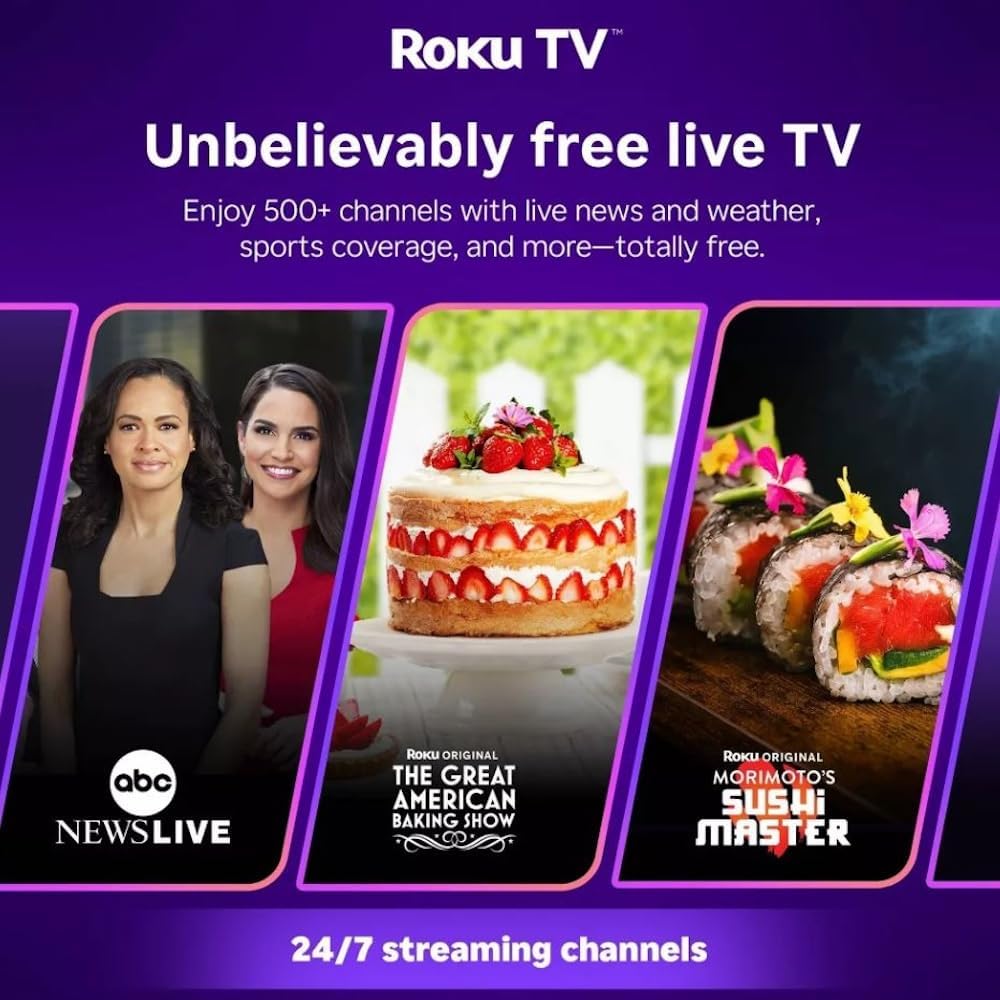
Roku TV interface promoting free live TV channels, featuring examples like ABC News Live, The Great American Baking Show, and Morimoto's Sushi Master.
Access a wide range of streaming services and free content through the Roku Channel Store. The Roku platform offers over 500 free channels, including live television, movies, and news. Use the 'Search' function on the home screen to find specific titles or channels.
Audio Ezaugarriak

Roku Hiro TV displaying the home screen with various streaming apps, emphasizing enhanced audio quality.
The TV features enhanced audio quality. For private listening, you can pair Bluetooth headphones directly with the TV. Navigate to Settings > Remotes & devices > Bluetooth devices > Pair new device to connect your headphones.
Mantentzea
Telebista garbitzea
- Deskonektatu beti telebista garbitu aurretik.
- Erabili zapi leun eta lihorik gabeko bat pantaila eta kabina astiro-astiro garbitzeko.
- Marka egoskorretarako, arinki garbituampGarbitu zapi bat urarekin edo pantaila-garbitzaile leun eta ez-urratzaile batekin. Ez ihinztatu garbitzailea zuzenean pantailan.
- Saihestu produktu kimiko gogorrak, zapi urratzaileak edo disolbatzaileak erabiltzea.
Software eguneraketak
The Roku TV automatically checks for and installs software updates when connected to the internet. To manually check for updates, go to Ezarpenak > Sistema > Software eguneraketa.
Arazoak konpontzea
| Arazoa | Irtenbidea |
|---|---|
| Botererik ez | Ziurtatu kablea telebistara eta funtzionatzen duen entxufe batera ondo konektatuta dagoela. Saiatu beste entxufe batekin. |
| Ez dago irudirik, baina soinua badago | Egiaztatu sarrera iturria. Sakatu botoia Hasiera button on the remote and select the correct input. Ensure all HDMI cables are securely connected. |
| Soinurik ez, baina irudia badago | Egiaztatu bolumen maila eta ziurtatu telebista ez dagoela isilarazita. Kanpoko audioa erabiltzen baduzu, egiaztatu konexioak eta ezarpenak. |
| Ezin da wifira konektatu | Verify your Wi-Fi password. Restart your router and modem. Go to Ezarpenak > Sarea > Konexioa konfiguratu to reconfigure. |
| Urruneko kontrola ez dabil | Ordeztu urrutiko agintearen pilak. Ziurtatu ez dagoela oztoporik urrutiko agintearen eta telebistaren IR sentsorearen artean. |
Zehaztapenak
| Ereduaren izena | H32C2C4 |
| Pantailaren tamaina | 32 hazbete |
| Bistaratzeko Teknologia | LED |
| Ebazpena | 720p |
| Freskatze tasa | 60 Hz |
| Sistema eragilea | Roku OS |
| Konektibitate Teknologia | Bluetooth, HDMI, Optical Audio, USB, Wi-Fi |
| Total Number of HDMI Ports | 3 |
| USB portuak guztira | 1 |
| Produktuaren neurriak (L x W x H) | 3.2" L x 28.3" W x 16.9" H |
| Elementuaren pisua | 7.5 kilo |
| liburukiatage | 120 voltio (AC) |
| Muntatze Mota | Mahai-muntaia |
| Kolorea | Beltza |
Bermearen informazioa
This Roku Hiro TV is covered by a 90-day Replacement Warranty. Please retain your proof of purchase for any warranty claims. For detailed terms and conditions, refer to the warranty documentation included with your product or visit the official Roku support webgunea.
Laguntza
For further assistance, troubleshooting guides, or to contact customer support, please visit the official Roku support website. You can find comprehensive FAQs and contact information there.