
1. Sarrera
Welcome to the user manual for your ZWXYVUT X95Pro Retro Handheld Game Console. This device is designed to provide a portable gaming experience with access to a vast library of classic games and modern Android functionalities. Featuring a 3.5-inch IPS OCA display, Android 9.0 operating system, and a 3000mAh battery, the X95Pro offers hours of entertainment. This manual will guide you through the setup, operation, maintenance, and troubleshooting of your console.
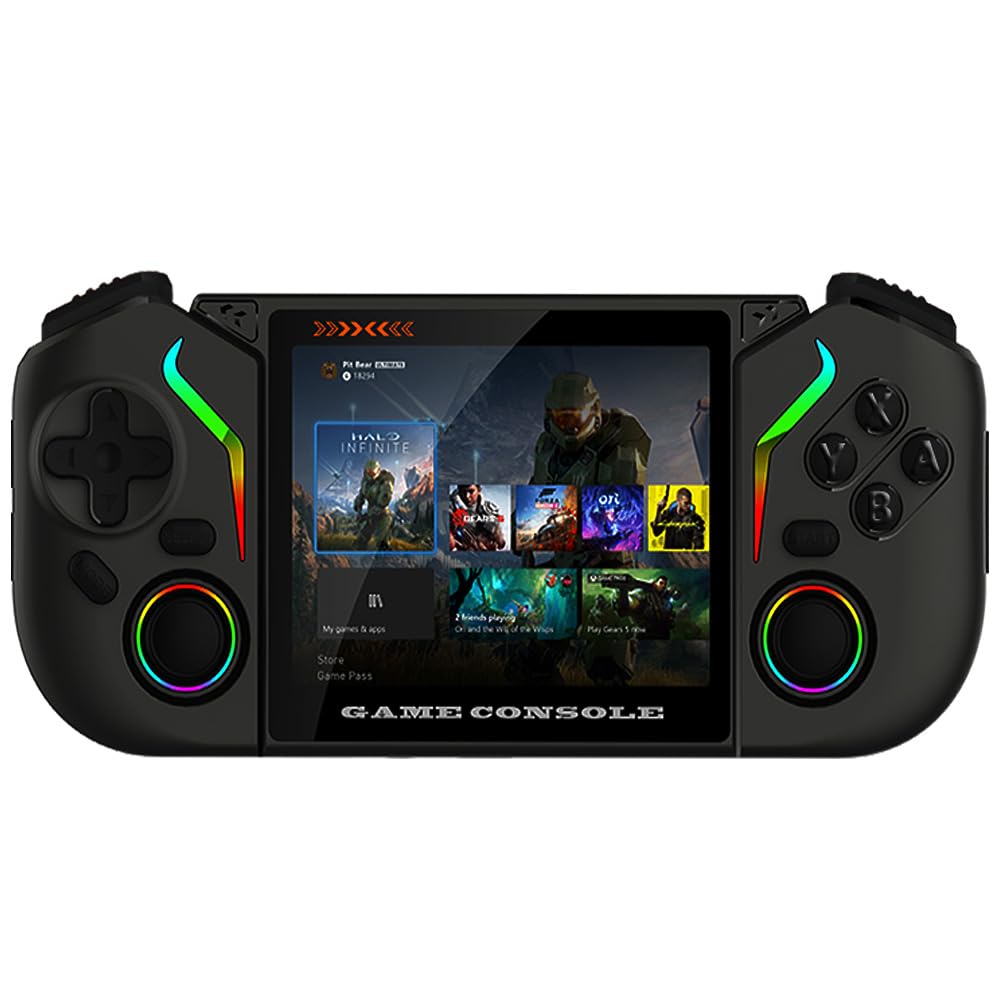
1. irudia: The ZWXYVUT X95Pro Retro Handheld Game Console, showcasing its compact design and screen.
2. Paketearen edukia
Hasi aurretik, ziurtatu elementu guztiak paketean daudela:
- X95Pro Handheld Game Console
- C motako karga-kablea
- Erabiltzailearen eskuliburua (dokumentu hau)
- Biltegiratzeko poltsa
- Pantaila babeslea
3. Gailuaren diseinua
Familiarize yourself with the buttons and ports on your X95Pro console.

2. irudia: Aurrealdea view of the X95Pro console, showing the screen, D-pad, analog sticks, and action buttons.

3. irudia: Aldea view illustrating the various ports (Type-C, OTG, 3.5mm audio jack) and shoulder buttons.
4. Konfigurazioa
4.1 Hasierako karga
Before first use, fully charge your X95Pro console. Connect the provided Type-C charging cable to the console's charging port and the other end to a 5V/2A power adapter (not included). A full charge takes approximately 2 hours and provides up to 8 hours of gameplay.
4.2 Piztu/Itzaltzea
- Pizteko: Sakatu eta eutsi pizteko botoia segundo batzuetan pantaila piztu arte.
- Itzaltzeko: Press and hold the Power button until a power-off menu appears on the screen. Select "Power Off" and confirm. A short press will put the device into sleep mode.
4.3 Pantaila-babeslearen aplikazioa
Carefully apply the included screen protector to prevent scratches and damage to the display. Ensure the screen is clean and dust-free before application.
5. Funtzionamendu-argibideak
5.1 Nabigazioa eta erabiltzaile interfazea
The X95Pro runs on Android 9.0, offering a familiar interface. Use the D-pad or analog sticks to navigate menus and select options. The A/B/X/Y buttons typically serve as confirmation and cancellation, similar to standard game controllers.

4. irudia: The X95Pro displaying its Android 9.0 home screen with various applications and game icons.
5.2 Jokoetan jolastea
The console comes pre-loaded with thousands of classic games and supports various emulators. To access games:
- Navigate to the "Games" or "Emulators" section on the home screen.
- Select your desired emulator or game title.
- Follow on-screen prompts to load and start playing.
The X95Pro supports emulators for systems such as MAME, PS1, NEOGEO, GBA, FC, SFC, CPS1, CPS2, CPS3, and PSP.
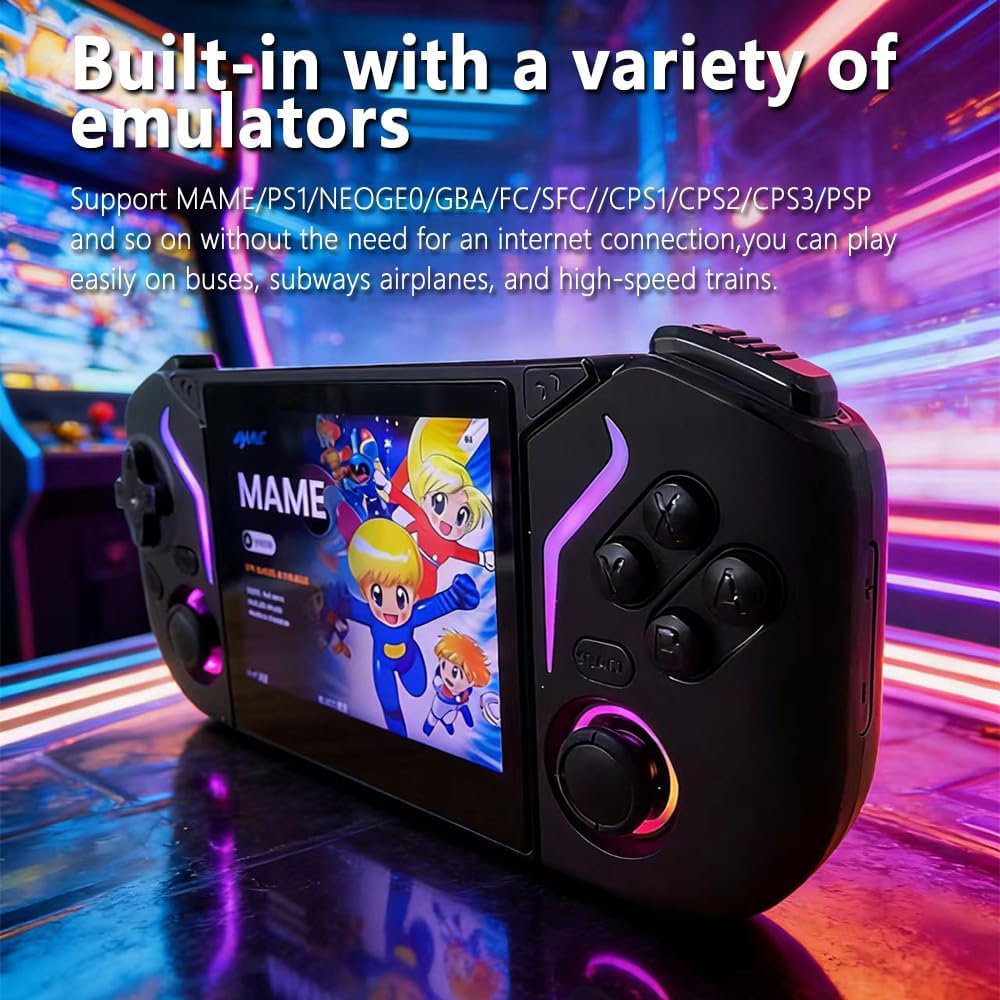
5. irudia: The X95Pro displaying a list of supported emulators, ready for game selection.
5.3 Wi-Fi konexioa
Wi-Fi sare batera konektatzeko:
- Joan hasierako pantailatik "Ezarpenak" atalera.
- Select "Network & Internet" and then "Wi-Fi".
- Aktibatu Wi-Fia eta hautatu nahi duzun sarea zerrendatik.
- Eskatzen bazaizu, idatzi pasahitza eta konektatu.
Wi-Fi enables online gaming, web browsing, and streaming content from platforms like YouTube.
5.4 External Storage
The console supports external storage via its OTG data port, allowing you to expand your game library or transfer files. Use a compatible OTG adapter (not included) to connect USB drives or other storage devices.
6. Mantentzea
6.1 Garbiketa
- Use a soft, dry, lint-free cloth to clean the console's exterior.
- Pantailarentzat, erabili pantailarentzako garbiketa-soluzio espezifiko bat eta mikrofibrazko zapi bat.
- Avoid using harsh chemicals, abrasives, or excessive moisture.
6.2 Biltegiratzea
When not in use, store the console in the provided storage bag to protect it from dust and scratches. Keep it in a cool, dry place away from direct sunlight and extreme temperatures.
6.3 Bateria zaintzea
To prolong battery life, avoid fully discharging the battery frequently. If storing for an extended period, charge the battery to approximately 50% before storage.
7. Arazoak
| Arazoa | Kausa posiblea | Irtenbidea |
|---|---|---|
| Kontsola ez da pizten. | Bateria baxua. | Charge the console for at least 30 minutes using the provided Type-C cable and a 5V/2A adapter. |
| Pantailak ez du erantzuten edo blokeatuta dago. | Softwarearen akatsa. | Berrabiarazteko, sakatu eta eutsi pizteko botoia 10-15 segundoz. |
| Ezin da wifira konektatu. | Pasahitz okerra, eremutik kanpo edo bideratzailearen arazoa. | Verify Wi-Fi password, move closer to the router, or restart your router. |
| Games are not loading. | Corrupt game file or emulator issue. | Try a different game. Ensure the game file is compatible with the selected emulator. |
8. Zehaztapenak
| Ezaugarri | Xehetasuna |
|---|---|
| Eredua | X95Pro |
| Sistema eragilea | Android 9.0 |
| Bistaratzea | 3.5-inch IPS OCA Full-Lamination MIPI Screen |
| Ebazpena | 640x480 |
| Bateria | 3000 mAh litiozko bateria |
| Bateriaren iraupena | Gehienez 8 ordu |
| Kargatzeko Denbora | Approx. 2 hours (with 5V/2A input) |
| Konektibitatea | Wi-Fi, Type-C (charging), OTG (data), 3.5mm Audio Jack |
| Materiala | Plastikoa |
| Neurriak (L x W x H) | 1 x 1 x 1 hazbete (Note: This dimension may be generic; actual product size may vary.) |
9. Bermea eta Laguntza
Bermeari buruzko informazioa eta bezeroarentzako laguntza lortzeko, erosketa unean emandako dokumentazioa kontsultatu edo zure saltzailearekin harremanetan jarri. Gorde erosketaren frogagiria bermearen erreklamazioetarako.
For technical assistance or further inquiries, please visit the official ZWXYVUT webwebgunean edo jarri harremanetan bere bezeroarentzako arreta zerbitzuarekin.