
1. Sarrera
Welcome to the user manual for your new TCL 65A400 Pro 65-inch 4K UHD MiniLED Smart TV. This guide provides essential information for setting up, operating, maintaining, and troubleshooting your television. Please read these instructions carefully to ensure proper use and to maximize your viewesperientzia.
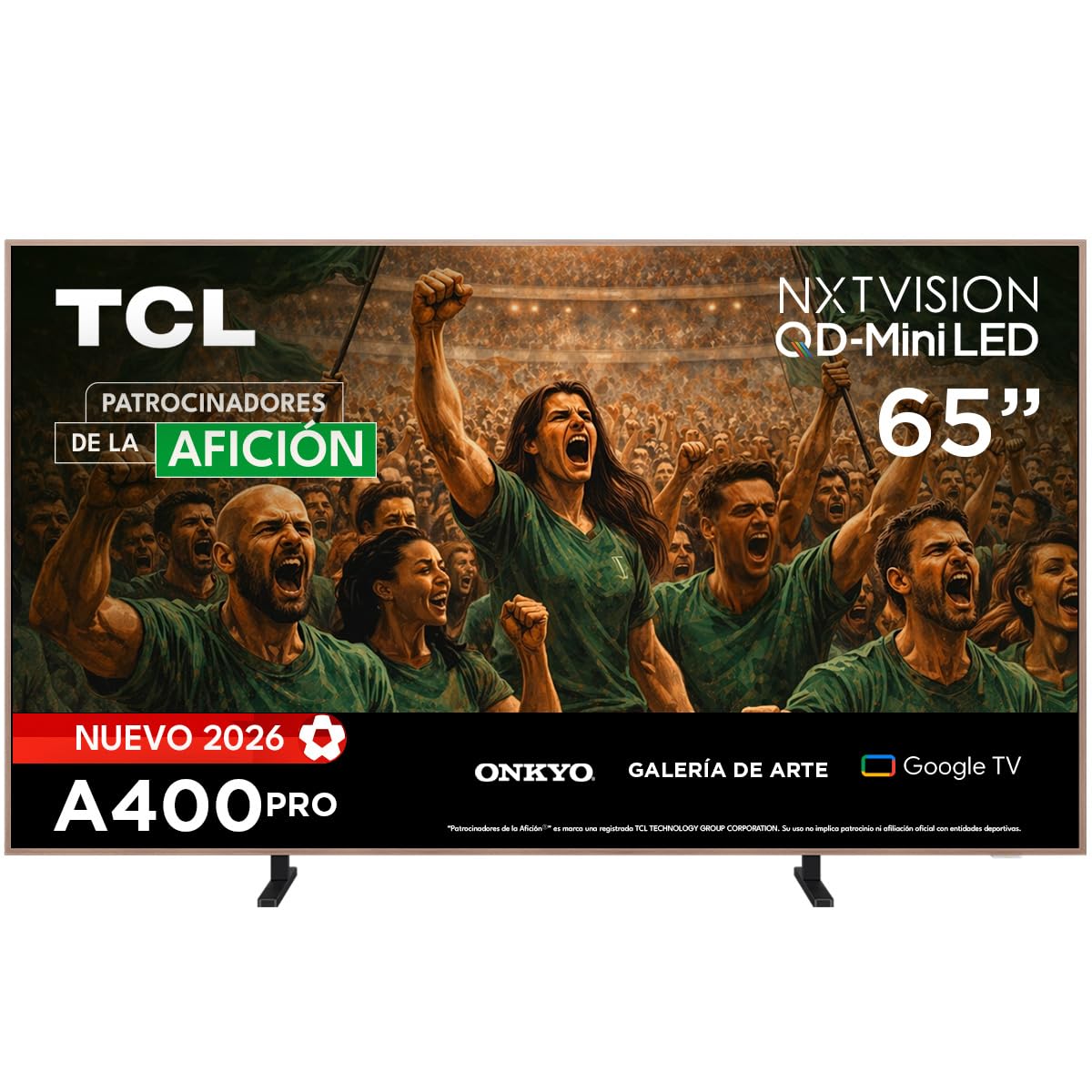
Irudia: Aurrealdea view of the TCL 65A400 Pro 65-inch Smart TV.
2. Zer dago kutxan
Hasi aurretik, egiaztatu paketearen edukia elementu guztiak daudela ziurtatzeko:
- TCL Smart TV with Google TV
- Mahai-postua
- Elikatze-kablea
- Hasierako gida azkarra
- Urruneko agintea eta bateriak

Image: Diagram showing the TV dimensions and a list of included accessories.
3. Konfigurazioa
3.1 Instalazio fisikoa
Your TCL 65A400 Pro TV offers flexible installation options:
- Mahaiaren euskarria: Attach the included table stand according to the Quick Start Guide for placement on a flat surface.
- Hormako muntaia: The TV supports flush wall mounting. Ensure you use a compatible VESA wall mount (sold separately) and follow its installation instructions carefully.
- Easel Bases: Optional easel-style bases are available for a unique display (sold separately).

Image: The ultra-thin design of the TV, suitable for flush wall mounting.
3.2 Gailuak konektatzea
Konektatu kanpoko gailuak telebistara eskuragarri dauden atakak erabiliz:
- HDMI: Use one of the four HDMI ports for high-definition devices like Blu-ray players, game consoles, or cable boxes.
- USBa: Two USB ports are available for connecting USB storage devices to play media.
- Potentzia: Konektatu elikatze-kablea telebistara eta gero entxufe batera.
3.3 Hasierako piztea eta sarearen konfigurazioa
After connecting all devices and power, press the power button on the remote control. Follow the on-screen instructions to complete the initial setup, including connecting to your Wi-Fi network and logging into your Google account for Google TV features.
4. Zure telebista funtzionatzea
4.1 Google TV interfazea
Your TV runs on Google TV, providing a personalized experience with access to streaming services, apps, and content recommendations. Use the remote control to navigate the interface, search for content, and manage your smart home devices.

Image: The Google TV home screen displaying various streaming applications and content.
4.2 Arte Modua
Transform your TV into a digital art display with Art Mode. Access a collection of famous paintings and photographs in stunning 4K UHD. This mode allows your screen to blend seamlessly into your home decor when not actively watching content.

Image: The TV in Art Mode, showcasing a painting in a gallery environment.
4.3 Bistaratzeko Ezaugarriak
- QD-Mini LEDa: Experience deep blacks and intense brightness with Quantum Dot and Mini LED technology, offering superior cinematic realism.
- 4K UHD bereizmena: Enjoy incredibly detailed and sharp images.
- 144 Hz VRR: Variable Refresh Rate at 144 Hz provides smooth motion, especially beneficial for gaming.
- Matte Panel: The HVA Matte finish reduces glare from natural or artificial light, maintaining color fidelity and protecting your eyes.

Image: Illustration of QD-Mini LED technology enhancing picture precision, brightness, and contrast.
4.4 Audio-sistema
The integrated Onkyo audio system with Dolby Atmos delivers powerful and clear sound, creating an immersive audio experience for all your entertainment.
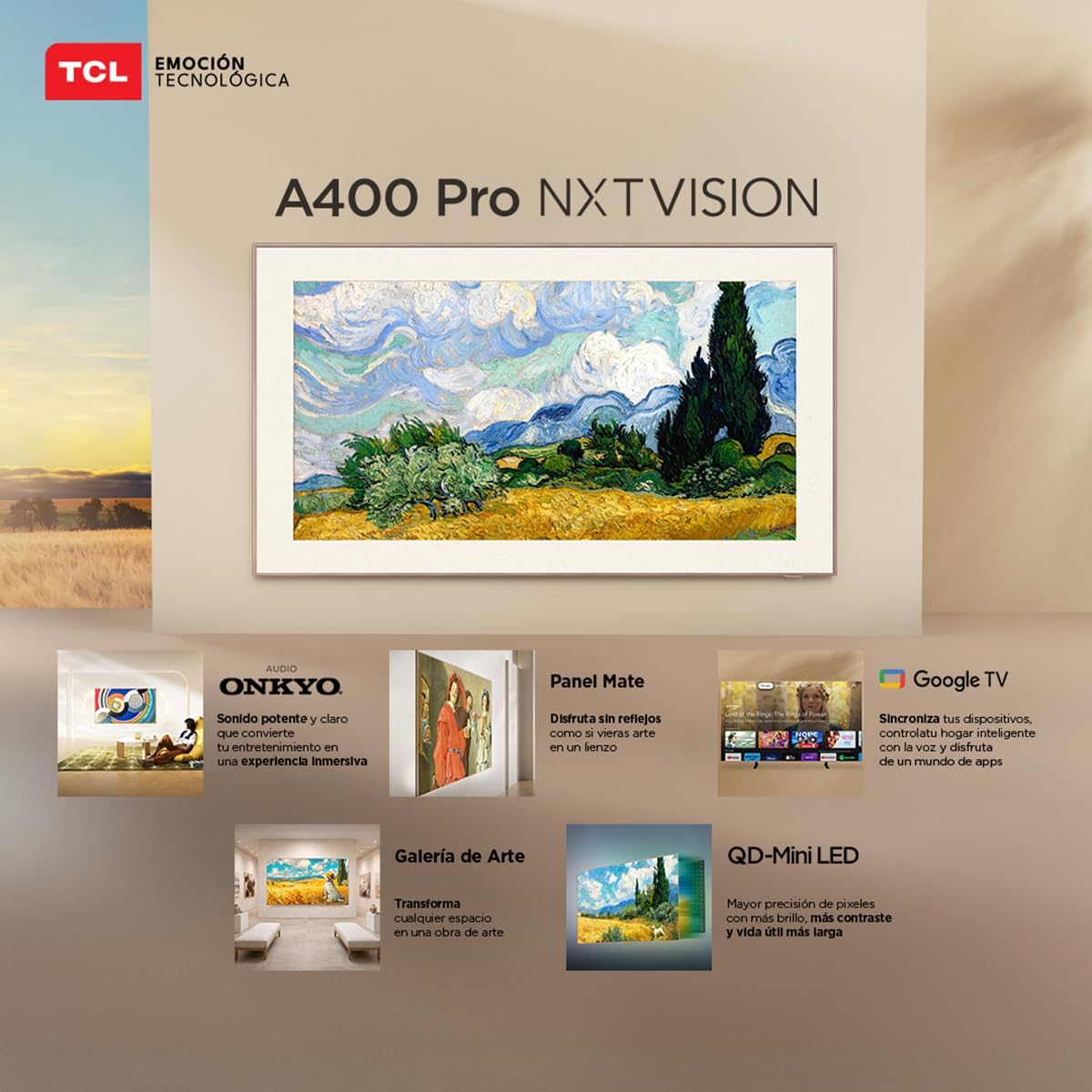
Image: A person enjoying immersive audio from the TV, highlighting the Onkyo sound system.
4.5 Konektibitatea
Telebistak hainbat konexio aukera onartzen ditu:
- Wi-Fi: Konektatu zure etxeko sarera interneterako sarbidea eta streaming-a lortzeko.
- Bluetooth 5.4: Pair wireless headphones, soundbars, or other Bluetooth-enabled devices.
- Chromecast: Built-in Chromecast allows you to cast content from your mobile devices to the TV.
- Alexa bateragarritasuna: Control your TV using voice commands through compatible Alexa devices.
5. Mantentzea
Zure TCL telebistaren iraupena eta errendimendu optimoa bermatzeko, jarraitu mantentze-jarraibide hauek:
- Pantaila garbitzea: Garbitu pantaila astiro-astiro zapi leun, lehor eta pelusik gabeko batekin. Orba egoskorrak izanez gero, garbitu apur batampGarbitu zapi bat urarekin edo pantaila-garbitzaile espezializatu batekin. Saihestu produktu kimiko gogorrak edo material urratzaileak.
- Markoa garbitzea: Erabili zapi leun eta lehor bat telebistaren markoa garbitzeko.
- Aireztapena: Ziurtatu telebistaren atzealdeko aireztapen-irekidurak ez daudela blokeatuta, gehiegi berotzea saihesteko.
- Elikatze kablea: Aldian-aldian egiaztatu kable elektrikoa kaltetuta dagoen. Kaltetuta badago, jarri harremanetan bezeroarentzako arreta-zerbitzuarekin ordezkatzeko.
6. Arazoak
Telebistarekin arazoak badituzu, jo ezazu honako arazo eta irtenbide ohikoenei:
| Arazoa | Irtenbide posiblea |
|---|---|
| Botererik ez | Ensure the power cable is securely connected to both the TV and a working power outlet. Check if the power outlet is functional. |
| Irudirik ez, baina soinua badago | Check the input source. Ensure the connected device is powered on and its video output is correctly configured. Try a different HDMI cable. |
| Soinurik ez, baina irudia badago | Check the TV's volume and mute settings. Ensure external audio devices (soundbar, receiver) are properly connected and powered on. Check audio output settings on the TV. |
| Urruneko kontrola ez dabil | Ordeztu urrutiko agintearen pilak. Ziurtatu ez dagoela oztoporik urrutiko agintearen eta telebistaren IR sentsorearen artean. Konektatu berriro urrutiko agintea Bluetooth bidezko urrutiko agintea bada. |
| Wi-Fi konexio-arazoak | Restart your router and modem. Go to the TV's network settings and try reconnecting to your Wi-Fi network. Ensure the Wi-Fi password is correct. |
Irtenbide hauek probatu ondoren arazoa konpontzen ez bada, jarri harremanetan TCL bezeroarentzako arreta-zerbitzuarekin.
7. Zehaztapenak
Key technical specifications for the TCL 65A400 Pro 65-inch Smart TV:
| Ezaugarri | Xehetasuna |
|---|---|
| Pantailaren tamaina | 65 hazbete |
| Bistaratzeko Teknologia | 4K, Mini LED |
| Ebazpena | 4K UHD |
| Freskatze tasa | 144 Hz (VRR) |
| HDR formatuaren euskarria | Dolby Vision, HDR10+ |
| Sistema eragilea | Google TV |
| Audio irteera modua | Inguratu |
| Integrated Surround Sound Format | Dolby Atmos |
| HDMI atakak | 4 |
| USB atakak | 2 |
| Bluetooth bertsioa | 5.4 |
| Konektibitate Teknologia | Bluetooth, HDMI, USB, Wi-Fi |
| Ezaugarri bereziak | Chromecast, Art Mode |
| Produktuaren neurriak (LxWxH) | 4 x 145.2 x 83.3 cm |
| Pisua (euskarririk gabe) | 17.6 kilogramo |
| Kolorea | Beltza |
| Screen Finish | Matea |
| Eredu Urtea | 2026 |
| UPC | 840464047636 |
8. Bermearen informazioa
Your TCL 65A400 Pro Smart TV comes with a 2 urteko berme mugatua from the date of purchase. This warranty covers manufacturing defects under normal use. Please retain your proof of purchase for warranty claims. For full terms and conditions, refer to the warranty card included with your product or visit the official TCL webgunea.
9. Bezeroarentzako arreta
For technical assistance, troubleshooting, or warranty inquiries, please contact TCL customer support:
- Telefonoa: 800 112 4656
- WhatsApp: 55 7005 5159
- Posta elektronikoa: servicio.mx@tcl.com
- Ordutegia: Monday to Saturday, 8:00 a.m. to 8:00 p.m. (local time)

Image: TCL Technical Support contact details including phone, WhatsApp, and email.


