
Sarrera
This manual provides essential information for the safe and efficient use of your Xiaomi 55-inch 4K UHD Smart Quantum MagiQ S Mini LED Google TV. Please read these instructions thoroughly before operating the device and retain them for future reference.
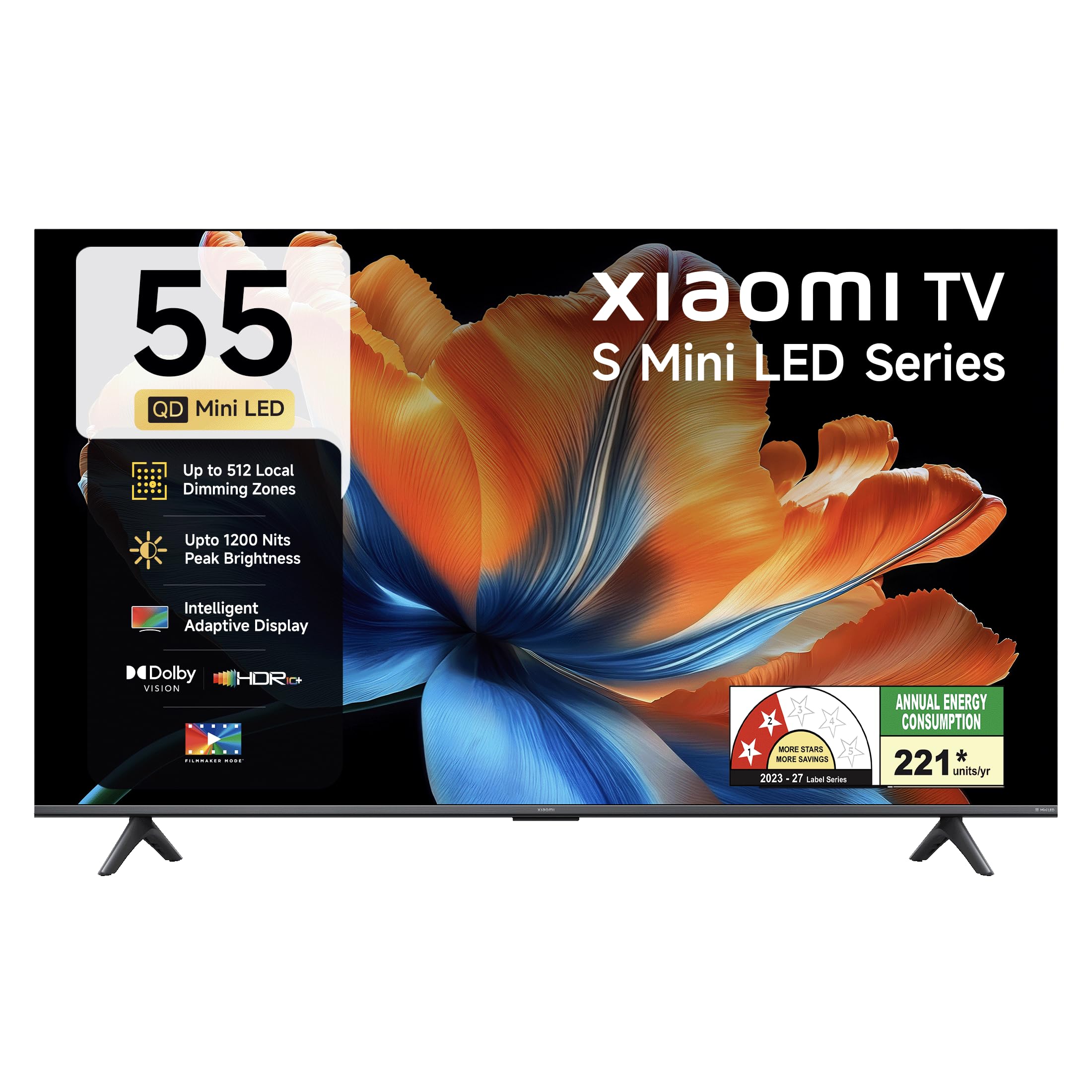
Irudia: Aurrealdea view of the Xiaomi 55-inch 4K UHD Smart Quantum MagiQ S Mini LED Google TV, showcasinbere marko mehearen diseinua.
Konfigurazio Gida
1. Desontziratzea eta barneko osagaiak
Carefully remove all items from the packaging. Ensure all components listed below are present and undamaged.

Image: Contents of the product box, including the TV unit, remote control, user manual, two stand units, four screws, two AAA batteries, and a power cord.
- LED telebista unitate 1
- 1 Urruneko kontrola
- 1 Erabiltzailearen eskuliburua (dokumentu hau)
- 2 Stand Units
- 4 torloju euskarria instalatzeko
- 2 AAA pila (urrutiko aginterako)
- 1 Elikatze-kablea
2. Euskarri instalazioa edo horman muntatzea
Your television supports both table-top stand installation and wall mounting. Choose the method suitable for your environment.
- Standaren instalaziorako: Attach the two provided stand units to the bottom of the TV using the four screws. Ensure they are securely fastened.
- Horman muntatzeko: Use a compatible VESA wall mount (sold separately). Follow the instructions provided with your wall mount kit. Ensure the wall can support the TV's weight.
3. Kanpoko gailuak konektatzea
Connect your external devices such as set-top boxes, gaming consoles, or audio systems to the TV's ports.

Irudia: Atzealdea view of the TV highlighting connectivity ports: Optical, Earphone, AV In, 3 HDMI ports (one with eARC), 2 USB 2.0 ports, Antenna, and Ethernet.
- HDMI atakak (x3): Connect gaming consoles, Blu-ray players, or set-top boxes. One port supports eARC for enhanced audio return channel functionality.
- USB atakak (x2): Konektatu USB biltegiratze gailuak multimedia erreproduzitzeko.
- Ethernet ataka: Kable bidezko internet konexiorako.
- Irteera optikoa: Kanpoko audio sistemetara konektatzeko.
- AV sarrera: Bideo konposatua eta audio estereoa erabiltzen dituzten gailu zaharragoak konektatzeko.
- Antena: Lurreko edo kable bidezko antena bat konektatzeko.
4. Hasierako piztea eta konfigurazioa
After connecting all necessary cables, plug the power cord into an electrical outlet. Press the power button on the remote control or the TV to turn it on. Follow the on-screen instructions for initial setup, which typically includes:
- Hizkuntza hautatzea
- Sare konexioa (Wi-Fi edo Ethernet)
- Google kontuan saioa hastea
- Kanalen eskaneatzea
Zure Xiaomi Smart TV erabiltzea
1. Urruneko kontrol funtzioak
Urrutiko agintea barne hartzen du eta telebistaren funtzio guztietarako sarbidea ematen du. Sartu bi AAA pilak urrutiko agintean, polaritate zuzena ziurtatuz.

Image: Xiaomi remote control, featuring dedicated quick access buttons for popular streaming services and Google Assistant voice control.
- Pizteko botoia: Telebista pizten edo itzaltzen du.
- Google Laguntzailearen botoia: Activates voice control for searching content, controlling smart home devices, and more.
- Nabigazio Pad: Menuetan nabigatzeko eta elementuak hautatzeko erabiltzen da.
- Bolumena igo/behera: Audioaren bolumena doitzen du.
- Kanal gora/behera: Telebistako kateak aldatzen ditu.
- Sarbide azkarreko botoiak: Dedicated buttons for Netflix, Prime Video, YouTube, Disney+ Hotstar, SonyLIV, and Live TV.
- Mututu botoia: Telebistaren audioa isilarazten du.
2. Google TV Interface and Applications
Your TV runs on the Android 14 OS with Google TV, offering a personalized content experience. Access a wide range of applications from the Google Play Store.

Image: The PatchWall interface, providing customized content recommendations and curation from various streaming platforms.
- Edukia Lehenengo UIa: Zure streaming zerbitzu guztietako edukia leku bakarrean antolatzen du.
- Pro pertsonalafiles: Sortu banakako profiles gomendio pertsonalizatuetarako.
- Onartutako aplikazioak: Pre-installed and downloadable apps include Netflix, Prime Video, YouTube, Zee5, JioCinema, SonyLiv, and more.
- Google Laguntzailea: Use voice commands for navigation, search, and smart home control.
3. Irudi eta soinu ezarpenak
Optimizatu zure viewirudi eta soinu modu desberdinen bidez entzuteko eta entzuteko esperientzia.
Irudiaren ezarpenak:
- Zinemagile modua: Disables post-processing effects to display content as intended by the director.
- Dolby Vision: Enhances HDR content with dynamic metadata for optimized image quality frame by frame.
- HDR10+: Uses dynamic data to enhance every frame, providing an immersive viewesperientzia.
- Begien erosotasun modua: Argi urdina eta keinua murrizten ditu erosotasun handiagoa lortzeko viewesperientzia.
- MEMC Engine: Mugimenduaren Estimazioa, Mugimenduaren Konpentsazio teknologia eszena bizkorretan mugimendu leunagoa lortzeko.
- AI Picture Optimization Engine: Advanced AI algorithms analyze content in real-time to enhance clarity, contrast, and color reproduction.

Image: Filmmaker Mode, designed to preserve original colors, contrast, and motion for an authentic cinematic experience.

Image: Dolby Vision technology, optimizing image quality with deeper blacks and brighter highlights.

Image: HDR10+ dynamic frame-by-frame tuning, ensuring consistent detail across dark and bright scenes.

Image: Eye Care Mode, providing flicker-free visuals with DC Dimming and reduced blue light for comfortable viewing.
Audio ezarpenak:
- 34 watt-eko irteera: Powerful built-in box speakers.
- Dolby Audio: Soinu aberatsa, garbia eta indartsua eskaintzen du.
- DTS-X eta DTS Virtual:X: Murgiltze-soinu multidimentsionala eskaintzen du.
- Xiaomi soinua: Preset audio configurations developed for optimal sound quality.

Image: Xiaomi Sound, offering tailored audio experiences through expert-developed configurations.
4. Konexioa eta erreprodukzioa
Your TV offers versatile connectivity options for seamless streaming and device integration.
- Banda bikoitzeko Wi-Fia: Connects to 2.4GHz and 5GHz wireless networks.
- Bluetootha: Konektatu haririk gabeko entzungailuak, bozgorailuak edo bestelako Bluetooth osagarriak.
- Google Cast Built-in: Stream content directly from compatible apps on your smartphone or tablet.
- Apple AirPlay 2: Apple gailuetatik edukia erreproduzitu.
- Miracast: Mirror your Android device's screen wirelessly.

Image: Stream content from your phone using Google Cast or Apple AirPlay 2.
Zainketa eta Mantentzea
Zaintza egokiak zure telebistaren iraupena eta errendimendu optimoa bermatzen ditu.
- Pantaila garbitzea: Garbitu pantaila astiro-astiro zapi leun eta pelusik gabeko batekin. Orban egoskorrak izanez gero, erabili pantailarako garbiketa-soluzio espezifikoa zapian aplikatuta, ez zuzenean pantailan.
- Gorputzaren garbiketa: Wipe the TV's frame and back panel with a soft, dry cloth. Avoid abrasive cleaners or solvents.
- Aireztapena: Ziurtatu aireztapen-fluxu egokia telebistaren inguruan. Ez blokeatu aireztapen-irekidurak.
- Itzali: Itzali beti telebista eta deskonektatu korronte-hartunetik garbitu aurretik edo denbora luzez erabili gabe egongo bada.
- Software eguneraketak: Periodically check for and install software updates to ensure optimal performance and security.
Ohiko arazoak konpontzea
Refer to this section for solutions to common operational problems.
| Arazoa | Irtenbidea |
|---|---|
| Telebista ez da pizten | Ensure the power cord is securely plugged into both the TV and a working electrical outlet. Check if the power outlet is active. Try pressing the power button on the TV itself. |
| Ez dago irudirik, baina soinua badago | Check the input source. Ensure the connected device (e.g., set-top box) is turned on and functioning. Try a different HDMI cable or port. |
| Soinurik ez, baina irudia badago | Check the volume level and ensure the TV is not muted. Verify audio output settings (e.g., internal speakers, external sound system). Check audio cables for external devices. |
| Urruneko kontrolak ez du erantzuten | Replace the AAA batteries in the remote control. Ensure there are no obstructions between the remote and the TV. Re-pair the Bluetooth remote if necessary (refer to TV settings). |
| Ezin da wifira konektatu | Ensure your Wi-Fi router is on and working. Re-enter the Wi-Fi password. Try restarting both the TV and the router. Check if other devices can connect to the Wi-Fi network. |
Zehaztapen Teknikoak
Detailed specifications for the Xiaomi 55-inch 4K UHD Smart Quantum MagiQ S Mini LED Google TV (Model L55MC-IN).

Image: Physical dimensions and weight of the Xiaomi 55-inch TV, both with and without the stand.
| Ezaugarri | Zehaztapena |
|---|---|
| Modelo zenbakia | L55MC-IN |
| Pantailaren tamaina | 55 hazbete (138 cm) |
| Bistaratzeko Teknologia | Mini LED |
| Ebazpena | 4K Ultra HD (3840 x 2160) |
| Freskatze tasa | 60 Hz (DLG 120 Hz) |
| Distira gailurra | 1200 nit arte |
| Sistema eragilea | Android 14 OS with Google TV |
| RAM | 2 GB |
| ROM (Barne Biltegiratzea) | 32 GB |
| Soinu Irteera | 34 Watt |
| Audio Teknologiak | Dolby Audio, DTS-X, DTS Virtual:X |
| Konektibitatea | Dual Band Wi-Fi, Bluetooth, 3 HDMI (1 eARC), 2 USB, Optical, Ethernet, AV In |
| Pantaila islatzea | Google Cast, Apple AirPlay 2, Miracast |
| Ezaugarri bereziak | Filmmaker Mode, MEMC, Eye Comfort Mode, AI Picture Optimization Engine |
| Produktuaren neurriak (L x W x H) | 31.2D x 31.2W x 76.9H Centimeters (with stand) |
| Item Weight Without Stand | 11.6 kilogramo |
| Energia-kontsumoa | 230 Watt |
| Jatorrizko Herrialdea | India |
Bermearen informazioa
Your Xiaomi TV comes with a comprehensive warranty provided by the brand from the date of purchase.
- Berme estandarra: 3-year comprehensive warranty for non-prebook customers (purchases between April 22nd - May 31st).
- Pre-book Customer Warranty: 4-year comprehensive warranty for pre-book customers (purchases between April 22nd - April 30th).
Warranty claims can be made using your Amazon invoice as proof of purchase. For detailed terms and conditions, please refer to the official Xiaomi warranty policy or contact customer support.
Bezeroarentzako Arreta
For any assistance, service requests, or queries regarding your Xiaomi TV, please contact Xiaomi customer support.

Irudia: Gainetikview of Xiaomi's customer support commitments, including quick installation, prompt call-backs, and swift doorstep solutions.
- Instalazio zerbitzuak: New TV installations are typically completed within 3 hours of your appointment.
- Service Requests: Expect a call back from the support team within 60 minutes for any service request.
- On-site Support: Experts aim to arrive at your home within 24 hours of your service request.
Please visit the official Xiaomi India website or refer to the contact information provided in your product packaging for the most up-to-date support details.