
Produktua amaituview
The COOSPO BK9 is a versatile bike speed and cadence sensor designed for both indoor and outdoor cycling. It utilizes Bluetooth 5.0 and ANT+ wireless technology to provide accurate, real-time data to compatible cycling computers and applications. This sensor helps cyclists monitor their performance by tracking speed and pedal revolutions per minute (RPM).
The BK9 sensor is IP67 waterproof, ensuring reliable performance in various weather conditions, and features a long battery life of approximately 300 hours.
Paketearen edukia
Paketea irekitzean, egiaztatu osagai guztiak daudela:
- COOSPO BK9C Cadence Sensor
- COOSPO BK9S Speed Sensor (if purchased as a set)
- Silicone mounting rings
- Field buckle mounts
- Erabiltzailearen eskuliburua

Image: Contents of the COOSPO BK9 sensor package, including the sensors, mounting accessories, and user manual.
Konfigurazioa eta Instalazioa
Bateriaren instalazioa
The COOSPO BK9 sensors feature a tool-free battery replacement design. To install or replace the CR2032 coin cell battery:
- Locate the battery cover on the back of the sensor.
- Twist the cover counter-clockwise to open it.
- Sartu CR2032 bateria alde positiboa (+) gora begira duela.
- Align the cover and twist clockwise to secure it.

Image: Illustration of the tool-free battery replacement mechanism for the COOSPO BK9 sensor, showing how to open and close the battery compartment.
Sensor Mounting (No Magnets Required)
The BK9 sensors do not require magnets for operation, simplifying installation.
Cadence Sensor Installation:
- Attach the cadence sensor to the inside of your bike's crank arm using the provided silicone ring or field buckle. Ensure it is securely fastened and does not interfere with pedaling.
Abiadura-sentsorearen instalazioa:
- Attach the speed sensor to the hub of either the front or rear wheel using the provided silicone ring or field buckle. Ensure it is firmly attached and does not obstruct wheel rotation.
- Ohar garrantzitsua: If your bike has a dynamo hub, it is recommended to mount the speed sensor to the spokes near the rim for accurate readings, as dynamo hubs can interfere with hub-mounted sensors.

Image: Visual guide for installing the cadence sensor on the crank arm and the speed sensor on the wheel hub. The image shows the sensor being attached to the crank arm and the wheel hub.
Funtzionamendu-argibideak
Connecting to Cycling Computers and Apps
The COOSPO BK9 sensors support both Bluetooth 5.0 and ANT+ connectivity, allowing them to pair with a wide range of devices and applications.
- Aktibatu sentsorea: Gently shake or rotate the sensor to wake it up. A small LED indicator will flash to confirm it is active.
- Enable Bluetooth/ANT+: Ensure Bluetooth is enabled on your smartphone or ANT+ is active on your cycling computer.
- Open Application/Device: Launch your preferred cycling application (e.g., Rouvy, Peloton, Wahoo, CoospoRide) or turn on your GPS bike computer.
- Pair Sensor: Navigate to the sensor pairing or device connection section within your app or cycling computer settings.
- Hautatu sentsorea: The sensor should appear in the list of available devices. Select it to pair. For cadence, it might appear as "BK9C" and for speed, "BK9S".
- Berretsi konexioa: Once paired, the app or device will typically display a "connected" status.
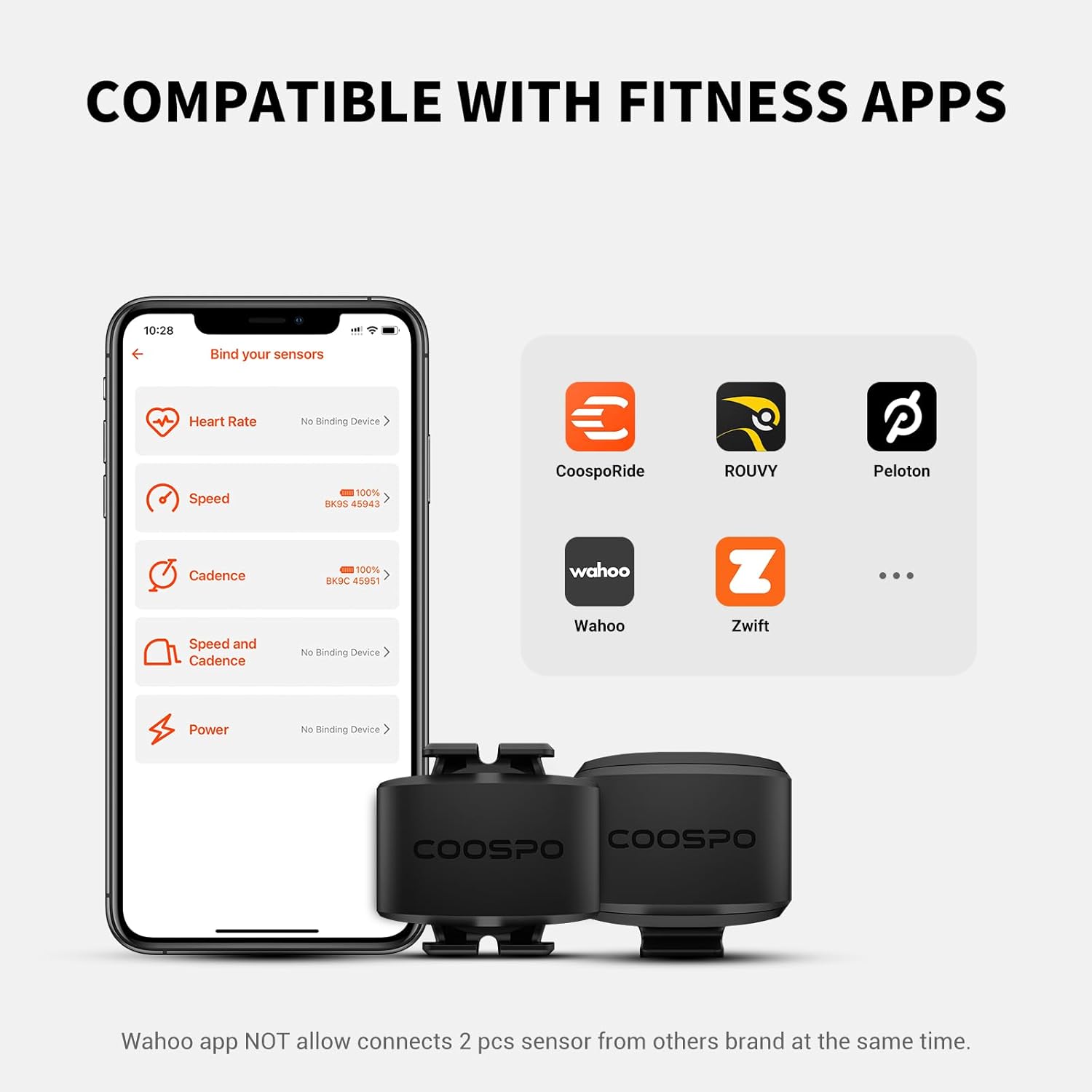
Image: Display showing the COOSPO BK9 sensors connected to a smartphone app, illustrating compatibility with various fitness applications like CoospoRide, Rouvy, Peloton, Wahoo, and Zwift.

Image: Diagram illustrating the Bluetooth 5.0 and ANT+ technology of the COOSPO BK9 sensors, showing compatibility with fitness apps, GPS bike computers, and smartwatches.

Image: The COOSPO BK9 sensors displayed alongside two GPS bike computers, demonstrating their compatibility for displaying speed and cadence data.
Once connected, the sensors will transmit real-time speed and cadence data to your device, allowing you to monitor and analyze your cycling performance.

Image: A cyclist on a road bike with a display showing real-time speed and cadence data, highlighting how the COOSPO BK9 sensors improve ride performance tracking.
Mantentzea
Garbiketa eta Zainketa
The COOSPO BK9 sensors are IP67 waterproof, meaning they are protected against dust and can withstand immersion in water up to 1 meter for 30 minutes. However, to ensure longevity:
- Garbitu sentsoreak iragarkiarekinamp cloth after use, especially after riding in wet or dusty conditions.
- Avoid soaking the sensors in water or cleaning them with high-pressure water jets.
- Ez erabili produktu kimiko gogorrik edo garbigailu urratzailea.

Image: Two COOSPO BK9 sensors being splashed with water, demonstrating their IP67 waterproof rating. Note: Avoid soaking or high-pressure cleaning.
Bateriaren iraupena eta ordezkoa
The sensors are designed for a long battery life of approximately 300 hours. When the battery is low, the sensor's performance may become inconsistent or it may fail to connect. Replace the CR2032 battery as described in the "Battery Installation" section.

Image: Two COOSPO BK9 sensors with a graphic indicating a 300-hour battery life. This image highlights the extended operational time of the sensors.
Arazoak konpontzea
- Sentsorea ez da konektatzen:
- Ziurtatu sentsorearen bateria ez dagoela agortuta. Ordeztu behar izanez gero.
- Wake up the sensor by shaking or rotating it.
- Verify Bluetooth (for apps) or ANT+ (for cycling computers) is enabled on your device.
- Ensure the sensor is within range of your receiving device.
- Try restarting your smartphone or cycling computer.
- If using a smartphone app, ensure you are pairing within the app itself, not directly through the phone's Bluetooth settings.
- Inaccurate Speed Readings:
- If mounted on a dynamo hub, reposition the speed sensor to the spokes near the rim.
- Ensure the sensor is securely mounted and not shifting during rides.
- Wahoo App Connectivity:
- The Wahoo app may not allow pairing of two third-party cycling sensors simultaneously. If you are experiencing issues, try pairing one sensor at a time or use a different compatible application.
- General Connectivity Issues with Smartphone Apps:

Image: A visual guide demonstrating the correct and incorrect methods for connecting the COOSPO BK9 sensor to smartphone applications. The correct method involves pairing within the app, while the incorrect method shows attempting to pair directly via phone settings.
Always connect the sensor directly through the cycling application's pairing menu, not through your phone's general Bluetooth settings. Connecting via phone settings can prevent the app from recognizing the sensor.
Zehaztapenak
| Eredua | BK9 |
| Marka | CooSpo |
| Konektibitatea | Bluetooth 5.0, ANT+ |
| Measurement Accuracy (Speed) | ±0.1 km/h |
| Measurement Accuracy (Cadence) | ±1 bira/min |
| Iragazgaitzaren balorazioa | IP67 |
| Bateria mota | CR2032 txanpon zelula |
| Bateriaren iraupena | Gutxi gorabehera. 300 ordu |
| Elementuaren pisua | 0.04 kilogramo |
| Muntatze Mota | Silicone Ring/Field Buckle |
Bermearen informazioa
The COOSPO BK9 Speed/Cadence Sensor comes with a 12 hilabeteko bermea from the date of purchase. This warranty covers manufacturing defects and malfunctions under normal use. It does not cover damage caused by misuse, accidents, unauthorized modifications, or improper installation.
For warranty claims or service, please contact CooSpo customer support with your proof of purchase.
Bezeroarentzako Arreta
If you encounter any issues or have questions regarding your COOSPO BK9 Speed/Cadence Sensor that are not addressed in this manual, please visit the official CooSpo webgunera edo jarri harremanetan bezeroarentzako arreta-taldearekin laguntza jasotzeko.
Informazio gehiago eta laguntza baliabideak aurki ditzakezu hemen: CooSpo markako denda Amazonen.