
1. Sarrera
This manual provides instructions for the proper use, setup, and maintenance of your bonoch AirSentry 16-in-1 Air Quality Monitor. This device is designed to measure various indoor air quality parameters to help you maintain a healthy living environment. Please read this manual thoroughly before operating the device.
2. Segurtasun informazioa
- Ez jarri gailua muturreko tenperatura, hezetasun edo eguzki-argitara.
- Avoid touching the external sensors or air intake holes to ensure accurate readings.
- Do not expose the device to perfumes, strong odors, or chemical sprays, as this may affect sensor accuracy.
- Use only the provided USB-C cable and charging adapter for optimal performance and to prevent damage.
- Mantendu gailua haurren eskura.
- Ez saiatu gailua zuk zeuk desmuntatzen edo konpontzen. Jarri harremanetan bezeroarentzako laguntza eskatzeko.
3. Paketearen edukia
Egiaztatu elementu guztiak paketean daudela:
- 1 x bonoch Air Quality Monitor
- 1 x Kargatzeko egokigailua
- 1 x USB-C kablea
- 1 x Erabiltzailearen eskuliburua (dokumentu hau)
4. Produktua amaitu daview
The bonoch AirSentry is a comprehensive indoor air quality monitor featuring a 7-inch LED display. It tracks 9 essential air quality parameters and provides 7 customizable AQI alert alarms.
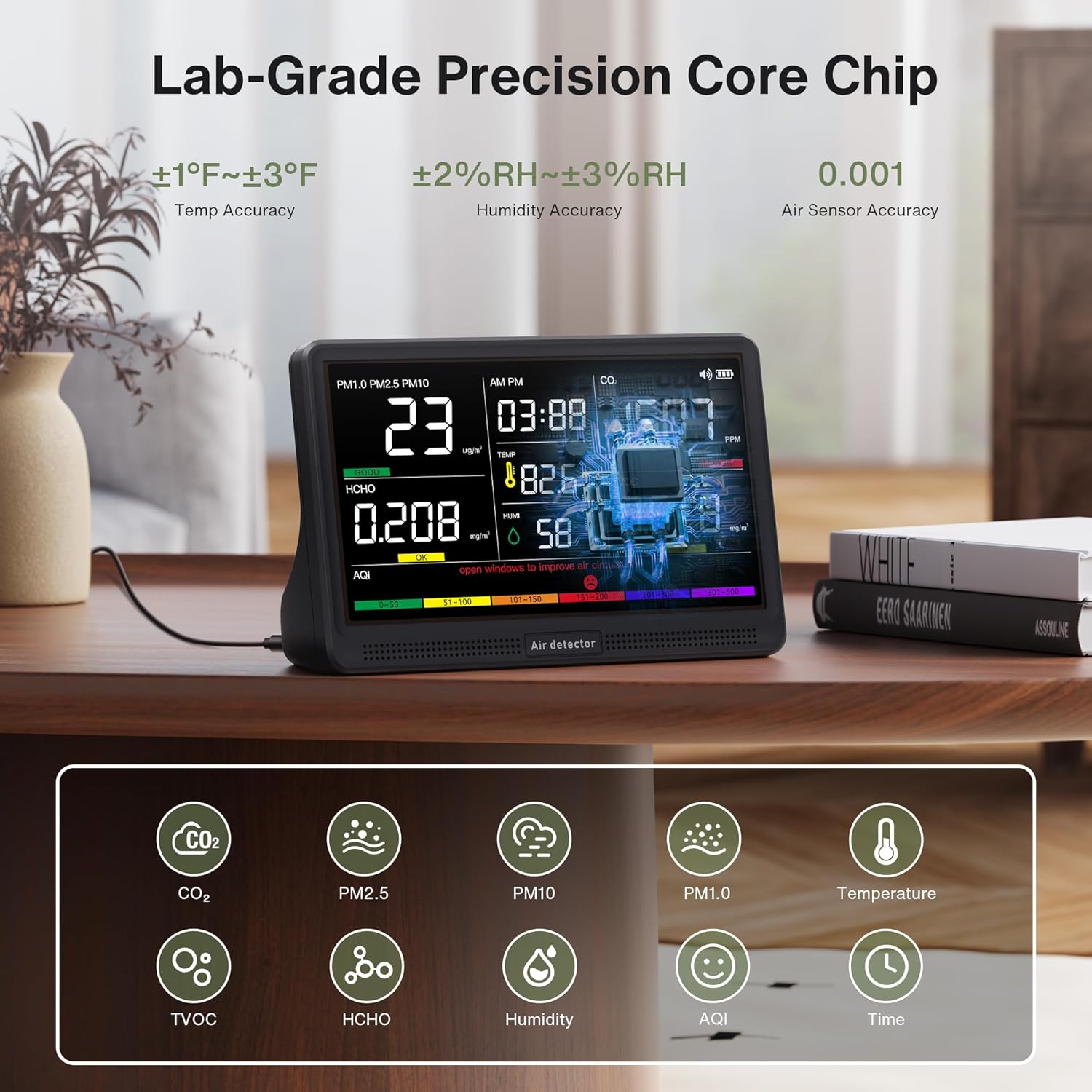
Image: The bonoch AirSentry monitor showing readings for PM1.0, PM2.5, PM10, HCHO, CO2, TVOC, Temperature, Humidity, and AQI on its 7-inch display. The image highlights the device's lab-grade precision core chip and various sensor accuracies.
Ezaugarri nagusiak:
- 16-in-1 Monitorizazioa: Real-time tracking of CO2, PM2.5, PM1.0, PM10, HCHO (Formaldehyde), TVOC, Temperature, Humidity, and AQI.
- Zehaztasun handiko sentsoreak: External sensors provide 0.001-level accuracy for precise measurements.
- 7-Inch LED Display: Large, clear display for instant air quality insights with 3-level adjustable brightness.
- AQI Alerts: 7 distinct alarm modes for various pollutants with a mute function.
- Diseinu eramangarria: Built-in 2500mAh battery offers up to 8 hours of cordless monitoring.

Irudia: Leherketa bat view diagram illustrating the AirSentry's external air sensors, core chip, display, and multi-sensor array, emphasizing its lab-grade accuracy and enhanced airflow design.
5. Konfigurazioa
5.1 Hasierako karga
- Connect the provided USB-C cable to the monitor's charging port.
- Plug the other end of the USB-C cable into the provided charging adapter.
- Konektatu egokitzailea hormako hartune estandar batera.
- A red indicator light will confirm that the device is charging. Charge the device fully before first use for optimal battery life.
5.2 Jartzea
Place the monitor in a central location within the area you wish to monitor. Ensure it is not obstructed and has adequate airflow. Avoid placing it near windows, vents, or direct heat sources that could affect readings.
6. Funtzionamendu-argibideak
6.1 Piztu/Itzali
- Pizteko, eduki sakatuta Boterea botoia pantaila piztu arte.
- Itzaltzeko, luze sakatu Boterea botoia pantaila itzali arte.
6.2 Bistaratuview
The 7-inch LED display shows real-time readings for all monitored parameters, including CO2, PM2.5, PM1.0, PM10, HCHO, TVOC, Temperature, Humidity, AQI, and the current Time. Color-coded indicators on the AQI bar provide a quick visual assessment of air quality levels.
6.3 Time Adjustment
- Switch Time Format: Sakatu Denbora botoia 12 orduko eta 24 orduko formatuen artean txandakatzeko.
- Ezarri orduak: Luze sakatu Denbora button to enter setting mode. Use the Alarma botoia edo Distira button to adjust the hour value.
- Ezarri minutuak: Sakatu Denbora button again. Use the Alarma botoia edo Distira button to adjust the minute value.
- Berretsi: Sakatu Denbora button once more to save the settings and exit.
6.4 Tenperatura Unitateen Aldaketa
To switch between Fahrenheit (°F) and Celsius (°C), simply click the Boterea button once while the device is on.
6.5 AQI Alerts and Muting
The monitor provides real-time alerts for elevated levels of CO2, PM2.5, PM1.0, PM10, HCHO, TVOC, and AQI. There are 7 distinct alarm modes. When an alert is active, a buzzer will sound.

Image: The bonoch AirSentry display showing high CO2 (1507 PPM) and TVOC (0.618 mg/m³) readings, indicating 'POOR' air quality with a red bell icon for an active alert. The image also shows the color-coded AQI scale (Good, OK, Poor).
- To silence an active alert, press the Alarma botoia.
6.6 Distira doitzea
The display has 3 adjustable brightness levels. Press the Distira button to cycle through the available levels.
6.7 Auto Recalibration / One-Click Reset
The device features auto-recalibration to maintain precision. For a quick reset and recalibration, long-press the Boterea button. This can be useful if you suspect readings are inaccurate or after moving the device to a new environment.

Image: The back of the bonoch AirSentry monitor, showing ventilation grilles and a warning to avoid touching external sensors or air intake holes to ensure accuracy. It also illustrates the one-click reset function via the power button.
7. Mantentzea
7.1 Garbiketa
Wipe the device with a soft, dry cloth. Do not use abrasive cleaners, solvents, or spray directly onto the device. Ensure no liquid enters the sensor openings or charging port.
7.2 Sensor Care
To maintain the accuracy of the external high-precision sensors, avoid touching them or exposing them to perfumes, strong odors, or chemical fumes. Keep the air intake and exhaust vents clear of dust and obstructions.
8. Arazoak
- Gailua ez da pizten: Ensure the device is fully charged. Connect it to the charger and try again.
- Irakurketa zehaztugabeak:
- Perform a one-click reset by long-pressing the Power button.
- Ensure the device is not near strong odors, chemicals, or in an area with poor airflow.
- Avoid touching the sensors.
- Display is too dim/bright: Egokitu distira hau erabiliz Distira botoia.
- Alarma maiz jotzen du: Check the displayed air quality parameters. If levels are high, ventilate the area. You can mute the alarm by pressing the Alarma botoia.
9. Zehaztapenak
| Marka | bonoch |
| Eredua | AirSentry B0GYF3WCLF |
| Bistaratzea | 7 hazbeteko LED |
| Monitored Parameters | CO2, PM2.5, PM1.0, PM10, HCHO, TVOC, Temperature, Humidity, AQI, Time |
| Tenperaturaren zehaztasuna | ±1-3°F |
| Hezetasunaren zehaztasuna | ± 2-3% RH |
| Air Sensor Accuracy | 0.001 maila |
| Bateria Edukiera | 2500mAh |
| Bateriaren iraupena | Up to 8 hours (cordless) |
| Energia iturria | Battery Powered (USB-C charging) |
| Produktuaren neurriak | 2.95 x 5.59 x 7.91 hazbete |
| Produktuaren pisua | 1.48 kilo |
10. Bermea eta bezeroarentzako laguntza
bonoch provides customer support for its products. If you encounter any issues or have questions regarding your AirSentry monitor, please contact the bonoch support team. Refer to the product packaging or the official bonoch website for contact information. Our support team aims to respond within 24 hours.


