Sarrera
This manual serves as a condensed instruction and reference guide for Microsoft Office Word 2007. It is designed to assist students and adults, including those with unique learning styles or diagnosed with ADD/ADHD learning disabilities, in quickly accessing and understanding Word 2007 features.
The manual employs a unique landscape table style format with columns and clear headings, facilitating rapid feature location. It includes a dedicated 'Location Chart' which is a screenshot of the Word 2007 window, illustrating the interface ribbon, tabs, and groups for easy navigation.
Ezaugarri nagusiak
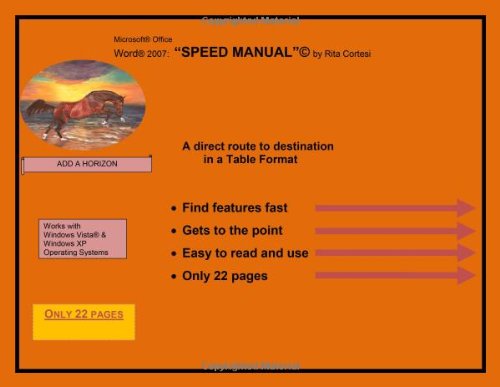
This image displays the cover of the Microsoft Office Word 2007 Speed Manual. It features a graphic of a horse, the manual's title, author Rita Cortesi, and highlights key benefits such as 'Find features fast,' 'Gets to the point,' 'Easy to read and use,' and 'Only 22 pages.' It also notes compatibility with Windows Vista and Windows XP operating systems.
- Find features fast: The structured layout allows for quick identification of specific Word 2007 functionalities.
- Gets to the point: Content is concise and direct, focusing on essential information.
- Easy to read and use: Designed for clarity and straightforward application.
- Only 22 pages: A compact guide, minimizing extensive reading while maximizing information retention.
Bateragarritasuna
This manual is designed for users operating Microsoft Office Word 2007 sistema eragile hauetan:
- Windows Vista®
- Windows XP Operating Systems
Eskuliburua erabiliz
To effectively utilize this manual, refer to its landscape table style format. Features are organized in columns with clear headings, enabling users to quickly locate specific functions or instructions within Word 2007. The included 'Location Chart' provides a visual reference of the Word 2007 interface, detailing the ribbon, tabs, and groups, which is crucial for understanding the context of the instructions.
This structure is intended to provide a direct route to understanding and applying Word 2007 functionalities without extensive searching.
Zehaztapenak
| Atributua | Xehetasuna |
|---|---|
| Argitaletxea | Add A Horizon |
| Argitalpen Data | 23ko uztailaren 2010a |
| Hizkuntza | ingelesa |
| Inprimatze-luzera | 22 orrialde |
| ISBN-10 | 0982900708 |
| ISBN-13 | 978-0982900703 |
| Elementuaren pisua | 4 ontza |
Laguntza
For further assistance or inquiries regarding Microsoft Office Word 2007, please refer to official Microsoft support channels or the publisher, Add A Horizon, for manual-specific questions. This manual is a guide for software usage and does not provide direct technical support for the software itself.


