Sarrera
This manual provides essential instructions for the setup, operation, maintenance, and troubleshooting of your Trust Soundwave 1000P PC Speaker system. Please read this manual thoroughly before using the product to ensure proper functionality and longevity.
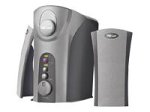
Image: The Trust Soundwave 1000P PC Speaker system, featuring a central subwoofer unit and two compact satellite speakers, designed for computer audio. The subwoofer is typically placed on the floor, while the satellite speakers are positioned on a desk.
Konfigurazio Argibideak
Follow these steps to correctly set up your Trust Soundwave 1000P PC Speaker system.
- Despaketatzea: Carefully remove all components from the packaging. Ensure you have the subwoofer, two satellite speakers, and all necessary cables.
- Hizlarien kokapena:
- Place the subwoofer on the floor, preferably near your computer desk, to optimize bass response. The vertical bass reflex design benefits from clear space around it.
- Position the two satellite speakers on your desk, equidistant from your listening position, for optimal stereo sound.
- Satelite bozgorailuak konektatzea: Connect the cables from the satellite speakers to the corresponding output ports on the subwoofer unit. Ensure a secure connection.
- Connecting to Audio Source (PC): Connect the 3.5mm audio jack cable from the subwoofer to the audio output port (usually green) on your computer's sound card.
- Potentzia-konexioa: Konektatu subwooferreko kablea entxufe elektriko estandar batera.
- Hasierako piztea: Turn on the speaker system using the power control, typically located on the subwoofer or a wired remote.
Bozgorailuak funtzionatzea
Once set up, you can begin using your Soundwave 1000P speakers.
- Piztu/Itzali: Use the main power switch or button to turn the system on or off. An indicator light may confirm the power status.
- Bolumen kontrola: Adjust the overall volume using the dedicated volume knob or controls. Start with a low volume and gradually increase it.
- Baxuen doikuntza: The subwoofer features an adjustable bass control. Rotate the bass knob to achieve your desired level of deep bass.
- 3D Sound Switch: Activate or deactivate the 3D sound feature using the designated switch. Experiment with this setting to find your preferred audio experience for different content.
- Audio sarrera: The system primarily uses an AUX connection. Ensure your audio source is playing sound through its 3.5mm audio output.
Mantentzea eta zaintzea
Proper maintenance ensures the longevity and optimal performance of your speaker system.
- Garbiketa:
- Deskonektatu korrontea garbitu aurretik.
- Use a soft, dry cloth to wipe down the speaker surfaces.
- Do not use liquid cleaners, aerosols, or abrasive materials, as these can damage the finish or internal components.
- Lekua: Avoid placing speakers in direct sunlight, near heat sources, or in areas with high humidity. Ensure adequate ventilation around the subwoofer.
- Kableen kudeaketa: Keep cables tidy and avoid sharp bends or kinks to prevent damage.
- Biltegiratzea: If storing the speakers for an extended period, disconnect them from power, clean them, and store them in a dry, cool place, preferably in their original packaging.
Arazoak konpontzeko gida
If you encounter issues with your Trust Soundwave 1000P speakers, refer to the following common problems and solutions.
| Arazoa | Kausa posiblea | Irtenbidea |
|---|---|---|
| Bozgorailuetatik ez dago soinurik. |
|
|
| Soinu distortsionatua edo lausoa. |
|
|
| Subwoofer-ak ez du baxuak sortzen. |
|
|
Produktuaren zehaztapenak
Key technical details for the Trust Soundwave 1000P PC Speaker system.
- Modelo zenbakia: 12616
- Marka: Konfiantza
- Hizlari mota: Subwoofer (2.1 system)
- Irteerako potentzia maximoa: 1000 Watt
- RMS Wattage: 7 Watt (5 + 2 x 1 Watt RMS)
- Konektibitate Teknologia: AUX (3.5 mm-ko konektorea)
- Audio irteera modua: Estereoa
- Energia iturria: Kable elektrikoa
- Elementuaren pisua: 10 g
- Muntatze mota: Tabletop Mount (for satellites), Floor (for subwoofer)
- Kontrol-metodoa: Ukitu
Bermearen informazioa
Produktu hau a Berme mugatua. For specific terms and conditions, including warranty duration and claim procedures, please refer to the warranty card included with your purchase or visit the official Trust webgunea. Gorde erosketaren egiaztagiria bermearen erreklamazioetarako.
Bezeroarentzako Arreta
For further assistance, technical support, or inquiries not covered in this manual, please visit the official Trust support webwebgunean edo jarri harremanetan bezeroarentzako arreta-zerbitzuarekin. Harremanetarako datuak normalean fabrikatzailearen webgunean aurki daitezke. webgunea edo produktuaren ontziak.
Official Trust Webgunea: www.trust.com


