1. Sarrera
Eskerrik asko erosketagatik.asing the NANAO FlexScan L767-R 19-inch Color LCD Display. This manual provides essential information for setting up, operating, and maintaining your monitor. Please read this manual thoroughly before use to ensure proper and safe operation.
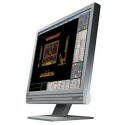
Figure 1: NANAO FlexScan L767-R LCD Monitor. This image shows the monitor from a slight angle, highlighting its slim bezel and adjustable stand.
2. Ezaugarriak
The FlexScan L767-R is designed for optimal visual performance and user convenience. Key features include:
- Kolore biziko pantaila: Supports approximately 16.77 million full colors for impressive color vibrancy.
- FineContrast Function: Easily adjust brightness and gamma settings to match content (text, images) for optimal viewing.
- Dual Input Support: Equipped with both analog and digital input terminals for versatile connectivity.
- Audio integratua: Features built-in speakers for audio output.
- Stand ergonomikoa: The stand allows for a 50mm vertical height adjustment, enhancing user comfort.
- Non-Glare Surface: The screen surface is non-glare, reducing reflections and eye strain.
3. Konfigurazioa
Follow these steps to set up your FlexScan L767-R monitor:
- Deskonprimitu monitorea: Kontu handiz atera monitoreak eta osagarri guztiak paketetik.
- Monitorearen kokapena: Place the monitor on a stable, flat surface. Ensure adequate ventilation around the monitor.
- Konektatu bideo-kablea:
- Izan ere Konexio analogikoa: Connect the D-Sub (VGA) cable from your computer's video output to the analog input port on the monitor.
- Izan ere Konexio digitala: Connect the DVI cable from your computer's video output to the digital input port on the monitor.
- Connect Audio Cable (Optional): If you wish to use the built-in speakers, connect an audio cable from your computer's audio output to the audio input port on the monitor.
- Konektatu korronte kablea: Plug the power cable into the monitor's power input, then plug the other end into a grounded electrical outlet.
- Piztu: Press the power button on the monitor. Power on your computer. The monitor should display your computer's screen.
4. Funtzionamendua
This section describes the basic operation of your FlexScan L767-R monitor.
4.1. FineContrast Function
The FineContrast function allows you to quickly switch between different display modes optimized for various content types. Use the dedicated buttons on the monitor's front panel to cycle through modes such as Text, Picture, Movie, and Custom. Each mode adjusts brightness, gamma, and color temperature for the best viewesperientzia.
4.2. Stand Adjustment
The monitor stand offers vertical height adjustment. Gently push or pull the monitor panel up or down to adjust its height within the 50mm range. Ensure the monitor is stable after adjustment.
4.3. Pantailako pantaila (OSD) menua
Access the OSD menu using the control buttons on the front panel to fine-tune settings such as brightness, contrast, color balance, input selection, and more. Refer to the detailed OSD menu guide in the full manual for comprehensive options.
5. Mantentzea
Mantentze egokiak zure monitorearen iraupena eta errendimendua bermatzen ditu.
- Pantaila garbitzea: Erabili lipurrik gabeko zapi leun bat dampened with water or a non-abrasive, monitor-specific cleaning solution. Do not spray liquid directly onto the screen.
- C garbiketaasing: Garbitu monitorearen casing with a soft, dry cloth. Avoid using strong detergents or solvents.
- Aireztapena: Ziurtatu monitorearen aireztapen-irekidurak ez daudela blokeatuta gehiegi berotzea saihesteko.
- Itzali: Itzali beti monitoreak eta deskonektatu korronte-hartunetik garbitu aurretik edo denbora luzez erabili gabe geratuko bada.
6. Arazoak
Monitorearekin arazoak badituzu, jo ezazu honako arazo eta irtenbide ohikoenei:
- Ez dago irudirik pantailan:
- Egiaztatu monitorea piztuta dagoen.
- Verify that the video cable is securely connected to both the monitor and the computer.
- Ensure the correct input source is selected on the monitor (Analog/Digital).
- Irudia distortsionatuta edo lausotuta dago:
- For analog connections, perform an auto-adjustment via the OSD menu.
- Check the display resolution settings on your computer. Ensure it matches the monitor's native resolution (1280x1024).
- Ez dago soinurik bozgorailuetatik:
- Verify the audio cable is properly connected.
- Egiaztatu bolumenaren ezarpenak bai monitorearen bai ordenagailuaren artean.
If the problem persists after trying these solutions, please contact EIZO customer support or refer to the comprehensive troubleshooting guide in the full product manual.
7. Zehaztapenak
| Ezaugarri | Zehaztapena |
|---|---|
| Marka | EIZO |
| Eredua | L767-R |
| Pantailaren tamaina | 19 hazbete |
| Ebazpena | 1280 x 1024 |
| Pantailaren gainazalaren deskribapena | Ez distira |
| Distira | 250 cd/m² |
| Freskatze tasa | 60 Hz |
| Atzeko argiaren teknologia | CCFL |
| HDMI Sarrera Portuak | 0 |
| USB funtzioa | Bat ere ez |
| Bozgorailu integratua | Bai |
| Telebistako funtzioa | Ez |
| 3D Display Support | Ez da onartzen |
| Ukipen-panela | Ez da onartzen |
| Elementuaren pisua | 10 kilogramo |
| Paketearen neurriak | 56 x 53.5 x 22.5 cm |
8. Bermea eta Laguntza
For detailed warranty information, please refer to the warranty card included with your product or visit the official EIZO webgunea. Bermearen baldintzak eta zehaztapenak eskualdearen arabera alda daitezke.
For technical support, product inquiries, or service requests, please contact EIZO customer support through their official channels. Keep your product model number (L767-R) and serial number ready when contacting support.
EIZO Official Webgunea: www.eizo.com


