1. Segurtasun informazio garrantzitsua
Please read all instructions carefully before operating your Thomson RR 68 M clock. Keep this manual for future reference.
- Ez jarri erlojua tenperatura altuen, eguzki-argiaren eraginpean edo hezetasun handiaren eraginpean.
- Saihestu erlojua erortzea edo kolpe gogorren eraginpean jartzea.
- Do not attempt to disassemble or modify the clock. This will void the warranty.
- Erabili zehaztutako bateria mota soilik. Ziurtatu polaritate zuzena bateriak sartzerakoan.
- Kendu pilak erlojua denbora luzez erabiliko ez bada, isuriak saihesteko.
2. Produktua amaitu daview
Familiarize yourself with the components of your Thomson RR 68 M clock.
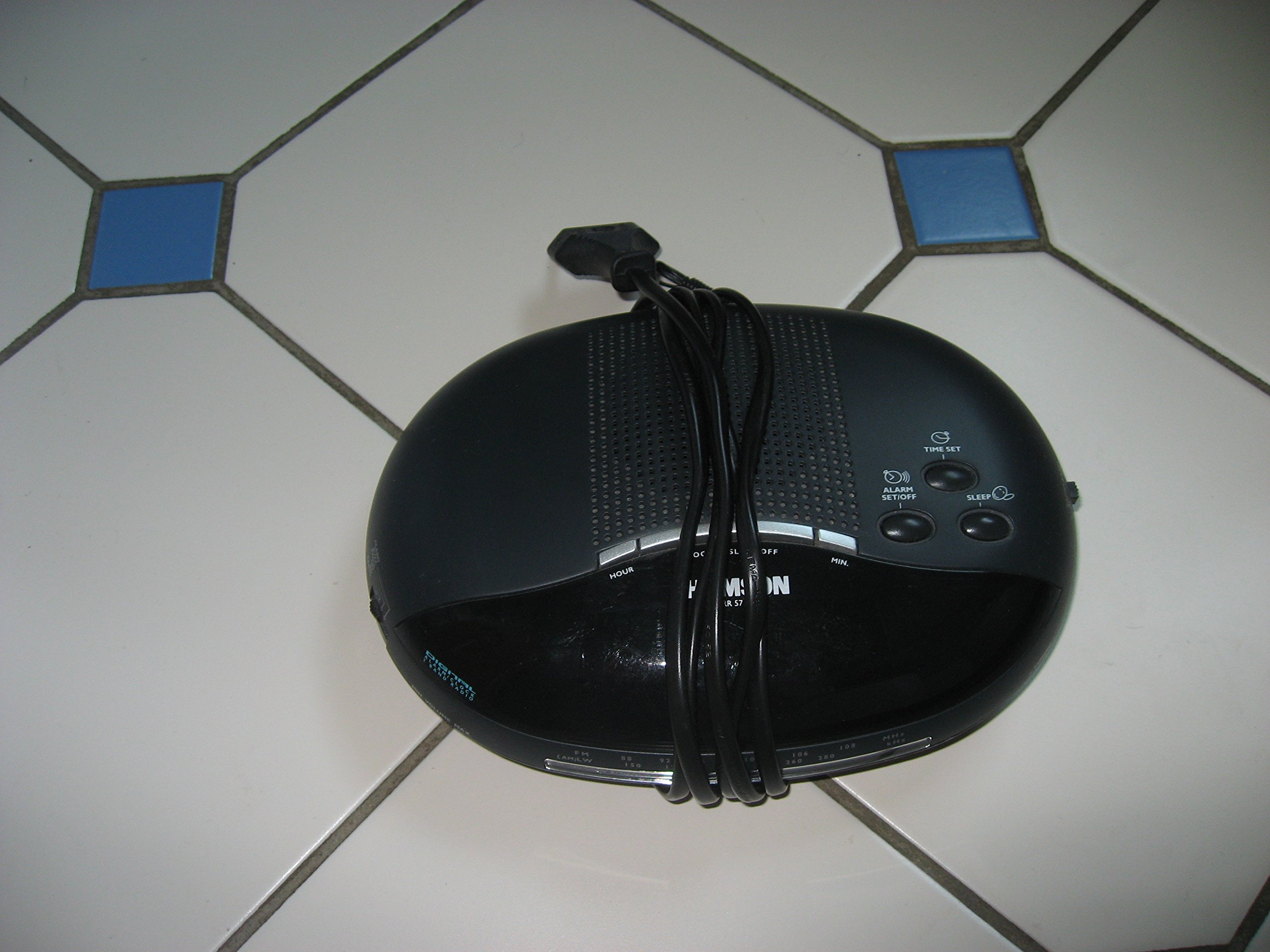
1. irudia: Aurrealdea view of the Thomson RR 68 M clock, showing the digital display and control buttons. This image illustrates the compact design suitable for tabletop placement.
2.1 Paketearen edukia
- Thomson RR 68 M Clock Unit
- Erabiltzailearen eskuliburua (dokumentu hau)
3. Konfigurazioa
3.1 Erlojua piztea
The Thomson RR 68 M clock operates on batteries (not included). Ensure you have the correct type and quantity of batteries before proceeding.
- Bilatu bateriaren konpartimentuaren estalkia erlojuaren atzealdean edo behealdean.
- Remove the battery compartment cover by sliding or unlatching it.
- Insert the required batteries, paying close attention to the polarity markings (+ and -) inside the compartment.
- Replace the battery compartment cover securely. The clock display should now illuminate.
4. Funtzionamendu-argibideak
4.1 Ordua ezartzea
To set the current time on your Thomson RR 68 M clock:
- Locate the 'SET' or 'MODE' button, usually on the back or side of the clock. Press and hold this button for a few seconds until the hour digits begin to flash.
- Use the '+' or 'HOUR' button to adjust the hour. Press repeatedly to advance the hour.
- Press the 'SET' or 'MODE' button again. The minute digits will begin to flash.
- Use the '+' or 'MINUTE' button to adjust the minutes. Press repeatedly to advance the minutes.
- Press the 'SET' or 'MODE' button one last time to confirm the time setting and exit the setting mode. The display will stop flashing.
Note: This model does not feature an alarm function.
5. Mantentzea
5.1 Garbiketa
Zure erlojuaren itxura mantentzeko:
- Wipe the clock's exterior with a soft, dry cloth.
- Do not use abrasive cleaners, solvents, or chemical sprays, as these can damage the finish.
5.2 Bateria ordezkatzea
When the display dims or the clock stops functioning, it is time to replace the batteries. Follow the steps in Section 3.1 to replace the old batteries with new ones. Dispose of used batteries responsibly according to local regulations.
6. Arazoak
If you encounter issues with your Thomson RR 68 M clock, refer to the following common problems and solutions:
6.1 Clock Display is Blank or Dim
- Egiaztatu bateriak: Ensure batteries are inserted correctly with the correct polarity. Replace with fresh batteries if necessary.
- Bateriaren konpartimendua: Egiaztatu bateriaren konpartimentuaren estalkia ondo itxita dagoela.
6.2 Time is Incorrect
- Berrezarri ordua: Follow the instructions in Section 4.1 to manually set the time.
- Bateria Potentzia: If the time frequently resets or loses accuracy, the batteries may be low and require replacement.
7. Zehaztapenak
| Modelo zenbakia | RR 68 M |
| Marka | THOMSON |
| Muntatze Mota | Mahaigaina |
| Energia iturria | Pilak (ez daude barne) |
| Alarma Funtzioa | Ez |
8. Bermearen informazioa
Specific warranty details for the Thomson RR 68 M clock are not provided within this user manual. Please refer to the product packaging, the point of purchase, or the official Thomson webbermearen baldintza eta zehaztapen osoak ikusteko webgunea.
9. Bezeroarentzako arreta
For further assistance, technical support, or inquiries regarding your Thomson RR 68 M clock, please visit the official Thomson website or contact their customer service department. Contact information is typically available on the manufacturer's webgunea edo produktuaren ontziak.


