Sarrera
Eskuliburu honek MATRIX MR600 afinagailu metronomoaren argibide zehatzak eskaintzen ditu. Gailu honek erritmo praktikarako metronomo bat eta instrumentuen tonuaren zehaztasunerako afinagailu bat konbinatzen ditu, musikariei praktikan eta emanaldian laguntzeko diseinatua.
Produktua amaituview
MATRIX MR600ak pendulu estiloko LED pantaila dauka erritmoaren adierazle bisualerako, afinatzeko tonu kromatikoaren irteera eta hainbat konpas-signaturarako doikuntza-funtzio beheranzkoa.
Osagaiak
- Denboraren markagailua: Tempoaren doikuntza zehatza egiteko biraketa-botoi handia.
- Pizteko/Moduaren etengailua: Itzalita, Metronomo eta Soinua (Afinatzailea) moduen artean hautatzen du.
- Taupada/tonu ezarpenak: Metronomoaren erritmo-ereduen eta afinatzailearen erreferentzia-tonuaren kontrolak.
- Bolumen kontrola: Irteerako bolumena doitzen du.
- LED erritmo adierazleak: Metronomoaren taupadaren irudikapen bisuala.
- Bozgorailu integratua: Metronomoaren klik entzungarriak eta afinagailuaren tonuak lortzeko.
- Aurikularrak Jack: Entzun pribaturako.
- Kickstand: Zutik jartzeko.

Konfigurazioa
Bateriaren instalazioa
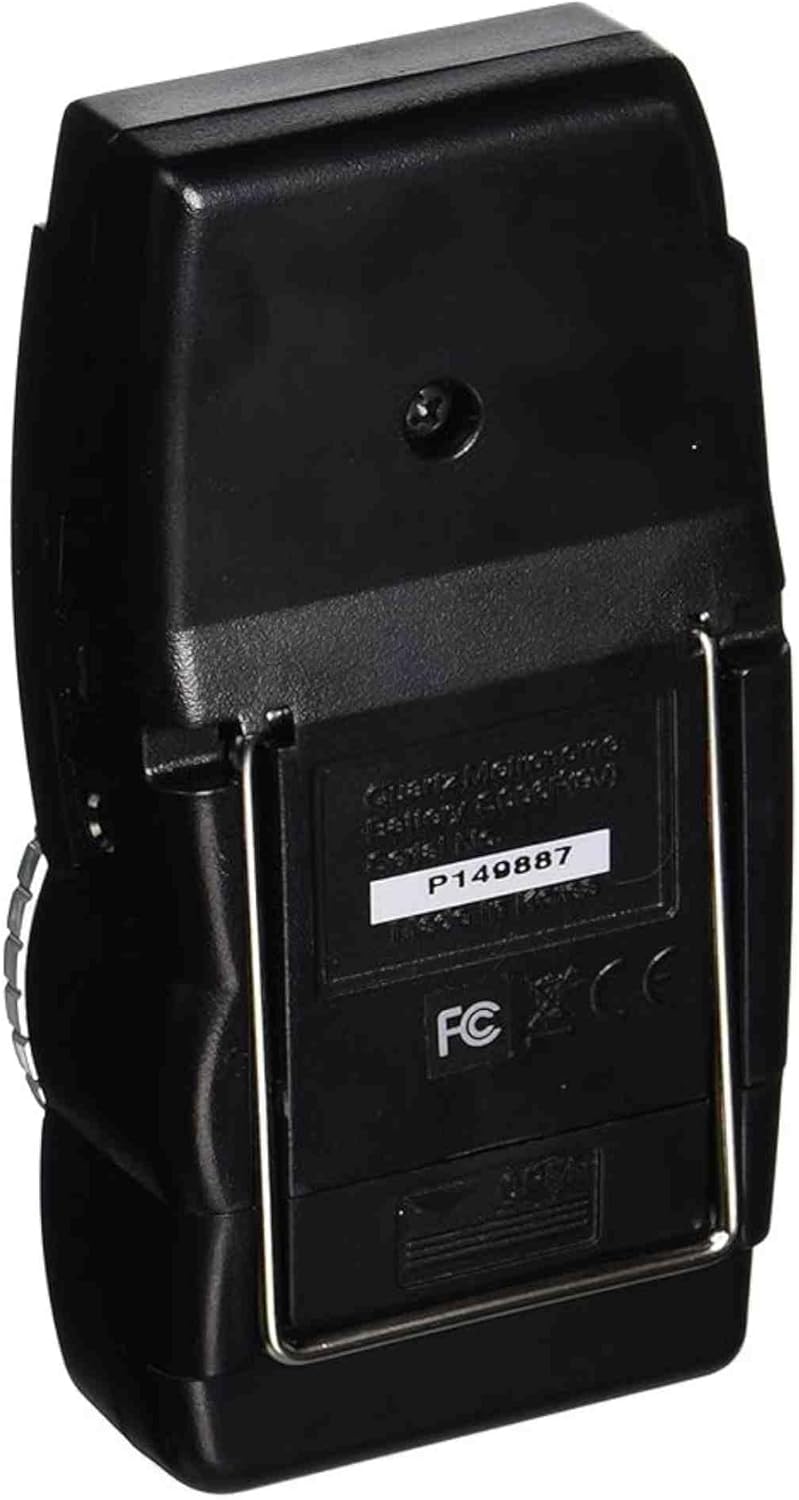
- Bilatu bateriaren konpartimentua unitatearen atzealdean.
- Ireki bateriaren konpartimenduaren estalkia.
- Sartu 9V-ko bateria bat, polaritate zuzena (+/-) ziurtatuz.
- Itxi bateriaren konpartimenduaren estalkia ondo.
Funtzionamendu-argibideak
Metronomoaren funtzioa
- Ezarri pizteko/moduko etengailua "METRO" posizioan.
- Doitu tempoa biraketa-botoi handia erabiliz. Tempo-tartea normalean 40 eta 208 taupada minutuko (BPM) artekoa da.
- Erabili "TAUPADA" hautatzailea nahi duzun taupada-eredua aukeratzeko (adibidez, 0, 2, 3, 4, 5, 6 konpas-sinadura desberdinetarako). Hautatutako ereduaren lehen taupada tonu bereizgarria izango du.
- Doitu bolumena bolumena kontrolatzeko botoia erabiliz.
- Behatu LED adierazleak erritmoaren irudikapen bisuala lortzeko.
Afinagailu funtzioa (tonu kromatikoaren irteera)
- Ezarri pizteko/moduko etengailua "SOINUA" posizioan.
- Erabili "PITCH" hautatzailea nahi duzun erreferentziazko tonua aukeratzeko (adibidez, A440, A441, A442, A443, A444, A445 Hz).
- Unitateak hautatutako tonuan tonu jarraitu bat igorriko du. Erabili tonu hau zure instrumentua belarriz afinatzeko.
- Doitu bolumena behar den moduan.

Mantentzea
- Garbiketa: Garbitu unitatea zapi leun eta lehor batekin. Saihestu garbitzaile edo disolbatzaile urratzaileak erabiltzea.
- Bateria ordezkatzea: Ordeztu 9V-ko bateria unitatearen errendimendua jaisten denean edo pizten ez denean. Kendu bateria unitatea denbora luzez erabiliko ez bada, isuriak saihesteko.
- Biltegiratzea: Metronomoa leku lehor batean gorde, muturreko tenperaturetatik eta eguzki-argitik babestuta.
Arazoak konpontzea
- Potentziarik gabe: Ziurtatu 9V-ko bateria behar bezala instalatuta dagoela eta ez dagoela agortuta. Ordeztu bateria beharrezkoa bada.
- Soinurik ez: Egiaztatu bolumenaren kontrola. Ziurtatu pizteko/moduko etengailua "METRO" edo "SOUND" posizioan dagoela eta ez "OFF".
- Tempo/tonu zehaztugabea: Egiaztatu taupada-eredua edo erreferentzia-tonu zuzena hautatuta dagoela.
- Etengabeko funtzionamendua: Egiaztatu bateriaren konexioak. Arazoak jarraitzen badute, jarri harremanetan bezeroarentzako arreta-zerbitzuarekin.
Zehaztapenak
| Ezaugarri | Xehetasuna |
|---|---|
| Modelo zenbakia | MR600 |
| Elementuaren pisua | 5.6 ontza |
| Produktuaren neurriak | 8 x 5.5 x 1.4 hazbete |
| Energia iturria | 9V-ko bateria (ez dago barne) |
| Tempo barrutia | 40-208 BPM (Minutuko taupada) |
| Erreferentziako zelaia | A440-A445 Hz (erregulagarria) |
| Bistaratzea | Pendulu estiloko LEDa |
Bermea eta Laguntza
MATRIX MR600 afinagailu metronomoaren bermeari buruzko informazio espezifikoa ez da eskuliburu honetan ematen. Mesedez, kontsultatu produktuaren ontzia edo produktua erosi zenuen saltzailea bermearen xehetasunak lortzeko.
Laguntza edo euskarri gehiago lortzeko, bisitatu ofiziala MATRIX markako denda.


