Sarrera
The Thrustmaster T.Flight Hotas X is a versatile and high-precision joystick designed for flight simulation enthusiasts. This manual provides essential information for setting up, operating, maintaining, and troubleshooting your device, ensuring an optimal and immersive flight experience.
The T.Flight Hotas X offers a full-size, detachable throttle, an ergonomic design for comfort, 5 axes of control, 12 programmable buttons, and an exclusive mapping button for on-the-fly configuration. Its high precision and stability make it suitable for various flight simulation scenarios on both PC and PS3.
Paketearen edukia
- 1x T.Flight HOTAS X set (Joystick and Detachable Throttle)
- 1x Bermearen informazioa
Konfigurazioa
Connecting to PC/PS3
To connect your T.Flight Hotas X, simply plug the USB cable from the joystick into an available USB port on your PC or PlayStation 3 console. The device is plug-and-play and should be recognized automatically by most systems.
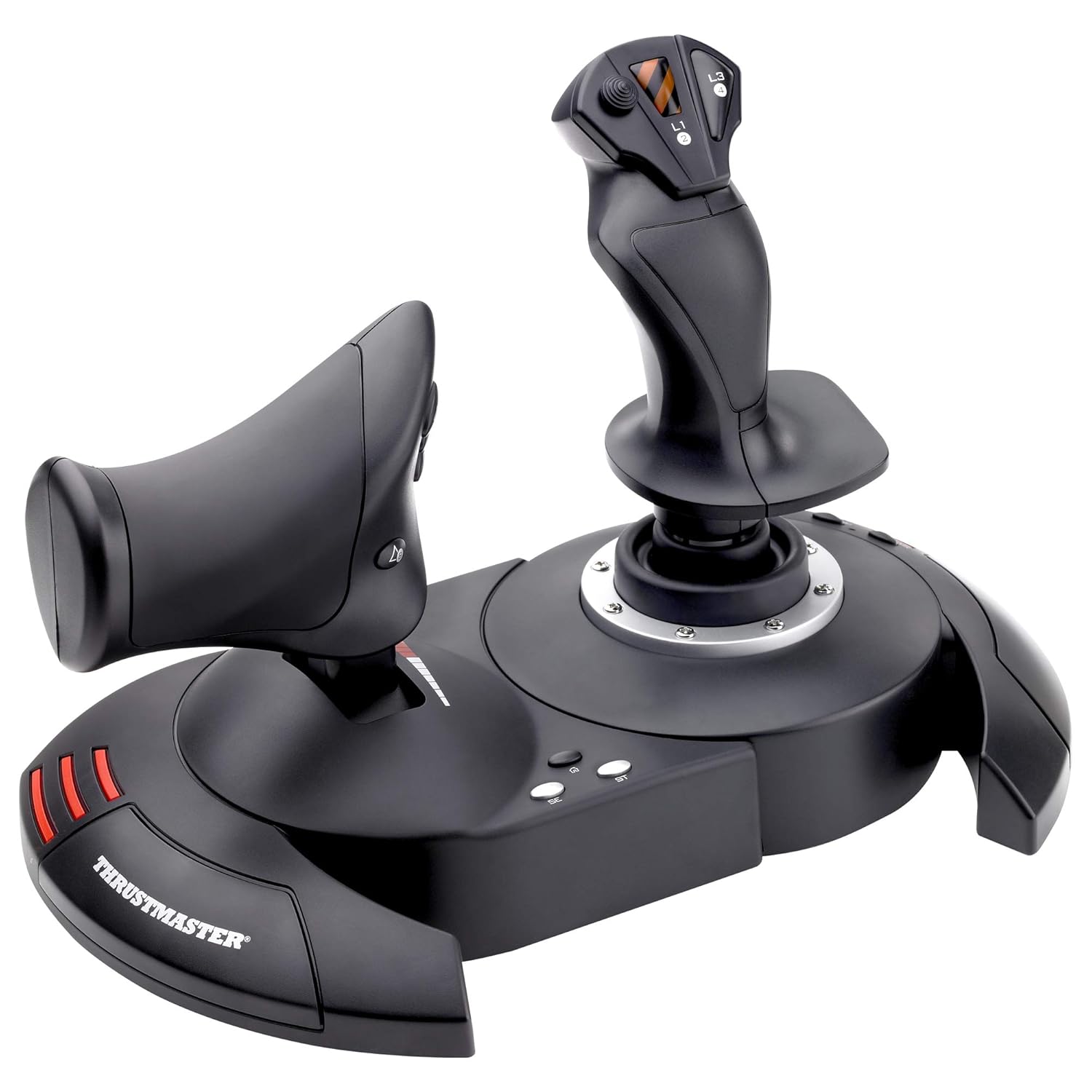
Figure 1: The Thrustmaster T.Flight Hotas X, showing both the joystick and the detachable throttle unit.
Detachable Throttle Unit
The throttle unit can be detached from the joystick for flexible placement. To detach, gently pull the throttle unit away from the main joystick base. To reattach, align the connectors and push firmly until it clicks into place.

2. irudia: Aurrealdea view of the T.Flight Hotas X, highlighting the connection point between the joystick and throttle.
Funtzionamendu-argibideak
Diseinu ergonomikoa eta erosotasuna
The T.Flight Hotas X is designed with a wide hand rest and adjustable resistance to ensure comfort during extended gaming sessions. Adjust the resistance of the joystick by turning the knob located at the base of the joystick until you find your preferred feel.

Figure 3: A hand demonstrating the ergonomic grip on the T.Flight Hotas X joystick.
Controls and Programmable Buttons
The joystick features 5 axes of control and 12 programmable buttons, along with a rapid-fire trigger. These controls allow for comprehensive command over your flight simulation. Refer to your game's control settings to customize button assignments.
- joystick: Controls pitch and roll.
- Rudder Control: Integrated twist rudder on the joystick handle for yaw control.
- throttle: Controls engine thrust.
- Botoiak: 12 programmable action buttons for various in-game functions.
- Rapid-Fire Trigger: For quick action inputs.
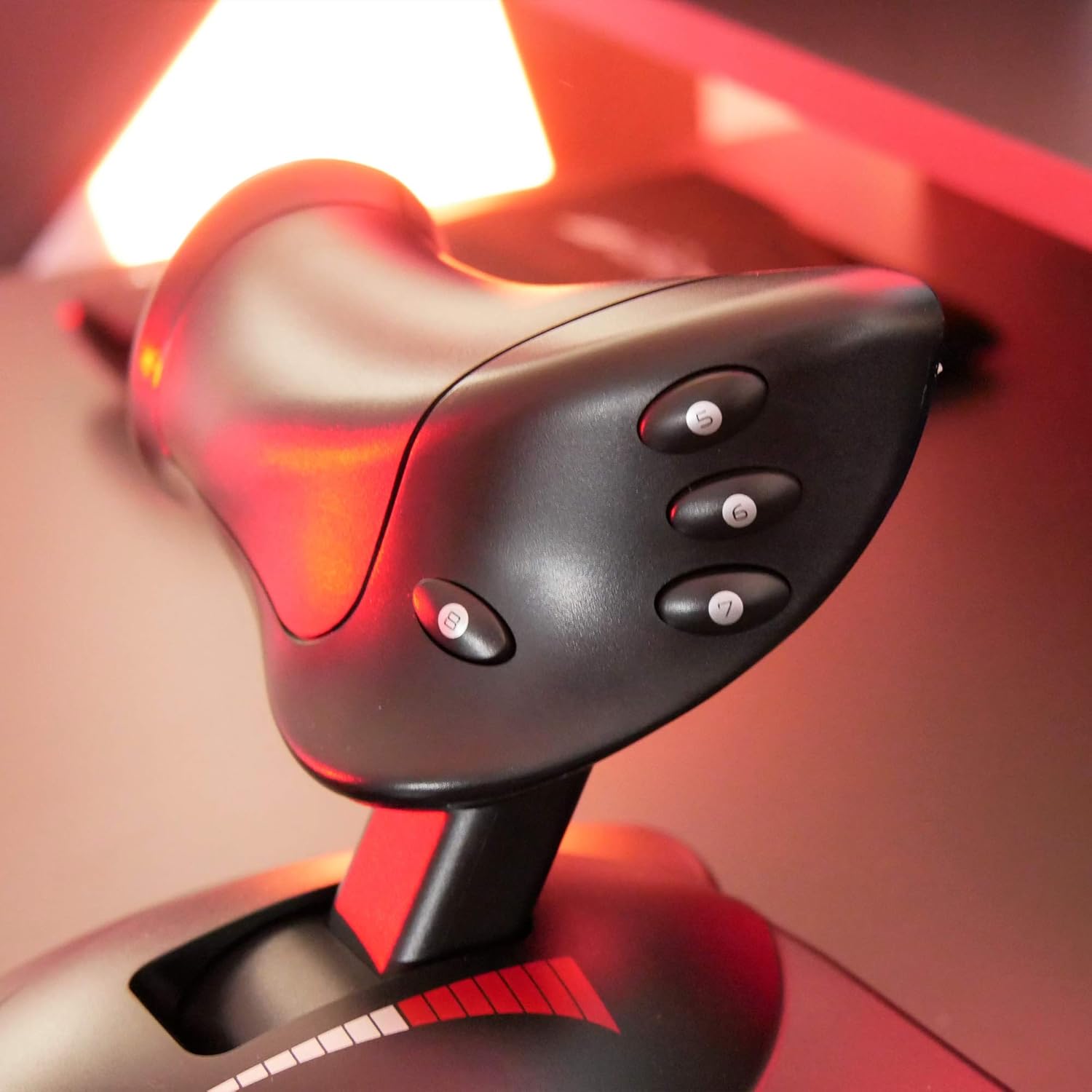
4. irudia: Xehetasuna view of the detachable throttle unit, showing its controls.

5. irudia: Aldea view of the joystick, illustrating the button layout and ergonomic shape.
Exclusive Mapping Button
Bakarra Kartografia button allows for instant reconfiguration of all functions without interrupting your gameplay. Consult the device's software or your game's settings for detailed instructions on how to utilize this feature for custom control profiles.
Mantentzea
Garbiketa
To clean your T.Flight Hotas X, use a soft, dry cloth. For stubborn dirt, a slightly damp cloth with mild soap can be used, but ensure no liquid enters the internal components. Avoid abrasive cleaners or solvents.
Biltegiratzea
Store the device in a cool, dry place away from direct sunlight and extreme temperatures to prevent damage to electronic components and plastic materials.
Arazoak konpontzea
Ez da gailua ezagutzen
- Ensure the USB cable is securely connected to both the device and your PC/PS3.
- Saiatu beste USB ataka batera konektatzen.
- Berrabiarazi zure ordenagailua edo kontsola.
- For PC, check Device Manager for driver issues. You may need to download the latest drivers from the Thrustmaster webgunea.
Buttons or Axes Not Responding
- Calibrate the joystick through your operating system's game controller settings (for PC) or within the game itself.
- Ensure the device is selected as the primary controller in your game's settings.
- Check for any physical obstructions or damage to the buttons or stick.
Zehaztapenak
| Ezaugarri | Xehetasuna |
|---|---|
| Modelo zenbakia | 4160543 |
| Konektibitatea | USBa |
| Bateragarritasuna | PC, PlayStation 3 |
| Ardatzak | 5 (Pitch, Roll, Yaw, Throttle, Multi-directional Hat) |
| Botoiak | 12 programmable action buttons + 1 rapid-fire trigger |
| Neurriak (L x W x H) | 10.39 x 9.53 x 10.43 hazbete |
| Pisua | 4.73 kilo |
| Fabrikatzailea | Thrustmaster |
| Argitaratze data | 15ko martxoaren 2019a |
Bermea eta Laguntza
For warranty information and technical support, please refer to the warranty documentation included in your product package or visit the official Thrustmaster website. You can also find additional support resources and FAQs on their support pages.
Official Thrustmaster Store: Thrustmaster Store on Amazon
For product identification, please note the following UPC/EAN codes:
- US & Canada UPC: 0663296413697
- International EAN: 3362932913535

Figure 6: Packaging details showing product identification codes.


