1. Sarrera
Eskuliburu honek Digitus DA-70156 USB 2.0tik RS232rako serieko egokigailurako argibide osoak eskaintzen ditu. Gailu hau serieko gailuak, hala nola eguraldi-estazioak, sentsoreak, motor-kontrolak, set-top box-ak eta joko-kontsolak, zure ordenagailura USB ataka estandar baten bidez konektatzeko errazteko diseinatuta dago. Datuen transferentzia fidagarria eta bateragarritasun zabala bermatzen ditu hainbat sistema eragileren artean.
2. Segurtasun informazioa
- Mantendu egokitzailea uretatik eta hezetasunetik urrun.
- Saihestu egokitzailea tenperatura altuetan jartzea.
- Ez saiatu gailua zeuk desmuntatzen edo konpontzen. Jo ezazu langile kualifikatuengana zerbitzurako.
- Berotu gehiegizko tenperatura saihesteko, ziurtatu aireztapen egokia erabiltzen ari zarenean.
3. Paketearen edukia
Egiaztatu elementu guztiak zure paketean daudela:
- Digitus DA-70156 USB 2.0-ra RS232 serie-egokitzailea
- USB luzapen kablea (80 cm)
- Produktuaren laguntza CD-ROMa (kontrolatzaileetarako, behar izanez gero)

4. Produktua amaitu daview
4.1. Osagaiak
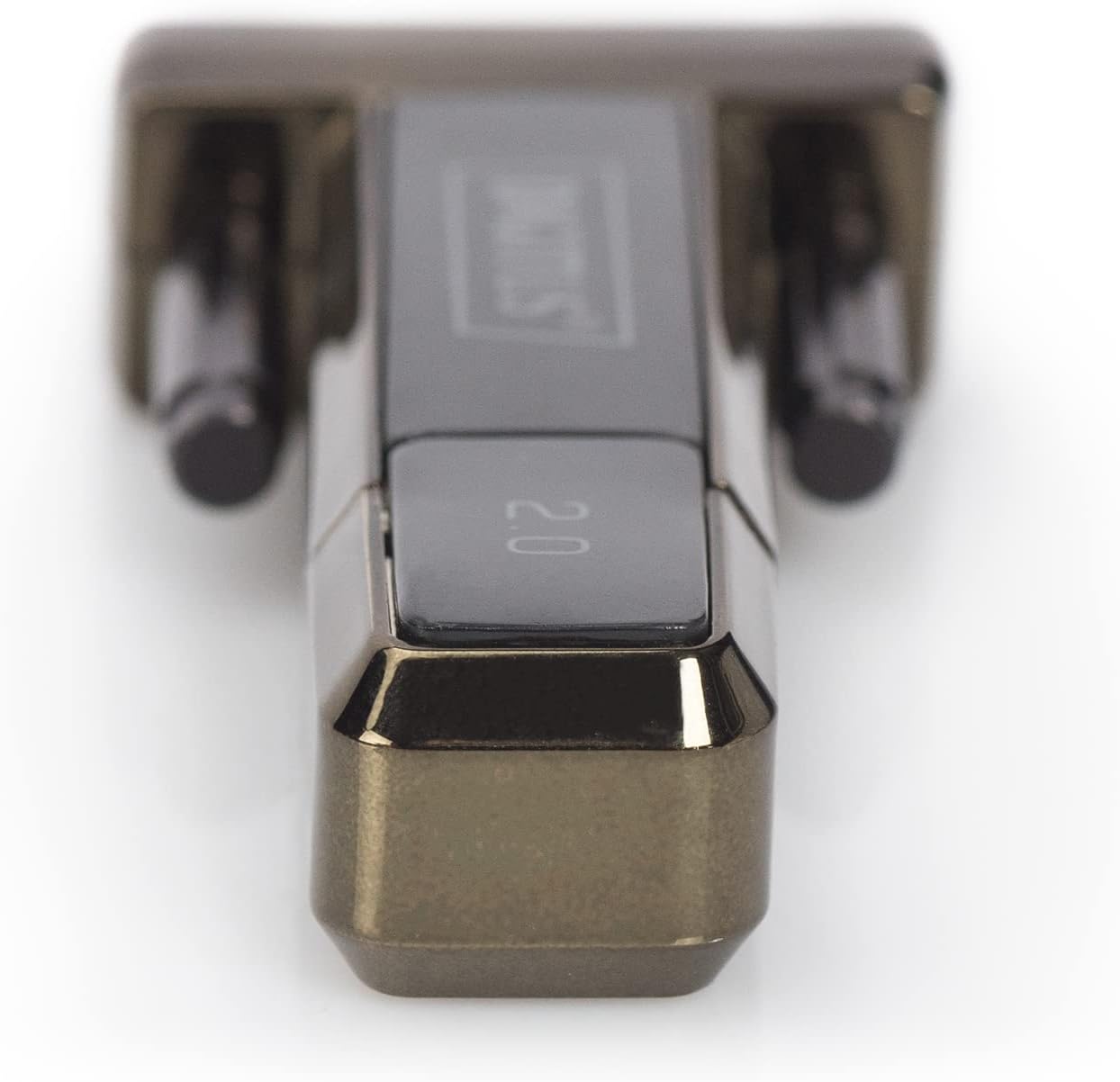
Digitus DA-70156 egokigailuak USB-A konektorea du mutur batean eta DB9 arra serieko konektorea bestean.

4.2. Ezaugarri nagusiak
- Alemaniako diseinu teknikoko serieko egokitzailea.
- Windows 10, 8, 7, Vista, XP, Mac OS X eta Linux sistema eragileak onartzen ditu.
- FTDI / FT232RL txipa integratua errendimendu fidagarrirako.
- Urruneko esnatzeko eta energia kudeatzeko funtzioak onartzen ditu.
- USB 2.0 estandarrekin bat dator.
- 1 Mbps-ko eta gehiagoko datu-transferentzia-tasak.
5. Konfigurazioa
5.1. Gidariaren instalazioa
Digitus DA-70156 egokigailuak FTDI / FT232RL txipa erabiltzen du. Sistema eragile moderno gehienetan (Windows 8/8.1/10/11), kontrolatzaileak automatikoki instalatzen dira gailua Interneteko konexio aktibo batera konektatuta dagoenean. Windows bertsio zaharragoetan (7, Vista, XP), Mac OS X edo Linux, eskuzko kontrolatzaileak instalatu behar izatea gerta daiteke.
- Instalazio automatikoa (Windows 8/8.1/10/11): Konektatu egokitzailea zure ordenagailuko USB ataka erabilgarri batera. Internetera konektatuta bazaude, sistema eragileak automatikoki detektatu eta instalatu beharko lituzke beharrezko kontrolatzaileak.
- Eskuzko instalazioa: Instalazio automatikoak huts egiten badu edo beste sistema eragile batzuetarako, sartu emandako Produktuaren Laguntza CD-ROMa. Jarraitu pantailan agertzen diren argibideei FTDI kontrolatzaileak instalatzeko. Bestela, azken kontrolatzaileak FTDIren webgune ofizialetik deskargatu daitezke. webgunea.
- Instalatu ondoren, egiaztatu egokitzailea gailuen kudeatzailean (Windows) edo sistemaren informazioan (Mac/Linux) USB serieko ataka gisa ezagutzen dela.
5.2. Konexio fisikoa
- Konektatu Digitus DA-70156 egokitzailearen USB-A muturra zure ordenagailuko USB 2.0 ataka libre batera. Barneratutako USB luzapen kablea erabil dezakezu irismen handiagoa lortzeko.
- Konektatu zure RS232 serieko gailua (adibidez, modema, inprimagailua, industria-ekipoa) egokigailuaren DB9 serieko konektore arrari. Ziurtatu konexioa ondo dagoela DB9 konektoreko torlojuak estutuz.


6. Funtzionamendu-argibideak
6.1. Serieko gailuak konektatzea
Behin kontrolatzaileak instalatuta eta egokitzailea fisikoki konektatuta dagoenean, zure ordenagailuak serieko ataka ezagutuko du. Ondoren, serieko komunikaziorako diseinatutako software aplikazioak erabil ditzakezu konektatutako gailuekin elkarreragiteko. Adibidezampgailu bateragarrien artean hauek daude:
- Estazio meteorologikoak
- Sentsoreak
- Motor kontrolak
- Set-top boxak
- Joko kontsolak
- Modemak
- Inprimagailuak
6.2. Datuen transferentzia
Egokigailuak 1 Mbps-ko edo gehiagoko datu-transferentzia-tasak onartzen ditu, zure serieko gailuekin komunikazio eraginkorra bermatuz. Konfiguratu zure serieko komunikazio-softwarea baud-tasa, datu-bit, paritate eta geldialdi-bit egokiekin, konektatutako gailuaren eskakizunetara egokitzeko.
7. Arazoak
- Ez da gailua ezagutzen: Ziurtatu egokitzailea ondo konektatuta dagoela USB ataka batera. Berriro instalatu kontrolatzaileak CD-ROMetik edo FTDItik. webgunea. Saiatu beste USB ataka edo ordenagailu batekin.
- Komunikazio akatsak: Egiaztatu softwareko serieko komunikazio ezarpenak (baud abiadura, datu bitak, paritatea, geldialdi bitak) konektatutako serieko gailuarenekin bat datozela. Egiaztatu DB9 kablearen konexio fisikoa.
- Datuen transferentzia motela: Ziurtatu USB 2.0 bateragarria den ataka bat erabiltzen ari zarela abiadura optimoa lortzeko. Egiaztatu gatazkan dauden kontrolatzaileak edo sistemaren baliabideak kontsumitzen dituzten atzeko planoan dauden aplikazioak.
- Potentziarik gabe: Egokigailuak zuzenean USB atakatik hartzen du energia. Ziurtatu USB ataka funtzionatzen duela.
8. Mantentzea
- Garbitu egokitzailea eta kableak zapi leun eta lehor batekin. Saihestu garbitzaile likidoak.
- Gorde egokitzailea leku fresko eta lehor batean erabiltzen ez duzunean.
- Saihestu kableak gehiegi tolestea edo bihurritzea barneko kalteak saihesteko.
9. Zehaztapenak
| Zehaztapena | Xehetasuna |
|---|---|
| Modelo zenbakia | DA-70156 |
| Marka | Digituak |
| Chipset | FTDI / FT232RL |
| Konektore mota | USB 2.0 (A mota), RS232 (DB9 arra) |
| Datuen transferentzia-tasa | 1 Mbps eta gehiago |
| Kablearen luzera | 80 cm (USB luzapen kablea barne) |
| Sistema eragilearen euskarria | Windows 10, 8, 7, Vista, XP, Mac OS X, Linux |
| Elementuaren pisua | 0.035 ontza |
10. Bermea eta Laguntza
Digitus produktu hau fabrikatzailearen berme estandarrak estaltzen du. Mesedez, kontsultatu erosketarekin batera emandako bermearen informazioa edo jarri harremanetan Digitus bezeroarentzako arreta-zerbitzuarekin xehetasunak lortzeko. Laguntza teknikoa lortzeko, kontsultatu Produktuaren Laguntza CD-ROMa edo bisitatu Digitus-en webgune ofiziala. webeguneratutako kontrolatzaileen eta laguntza-baliabideen gunea.


